
Philco PBB1005-PL
Contents
Philco Portable CD Player Boombox User Manual
Model: PBB1005-PL
Product Overview
The Philco Portable CD Player Boombox is a versatile audio device designed for both home and on-the-go use. It features a top-loading CD player compatible with CD-R/CD-RW and Audio CDs, an AM/FM radio, and a 3.5mm auxiliary input for connecting external devices. Its compact and lightweight design, coupled with the option for AC or battery power, makes it an ideal companion for various settings.

Front view of the Philco Portable CD Player Boombox in purple, showcasing its compact design, integrated speakers, and central control panel with LED display.
What's in the Box
Upon opening the package, ensure all the following items are present:
- Philco Portable CD Player Boombox (Model: PBB1005-PL)
- User Guide / Owner's Manual
- AC Power Cord (110V for North America)
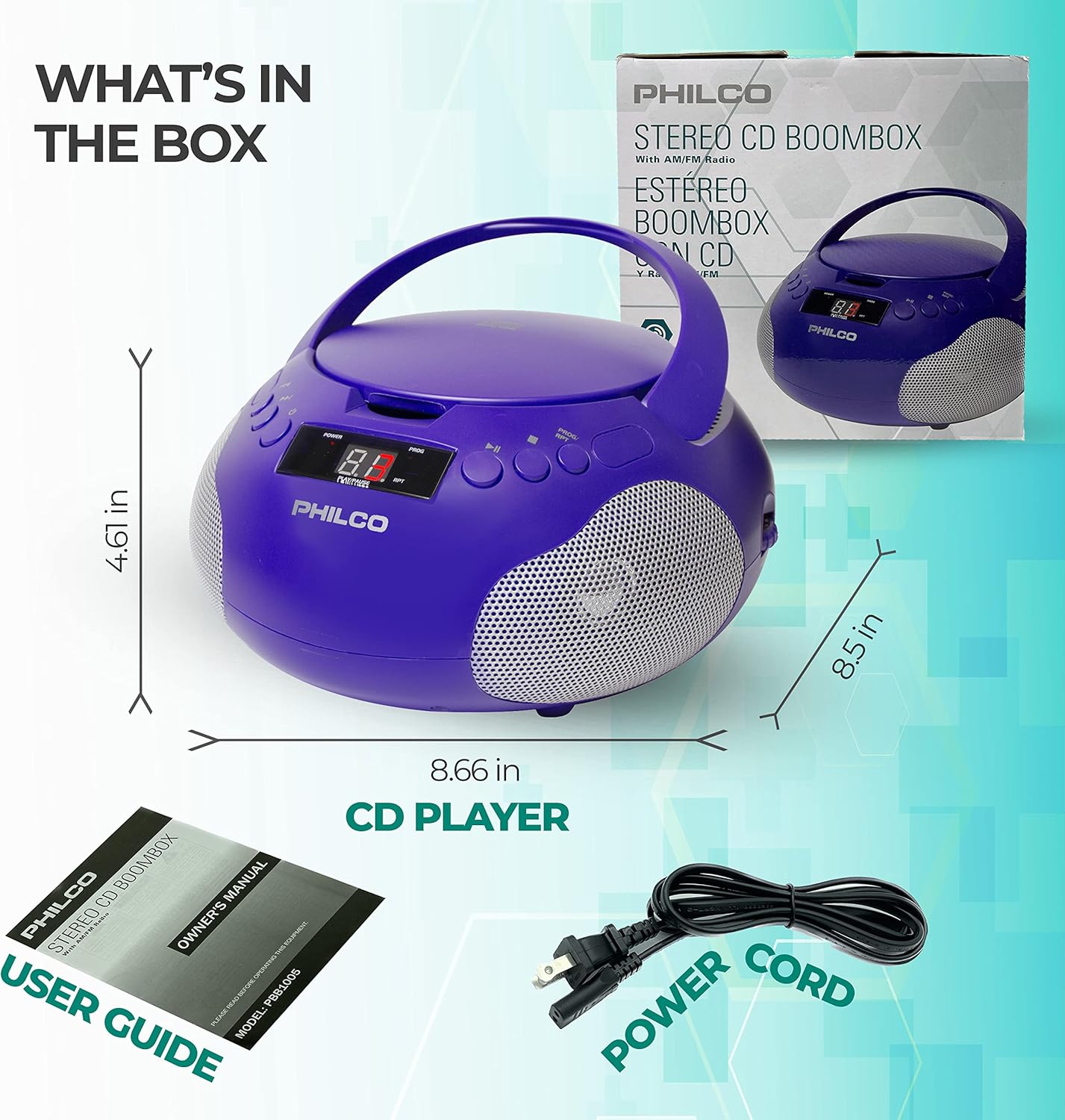
Image illustrating the Philco Boombox, its user guide, and the included power cord, as typically found in the product packaging.
Setup
Powering the Device
The Philco Portable CD Player Boombox can be powered in two ways:
- AC Power: Connect the provided AC power cord to the AC IN jack located on the back of the unit, then plug the other end into a standard 110V AC wall outlet.
- Battery Power: For portable use, the unit requires 6 "C" size batteries (not included). Open the battery compartment on the bottom of the unit and insert the batteries, ensuring correct polarity (+/-). Close the compartment securely.
Note: When the AC power cord is connected, battery power is automatically disconnected.
Operating Instructions
CD Player Operation
- Open CD Compartment: Gently lift the CD compartment door located on the top of the unit.
- Insert CD: Place a CD (Audio CD, CD-R, or CD-RW) onto the spindle with the label side facing up.
- Close CD Compartment: Close the CD compartment door firmly until it clicks.
- Select CD Mode: Use the Function Selector switch (usually on the side or front) to select "CD" mode.
- Play/Pause: Press the ►/− (Play/Pause) button to start or pause playback.
- Skip Tracks: Press the ◀◀ (Previous) or ►► (Next) buttons to skip tracks.
- Stop: Press the ■ (Stop) button to stop playback.
- Program Play: The CD player is programmable. Refer to the detailed user guide for programming specific track orders.
AM/FM Radio Operation
- Select Radio Mode: Use the Function Selector switch to select "AM" or "FM" mode.
- Tune Radio: Rotate the Tuning knob (usually on the side) to select your desired radio station.
- Adjust Antenna: For FM reception, extend and adjust the telescopic antenna for best signal. For AM reception, rotate the unit for optimal signal.
Auxiliary Input (AUX IN)
- Connect Device: Connect one end of a 3.5mm audio cable (not included) to the AUX IN jack on the boombox and the other end to the headphone jack or audio output of your external device (e.g., smartphone, tablet, MP3 player).
- Select AUX Mode: Use the Function Selector switch to select "AUX" mode.
- Play Audio: Start playback on your external device. The audio will be routed through the boombox speakers.
- Adjust Volume: Control the volume using the volume knob on the boombox and/or the volume controls on your external device.
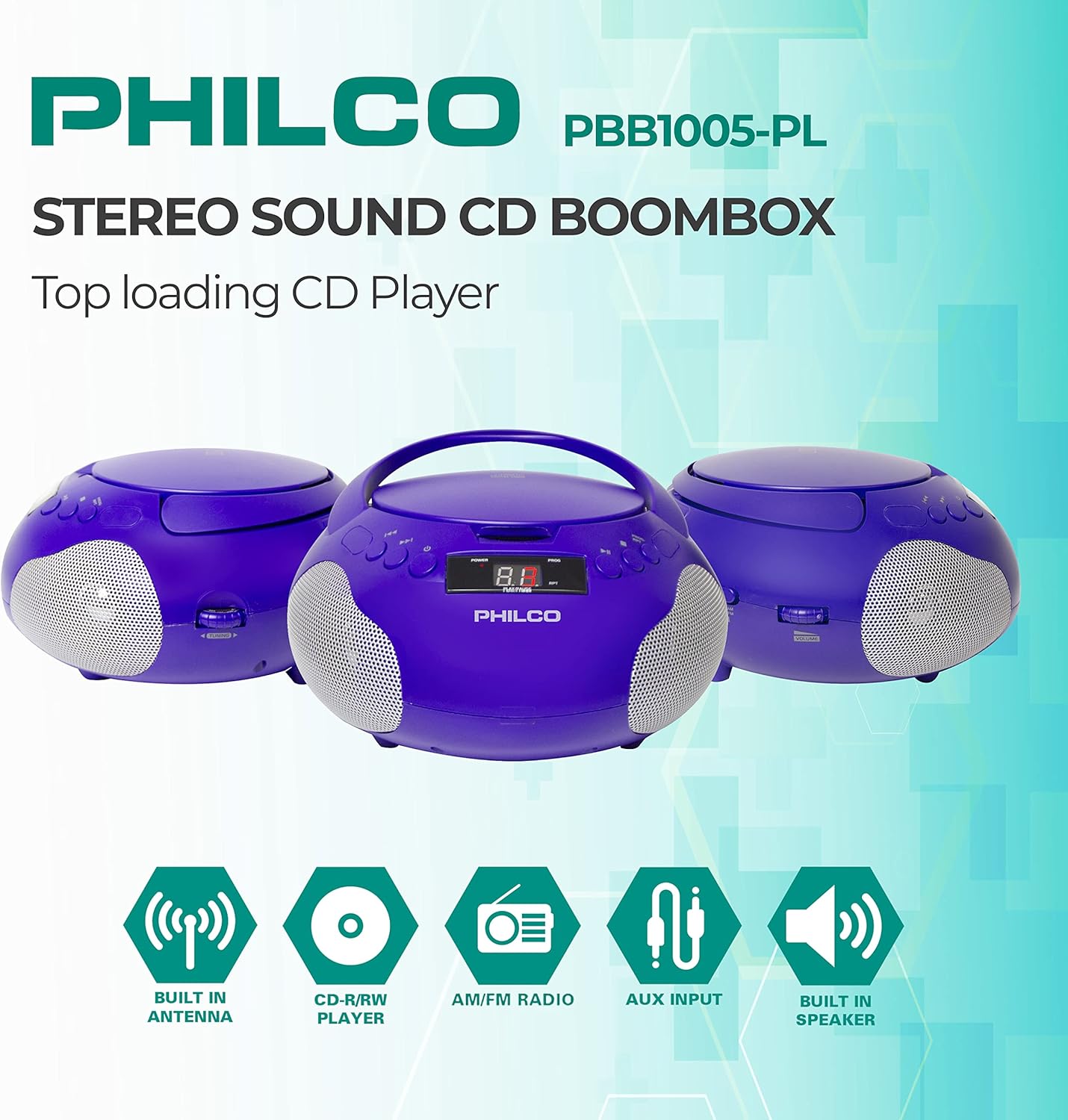
Key features of the Philco Boombox, highlighting its capabilities such as built-in antenna, CD playback, AM/FM radio, auxiliary input, and integrated speakers.
Maintenance
Cleaning
- Always unplug the unit from the power source before cleaning.
- Use a soft, dry cloth to wipe the exterior surfaces.
- Do not use abrasive cleaners, waxes, or solvents as they may damage the finish.
- For the CD lens, use a specialized CD lens cleaner disc or a soft, lint-free cloth designed for optical lenses. Avoid touching the lens directly.
Battery Care
- Remove batteries if the unit will not be used for an extended period to prevent leakage.
- Do not mix old and new batteries, or different types of batteries.
- Dispose of used batteries responsibly according to local regulations.
Troubleshooting
If you experience issues with your Philco Boombox, please refer to the following common problems and solutions:
| Problem | Possible Cause | Solution |
|---|---|---|
| No power | AC cord not connected properly; Batteries drained or incorrectly inserted. | Ensure AC cord is securely plugged in. If using batteries, check battery polarity and replace if necessary. |
| CD not playing / Skipping | CD dirty or scratched; CD inserted incorrectly; CD compartment not closed; Unit in wrong mode. | Clean CD with a soft cloth. Ensure CD is inserted label-side up. Close CD compartment firmly. Select "CD" mode. |
| Poor radio reception | Antenna not extended/adjusted; Weak signal area. | Fully extend and adjust the telescopic antenna for FM. Rotate the unit for AM. Try moving the unit to a different location. |
| No sound from AUX input | AUX cable not connected; Unit in wrong mode; Volume too low on boombox or external device. | Ensure AUX cable is securely connected. Select "AUX" mode. Increase volume on both the boombox and the external device. |
Specifications
| Feature | Detail |
|---|---|
| Model Number | PBB1005-PL |
| Product Dimensions (L x W x H) | 9.65 x 5.51 x 9.45 inches |
| Item Weight | 2.7 pounds |
| Power Source | AC 110V (North America) or 6 x "C" Batteries (not included) |
| CD Compatibility | CD, CD-R, CD-RW, Audio CD |
| Radio Frequencies | AM/FM |
| Auxiliary Input | 3.5mm Stereo Jack |
| Speaker Type | Built-In Stereo Speakers |
| Color | Purple |
| Manufacturer | PHC Americas, LLC |
| Country of Origin | China |
Warranty and Support
Philco is committed to providing quality products and customer satisfaction. We stand behind our products, offering durability and performance at an affordable price.
For technical assistance, warranty claims, or any inquiries regarding your Philco Portable CD Player Boombox, please contact our support team. Our home base is the USA, and our support team is available to assist you.
Please refer to the contact information provided in your product packaging or visit the official Philco website for the most up-to-date support details.
Note: Keep your purchase receipt as proof of purchase for warranty purposes.
Ask a question about this manual
Ask about setup, troubleshooting, compatibility, parts, safety, or missing instructions. Manuals+ will review the question and use this page’s manual context to help answer it.