
1. Introduction
The SVBONY SV220 7nm 2-inch Dual-Band Nebula Filter is an optical accessory designed for astrophotography, particularly with one-shot color (OSC) cameras. This filter is engineered to isolate specific wavelengths of light, primarily H-Alpha and O-III emissions, while significantly reducing interference from light pollution. Its application enhances the contrast of nebulae against the sky background, facilitating detailed imaging even in challenging observing conditions.
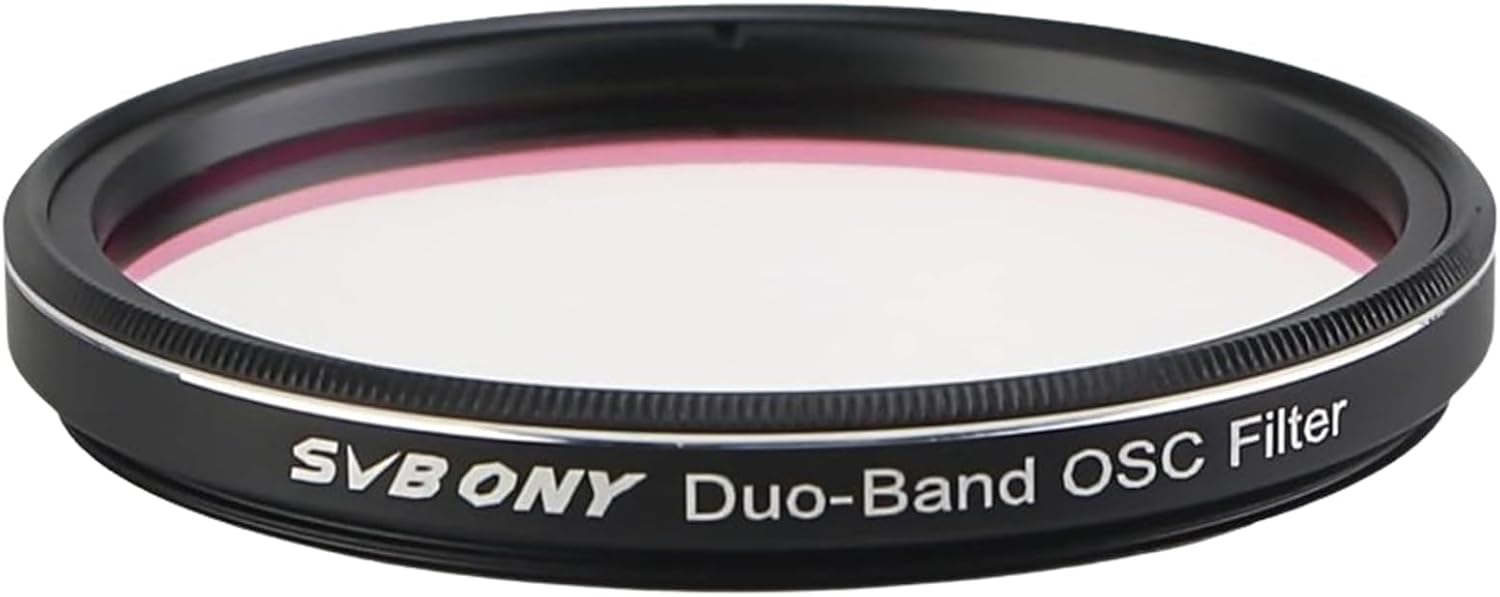
Image 1.1: The SVBONY SV220 7nm 2-inch Dual-Band Nebula Filter.
The filter's dual-band characteristic allows for the capture of both H-Alpha and O-III data simultaneously, which can simplify the imaging process and post-processing for users. It is particularly effective for imaging emission nebulae, planetary nebulae, and supernova remnants.

Image 1.2: Transmission curve illustrating the filter's passbands for H-Alpha (656.3nm) and O-III (500.7nm) at 7nm bandwidth, with an OD5 cut-off depth.
2. Setup and Installation
Proper installation of the SVBONY SV220 filter is crucial for optimal performance. This filter is designed for 2-inch filter threads (M48*0.75) and is compatible with one-shot color cameras and telescopes with an f/ratio of F/5 or slower.
2.1 Compatibility
- Filter Size: 2 inches (M48*0.75 thread).
- Camera Type: Primarily designed for One-Shot Color (OSC) cameras.
- Telescope F-ratio: Suitable for telescopes with an f/ratio of F/5 or slower.

Image 2.1: Dimensions of the SV220 filter, indicating its 2-inch diameter and M48*0.75 thread size.

Image 2.2: The filter is designed for use with One-Shot Color cameras.

Image 2.3: The filter is suitable for telescopes with an f/ratio of F/5 or slower.
2.2 Installation Procedures
The SV220 filter can be integrated into your astrophotography setup in several ways. Below are common configurations:
- Direct Threading to Camera: If your camera has a 2-inch filter thread (M48*0.75), the filter can be directly threaded onto the camera's sensor housing.
- Filter Drawer System: The filter can be placed into a compatible 2-inch filter drawer, which is then inserted into the imaging train.
- Filter Wheel: For setups utilizing a filter wheel, the SV220 can be mounted into an available 2-inch slot.

Image 2.4: Example installation diagrams showing the SV220 filter integrated with a telescope, field flattener, adapters, and a CMOS camera, or with a filter drawer.
Ensure the filter is securely threaded to prevent accidental detachment and light leaks. Avoid overtightening to prevent damage to the filter or threads.
3. Operating Instructions
The primary function of the SVBONY SV220 filter is to enhance deep-sky astrophotography by mitigating light pollution and increasing the contrast of nebulae.
3.1 Light Pollution Reduction
The SV220 filter is designed to reduce interference from natural light sources like moonlight and artificial light pollution, such as street lighting. This allows for imaging sessions to be conducted in environments that would otherwise be unsuitable due to excessive ambient light.

Image 3.1: The filter enables deep-sky astrophotography in light-polluted conditions and under a full moon.
3.2 Contrast Enhancement
This filter enhances contrast for visual observation and imaging of gaseous and planetary nebulae. It facilitates high-contrast imaging, even in environments with significant light pollution. The filter increases the contrast between nebulae and the sky background. This effect can be perceived as an increase in brightness, though the filter primarily enhances contrast rather than making the nebula inherently brighter.
3.3 Simplified Post-Processing
The dual-band nature of this filter simplifies and streamlines the post-processing workflow for astrophotography. By capturing both H-Alpha and O-III data in a single exposure, the need for separate narrowband filter imaging and complex channel combination is reduced.

Image 3.2: The dual-band filter simplifies the imaging and post-processing workflow.
3.4 Astrophotography Targets
The dual-band filter is particularly effective for imaging:
- Emission Nebulae
- Planetary Nebulae
- Supernova Remnants

Image 3.3: Examples of deep-sky objects suitable for imaging with the SV220 filter.
4. Maintenance
Proper care and maintenance will ensure the longevity and optimal performance of your SVBONY SV220 filter.
4.1 Cleaning
- Dust Removal: Use a soft brush or a blower bulb to gently remove loose dust particles from the filter surface.
- Smudges/Fingerprints: For stubborn smudges or fingerprints, use a specialized optical cleaning solution and a microfiber cloth designed for optics. Apply a small amount of solution to the cloth, not directly to the filter, and gently wipe in a circular motion from the center outwards.
- Avoid Abrasives: Never use abrasive materials, harsh chemicals, or excessive force, as this can damage the filter's coatings.
4.2 Storage
When not in use, store the filter in its protective case or a clean, dry environment to prevent dust accumulation and potential damage. Avoid exposing the filter to extreme temperatures or humidity.
5. Troubleshooting
If you encounter issues while using your SVBONY SV220 filter, consider the following common troubleshooting steps:
- Poor Image Contrast:
- Ensure the filter is clean and free of dust or smudges.
- Verify that the filter is correctly installed in the imaging train.
- Check your exposure settings. Narrowband filters require longer exposures due to the limited light transmission.
- Vignetting:
- Vignetting (darkening at the edges of the image) can occur if the filter is too small for the optical path or if there are other obstructions in the imaging train. Ensure you are using the correct 2-inch filter size for your setup.
- Check for proper spacing between optical components.
- Unwanted Reflections/Halos:
- Ensure all connections are tight and light-sealed.
- Check for any internal reflections within your imaging train.
- Bright stars can sometimes produce halos with narrowband filters; this is often an inherent characteristic and can be mitigated in post-processing.
- Difficulty Threading:
- Ensure the threads on both the filter and the receiving component are clean and undamaged.
- Thread the filter carefully to avoid cross-threading.
If problems persist, consult the SVBONY support resources or contact their customer service.
6. Specifications
| Feature | Specification |
|---|---|
| Brand | SVBONY |
| Model Number | SV220 (FW9172) |
| Product Dimensions | 2 x 2 x 0.04 inches (50.8 x 50.8 x 1 mm) |
| Item Weight | 1.06 ounces (30 grams) |
| Material | Aluminum (frame) |
| Photo Filter Thread Size | 50.8 Millimeters (M48*0.75) |
| Coating Description | Multi Coating |
| Photo Filter Effect Type | Enhancing (Nebula Contrast) |
| Water Resistance Level | Waterproof |
| Bandwidth | 7nm (H-Alpha and O-III) |
| Cut-Off Depth | OD5 |
7. What's in the Box
The SVBONY SV220 Telescope Filter package includes:
- 1x SVBONY SV220 Telescope Filter
- 1x PP Plastic Box (for storage)
8. Warranty and Support
For information regarding warranty coverage, technical support, or service inquiries, please refer to the official SVBONY website or contact their customer service department directly. Keep your purchase receipt as proof of purchase for any warranty claims.