Introduction
This manual provides instructions for the GENGQIANSI Replacement Remote Control, model A520221230B62. This remote is designed to operate specific Twin Star Duraflame 3D Electric Fireplace Heater models. Please read this manual thoroughly before use to ensure proper operation and longevity of your remote control.
Package Contents
- 1 x Replacement Remote Control
- 1 x Wall Mount Case

The remote control unit shown alongside its accompanying wall mount case.
Compatibility
This remote control is compatible with the following Twin Star Duraflame Electric Fireplace Heater models: 10HM4128, 10HM1342, 10HM4126, 10HM2274, 10HM4124, 10QI071ARA. Please verify your fireplace model number before use.
Setup
Battery Installation
- Locate the battery compartment on the back of the remote control.
- Slide the battery cover downwards to open it.
- Insert two AAA batteries (not included), ensuring correct polarity (+/-) as indicated inside the compartment.
- Slide the battery cover back into place until it clicks securely.

The remote control with its battery cover removed, revealing the battery compartment and terminals.
Wall Mount Installation
- Choose a suitable location near your electric fireplace, ensuring easy access and clear line of sight to the fireplace's infrared receiver.
- Use screws (not included) to secure the wall mount case to the desired surface. Ensure it is firmly attached.
- Slide the remote control into the wall mount case.
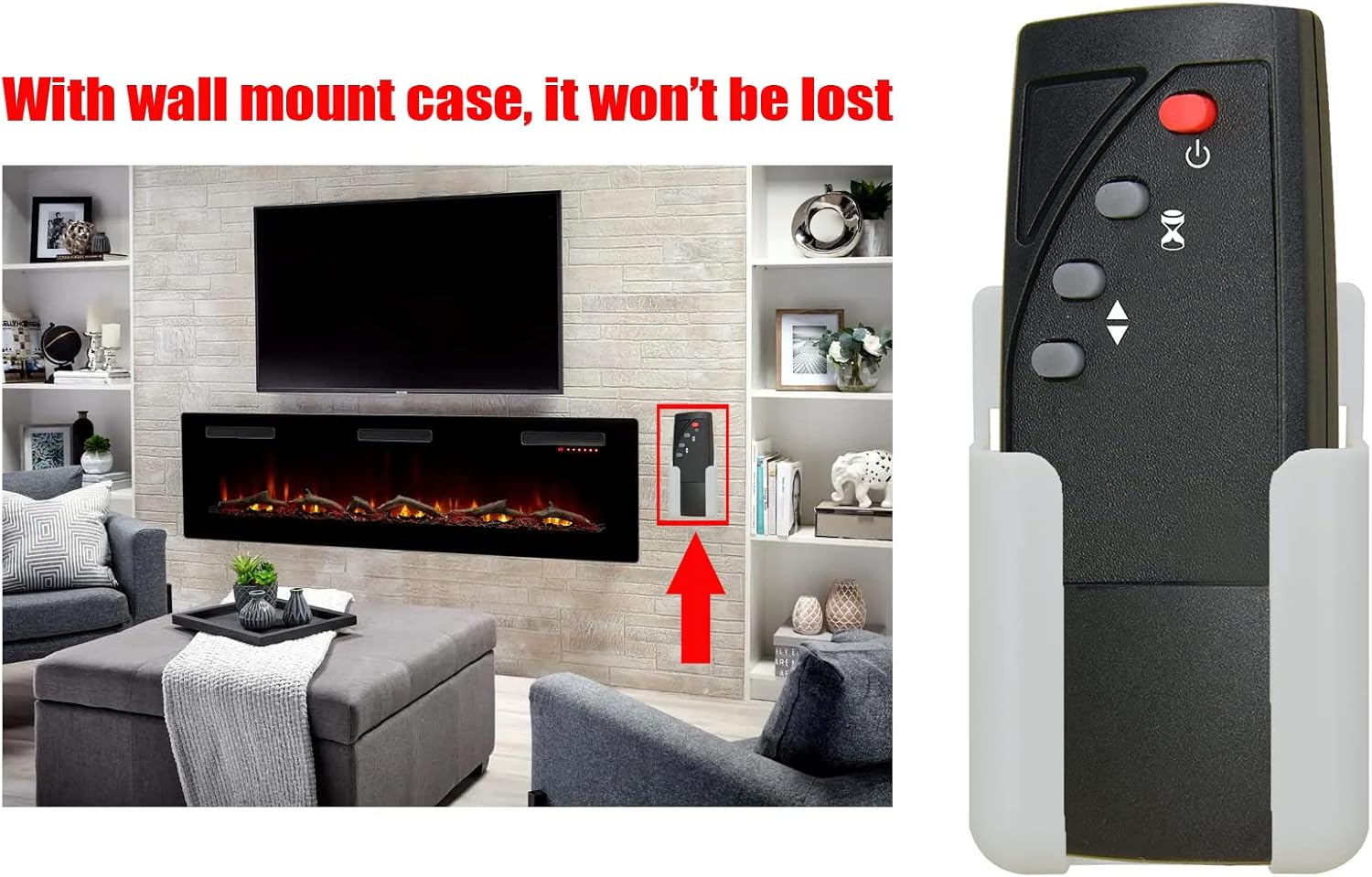
An example installation showing the remote control secured in its wall mount, positioned conveniently near an electric fireplace.
Operating Instructions
Button Functions
Front view of the remote control, highlighting the operational buttons.
| Button | Function |
|---|---|
| Power Button (Red, top) | Press to turn the electric fireplace ON or OFF. |
| Flame Effect Button (Hourglass icon) | Press to cycle through different flame brightness or effect settings. |
| Temperature Up Button (Up arrow) | Press to increase the desired temperature setting. |
| Temperature Down Button (Down arrow) | Press to decrease the desired temperature setting. |
Maintenance
Cleaning
Wipe the remote control with a soft, dry cloth. Do not use abrasive cleaners or solvents.
Battery Replacement
Replace batteries when the remote control's range decreases or it stops responding. Follow the battery installation steps outlined in the Setup section.
Remove batteries if the remote will not be used for an extended period to prevent leakage and potential damage.
Troubleshooting
- Remote not responding:
- Check battery polarity.
- Replace batteries if they are low or depleted.
- Ensure there is a clear line of sight between the remote and the fireplace's infrared receiver.
- Move closer to the fireplace.
- Limited range:
- Replace batteries.
- Ensure no obstructions are blocking the signal between the remote and the fireplace.
Specifications
| Feature | Detail |
|---|---|
| Item Model Number | A520221230B62 |
| Connectivity Technology | Infrared |
| Power Source | 2 x AAA Batteries (not included) |
| Item Weight | 1.06 ounces (approximately 30 grams) |
| Package Dimensions | 0.39 x 0.2 x 0.08 inches (approximately 1 x 0.5 x 0.2 cm) |
Warranty and Support
For warranty information and customer support, please refer to the documentation provided with your original purchase or contact the seller directly. Keep your purchase receipt for warranty claims.