
1. Introduction
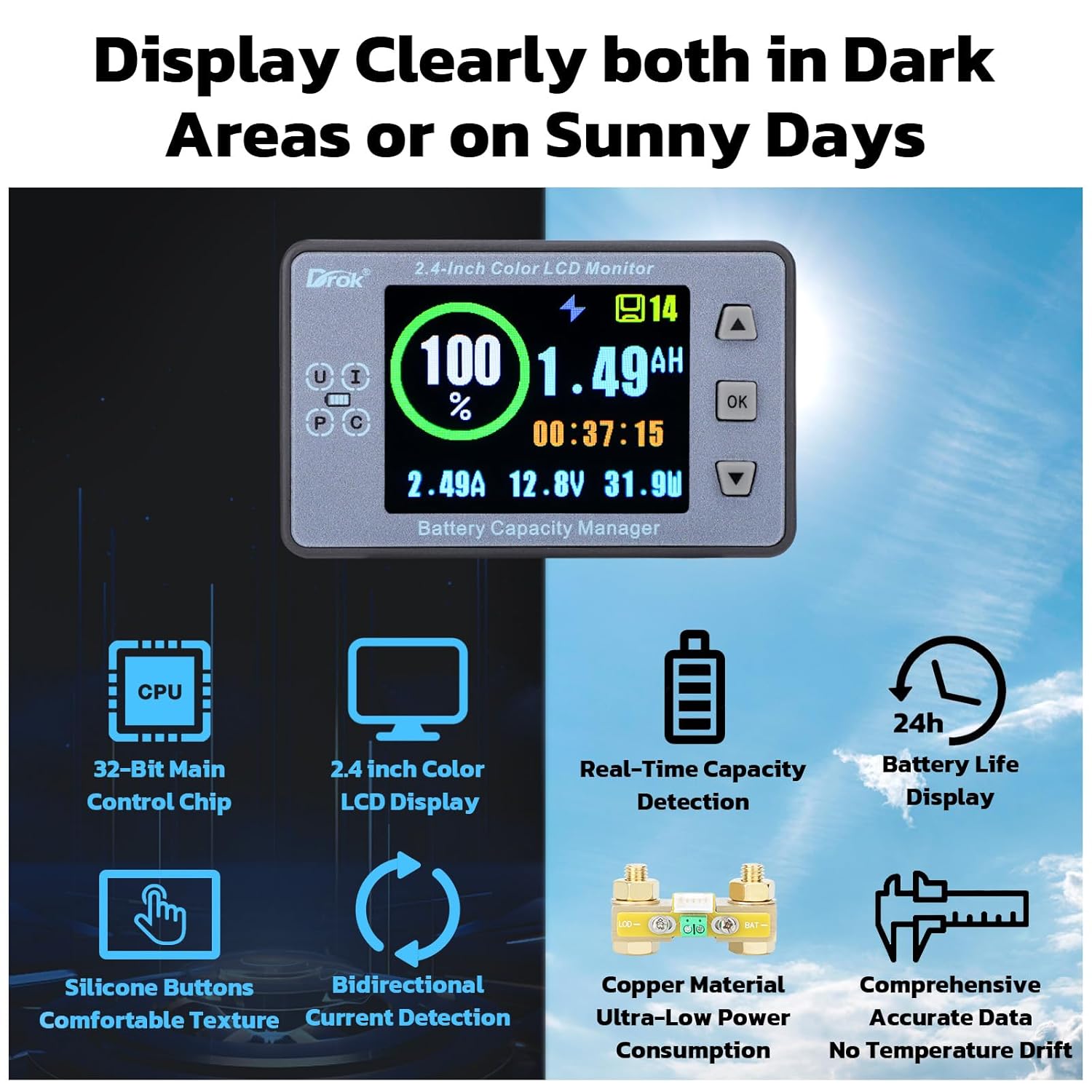
The DROK DC 8-100V 500A Battery Coulometer is a versatile multi-tester designed to monitor various battery parameters. It functions as a coulometer, watt meter, voltmeter, and ampmeter, providing real-time data on voltage, current, power, and battery capacity. This device is suitable for a wide range of applications including RVs, solar power systems, golf carts, and car audio setups.

2. Product Features
- Parameter Monitoring: Measures Voltage (8-100V), Current (0.2-500A), Power (0-50KW), and Capacity (0.1-99999AH).
- High Precision Display: Features a 2.4-inch LCD color screen for clear visibility of parameters in various lighting conditions.
- Backlight Alarm Function (LBR): Activates a flashing backlight when remaining capacity is below 20% or voltage is below the Low Voltage Protection (LVP) threshold. Also flashes during charging if current exceeds the Screen Turn-off Current (STI).
- Wide Application: Suitable for battery charge/discharge testing, capacity monitoring in solar panels, and as a general voltage, ampere, and power meter for various DC systems.

3. Specifications
| Parameter | Value |
|---|---|
| Voltage Range | 8-100V DC |
| Current Range | 0.2-500A |
| Capacity Range | 0.1-99999AH |
| Power Range | 0-50KW |
| Voltage Precision | ±1% + 2 digits |
| Current Precision | ±0.5% + 2 digits |
| Measure Speed | 20 Times per Second |
| Display Board Size | 86 x 53 x 17mm (3.39 x 2.09 x 0.67in) |
| Measure Board Size (Shunt) | 56 x 36 x 34mm (2.20 x 1.42 x 1.34in) |
| Item Model Number | 200650 |
| Manufacturer | DROK |
| Color | Colorful |
| Compliance | CE, RoHS |
4. Package Contents
The package includes the following items:
- DROK 2.4-inch Color LCD Monitor
- Shunt (Current Sensor)
- Clear Protective Cover
- Connection Cables (short and long)
- Wrench
- Copper Lugs

5. Setup
5.1 Wiring Diagram
Proper wiring is crucial for accurate measurements. Refer to the diagram below for connecting the coulometer to your battery, load, and charger.

- Connect the B- terminal of the shunt to the negative terminal of your battery.
- Connect the BAT- terminal of the shunt to the negative terminal of your load (L-) and the negative terminal of your charger (C-).
- Connect the positive terminal of your battery (B+) to the positive terminal of your load (L+) and the positive terminal of your charger (C+).
- Connect the small white connector cable from the shunt to the display unit.
5.2 Initial Configuration
After wiring, configure the device settings for optimal performance. Press and hold the OK button to enter the setup menu. Use the Up (▲) and Down (▼) arrows to navigate between settings. Press OK to enter a setting, use arrows to adjust values, and press OK again to confirm and exit the setting. Press and hold OK for 5 seconds to save and exit the settings menu.
- BAT (Battery Total Capacity): Set the total capacity of your battery bank in Amp-hours (Ah). For example, for a 200Ah battery, set BAT to 200.
- BPC (Available Capacity Percentage): Set the current state of charge percentage. If your battery is fully charged, set this to 100%. This value will be automatically adjusted by the device during operation.
- LVP (Low Voltage Protection): Set the low voltage alarm threshold. When the battery voltage drops below this value, the capacity will automatically clear, and the backlight may flash if LBR is enabled. For LiFePO4 batteries, a setting around 11.2V (for a 12V system) is often recommended.
- OVP (Over Voltage Protection): Set the maximum voltage value. When the battery voltage exceeds this value (e.g., during charging), the capacity will automatically fill up to 100%. For LiFePO4 batteries, 14.4V or 14.5V is typical for a 12V system.
- CLR (Current Clear Function): If the display shows a non-zero current when no load is connected, enter this function and short press ▲ to clear the no-load current.
- PAI (Current Clear Value): This setting helps to zero out minor current measurement errors after CLR. If the current is lower than the set PAI value, the display will show zero current. A typical value might be 0.06A.
- STE (Screen Turn Off Time): Set the time in seconds after which the screen will automatically turn off if the working time exceeds this duration.
- STI (Screen Turn Off Current): Set the current value. If the measured current is lower than this value, the screen will automatically turn off after the STE time. If the current rises above this value, the screen will turn back on.
6. Operating Instructions
The coulometer provides various functions to monitor and manage your battery system. The display shows real-time parameters and status indicators.

- CLR (Current Clear Function): Used to zero out any residual current reading when no load is present. Access via setup menu.
- BAT (Battery Total Capacity): Configures the maximum Amp-hour capacity of the battery. Access via setup menu.
- BPC (Available Capacity Percentage): Sets or displays the current battery capacity as a percentage. Access via setup menu.
- LED (LCD Screen Backlight Brightness): Adjusts the backlight intensity from level 0-10. Access via setup menu.
- STE (Screen Turn Off Time): Sets the duration (in seconds) after which the screen will automatically turn off under low current conditions. Access via setup menu.
- STI (Screen Turn Off Current): Defines the current threshold below which the screen will turn off after the STE time. Access via setup menu.
- BKC (Screen Display Colors): Allows selection between two display color schemes: black-white and colorful. Access via setup menu.
- LAG (Language): Selects the display language (English/Chinese). Access via setup menu.
- LVP (Low Voltage Protection): Sets the minimum voltage threshold. If voltage drops below this, capacity is cleared. Access via setup menu.
- LBR (Backlight Alarm): Toggles the backlight alarm function. When enabled, the backlight flashes if capacity is low (<20%), voltage is below LVP, or charging current is high (above STI). Access via setup menu.
- ADS (Communication Address): Used for communication settings, typically for advanced setups. Access via setup menu.
- PAI (Current Zeroing Value): Helps maintain accurate zero current readings by setting a threshold below which current is considered zero. Access via setup menu.
- OVP (Over Voltage Protection): Sets the maximum voltage threshold. If voltage exceeds this, capacity is set to 100%. Access via setup menu.
7. Maintenance
- Keep the device clean and free from dust. Use a soft, dry cloth for cleaning.
- Avoid exposing the device to extreme temperatures, humidity, or direct sunlight for prolonged periods.
- Ensure all connections are secure and free from corrosion. Periodically check wiring for wear or damage.
- The clear sliding cover provides protection against rain and dust; ensure it is properly installed.
8. Troubleshooting
- Inaccurate Current Reading (Non-zero when no load): Use the CLR function in the setup menu to clear the no-load current. If minor drift persists, adjust the PAI setting to a small value (e.g., 0.06A) to zero out tiny measurement errors.
- Display Not Turning Off/On Automatically: Check the STE (Screen Turn Off Time) and STI (Screen Turn Off Current) settings. Ensure STI is set appropriately for your system's idle current.
- Capacity Percentage Drift: Ensure the BAT (Battery Total Capacity) setting is accurate for your battery bank. Verify LVP and OVP settings are correctly configured for your battery chemistry to allow the device to recalibrate capacity at low and high voltage points.
- No Display: Check power connections to the display unit and ensure the battery voltage is within the 8-100V operating range.
- Backlight Flashing Unexpectedly: Review the LBR (Backlight Alarm) setting. It may be flashing due to low capacity (<20%), low voltage (below LVP), or high charging current (above STI).
9. Warranty
This DROK coulometer includes a one-year warranty from the date of purchase.
10. Support
For further assistance, technical support, or warranty claims, please contact DROK customer service through your retailer or the official DROK website. Please have your model number (200650) and purchase information ready.