
1. Important Safety Information
Please read and understand all instructions before assembly and use. Keep this manual for future reference.
- Do Not Exceed The Maximum Recommended Weight: Ensure the desk is not overloaded to prevent damage or injury.
- Assemble on a soft, clean surface to prevent scratches.
- Ensure all screws and fasteners are securely tightened before use. Periodically check and re-tighten as necessary.
- Keep small parts away from children during assembly.
- Avoid placing hot items directly on the desk surface without protection.
2. Package Contents
Verify that all components are present before beginning assembly. If any parts are missing or damaged, please contact customer support.
- Desk Components (Tabletop, Frame, Drawers)
- Padded Stool Components
- Assembly Hardware (Screws, Allen Wrench, etc.)
- Instruction Manual
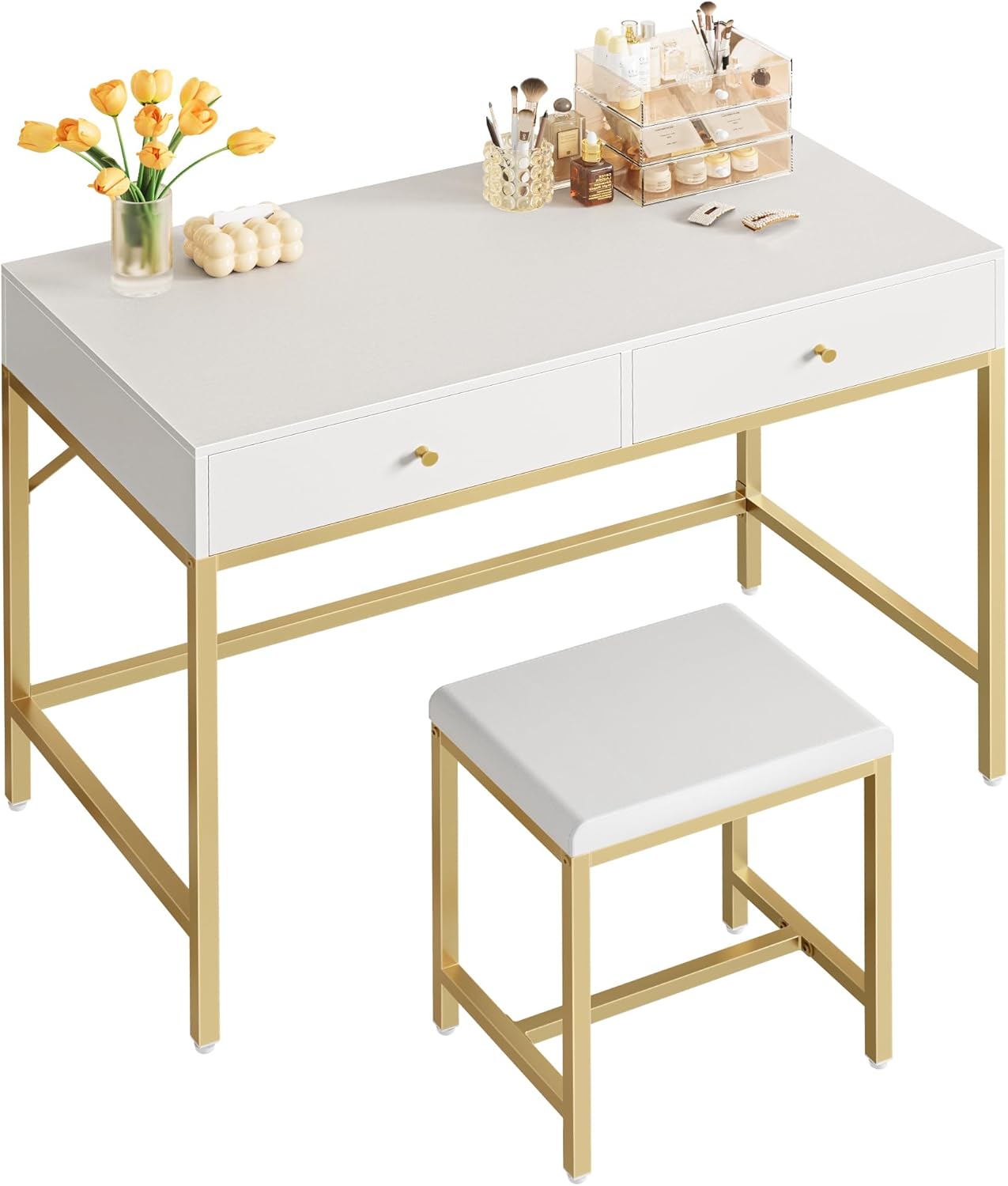
Image: The SUPERJARE 35.4 inch white and gold desk with two drawers and a matching padded stool, showcasing its modern design.
3. Assembly Instructions
Assembly typically requires two people. All components are numbered for easy identification. Tools for assembly are included.
- Unpack and Identify Parts: Carefully unpack all contents and lay them out on a clean, soft surface. Identify each part using the provided numbered labels and the parts list in the separate assembly guide.
- Assemble the Desk Frame: Attach the metal frame components (legs and support bars) using the provided screws and Allen wrench. Ensure all connections are firm but do not overtighten initially.
- Attach the Desk Top: Secure the desk tabletop to the assembled frame. Align the pre-drilled holes and fasten with the appropriate screws.
- Install Drawers: Assemble the drawer boxes according to the separate guide. Install the drawer slides onto the desk frame and then insert the assembled drawers. Attach the gold handles to the drawer fronts.
- Assemble the Stool: Connect the stool legs and frame. Attach the padded seat to the stool frame.
- Final Tightening and Leveling: Once all parts are assembled, go back and securely tighten all screws. Adjust the leveling feet on both the desk and stool to ensure stability on uneven floors.
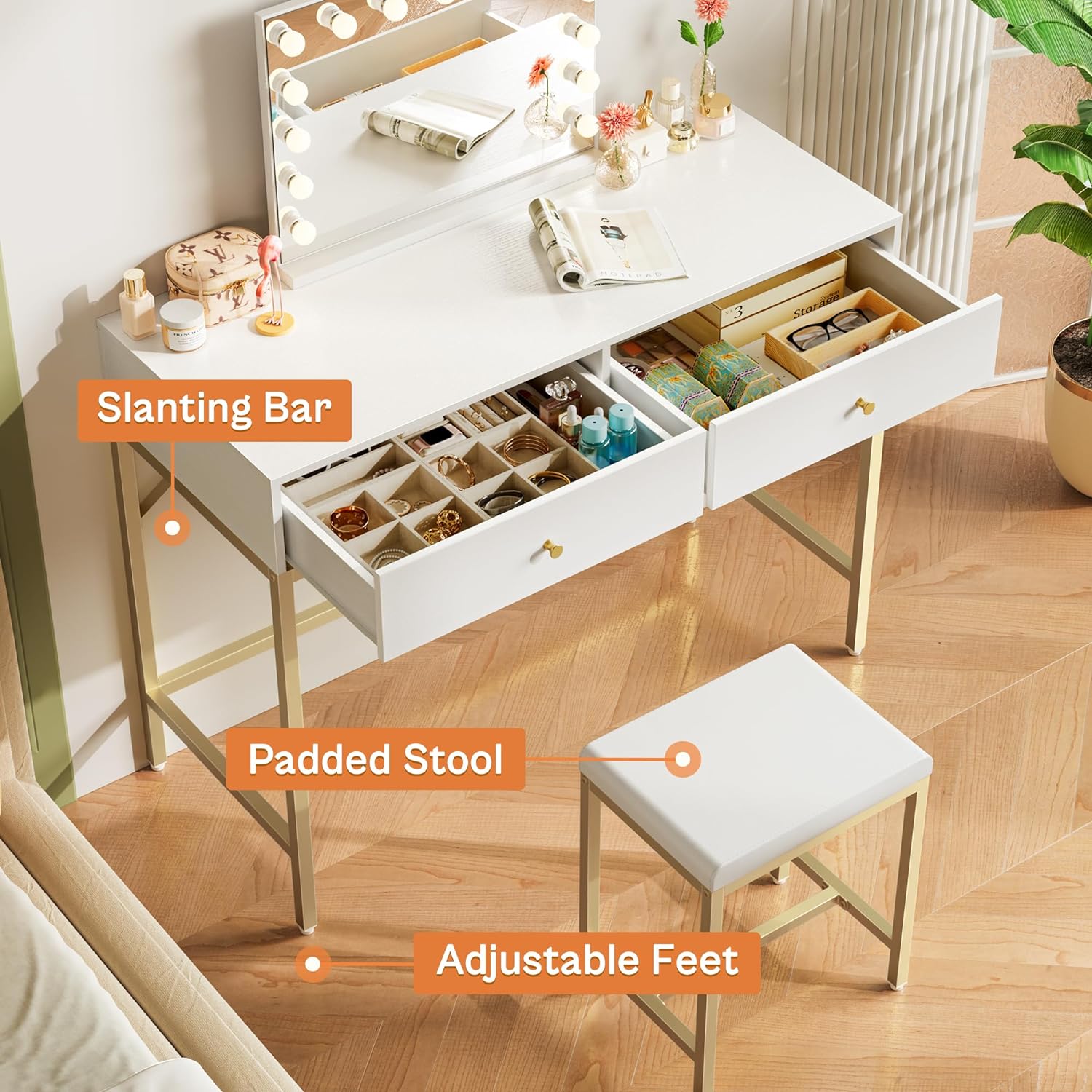
Image: An overhead view of the desk with both drawers open, illustrating the internal storage capacity for various items like cosmetics, jewelry, and office supplies.
4. Operating Instructions
This versatile desk can be used for various purposes:
- As a Computer Desk: Place your laptop or desktop monitor on the spacious surface. The drawers can store office supplies, documents, or personal items.
- As a Makeup Vanity: Utilize the desk surface for cosmetics and a mirror. The two deep drawers provide ample space for makeup, brushes, and accessories. The padded stool offers comfortable seating.
- As a Writing or Study Desk: The ample workspace is suitable for writing, reading, or studying. Store books, notebooks, and stationery in the drawers.

Image: The desk configured as a makeup vanity, featuring a lighted mirror, various cosmetic products, and decorative items, highlighting its use in a bedroom setting.
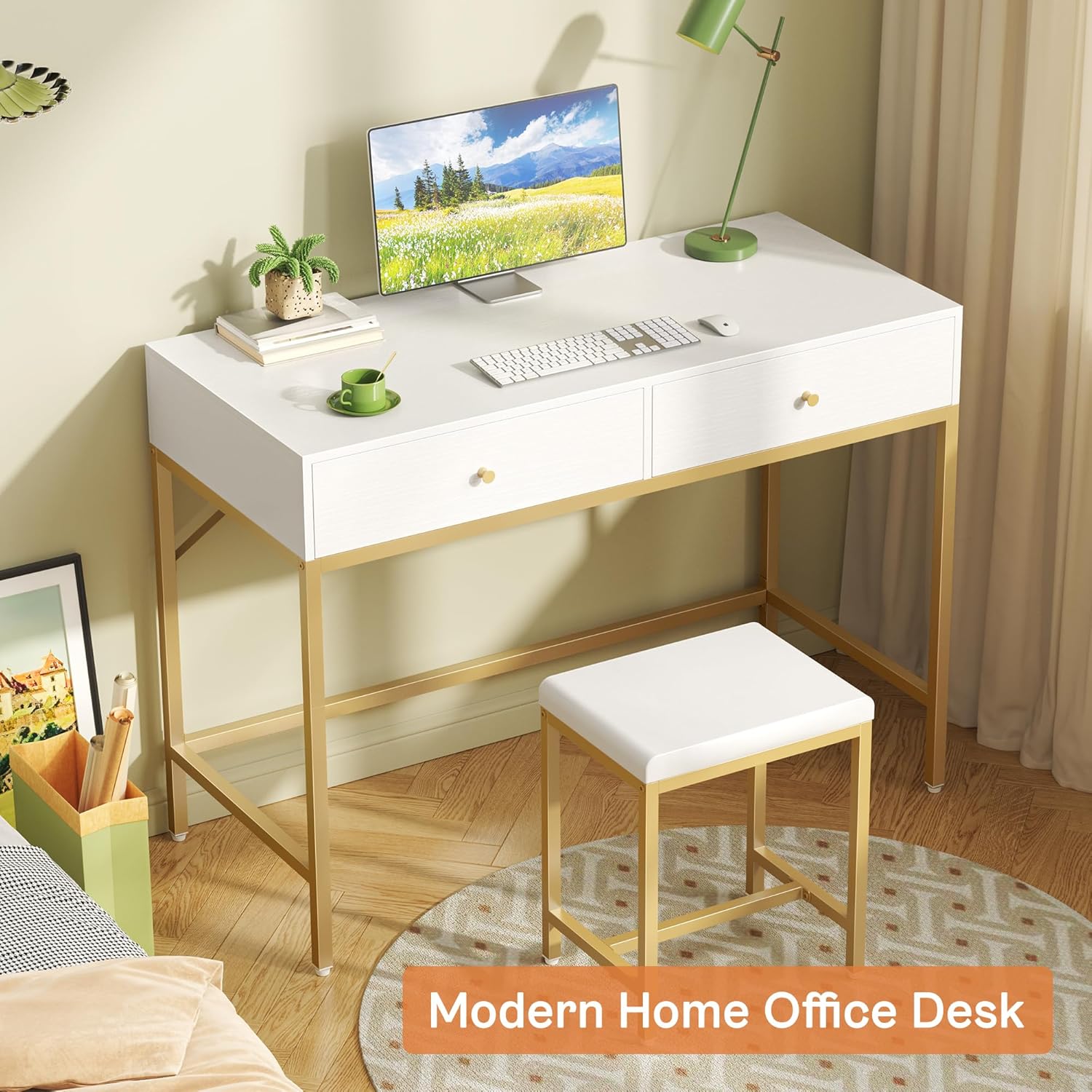
Image: The desk set up as a home office workstation, complete with a computer monitor, keyboard, mouse, and a plant, demonstrating its functionality for work or study.
5. Maintenance
Proper care will extend the life of your desk and stool.
- Cleaning: Wipe surfaces with a damp cloth. Avoid harsh chemicals or abrasive cleaners that may damage the finish.
- Spills: Clean spills immediately to prevent staining, especially on the white surfaces and padded stool.
- Hardware: Periodically check all screws and bolts to ensure they remain tight. Re-tighten as needed to maintain stability.
- Protection: Use coasters for drinks and protective pads under hot items to prevent damage to the tabletop.
6. Troubleshooting
| Problem | Possible Cause | Solution |
|---|---|---|
| Desk/Stool is wobbly | Loose screws; uneven floor. | Tighten all assembly screws. Adjust the leveling feet on the bottom of the legs. |
| Drawers do not slide smoothly | Improper installation of drawer slides; obstruction. | Ensure drawer slides are correctly aligned and installed. Check for any objects obstructing the drawer path. |
| Missing parts or damaged components | Packaging error or shipping damage. | Contact SUPERJARE customer support with your purchase details and a description of the issue. |
7. Specifications

Image: A diagram illustrating the key dimensions of the SUPERJARE desk and stool, including width, depth, and height measurements.
| Feature | Detail |
|---|---|
| Brand | SUPERJARE |
| Model | 35.4 inch Desk |
| Product Dimensions (D x W x H) | 15.7"D x 35.4"W x 31.4"H |
| Color | Gold and White |
| Style | Modern |
| Base Material | Metal |
| Top Material Type | Engineered Wood (P2 Particle Board, 12mm thickness) |
| Number of Drawers | 2 |
| Included Components | Desk, Padded Stool |
| Item Weight | 35.2 Pounds |
| Required Assembly | Yes |
8. Warranty and Support
This product comes with a limited warranty. For specific warranty details, claims, or technical support, please contact SUPERJARE customer service directly.
Please have your purchase receipt and product model information ready when contacting support.
For further assistance, visit the official SUPERJARE store: SUPERJARE Store on Amazon