
HomeSpot HS-JM250-BUN128D
Contents
HomeSpot Wireless Over-Ear Headphones Transmitter Set User Manual
Model: HS-JM250-BUN128D
Introduction
The HomeSpot Wireless Over-Ear Headphones Transmitter Set provides a seamless and immersive audio experience for your television and other media devices. Designed for comfort and superior sound quality, this set allows you to enjoy your favorite shows, movies, and games without disturbing others. The headphones and transmitter are pre-paired for immediate use, ensuring a hassle-free setup.
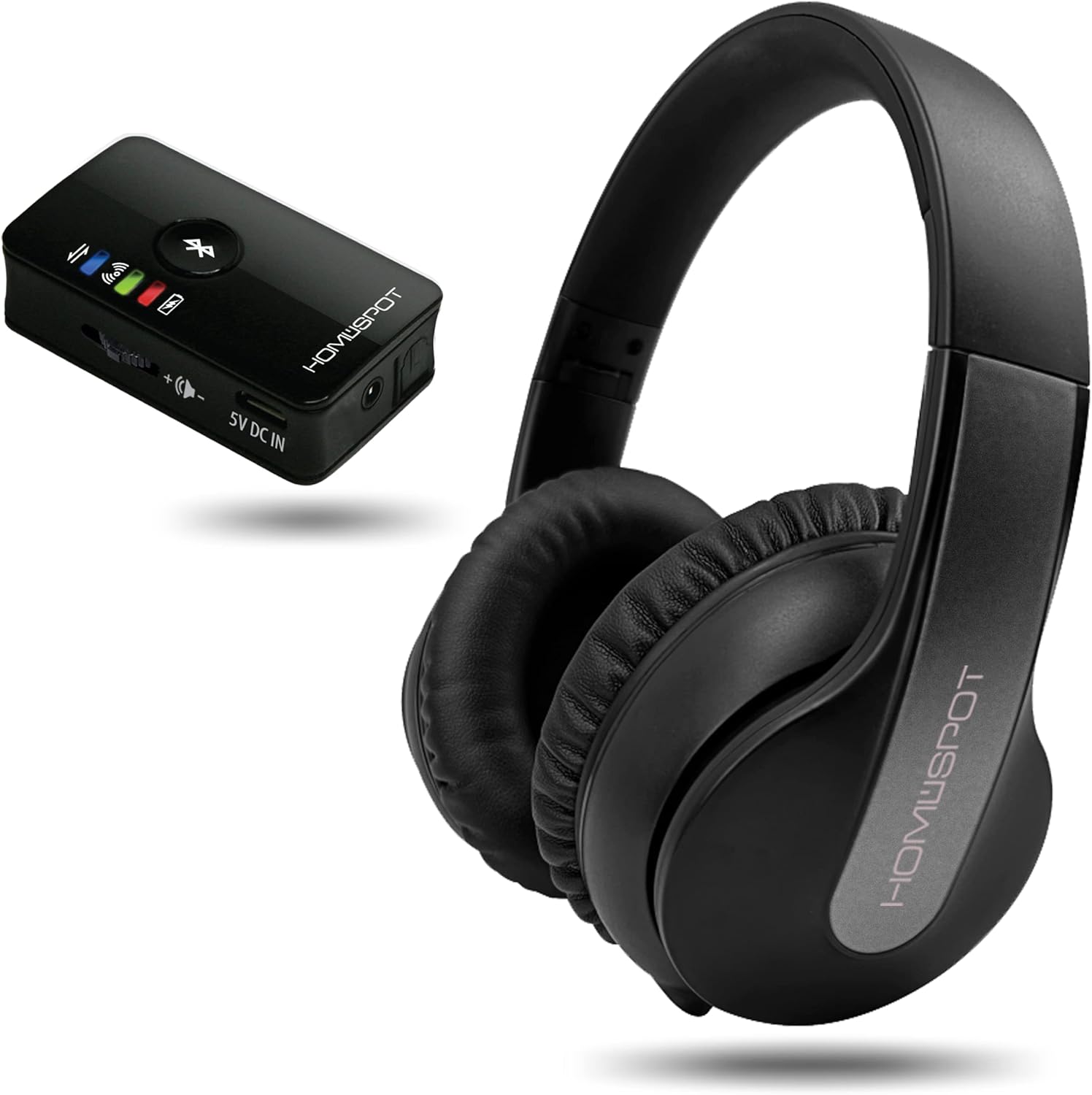
The HomeSpot Wireless Over-Ear Headphones and Transmitter, ready for use.
Package Contents
Please ensure all items are present in your package:
- HomeSpot HD Audio Bluetooth Transmitter x 1
- HomeSpot JM250 Wireless Over-Ear Headphones x 1
- Charging cable x 2
- Digital Toslink Audio Cable x 1
- 3.5mm to 3.5mm Audio Cable & 3.5mm to RCA Audio Cable

All components included in the HomeSpot Wireless Over-Ear Headphones Transmitter Set package.
Setup Guide
Initial Charging
Before first use, fully charge both the headphones and the transmitter using the provided charging cables. Connect the cables to a standard USB power adapter (not included).
Powering On
To power on the headphones, slide the power switch located on the earcup. A small LED light will illuminate. To power on the transmitter, slide its power switch. The lights on the transmitter will blink as it searches for a connection.
Connecting to TV Audio Output
The HomeSpot transmitter offers multiple connection options to your TV or audio source:
- Digital Optical (TOSLINK): For best audio quality, connect the Digital Toslink Audio Cable from your TV's 'DIGITAL AUDIO OUT' port to the transmitter. Important: Your TV's digital audio output signal must be set to PCM format. Non-PCM formats (like Dolby or DTS) will result in no sound.
- RCA Analog: Use the 3.5mm to RCA Audio Cable to connect your TV's 'AUDIO OUT' (red and white) ports to the transmitter. Ensure you connect to 'OUT' ports, not 'IN' ports.
- 3.5mm AUX: Use the 3.5mm to 3.5mm Audio Cable to connect your TV's headphone jack or 'AUDIO OUT' port to the transmitter. This method often allows your TV remote to control the volume.

Various audio output connection methods for the HomeSpot transmitter.
This video demonstrates the setup and connection process for the HomeSpot Wireless TV Headphones Transmitter Set, showing how to connect the transmitter to a TV using different audio cables and how the headphones automatically pair.
Operating Instructions
Automatic Pairing
The headphones and transmitter are pre-paired at the factory. Once both devices are powered on and within range, they will automatically connect. You will hear an audible confirmation (e.g., "Connected") through the headphones.
Controls
The headphones feature intuitive controls on the earcup:
- Power Button: Used to turn the headphones on/off.
- Volume Buttons (+/-): Adjust the listening volume.
- Multi-function Button: May control play/pause, track skip, or call functions when paired with a smartphone.
Using with Other Bluetooth Devices
The headphones are fully Bluetooth compliant and can be paired with other Bluetooth audio transmitting devices, such as smartphones, tablets, or PCs. Similarly, the HomeSpot HD Audio Bluetooth Transmitter can be paired with your existing Bluetooth headphones, speakers, or earbuds. Note that aptX Low Latency performance is only guaranteed when both the transmitter and receiver support aptX-LL.
Key Features
Audio Quality
Experience crisp, lively, and detailed sound. The headphones are equipped with a 24-bit 192KHz audio DAC, a 2 x 30mW amplifier, and 40mm 60ohm high impedance speaker drivers. The transmitter and headphones bundle provides less than 40ms audio latency thanks to Qualcomm's aptX Low Latency technology, ensuring perfectly synchronized audio and visuals.

Detailed view of the headphone's internal components, highlighting crystal-clear sound quality.

Enjoy gaming and movies with no perceptible audio delay and automatic pairing.
Battery Life
The headphones offer an impressive battery life of up to 50 hours on a single charge, allowing for extended listening sessions. A quick 20-minute charge provides an additional 10 hours of listening time, and a full charge takes only a couple of hours.

The headphones provide long-lasting power for extended use.
Advanced Features
The system incorporates several advanced features for an optimized listening experience:
- Qualcomm aptX Low Latency: Ensures minimal audio delay for perfect synchronization with video.
- Sound Amplification: Enhances audio output for clearer listening.
- Left-Right Channel Balance Adjustment: Allows for personalized audio balance, beneficial for users with hearing differences.
- Broad Bluetooth Compatibility: Can pair with a wide range of other Bluetooth audio devices.

Key features including aptX Low Latency, sound amplification, and channel balance adjustment.
Maintenance and Care
To ensure the longevity and optimal performance of your HomeSpot Wireless Over-Ear Headphones and Transmitter, follow these care guidelines:
- Cleaning: Use a soft, dry cloth to clean the surfaces of the headphones and transmitter. Do not use liquid cleaners or aerosols.
- Storage: Store the devices in a cool, dry place away from direct sunlight and extreme temperatures.
- Battery Care: Avoid fully discharging the battery frequently. For long-term storage, charge the battery to about 50% every few months.
- Handling: Handle the headphones and transmitter with care. Avoid dropping them or exposing them to excessive force.
Troubleshooting
If you encounter issues with your HomeSpot Wireless Over-Ear Headphones Transmitter Set, please refer to the following common solutions:
- No Sound:
- Ensure both headphones and transmitter are powered on and fully charged.
- Verify that the audio cables are securely connected to the correct 'OUT' ports on your TV/audio source.
- If using the Digital Optical (TOSLINK) connection, confirm that your TV's audio output is set to PCM format.
- Check the volume levels on both the headphones and your TV/audio source.
- Pairing Issues:
- Ensure both devices are within close proximity (e.g., 1 meter) during initial pairing.
- Power cycle both the headphones and the transmitter (turn off, then on again).
- If pairing with a new device, ensure the previous connection is disconnected or the device is in pairing mode.
- Short Battery Life:
- Ensure the devices are fully charged before use.
- Battery performance can degrade over time with extensive use.
Technical Specifications
| Feature | Specification |
|---|---|
| Model Name | HS-JM250-BUN128D |
| Brand | HomeSpot |
| Connectivity Technology | Wireless, Bluetooth 5.3 |
| Audio Latency | 40 Milliseconds (aptX Low Latency) |
| Battery Life | 50 Hours |
| Charging Time | Approx. 2-3 Hours for full charge |
| Bluetooth Range | 30 Meters |
| Audio Driver Size | 40 Millimeters |
| Impedance | 60 Ohm |
| Frequency Range | 20 Hz - 20,000 Hz |
| Product Dimensions | 7.48 x 6.3 x 2.36 inches |
| Item Weight | 1.08 pounds |
Warranty and Support
For warranty information and technical support, please refer to the documentation included with your product or visit the official HomeSpot website. Keep your purchase receipt for warranty claims.
Documents and downloads
Ask a question about this manual
Ask about setup, troubleshooting, compatibility, parts, safety, or missing instructions. Manuals+ will review the question and use this page’s manual context to help answer it.