
Introduction
The Strex SP186 is an advanced and smart battery charger designed to efficiently charge all 12V and 24V AGM, GEL, and lead-acid batteries. It is ideal for reviving depleted car, motorcycle, scooter, boat, or camper batteries. Featuring a modern LCD screen, it provides quick access to the connected battery's status. Charging is simple and automatic: just connect the charger to the battery and plug it into a power outlet.
This charger offers multi-protection features, a compact design, an intelligent LCD display, and a battery repair mode for optimal battery maintenance.
Product Features
- Versatile Compatibility: Suitable for most battery types including calcium, gel, AGM, and wet batteries (12V/24V). Supports charging at 4A, 6A, or 8A. Ideal for cars, motorcycles, trucks, boats, agricultural vehicles, and more.
- Multi-Protection: Equipped with safety measures against overheating, short circuits, reverse polarity, over-discharge, and resistance to excessively high or low voltage. Features a flame-retardant casing.
- Compact Design: Measuring 17 x 8.8 x 6 CM and weighing 450 grams, it is portable and easy to store.
- Intelligent LCD Display: Provides real-time information on charging voltage, current, battery type, and capacity. Automatically stops charging when the battery is full.
- Battery Maintenance Mode: Built-in repair mode to restore old and unused batteries and extend their lifespan using high-low frequency pulse technology.
Safety Instructions
Always read and understand all safety warnings and instructions before operating the charger. Failure to follow these instructions may result in electric shock, fire, and/or serious injury.
- Do not charge non-rechargeable batteries.
- Ensure proper ventilation during charging.
- Avoid contact with battery acid.
- Do not expose the charger to rain or wet conditions.
- Disconnect the charger from the power outlet before making or breaking connections to the battery.
- This charger is not suitable for lithium batteries.
Setup and Connection
- Identify Battery Type: Ensure the battery is a 12V or 24V AGM, GEL, or lead-acid type. This charger is not compatible with lithium batteries.
- Connect Charger to Battery:
- Connect the red (+) clamp to the positive (+) terminal of the battery.
- Connect the black (-) clamp to the negative (-) terminal of the battery.
- Ensure connections are secure and free from corrosion.
- Connect Charger to Power: Plug the charger's power cord into a standard electrical outlet. The LCD display will illuminate.
- Automatic Detection: The charger will automatically detect the battery voltage (12V or 24V) and begin the charging process.

Figure 1: Strex Smart Battery Charger with battery clamps and power plug. The charger is red and black, with a digital display showing 8.0A and 13.6V, indicating charging status.
Operating the Charger
LCD Display Information
The intelligent LCD display provides real-time feedback on the charging process:
- Charging Voltage: Displays the current voltage of the battery.
- Charging Current: Shows the amperage (4A, 6A, or 8A) at which the battery is being charged.
- Battery Type: Indicates the detected battery type (e.g., AGM, GEL).
- Battery Capacity: Shows the estimated charge level of the battery.

Figure 2: Close-up of the Strex Smart Battery Charger's LCD display, showing charging current, voltage, battery type, and charge percentage.
Charging Modes
The charger features a 3-stage charging program and automatic mode selection:
- Automatic Charging: Once connected, the charger automatically detects the battery and begins charging. It will adjust the charging current (4A, 6A, or 8A) as needed.
- Winter & Summer Mode: The charger includes thermal compensation, adjusting the charging voltage based on ambient temperature to prevent overcharging in warm weather and undercharging in cold weather.
- Automatic Shut-off: The charging process automatically stops when the battery is fully charged to prevent overcharging.
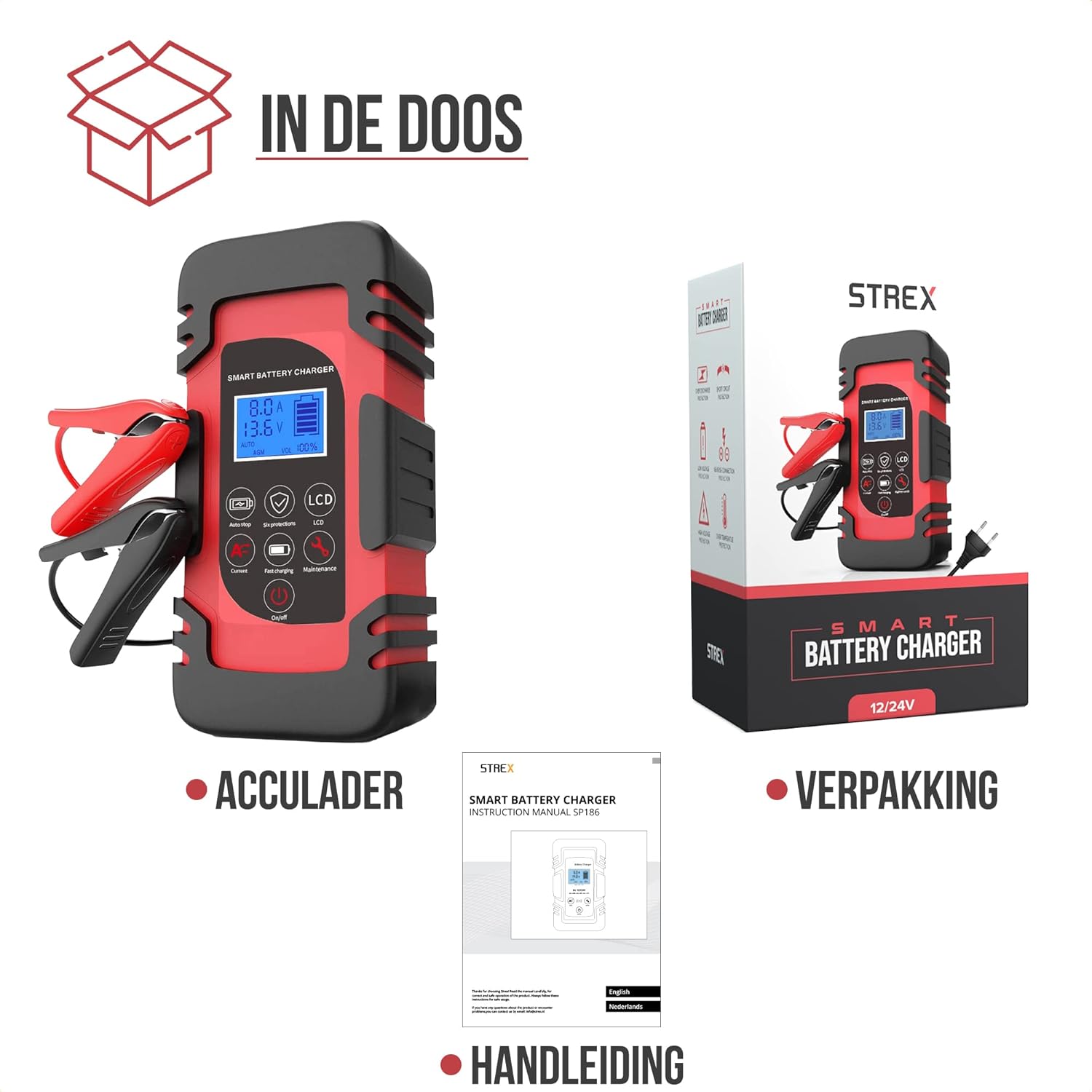
Figure 3: Illustration demonstrating the charger's thermal compensation feature, showing optimal charging in both 40°C (warm) and -20°C (cold) conditions.
Maintenance and Battery Repair
Battery Repair Mode
The built-in battery repair mode is designed to restore old or long-unused batteries and extend their lifespan. This mode utilizes high-low frequency pulse technology to recondition the battery as effectively as possible.
- To activate the repair mode, ensure the charger is connected to the battery and power. The charger will automatically detect the need for repair if the battery is deeply discharged or sulfated.
- Monitor the LCD display for status updates during the repair process.

Figure 4: The Strex Smart Battery Charger connected to a car battery, visually representing the high-low frequency pulse technology used in repair mode to restore battery health.
General Maintenance
- Keep the charger clean and dry. Wipe with a soft, damp cloth if necessary.
- Store the charger in a cool, dry place when not in use.
- Regularly inspect the cables and clamps for any damage. Do not use if damaged.
- The charger has an integrated cooling system. Ensure the vents are not blocked during operation.

Figure 5: Diagram showing the Strex Smart Battery Charger's integrated cooling system, highlighting airflow for efficient heat dissipation.
Troubleshooting
If you encounter issues with your Strex Smart Battery Charger, please refer to the following common troubleshooting steps:
- Charger not turning on:
- Ensure the power cord is securely plugged into a working electrical outlet.
- Check if the battery clamps are correctly connected to the battery terminals (red to positive, black to negative).
- Battery not charging:
- Verify that the battery type is compatible with the charger (12V/24V AGM, GEL, or lead-acid). This charger is not for lithium batteries.
- Check for any error codes or messages on the LCD display. Refer to the display section for interpretation.
- Ensure the battery is not severely damaged or completely dead beyond repair. The repair mode can help with deeply discharged batteries, but some may be unrecoverable.
- Overheating protection activated:
- Ensure the charger's ventilation openings are not blocked.
- Allow the charger to cool down before resuming operation.
- Ensure the ambient temperature is within the recommended operating range.
- Short circuit or reverse polarity warning:
- Immediately disconnect the charger from the power source and the battery.
- Re-check the connections to ensure the red clamp is on the positive terminal and the black clamp is on the negative terminal.
- Inspect cables and clamps for any damage that might cause a short circuit.
If the issue persists after following these steps, please contact Strex customer support for further assistance.
Specifications
| Feature | Detail |
|---|---|
| Model | SP186 |
| Input Voltage | 12V/24V (Automatic Detection) |
| Charging Current | 4A / 6A / 8A (Selectable/Automatic) |
| Compatible Battery Types | Gel, AGM, Calcium, EFB, Wet Lead-Acid batteries |
| Compatible Battery Capacity | 4AH - 100AH |
| Dimensions (L x W x H) | 17 x 8.8 x 6 CM |
| Weight | 450 Grams |
| Clamp Cable Length | 60 CM |
| Power Cord Length | 100 CM |
| Cooling System | Built-in Cooler |
| Special Features | Winter & Summer Mode, 3-Stage Charging Program, LCD Display, Battery Repair Mode, Multi-Protection |
| Not Suitable For | Lithium batteries |
Warranty and Support
Strex products are designed for reliability and performance. For any questions, technical support, or warranty claims, please contact Strex customer service through their official website or the retailer where the product was purchased.
Please retain your proof of purchase for warranty purposes.