
Introduction
Thank you for choosing the EUREKA ERGONOMIC Adjustable Electric Standing Desk. This manual provides essential information for the safe and efficient use of your new desk. Please read these instructions carefully before assembly and operation, and retain them for future reference.
Product Overview
The EUREKA ERGONOMIC ERK-ED-I55-LWN is a 55-inch electric height-adjustable standing desk designed for home and office use. It features a genuine leather desktop, integrated drawers, a monitor shelf, and wireless charging capabilities.

This image displays two EUREKA ERGONOMIC adjustable standing desks, showcasing their design and functionality in a contemporary office setup. One desk features a monitor arm, while the other utilizes a monitor shelf.
- Adjustable Height for Ergonomics: This desk allows for easy transition between sitting and standing positions, promoting better posture, increased energy, and enhanced focus during extended work periods.
- Premium Construction: Features a genuine black leather desktop with multi-process care and handcrafted natural wood texture. Edges are finely ground for safety and aesthetics. Includes silent, soft-close drawers.
- Smart Control and Connectivity: The desk's height can be adjusted via Bluetooth app or integrated button controls. It includes three programmable height presets. A built-in 5W wireless charger and power outlets are integrated into the desktop.
- Robust and Stable Operation: Equipped with dual motors for quiet and smooth height adjustments, supporting up to 220 lbs. AI control and hall sensors ensure stable and precise movement. The frame is reinforced for reliability.
- Versatile Design: The 55-inch desk is designed to integrate into various office and home environments, providing a functional and aesthetically pleasing workspace.
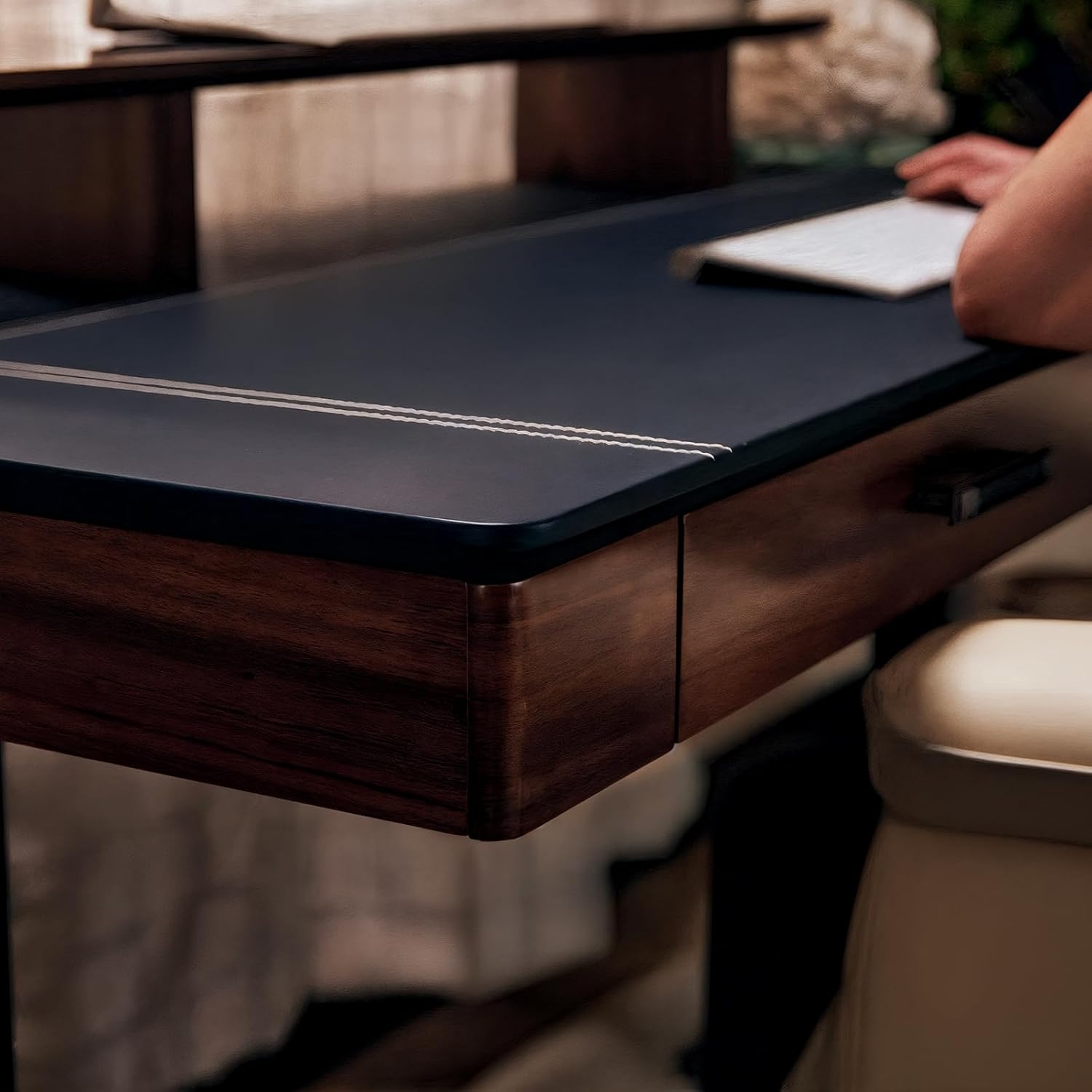
This image highlights the genuine black leather desktop of the desk, featuring fine decorative stitching along the edges, emphasizing the premium material and craftsmanship.
Safety Information
Please observe the following safety precautions to prevent injury or damage to the product:
- Do not use the desk near water or in excessively humid environments.
- Avoid touching electrical components with wet hands.
- Ensure the desk is properly grounded before use.
- Exercise caution when lifting or moving the desk, as it weighs approximately 106 lbs (48 kg). It is recommended that two people move the desk.
- Keep children and pets away from the desk during operation to prevent accidents.
- Do not overload the desk; the maximum weight recommendation is 220 lbs (100 kg).
Setup
The EUREKA ERGONOMIC Adjustable Electric Standing Desk requires some assembly. All necessary assembly tools are included in the package. Please follow the detailed assembly instructions provided separately with your product for a smooth setup process. It is recommended that two people perform the assembly.

A detailed diagram providing the key measurements of the EUREKA ERGONOMIC adjustable standing desk, including height range, desktop width, and depth.
Operating Instructions
Height Adjustment
The desk's height can be adjusted using the integrated control panel or via a Bluetooth-enabled application on your smartphone. The control panel features up/down buttons and three memory presets for your preferred sitting and standing heights.
- Manual Adjustment: Use the up and down arrows on the control panel to raise or lower the desk to your desired height.
- Memory Presets: To save a height, adjust the desk to the desired position, then press and hold one of the preset buttons (1, 2, or 3) until the display flashes or beeps. To recall a saved height, simply press the corresponding preset button.
- Bluetooth App Control: Download the EUREKA ERGONOMIC app from your device's app store. Follow the in-app instructions to pair your desk and control its height remotely.
This video demonstrates the key features of the EUREKA ERGONOMIC Adjustable Electric Standing Desk, including its height adjustment mechanism, soft-close drawers, and integrated charging capabilities.
Anti-Collision Feature
The desk is equipped with an anti-collision system. If the desktop encounters an obstruction during height adjustment, it will automatically stop and reverse slightly to prevent damage to the desk or objects.
Wireless Charging and Power Outlets
A 5W wireless charging pad is integrated into the desktop. Simply place your compatible smartphone on the designated area to begin charging. The desk also includes built-in power sockets and USB ports for convenient access to power for your devices.

A composite image detailing three key features: a hand opening a soft-close drawer, a finger pressing a button on the electric height adjustment control panel, and a smartphone charging wirelessly on the integrated charging pad.
Soft-Close Drawers
The desk features two soft-close drawers for storage. These drawers are designed to close silently and smoothly, preventing slamming and protecting contents.
Maintenance and Care
To maintain the appearance and longevity of your EUREKA ERGONOMIC desk, follow these care instructions:
- Leather Desktop: Regularly wipe the genuine leather surface with a soft, dry cloth. For deeper cleaning or conditioning, use a specialized leather cleaner and conditioner care kit. Avoid harsh chemicals or abrasive materials.
- Wood Components: Clean wood surfaces with a damp cloth and mild soap, then dry immediately.
- General Cleaning: Keep the desk in a cool, well-ventilated space. Dust regularly to prevent buildup.
- Electrical Components: Ensure all electrical connections are secure. Do not attempt to repair electrical components yourself; contact qualified service personnel.

A close-up of a hand touching the genuine leather desktop, illustrating the texture and quality of the material.
Troubleshooting
If you encounter any issues with your EUREKA ERGONOMIC desk, please refer to the following general advice. For specific problems not listed, or if issues persist, contact customer support.
- Desk Not Adjusting: Check all power connections. Ensure the power cable is securely plugged into both the desk and a working wall outlet.
- Uneven Movement: Ensure the desk is placed on a level surface. If the issue persists, perform a reset procedure (refer to the separate assembly manual for specific instructions).
- Wireless Charging Not Working: Verify your device is compatible with 5W wireless charging and is placed correctly on the charging pad. Remove any thick cases that might interfere.
- Error Codes on Display: If an error code appears on the control panel, consult the detailed assembly manual for specific error code meanings and troubleshooting steps.
Specifications
| Brand | EUREKA ERGONOMIC |
| Model Number | ERK-ED-I55-LWN |
| Product Dimensions | 23.6"D x 55"W x 35"H |
| Minimum Height | 35 Inches |
| Maximum Height | 52 Inches |
| Desktop Material | Genuine Leather, Engineered Wood |
| Frame Material | Alloy Steel |
| Color | Black Leather & Walnut |
| Number of Drawers | 2 |
| Number of Shelves | 1 (Monitor Shelf) |
| Maximum Weight Capacity | 220 Pounds (100 kg) |
| Special Features | Adjustable Height, Built-In USB Outlet, Electric, Ergonomic, Genuine Leather, Wireless Charger, Soft-Close Drawers |
| Item Weight | 106 Pounds (48 kg) |
| Required Assembly | Yes (Tools Included) |
| Recommended People for Assembly | 2 |
Warranty and Support
Your EUREKA ERGONOMIC Adjustable Electric Standing Desk comes with a 1-year limited warranty. Additionally, a 5-year limited warranty is provided for certain components. For warranty claims, technical assistance, or any product-related inquiries, please contact our dedicated U.S.-based customer support team. Contact information can be found on the EUREKA ERGONOMIC official website or in the product packaging.


