
1. Introduction
Thank you for purchasing the mDesign Modern Computer Desk. This desk is designed to provide a functional and stylish workspace for your home office, study, or bedroom. Featuring a convenient storage cubby, a pull-out drawer, and sturdy hairpin legs, this compact desk offers both utility and a contemporary aesthetic. This manual provides essential information for safe assembly, operation, and maintenance of your new desk.
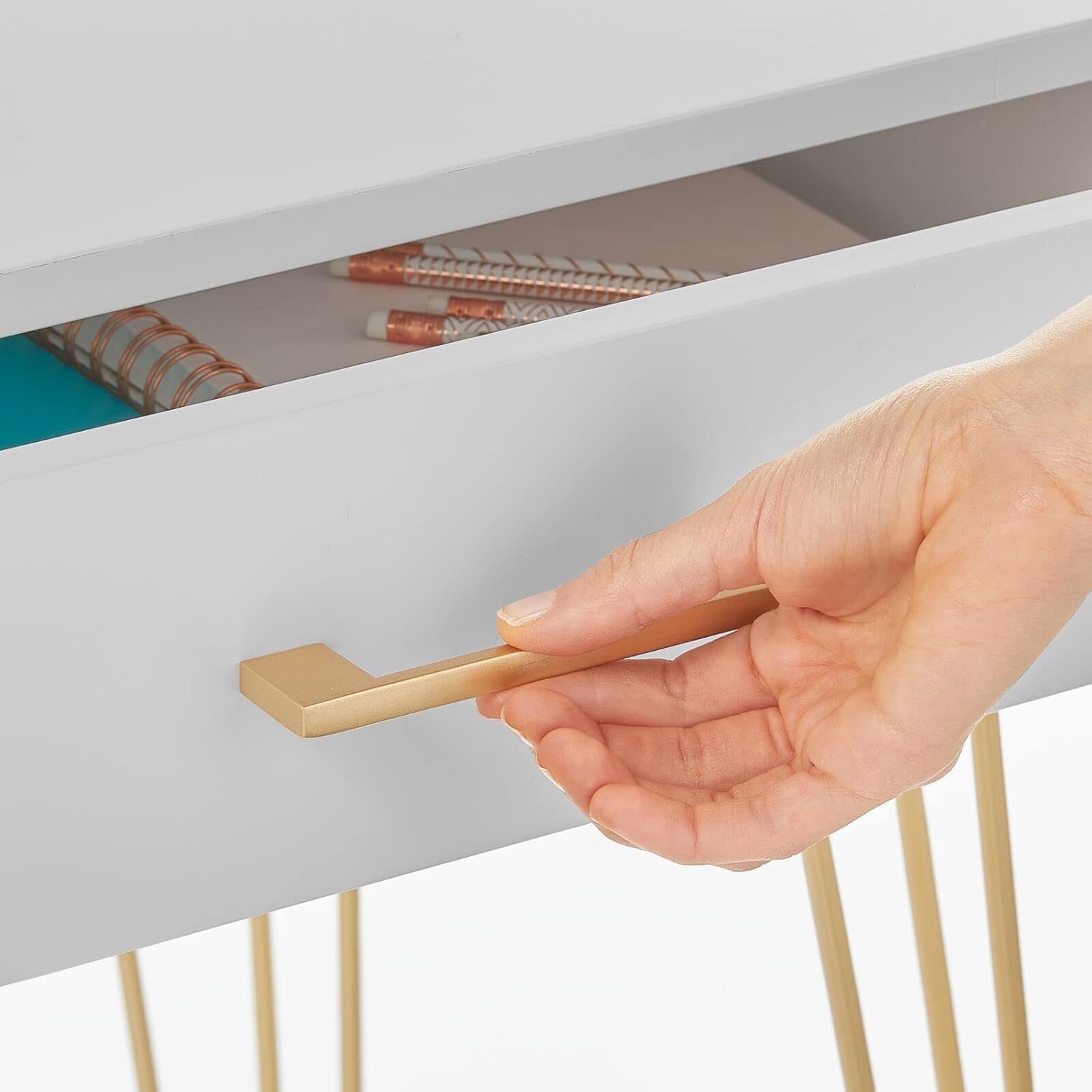
Figure 1: mDesign Modern Computer Desk
2. Safety Information
Please read and understand all safety instructions before assembly and use. Failure to follow these instructions may result in injury or damage to the product.
- Always follow the assembly instructions carefully.
- Use appropriate tools for assembly and ensure the work area is clear of obstructions.
- Keep hands and body parts away from moving parts during assembly.
- If you are unsure about any part of the assembly process, consult a professional.
- Do not overload the desk or drawer beyond its intended capacity.
- Ensure all fasteners are securely tightened before use. Periodically check and re-tighten if necessary.
3. Package Contents
Verify that all components are present before beginning assembly. If any parts are missing or damaged, please contact customer support.
- Desk Top with integrated drawer and cubby
- Hairpin Legs (4x)
- Hardware Pack (screws, washers, Allen key)
- Assembly Instructions
4. Assembly Instructions
Follow these steps to assemble your mDesign Modern Computer Desk:
- Unpack Components: Carefully remove all parts from the packaging. Place them on a soft, clean surface to prevent scratches. Identify all components against the package contents list.
- Attach Hairpin Legs: Locate the pre-drilled holes on the underside of the desk top. Align each hairpin leg with the corresponding holes. Secure each leg using the provided screws and Allen key. Tighten screws firmly, but do not overtighten.
- Insert Drawer: Gently slide the drawer into its designated slot in the desk top. Ensure it moves smoothly.
- Position the Desk: With assistance, carefully turn the desk upright and place it in your desired location. Ensure the desk is stable and level. Adjust if necessary.
5. Operating Instructions
Your mDesign Modern Computer Desk is designed for straightforward use.
- Work Surface: The top surface provides ample space for a laptop, monitor, keyboard, and other work essentials.
- Storage Cubby: Use the open cubby for easy access to notebooks, books, or decorative items.
- Pull-Out Drawer: The integrated drawer is ideal for storing smaller office supplies such as pens, paper clips, and sticky notes, keeping your workspace tidy.

Figure 2: Drawer Operation
6. Care and Maintenance
To ensure the longevity and appearance of your desk, follow these simple care instructions:
- Cleaning: Wipe the desk surfaces with a damp cloth. Avoid harsh chemicals or abrasive cleaners, which can damage the finish.
- Spills: Clean up spills immediately to prevent staining or damage to the wood finish.
- Stability Check: Periodically check all screws and fasteners to ensure they remain tight. Re-tighten if necessary to maintain stability.
- Avoid Extreme Conditions: Do not place the desk in direct sunlight or near heat sources, as this can cause warping or discoloration.
7. Troubleshooting
If you encounter any issues with your desk, refer to the following common problems and solutions:
- Desk is Wobbly:
- Ensure all leg attachment screws are securely tightened.
- Check if the desk is on an uneven surface. Try moving it to a flat area or using furniture pads to level it.
- Drawer Sticks or Does Not Slide Smoothly:
- Verify that the drawer is inserted correctly and not misaligned.
- Check for any obstructions inside the drawer glides.
- Ensure the desk is level, as an uneven surface can affect drawer operation.
- Scratches or Minor Damage:
- For minor scratches on wood surfaces, a wood repair marker or polish may be used.
- For metal legs, touch-up paint matching the brass finish can be applied carefully.
8. Specifications
| Feature | Detail |
|---|---|
| Model Number | 23217MDHS |
| Brand | mDesign |
| Product Dimensions | 19.7" D x 41.9" W x 29.9" H (50D x 106.4W x 75.9H cm) |
| Item Weight | 19.96 kg (44 lbs) |
| Material | Wood (Top & Drawer), Steel (Legs) |
| Colour | Gray/Soft Brass |
| Special Feature | Compact design, Storage cubby, Drawer |

Figure 3: Desk Dimensions
9. Warranty Information
Specific warranty details for this product may vary. Please refer to your purchase documentation or contact mDesign customer support for information regarding warranty coverage and terms.
10. Customer Support
For further assistance, missing parts, or to report any issues, please contact mDesign customer support through their official website or the retailer where the product was purchased. Please have your model number (23217MDHS) and purchase date available when contacting support.