
Introduction
This manual provides detailed instructions for the safe and effective use of your JAY-PARK J100 Rechargeable LED Flashlight. Please read this manual thoroughly before operating the device and retain it for future reference.

Image: The JAY-PARK J100 Rechargeable LED Flashlight, showcasing its digital power display and included USB charging cables.
Safety Information
- Do not shine the flashlight directly into eyes, as the high lumen output can cause temporary vision impairment.
- Keep out of reach of children.
- Do not disassemble the flashlight; this may void the warranty and cause damage.
- Use only the specified rechargeable battery or compatible AAA batteries.
- Avoid exposing the flashlight to extreme temperatures or direct sunlight for prolonged periods.
- Ensure the charging port cover is securely closed when not charging to maintain IP67 waterproof rating.
Package Contents
Verify that all items are present in your package:
- 1 x JAY-PARK J100 Flashlight
- 1 x Rechargeable Battery (pre-installed or separate)
- 1 x USB Charging Cable
- 1 x Holster
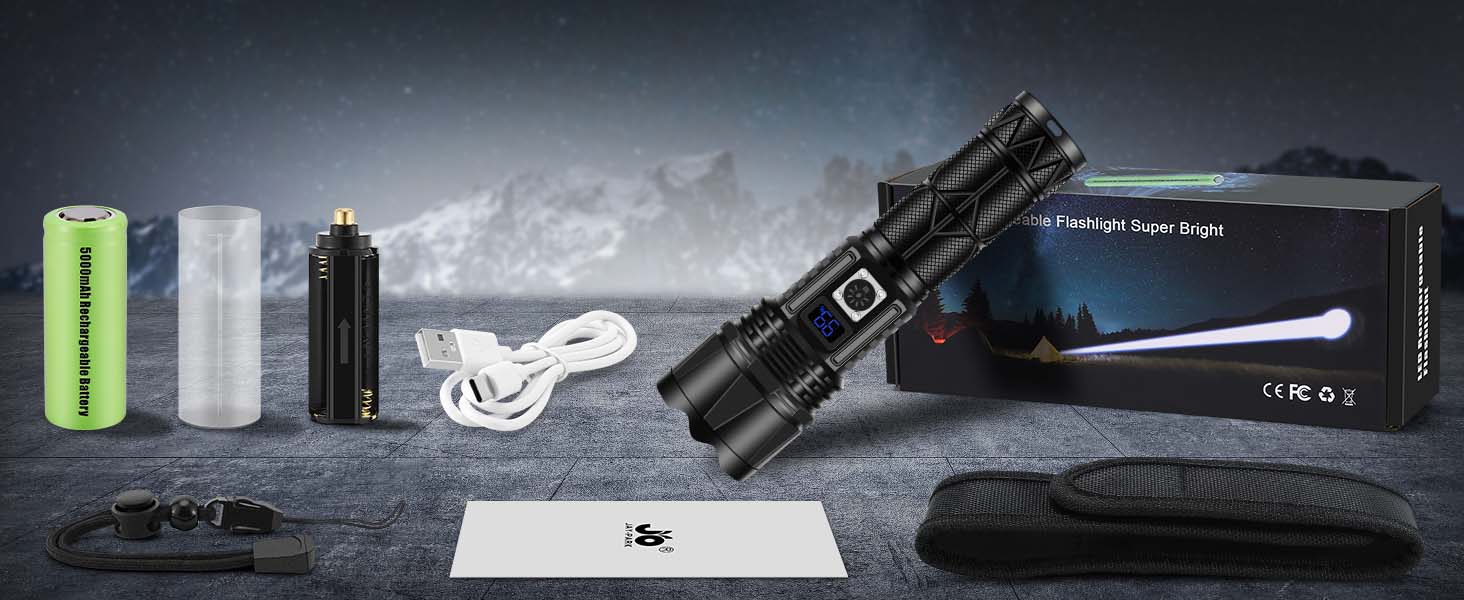
Image: All components included in the JAY-PARK J100 flashlight package.
Setup and Battery Installation
Before first use, ensure the battery is correctly installed and fully charged.
- Remove the Tail Cap: Unscrew the tail cap of the flashlight by turning it counter-clockwise.
- Insert Battery: Insert the rechargeable battery with the positive (+) terminal facing inwards (towards the flashlight head). Alternatively, if using AAA batteries (not included), insert them into the included AAA battery holder and then place the holder into the flashlight with the positive (+) end facing inwards.
- Tighten Tail Cap: Screw the tail cap back on clockwise until it is securely tightened.
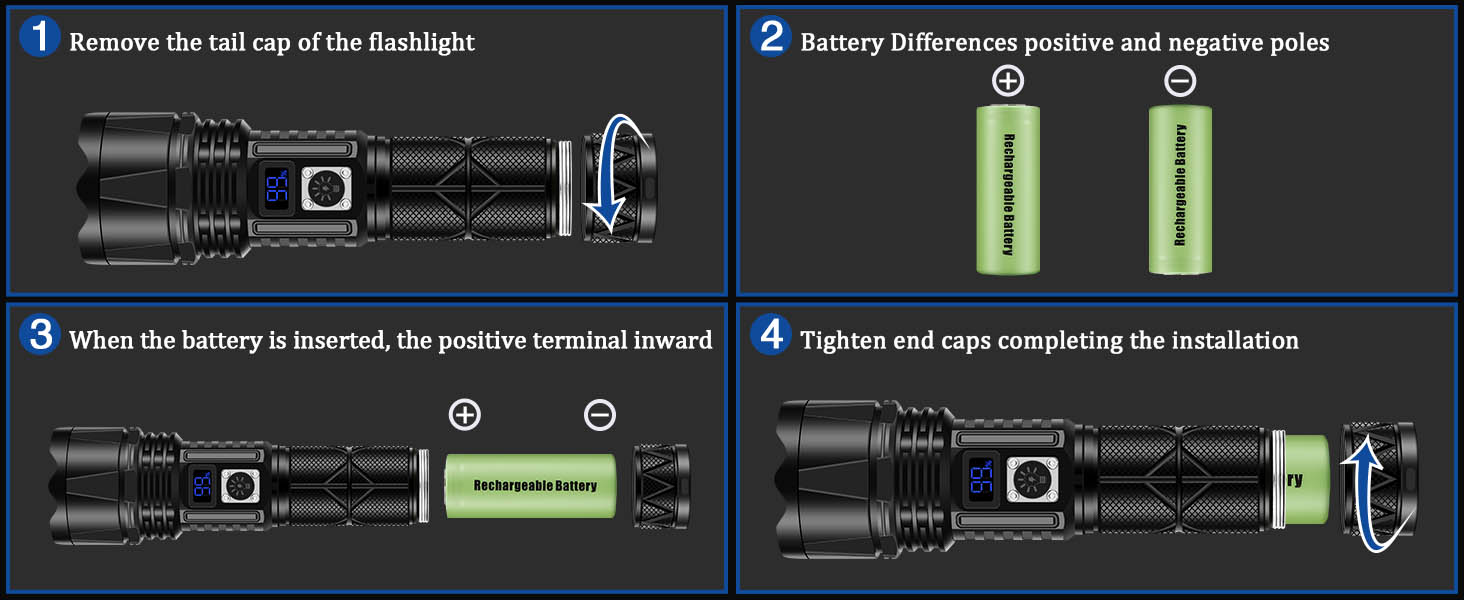
Image: Step-by-step guide for battery installation in the flashlight.
Operating Instructions
Power On/Off and Mode Selection
- Power On: Press the power button once to turn on the flashlight.
- Mode Cycle: With the flashlight on, press the power button repeatedly to cycle through the 5 lighting modes: High → Medium → Low → Strobe → SOS.
- Power Off: To turn off the flashlight, cycle through all modes until the light turns off, or press and hold the power button for approximately 2 seconds.

Image: Visual representation of the five available lighting modes.
Zoom Function
The flashlight features a zoomable head to adjust the beam from a wide floodlight to a focused spotlight.
- Adjusting Focus: Gently push or pull the head of the flashlight forward or backward to change the beam focus.
- Floodlight Mode: Pull the head back for a wide beam, ideal for illuminating large areas.
- Spotlight Mode: Push the head forward for a narrow, concentrated beam, suitable for long-distance illumination.

Image: Illustration of the flashlight's zoom capability, transitioning between spotlight and floodlight modes.
Digital Power Display
The integrated digital display shows the remaining battery percentage, allowing you to monitor power levels effectively.
- The display activates when the flashlight is turned on or when charging.
- A full charge is indicated by '100%'.
Charging Instructions
The JAY-PARK J100 flashlight is equipped with a Type-C charging port for convenient recharging and also functions as a power bank.
- Charging the Flashlight: Open the rubber cover on the side of the flashlight to reveal the Type-C charging port. Connect the provided USB cable to the flashlight and a compatible USB power source (e.g., wall adapter, computer, power bank). The digital display will show the charging progress.
- Power Output Function: The flashlight can also be used to charge other devices. Connect your device's USB cable to the USB-A output port on the flashlight. The digital display will show the remaining battery life of the flashlight while it acts as a power bank.

Image: Details of the Type-C charging input and USB output capabilities.
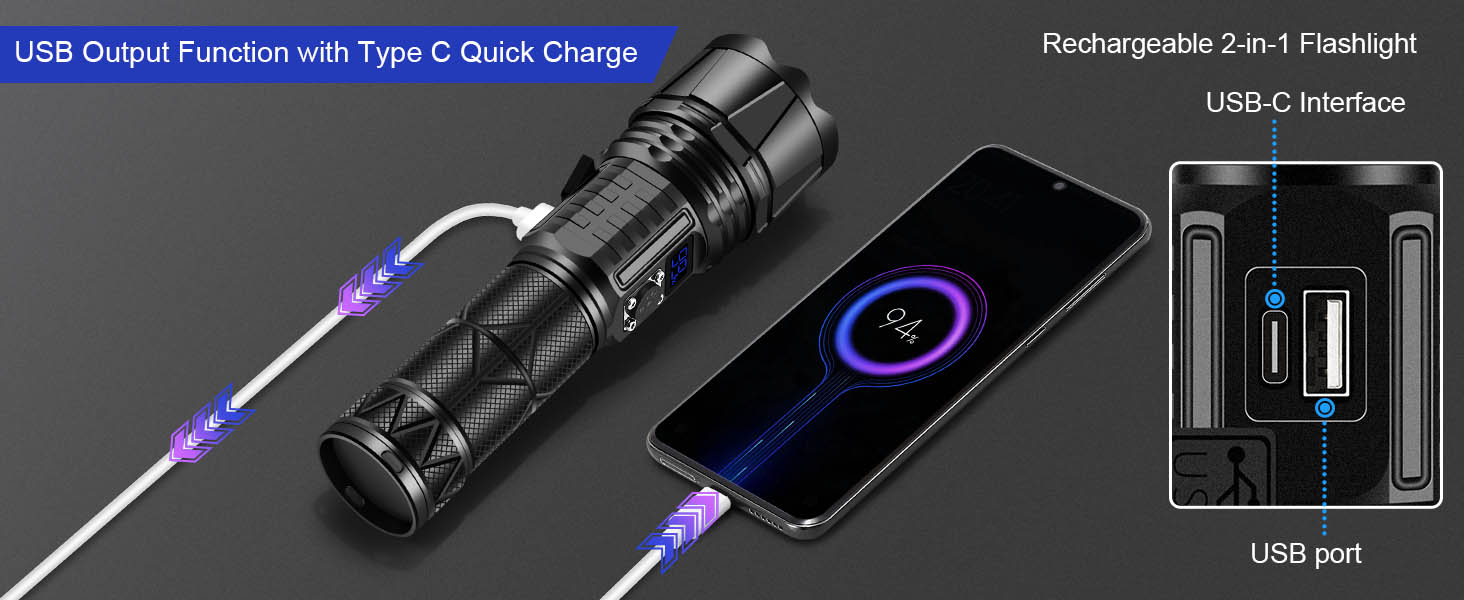
Image: The flashlight being used to charge a smartphone, demonstrating its power output function.
Maintenance
- Cleaning: Wipe the flashlight body with a soft, damp cloth. Do not use abrasive cleaners or solvents.
- Water Resistance: The flashlight has an IP67 waterproof rating, meaning it is protected from dust and can withstand immersion in water up to 1 meter for 30 minutes. Ensure all caps and covers are tightly sealed before exposure to water. It is not suitable for prolonged submersion.
- Storage: Store the flashlight in a cool, dry place away from direct sunlight. If storing for an extended period, it is recommended to charge the battery periodically to maintain its lifespan.
- Battery Care: If the flashlight will not be used for a long time, remove the battery to prevent leakage.
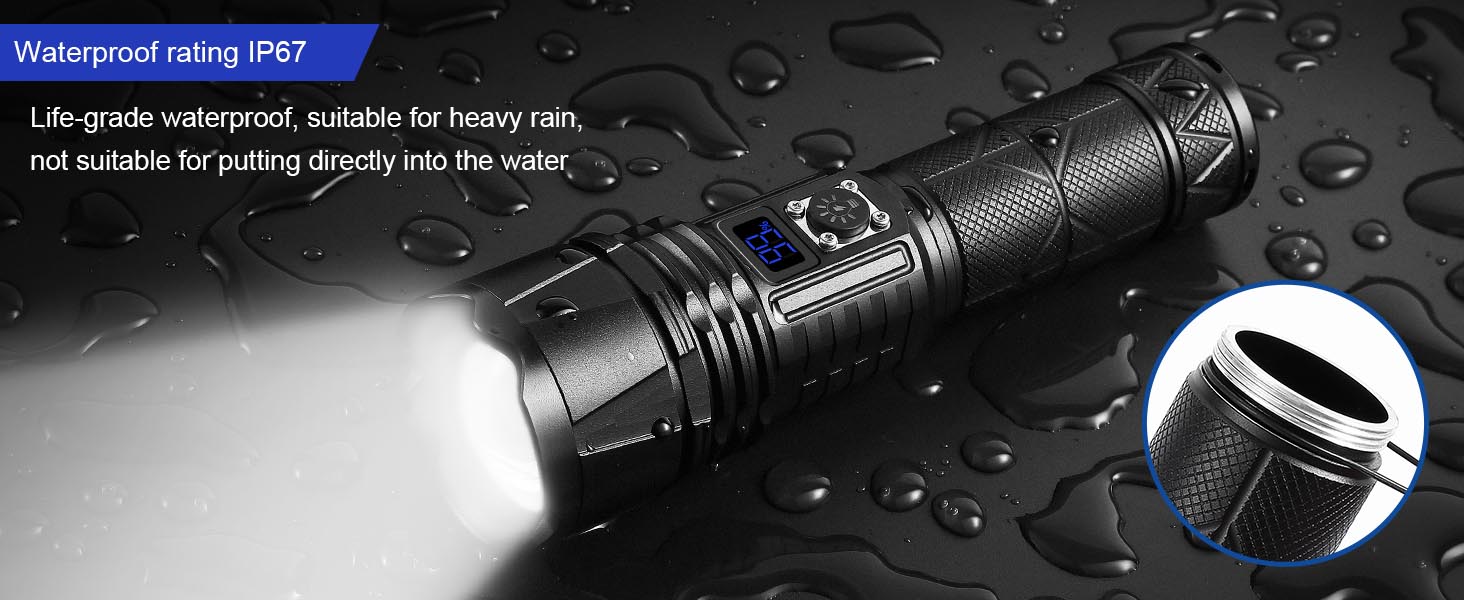
Image: The flashlight demonstrating its life-grade waterproof capabilities, suitable for heavy rain.
Troubleshooting
| Problem | Possible Cause | Solution |
|---|---|---|
| Flashlight does not turn on. | Battery is dead or incorrectly installed. | Charge the battery or re-install it with the correct polarity. |
| Light is dim or flickers. | Low battery. Loose connections. | Recharge the battery. Ensure the tail cap is tightened. |
| Flashlight does not charge. | Faulty USB cable or power adapter. Charging port obstruction. | Try a different USB cable and power adapter. Check the charging port for debris. |
| Zoom function is stiff. | Dirt or debris in the mechanism. | Clean the exterior of the flashlight. Do not force the mechanism. |
Specifications
| Feature | Detail |
|---|---|
| Model | J100 |
| Brand | JAY-PARK |
| Brightness | Up to 10000 Lumens |
| Light Source Type | LED |
| Lighting Modes | High, Medium, Low, Strobe, SOS |
| Beam Distance | Up to 1800 meters (Long Throw) |
| Power Source | Battery Powered (Rechargeable Lithium Ion or 3 AAA) |
| Charging Port | USB Type-C (Input) |
| Output Function | USB-A (Power Bank) |
| Material | Anodized Aluminum |
| Water Resistance | IP67 Waterproof |
| Special Features | Digital Power Display, Zoomable, High Lumens, Long Range |
| Product Dimensions | 6.69"D x 1.88"W x 1.88"H |
| Item Weight | 10.6 ounces |

Image: The flashlight's extended run-time, offering over 10 hours in low light mode.
Warranty and Support
The JAY-PARK J100 Rechargeable LED Flashlight comes with a limited warranty. For specific warranty details, claims, or technical support, please refer to the warranty card included in your package or contact JAY-PARK customer service through their official channels.
For further assistance, please visit the JAY-PARK Store.