
1. Introduction
Thank you for choosing the LEONLITE Picture Light Model 52952. This manual provides essential information for the safe installation, operation, and maintenance of your new picture light. Please read these instructions thoroughly before installation and retain them for future reference.
This LED picture light is designed to illuminate artwork and displays, offering adjustable color temperature and a sleek Mid-Century Modern design. It supports both plug-n-play and hardwired installation methods.
2. Safety Information
- WARNING: Risk of electric shock. Disconnect power at the fuse or circuit breaker before installation or servicing.
- This product is not intended for use with external dimmer switches. Attempting to use an external dimmer may result in flickering or damage to the fixture.
- For hardwired installations, consult a qualified electrician to ensure compliance with all local electrical codes and regulations.
- Do not modify the fixture or its components. Any modifications may void the warranty and create safety hazards.
- Ensure the mounting surface can support the weight of the fixture.
- Keep flammable materials away from the light fixture.
3. Package Contents
Verify that all components are present before beginning installation:
- LEONLITE Picture Light Fixture (Model 52952)
- Mounting Accessories (screws, anchors, etc.)
- Power Cord (for plug-n-play option)
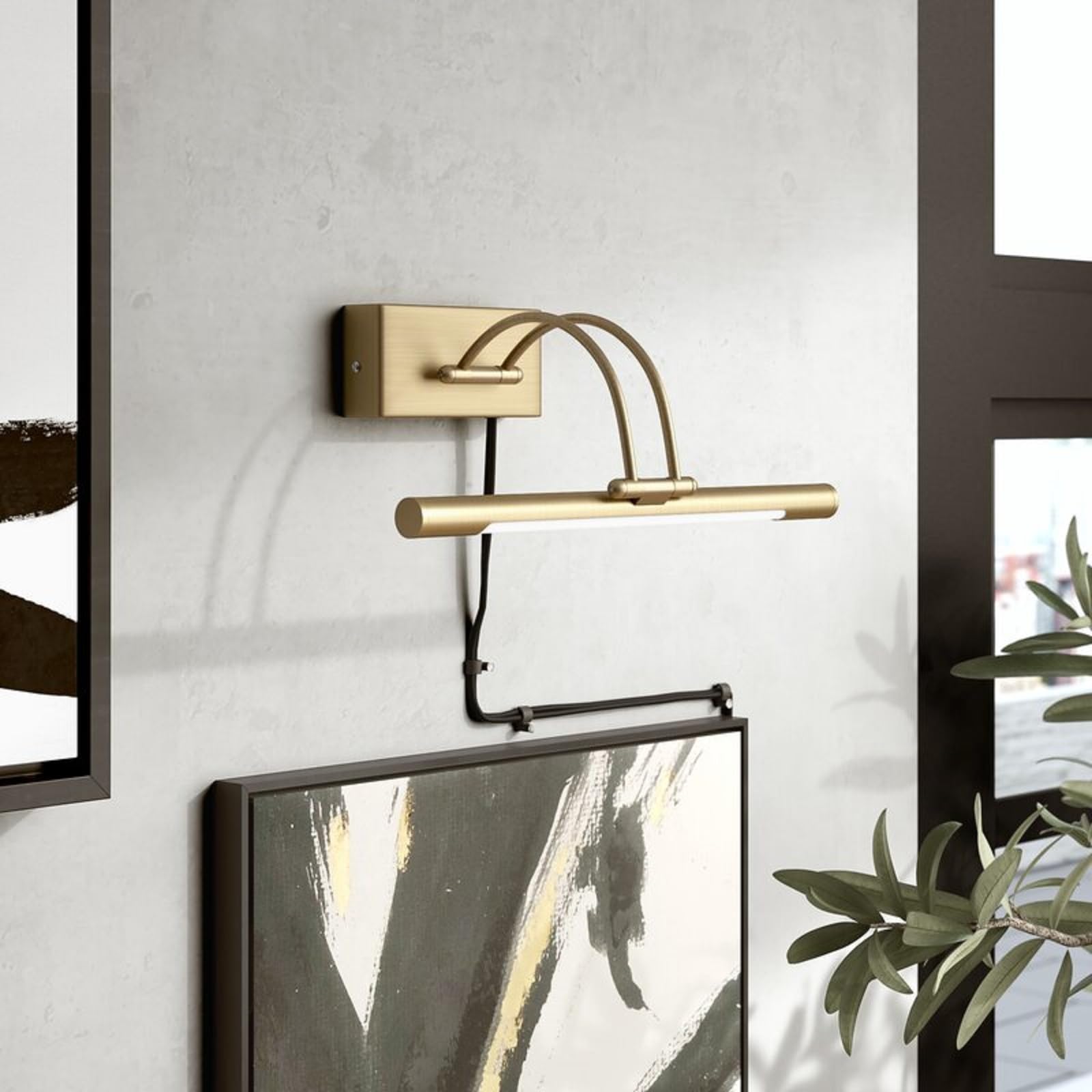
Image 1: LEONLITE Picture Light Model 52952 with key specifications.
4. Setup and Installation
The LEONLITE Picture Light offers two installation options: plug-n-play or hardwired.
4.1 Plug-n-Play Installation
- Identify the desired mounting location on the wall.
- Using the provided mounting accessories, securely attach the fixture's base to the wall. Ensure the base is level.
- Connect the power cord to the fixture and plug it into a standard 130V AC wall outlet.
- Adjust the light bar to the desired angle.
4.2 Hardwired Installation
Important: Hardwired installation should only be performed by a qualified electrician in accordance with all local and national electrical codes. Improper installation can lead to electrical hazards and may void the product warranty.
- Turn off power at the circuit breaker before starting any electrical work.
- Carefully remove the existing fixture (if any) and expose the junction box wiring.
- Mount the fixture's base to the wall, ensuring it is securely fastened and level.
- Connect the fixture's wires to the corresponding house wires (typically black to black, white to white, and ground to ground) within an approved electrical junction box. Ensure all connections are secure with wire nuts.
- Tuck all wires neatly into the junction box and secure the fixture to its mounting base.
- Restore power at the circuit breaker.

Image 2: Detail of the LEONLITE Picture Light fixture.
5. Operating Instructions
The LEONLITE Picture Light Model 52952 is designed for straightforward operation.
5.1 Power On/Off
- For plug-n-play installations, use the inline push-button switch on the power cord to turn the light on or off.
- For hardwired installations, use the wall switch connected to the fixture's circuit.
5.2 Brightness Adjustment (Plug-n-Play Only)
The plug-n-play power cord features an inline push-button controller that allows for a rough high/medium/low brightness setting. Cycle through the settings by pressing the button repeatedly.
5.3 Color Temperature Adjustment
The fixture includes an internal control mechanism (potentially a remote or push button on the fixture itself, depending on the specific accessory included) to adjust the LED color temperature. This allows you to select between various settings, typically ranging from warm white (e.g., 2700K) to daylight white (e.g., 5000K). Refer to the specific instructions provided with your remote or fixture for detailed operation.
Note on Dimming: This fixture is not compatible with external wall dimmer switches. Using an external dimmer will likely cause flickering and may damage the light. The brightness adjustment is limited to the inline controller for plug-n-play setups.
6. Maintenance
To ensure the longevity and optimal performance of your LEONLITE Picture Light, follow these simple maintenance guidelines:
- Cleaning: Always disconnect power before cleaning. Use a soft, dry, or slightly damp cloth to wipe the fixture. Avoid abrasive cleaners, solvents, or harsh chemicals, as these can damage the finish or electrical components.
- Bulb Replacement: The LED light source in this fixture is integrated and non-removable. It is designed for a long operational life and does not require bulb replacement.
- Inspection: Periodically check for any loose connections or signs of damage to the wiring or fixture. If any damage is found, discontinue use and consult a qualified electrician or contact customer support.
7. Troubleshooting
If you encounter issues with your picture light, refer to the following common problems and solutions:
| Problem | Possible Cause | Solution |
|---|---|---|
| Light does not turn on | No power supply Loose connection Faulty switch | Check if the power cord is securely plugged in (plug-n-play). Ensure the circuit breaker is on. Verify all wiring connections (hardwired). Test the outlet or switch with another device. |
| Light flickers or dims unexpectedly | Incompatible external dimmer switch Loose wiring | Do not use with external dimmer switches. If connected to one, remove it and connect to a standard on/off switch. Check for loose wiring connections. |
| Light output is too low/high | Incorrect brightness setting | For plug-n-play, cycle through the inline controller's brightness settings (High/Medium/Low). |
| Color temperature is not desired | Incorrect color temperature setting | Adjust the color temperature using the dedicated control mechanism (remote or fixture button). |
8. Specifications
| Feature | Specification |
|---|---|
| Model Number | 52952 |
| Brand | LEONLITE |
| Color | Antique Brass |
| Material | Metal (Fixture), Polycarbonate (Shade) |
| Style | Mid-Century Modern |
| Light Source | Integrated LED |
| Voltage | 130 Volts AC |
| Brightness | 560 Lumens |
| Color Temperature | Adjustable (e.g., 2700K - 5000K) |
| Beam Angle | 120° |
| Mounting Type | Wall Mount |
| Control Method | Inline Push Button (for plug-n-play brightness), Internal Control (for color temperature) |
| Dimmable | No (Not compatible with external wall dimmers) |
| Dimensions (L x W x H) | 6.49" x 4.13" x 14.9" |
| Included Components | Accessories |
9. Warranty
This LEONLITE Picture Light Model 52952 is covered by a 3-year manufacturer's warranty from the date of purchase. This warranty covers defects in materials and workmanship under normal use. It does not cover damage resulting from improper installation, misuse, abuse, or unauthorized modifications.
For warranty claims, please retain your proof of purchase and contact LEONLITE customer support.
10. Customer Support
If you have any questions, require technical assistance, or need to report an issue with your LEONLITE Picture Light, please contact our customer support team.
- Website: Visit the official LEONLITE website for FAQs and support resources.
- Email: Refer to your product packaging or the LEONLITE website for customer service email contact.
- Phone: Refer to your product packaging or the LEONLITE website for customer service phone number.