
Bushnell BoneCollector 850 Laser Rangefinder_202209
Bushnell BoneCollector 850 Laser Rangefinder User Manual
Model: BoneCollector 850 Laser Rangefinder_202209 | Brand: Bushnell
Introduction
The Bushnell BoneCollector 850 Laser Rangefinder is an advanced optical device designed for precise distance measurement in various outdoor environments, particularly for hunting. It features an all-glass optical system for superior light transmission and clarity, ensuring optimal performance from dawn to dusk. Equipped with Angle Range Compensation (ARC) technology, it provides true horizontal distances, crucial for accurate shot placement on angled terrain. Its user-friendly design and robust construction make it a reliable tool for outdoor enthusiasts.
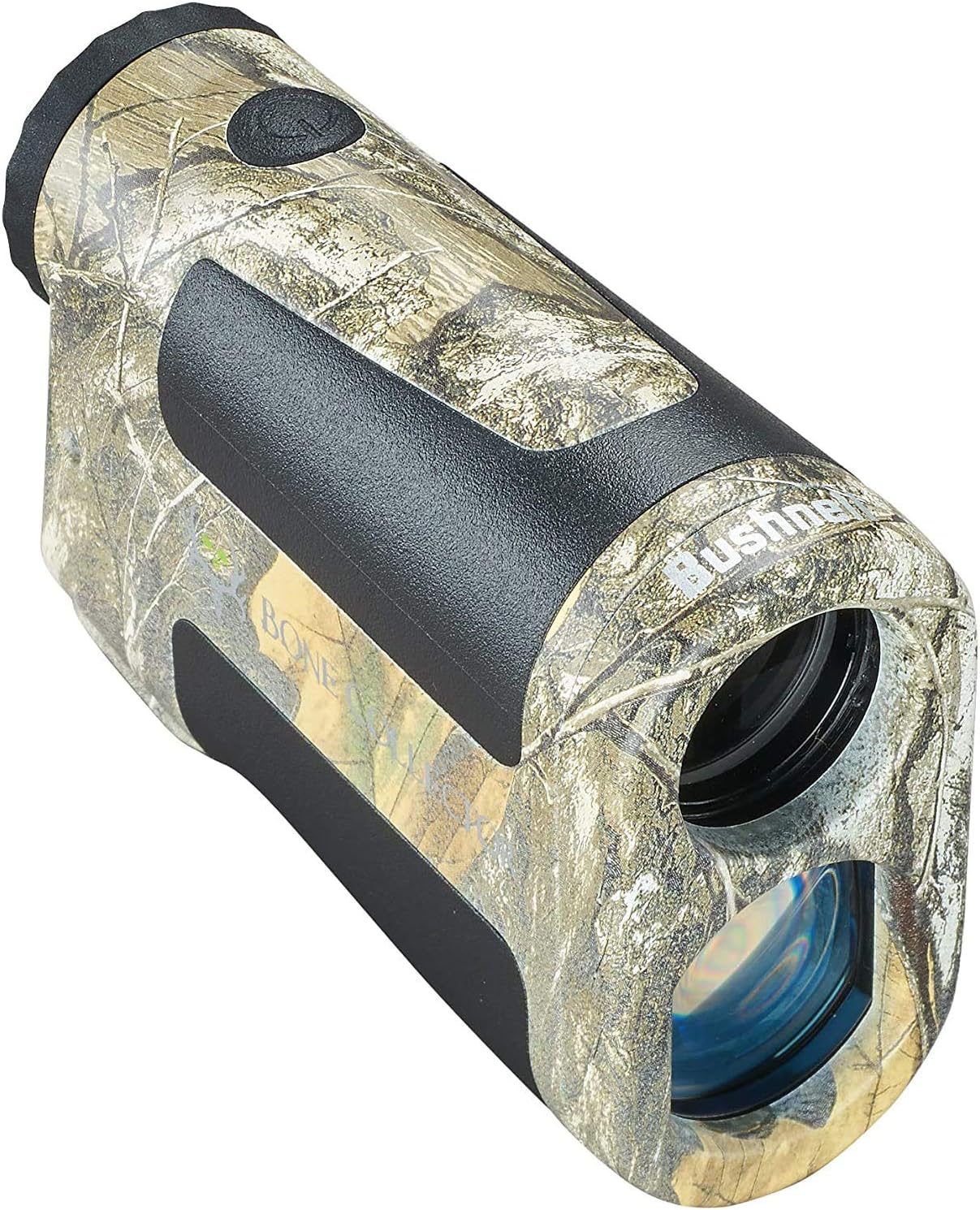
Figure 1: Bushnell BoneCollector 850 Laser Rangefinder, showcasing its Realtree Edge Camo finish.
Setup
1. Battery Installation
The BoneCollector 850 requires one 3V Lithium Manganese Dioxide (CR2) battery. To install or replace the battery:
- Locate the battery compartment cap, typically found at the rear or side of the device.
- Unscrew the cap counter-clockwise.
- Insert the CR2 battery, ensuring the positive (+) terminal is oriented correctly as indicated inside the compartment.
- Screw the cap back on clockwise until it is securely tightened to maintain water resistance.
2. Adjusting the Eyepiece Focus
For a clear view of the display reticle and target, adjust the eyepiece:
- Look through the eyepiece.
- Rotate the fast-focus eyepiece (the ring around the viewing lens) clockwise or counter-clockwise until the reticle and the image appear sharp and clear to your eye.

Figure 2: Key components of the rangefinder, including the fast focus eyepiece and metal threaded battery door.
Operating Instructions
1. Powering On and Ranging
The BoneCollector 850 features a simple one-button operation:
- Press the RANGE/POWER button once to power on the unit and activate the reticle display.
- Aim the reticle at your desired target.
- Press the RANGE/POWER button again to obtain the distance measurement. The distance will be displayed in yards or meters on the vivid reticle.
2. Scan Mode
For continuous distance updates, use the Scan Mode:
- With the unit powered on, press and hold the RANGE/POWER button.
- The rangefinder will continuously update the distance as you pan across multiple targets, providing fast and reliable readings. Release the button to exit Scan Mode.
3. Angle Range Compensation (ARC) Technology
ARC technology automatically calculates the true horizontal distance to your target, accounting for uphill or downhill angles. This is particularly useful for bow hunting or rifle hunting from elevated positions like tree stands, where line-of-sight distance can differ significantly from the actual horizontal distance required for accurate trajectory.

Figure 3: ARC technology in action, demonstrating how it provides true horizontal distance for angled shots.

Figure 4: The rangefinder in use by a hunter, demonstrating its practical application.
Maintenance
Proper care and maintenance will ensure the longevity and performance of your Bushnell BoneCollector 850 Laser Rangefinder:
- Cleaning Lenses: Gently brush away any dust or debris with a soft lens brush. Use a lens cleaning cloth and lens cleaning fluid (specifically designed for optics) to wipe the lens surfaces. Avoid using abrasive cloths or excessive pressure.
- Cleaning Body: Wipe the body of the rangefinder with a soft, damp cloth. Do not use harsh chemicals or solvents.
- Storage: Store the rangefinder in a cool, dry place when not in use. Remove the battery if the device will not be used for an extended period to prevent potential battery leakage.
- Water Resistance: The device has an IP54 rating, meaning it is protected against dust and splashing water. While it can withstand light rain, avoid submerging it in water.
Troubleshooting
If you encounter issues with your Bushnell BoneCollector 850, try the following steps:
- No Display/Unit Not Powering On:
- Check if the battery is inserted correctly with the positive (+) terminal aligned.
- Replace the battery with a fresh 3V CR2 battery.
- Inaccurate Readings or Difficulty Ranging:
- Ensure the target is within the specified measuring range (350 to 850 yards).
- Clean the objective and eyepiece lenses thoroughly. Smudges or dirt can interfere with laser transmission.
- Ensure you have a steady hand. Unsteady aiming can lead to inconsistent readings.
- Ranging performance can be affected by target characteristics (e.g., highly reflective surfaces are easier to range than dark, non-reflective ones) and environmental conditions (e.g., fog, heavy rain).
- Display Appears Blurry:
- Adjust the fast-focus eyepiece until the reticle and image are sharp.
If problems persist, contact Bushnell customer support for further assistance.
Specifications
| Feature | Detail |
|---|---|
| Brand | Bushnell |
| Model Name | BoneCollector 850 Laser Rangefinder_202209 |
| Measuring Range | 350 to 850 yards (reflective) |
| Magnification | 6x |
| Optical System | All-Glass, Fully Multi-Coated |
| Color | Camo (Realtree Edge) |
| Material | Plastic |
| Item Weight | 180 Grams |
| Product Dimensions (LxWxH) | 3.19" x 2.36" x 0.98" |
| Battery Type | Disposable, 3V Lithium Manganese Dioxide (CR2) |
| Water Resistance Level | Waterproof (IP54) |
| Included Components | Laser RangeFinder, Case |

Figure 5: Physical dimensions and weight of the rangefinder.
Warranty and Support
Bushnell products are engineered for durability and performance. The BoneCollector 850 Laser Rangefinder comes with a Limited Warranty. For detailed information regarding your product's warranty coverage, please refer to the official Bushnell website or contact their customer support.

Figure 6: Bushnell's Lifetime Ironclad Warranty statement.
For additional product information, accessories, or to explore other Bushnell products, visit the official Bushnell store:
Ask a question about this manual
Ask about setup, troubleshooting, compatibility, parts, safety, or missing instructions. Manuals+ will review the question and use this page’s manual context to help answer it.