1. Introduction
Thank you for choosing the JAY-PARK F88 Rechargeable Flashlight. This high-performance LED flashlight is designed for durability and versatility, offering 10000 lumens of brightness, a zoomable beam, a digital power display, and IP67 waterproofing. It is suitable for various outdoor activities and household use. Please read this manual carefully to ensure proper operation and maintenance of your device.
2. Safety Information
- Do not look directly into the light beam: The high intensity light can cause temporary vision impairment or permanent eye damage.
- Keep out of reach of children: This product is not a toy.
- Use only specified batteries: Use the included high-capacity rechargeable battery. Do not attempt to use non-rechargeable batteries.
- Avoid extreme temperatures: Do not expose the flashlight to extreme heat or cold.
- Do not disassemble: Attempting to disassemble the flashlight may damage the device and void the warranty.
- Proper disposal: Dispose of batteries according to local regulations.
3. Package Contents
Verify that all items are present in your package:
- JAY-PARK F88 Rechargeable Flashlight
- High-capacity Rechargeable Battery (pre-installed or included separately)
- USB-C Charging Cable
4. Product Overview
Familiarize yourself with the main components of your JAY-PARK F88 flashlight:

Image: The JAY-PARK F88 flashlight showing its main body, lens, power button, digital display, and wrist strap.
- LED Lens: Projects the light beam.
- Zoomable Head: Allows adjustment between spotlight and floodlight.
- Power Button: Controls power and lighting modes.
- Digital Power Display: Shows real-time battery percentage.
- USB-C Charging Port: For recharging the flashlight.
- USB Output Port: For using the flashlight as a power bank.
- Aluminum Alloy Body: Durable and heat-dissipating casing.
5. Setup
5.1 Initial Charging
Before first use, fully charge the flashlight battery.
- Locate the USB-C charging port on the flashlight.
- Connect the provided USB-C cable to the flashlight and a compatible USB power adapter (not included) or computer USB port.
- The digital power display will show the charging progress. Charge until the display shows 100%.
- Once fully charged, disconnect the charging cable.

Image: The JAY-PARK F88 flashlight being charged via its USB-C port, with the digital display indicating battery percentage.
6. Operating Instructions
6.1 Power On/Off and Mode Selection
The JAY-PARK F88 features 5 lighting modes and a quick shut-off function.

Image: The JAY-PARK F88 flashlight demonstrating its five lighting modes: High, Middle, Low, Strobe, and SOS.
- To Power On: Press the power button once. The flashlight will turn on in the last used mode.
- To Change Modes: While the flashlight is on, press the power button repeatedly to cycle through the modes: Strong > Medium > Low > Strobe > SOS.
- Quick Shut-Off: If the flashlight has been on for more than 10 seconds in any mode, a single press of the power button will turn it off directly, without cycling through other modes.
- To Power Off (before 10 seconds): If the flashlight has been on for less than 10 seconds, you must cycle through all modes to turn it off, or wait 10 seconds and use the quick shut-off.
6.2 Zoom Function
Adjust the beam from a wide floodlight to a focused spotlight.

Image: The JAY-PARK F88 flashlight showcasing its zoomable feature, with examples of a wide flood mode and a concentrated focus mode.
- To adjust the beam, gently push or pull the head of the flashlight forward or backward.
- Pushing the head forward creates a narrow, focused beam (spotlight) for long-distance illumination.
- Pulling the head backward creates a wide, diffused beam (floodlight) for illuminating a large area.
6.3 Digital Power Display
The integrated LCD display shows the remaining battery percentage in real-time.
- The display activates when the flashlight is turned on or when charging.
- Monitor the display to anticipate when recharging is needed, preventing sudden power loss.
6.4 Power Bank Function
The JAY-PARK F88 can be used to charge other devices via its USB output port.
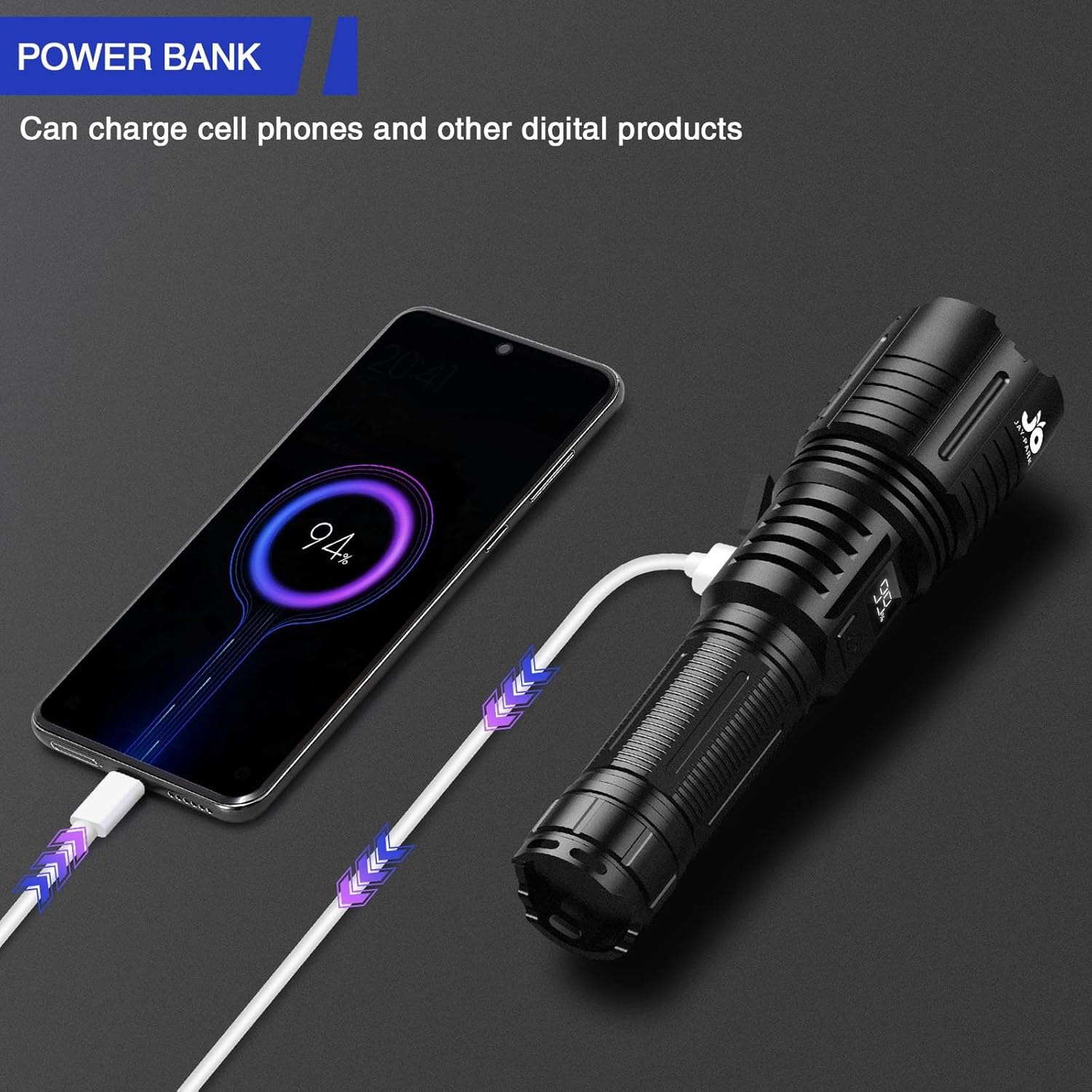
Image: The JAY-PARK F88 flashlight acting as a power bank, charging a mobile phone.
- Ensure the flashlight has sufficient charge.
- Connect your device's charging cable to the USB output port on the flashlight.
- The flashlight will begin charging your device.
7. Maintenance
7.1 Cleaning
- Wipe the flashlight body with a soft, damp cloth.
- Do not use abrasive cleaners or solvents.
- Keep the lens clean for optimal light output. Use a lens cleaning cloth if necessary.
7.2 Battery Care and Storage
- For long-term storage, charge the battery to approximately 50-70% every 3-6 months to prolong its lifespan.
- Store the flashlight in a cool, dry place away from direct sunlight and extreme temperatures.
- Avoid fully discharging the battery frequently, as this can reduce its overall lifespan.
8. Troubleshooting
| Problem | Possible Cause | Solution |
|---|---|---|
| Flashlight does not turn on | Low battery; Battery not properly installed; Faulty switch | Charge the battery; Ensure battery is correctly inserted; Contact support if issue persists. |
| Flashlight not charging | Charging cable faulty; Power source issue; Charging port obstruction | Try a different USB-C cable; Use a different power adapter/USB port; Clean charging port gently. |
| Light is dim or flickers | Low battery; Loose battery connection; Lens is dirty | Recharge the battery; Check battery connection; Clean the lens. |
| Zoom function is stiff | Dirt or debris in mechanism | Gently clean the zoom mechanism; Avoid forcing it. |
9. Specifications
| Feature | Detail |
|---|---|
| Model | F88 |
| Brightness | 10000 Lumens |
| Light Source Type | LED |
| Power Source | Battery Powered |
| Battery Type | High-capacity Rechargeable Lithium-Ion |
| Charging Port | USB-C |
| Output Function | USB (Power Bank) |
| Lighting Modes | Strong, Medium, Low, Strobe, SOS (5 modes) |
| Special Features | Digital Power Display, Zoomable, Quick Shut-Off |
| Material | Aviation-grade Aluminium Alloy |
| Water Resistance | IP67 Waterproof |
| Drop Resistance | Up to 10 feet |
| Product Dimensions | 188D x 48W x 36H Millimeters |
| Item Weight | 408 g |
10. Warranty and Support
10.1 Warranty
The JAY-PARK F88 Rechargeable Flashlight comes with a 24-month warranty from the date of purchase. This warranty covers manufacturing defects and quality issues. If you encounter any quality-related problems within this period, please contact our customer support for return or exchange services.
10.2 Customer Support
For any questions, concerns, or support needs regarding your JAY-PARK F88 flashlight, please do not hesitate to contact us. Our customer service team is available to provide assistance and resolve any issues you may have.
Contact Information: Please refer to the contact details provided on your purchase platform or the official JAY-PARK website.