
1. Introduction
This manual provides essential information for the safe and efficient operation, maintenance, and troubleshooting of your TMA Cordless Vacuum Cleaner T120 Black. Please read it thoroughly before first use and retain it for future reference.

Image: The TMA Cordless Vacuum Cleaner T120 Black shown in its full stick configuration, handheld configuration, and with its included crevice tool, brush tool, and four HEPA filters.
2. Included Components
Carefully unpack your vacuum cleaner and ensure all the following components are present:
- Main Motor Unit
- LED Floor Brush
- Extension Tube
- Detachable Battery
- Power Adapter
- 2-in-1 Brush/Crevice Nozzle
- Cleaning Brush
- 4 HEPA Filters (including one pre-installed)
- Wall Hanger with Screws and Wall Anchors
- Instruction Manual (this document)
- Quick Start Guide
3. Setup
3.1 Assembly
- Attach the Extension Tube: Align the extension tube with the main motor unit and push until it clicks into place.
- Attach the Floor Brush: Connect the LED floor brush to the other end of the extension tube, ensuring it clicks securely. For handheld use, attach accessories directly to the main motor unit.
- Install the Battery: Insert the detachable battery into the designated slot on the main motor unit until it locks.
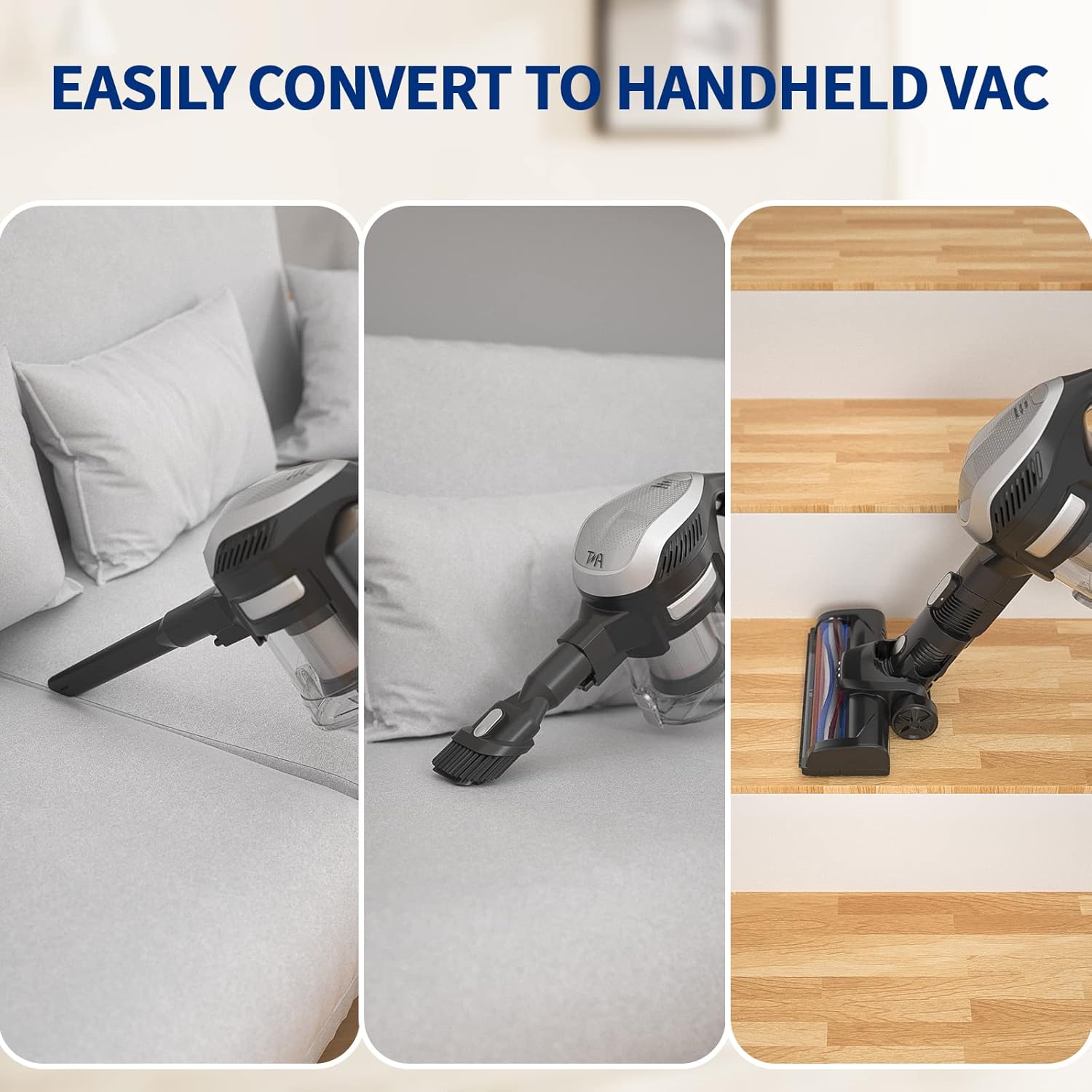
Image: The vacuum cleaner shown in three configurations: as a stick vacuum, as a handheld vacuum with a brush attachment, and as a handheld vacuum with a crevice tool, demonstrating its versatility.
3.2 Charging the Battery
Before first use, fully charge the battery. Connect the power adapter to the charging port on the battery or the main motor unit, then plug it into a wall outlet. The battery typically charges fully within five hours.
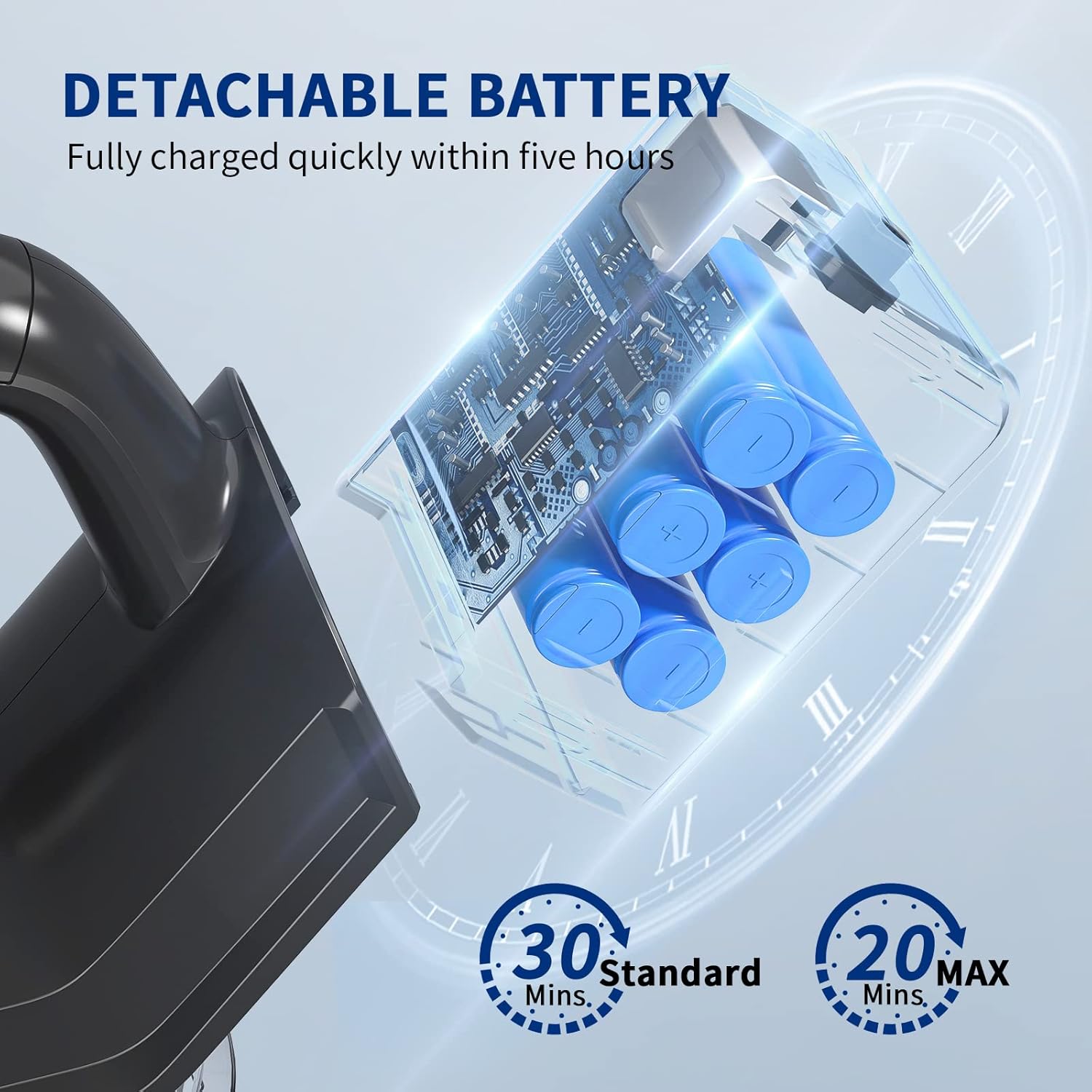
Image: A close-up view of the detachable battery pack, illustrating its internal components and indicating a full charge time of five hours. Runtimes of 30 minutes (Standard mode) and 20 minutes (MAX mode) are also shown.
4. Operating Instructions
4.1 Power On/Off and Suction Modes
Press the power button to turn the vacuum cleaner on. It will start in Standard suction mode (10KPA). Press the mode button to switch to MAX suction mode (15KPA) for more powerful cleaning. Press the power button again to turn off the vacuum.

Image: The main motor unit with a finger pointing to the 'MAX' button, illustrating the two available suction modes: Standard (10KPA) and Max (15KPA).
4.2 Using the LED Floor Brush
The intelligent LED floor brush features three LED lights to illuminate debris in dark areas, ensuring thorough cleaning. Its 90-degree and 180-degree rotatable head allows for flexible maneuvering around furniture and into low spaces.
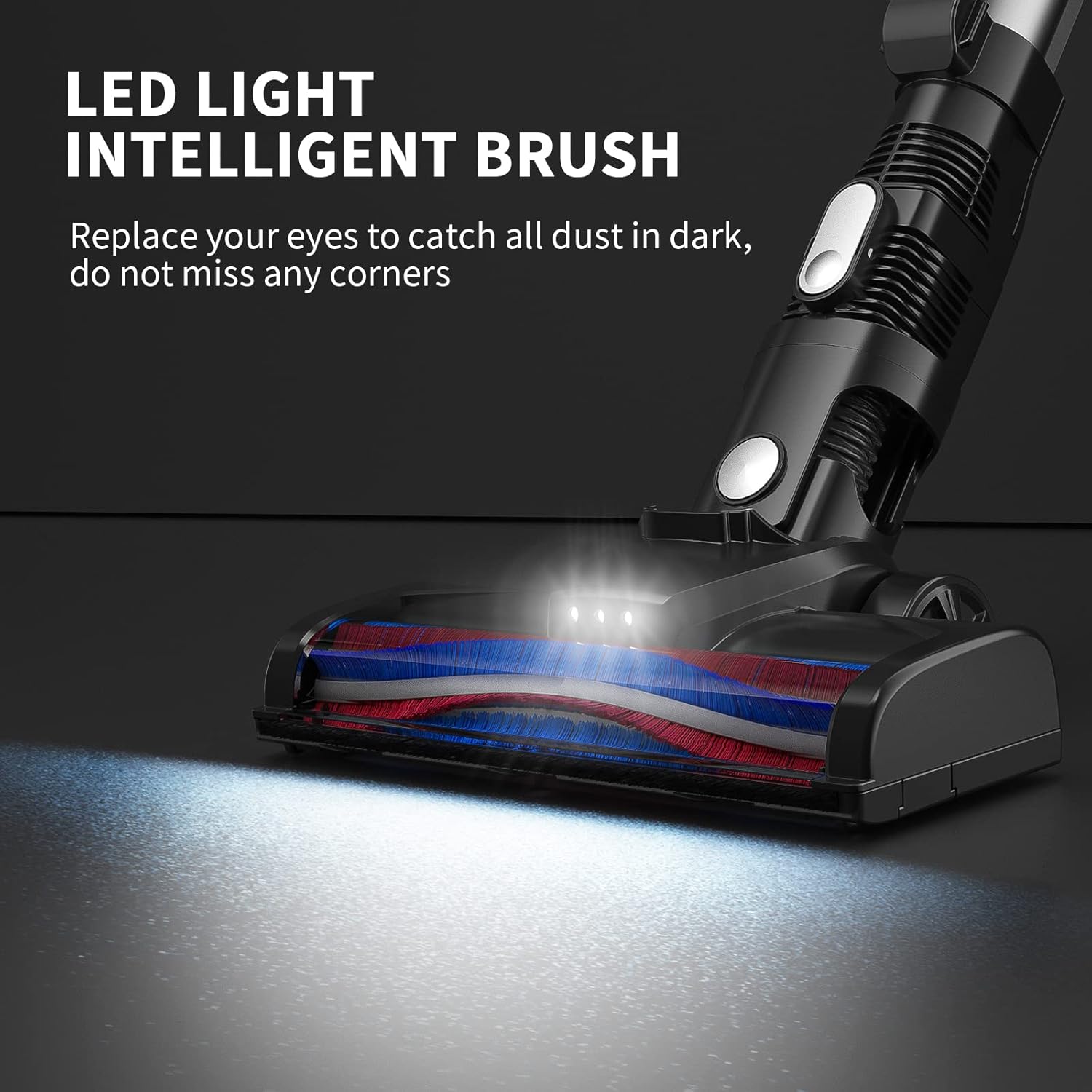
Image: A close-up of the LED floor brush in operation, with its lights illuminating a dark floor area to highlight hidden dust and debris.

Image: The flexible floor brush head shown articulating at 90 and 180 degrees, demonstrating its ability to reach under furniture and navigate tight spaces.
4.3 Recommended Surfaces
The TMA Cordless Vacuum Cleaner is designed for optimal performance on hard floors. While it can be used on soft grounds, its effectiveness is significantly better on hard surfaces.

Image: The vacuum cleaner operating on different floor types, with visual indicators showing it is perfect for hard floors and not suitable for carpet, but can be used on soft ground with better effect on hard floors.
4.4 Lightweight Design
The lightweight design and ergonomic wide handle make the vacuum easy to push and maneuver, reducing strain during cleaning. This design is suitable for users of all ages, including women, children, and the elderly.

Image: A person effortlessly pushing the stick vacuum, emphasizing its lightweight nature and ease of use for various demographics.
5. Maintenance
5.1 Emptying the Dust Cup
The vacuum cleaner is equipped with a 1.3L large dust cup. To empty, press the release button on the dust cup and dispose of the contents into a waste bin. Ensure the dust cup is securely reattached before next use.
5.2 HEPA Filter Maintenance
The vacuum cleaner includes four HEPA filters in total, designed to capture 99.9% of fine particles as small as 0.1 microns, preventing secondary pollution and protecting the motor. To maintain optimal suction and extend service life, replace the HEPA filter every 3-4 months. Do not wash HEPA filters with water.

Image: A diagram illustrating the multi-stage filtration system, highlighting the HEPA filter's role in capturing 99.99% of dust and protecting the motor from pollution.
6. Troubleshooting
If you encounter issues with your TMA Cordless Vacuum Cleaner, please refer to the following common problems and solutions:
- No Power:
- Ensure the battery is fully charged and correctly installed.
- Check if the power button is pressed firmly.
- Loss of Suction:
- Empty the dust cup if it is full.
- Check for blockages in the extension tube, floor brush, or attachments.
- Inspect and clean or replace the HEPA filters.
- Brush Roll Not Rotating:
- Remove any tangled hair or debris from the brush roll.
- Ensure the floor brush is securely attached.
- Battery Not Charging:
- Verify the power adapter is correctly connected to both the battery/vacuum and the wall outlet.
- Check if the power outlet is functional.
If the problem persists, please contact customer support.
7. Specifications
| Feature | Specification |
|---|---|
| Model | T120 Black |
| Item Weight | 2.99 kg |
| Form Factor | Stick/Handheld |
| Power Source | Battery Powered |
| Battery Type | 2200mAh (Detachable) |
| Voltage | 12 Volts |
| Suction Power (Standard) | 10 KPA |
| Suction Power (MAX) | 15 KPA |
| Runtime (Standard Mode) | Approx. 30 minutes |
| Runtime (MAX Mode) | Approx. 20 minutes |
| Dust Cup Capacity | 1.3 Liters |
| Filter Type | HEPA Filter (4 included) |
| Special Features | 6-in-1 Handheld Vacuum, LED Floor Brush, Removable Battery |
| Surface Recommendation | Hard Floor |
8. Warranty and Support
For warranty information or technical support, please refer to the warranty card included with your product or contact TMA customer service through the retailer where the product was purchased. Please have your model number (T120 Black) and purchase date available when contacting support.