
Xmenha S19
Xmenha S19 Open Ear Bone Conduction Earbuds User Manual
Model: S19
1. Introduction
This manual provides comprehensive instructions for the Xmenha S19 Open Ear Bone Conduction Earbuds. Designed for comfort and situational awareness, these wireless Bluetooth headphones offer a unique audio experience without blocking ambient sounds, making them ideal for various activities including sports, running, and daily use.
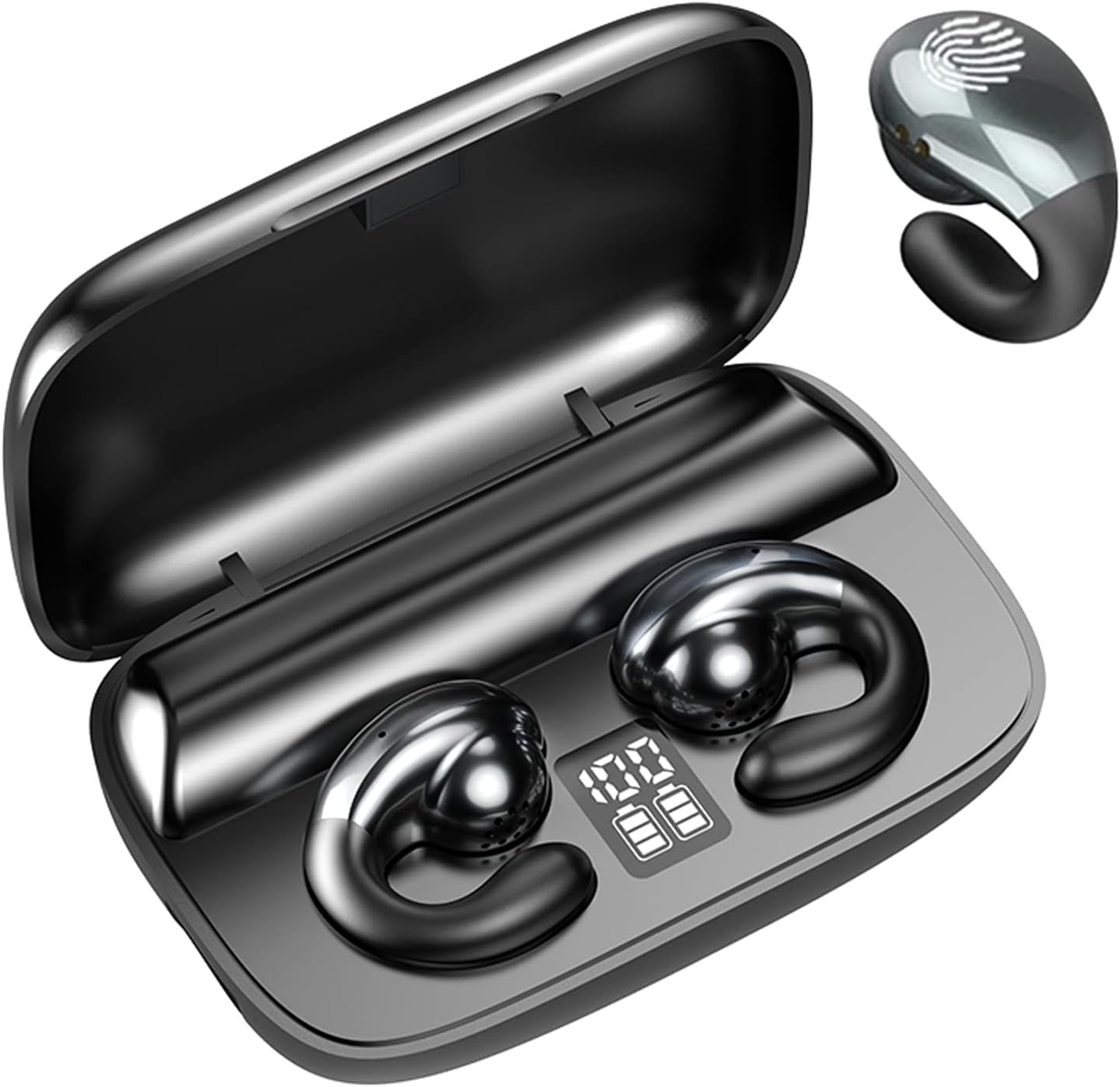
Figure 1: Xmenha S19 Open Ear Bone Conduction Earbuds and Charging Case.
2. Safety Information
Please read all safety warnings before using this product to ensure proper operation and to prevent damage or injury. Keep the earbuds and charging case away from extreme temperatures, moisture, and corrosive materials. Do not attempt to disassemble or modify the product. Use only the provided charging cable or a certified equivalent. Avoid listening at high volumes for extended periods to prevent hearing damage. Maintain awareness of your surroundings, especially when using the earbuds in traffic or other potentially hazardous environments.
3. Product Components
The Xmenha S19 package includes the following items:
- Xmenha S19 Open Ear Bone Conduction Earbuds (Left and Right)
- Charging Case
- USB Charging Cable
- User Manual (this document)
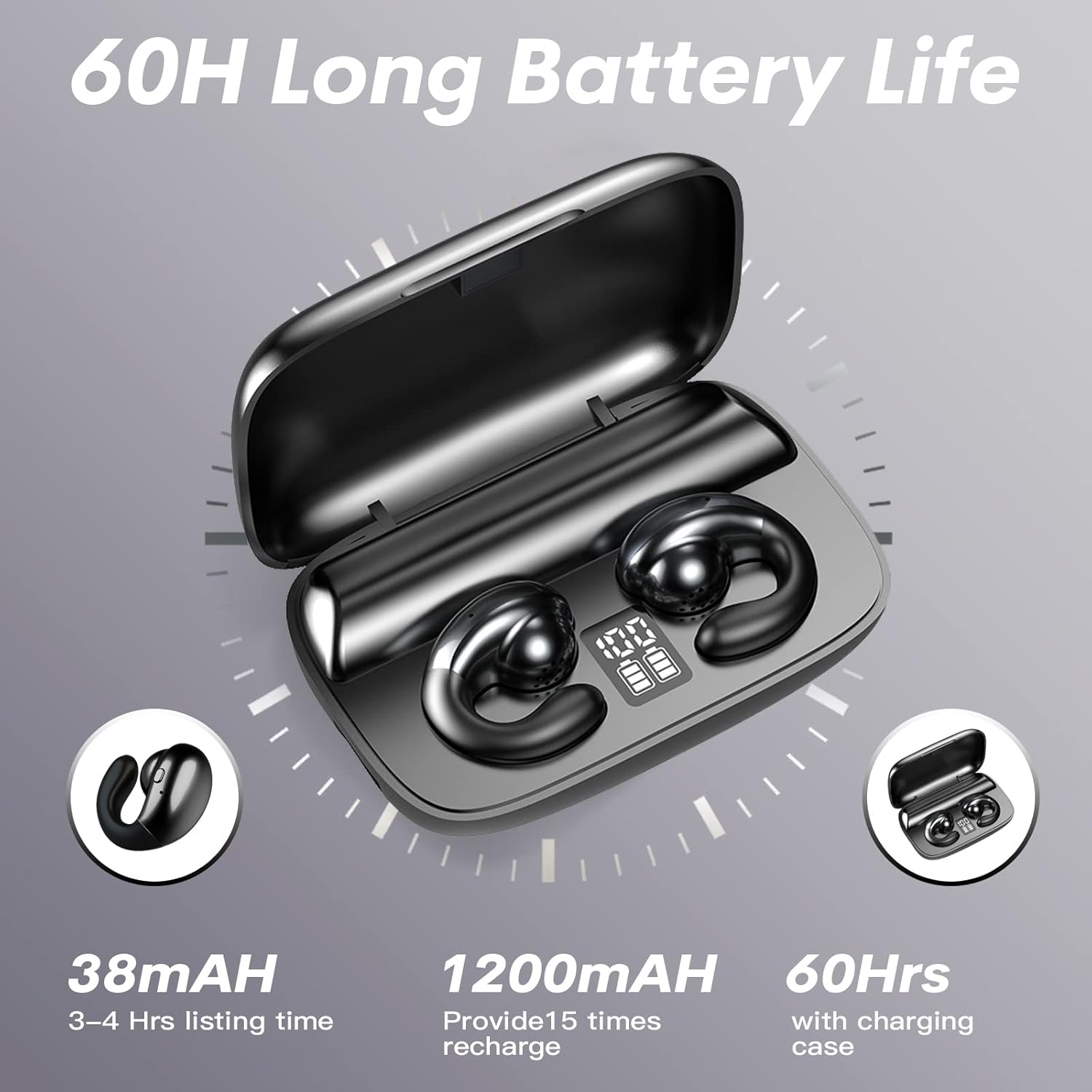
Figure 2: Earbuds inside the charging case, displaying battery levels.
4. Setup
4.1 Charging the Earbuds and Case
Before first use, fully charge the earbuds and the charging case. The charging case features a digital display indicating the battery percentage of the case and individual earbuds.
- Place the earbuds into their respective slots in the charging case. Ensure they are properly seated to initiate charging.
- Connect the provided USB charging cable to the USB-C port on the charging case and to a compatible USB power source.
- The display on the charging case will show the charging status. A full charge for the earbuds takes approximately 1.5 hours. The earbuds provide up to 6.5 hours of continuous play time on a single charge, and the charging case extends this to 30 hours.
The charging case also functions as a power bank, allowing you to charge other devices via its USB-A output port.

Figure 3: Charging case with USB-A output for charging external devices.
4.2 Pairing with Your Device
The earbuds support automatic pairing for convenience.
- Initial Pairing: Open the charging case. The earbuds will automatically enter pairing mode.
- On your device (smartphone, tablet, etc.), enable Bluetooth and search for "S19". Select it to connect.
- Once connected, the earbuds will automatically pair with your device whenever you open the charging case.
- Single Earbud Use: Each earbud can be used independently. Simply take one earbud out of the case, and it will connect to your device. The other earbud can remain in the case or be used with a different device.

Figure 4: Automatic pairing upon taking earbuds out of the case.

Figure 5: Options for single earbud or binaural pairing.
5. Operating Instructions
5.1 Wearing the Earbuds
The Xmenha S19 earbuds feature an open-ear, ear-clip design that rests comfortably on your ear without entering the ear canal. This design ensures a secure fit during activities and allows for ambient awareness.

Figure 6: Earbuds designed for stable wear during physical activity.

Figure 7: Ergonomic design for comfortable and secure fit.
5.2 Smart Touch Controls
Each earbud is equipped with smart touch controls for easy management of your audio and calls. Specific touch functions may vary slightly depending on your device and application, but generally include:
- Play/Pause: Single tap on either earbud.
- Next Track: Double tap on the right earbud.
- Previous Track: Double tap on the left earbud.
- Volume Up: Triple tap on the right earbud.
- Volume Down: Triple tap on the left earbud.
- Answer/End Call: Single tap during an incoming call or active call.
- Reject Call: Press and hold for 2 seconds during an incoming call.
- Activate Voice Assistant: Press and hold for 3 seconds on either earbud.
5.3 Call Functionality
The earbuds feature two microphones with environmental noise reduction technology, ensuring clear communication during calls by reducing background noise.

Figure 8: Key features including smart noise reduction for clear calls.
6. Maintenance
Proper maintenance ensures the longevity and optimal performance of your earbuds.
- Cleaning: Use a soft, dry, lint-free cloth to clean the earbuds and charging case. Do not use abrasive cleaners, alcohol, or chemical solvents.
- Storage: When not in use, store the earbuds in their charging case to protect them from dust and damage. Store in a cool, dry place.
- Water Resistance: The earbuds are rated as waterproof. However, avoid prolonged submersion in water and exposure to saltwater or other corrosive liquids. Ensure the charging ports are dry before charging.
7. Troubleshooting
If you encounter issues with your Xmenha S19 earbuds, please refer to the following common solutions:
| Problem | Possible Solution |
|---|---|
| Earbuds not pairing. | Ensure Bluetooth is enabled on your device. Place earbuds back in the case, close the lid, wait a few seconds, then open to re-enter pairing mode. Forget "S19" from your device's Bluetooth list and try pairing again. |
| No sound from one or both earbuds. | Check earbud battery levels. Ensure earbuds are properly connected to your device. Adjust volume on both the earbuds (via touch controls) and your device. Try restarting your device. |
| Charging case not charging. | Ensure the USB charging cable is securely connected to both the case and the power source. Try a different USB-C cable or power adapter. |
| Poor call quality. | Ensure earbuds are positioned correctly on your ears. Move closer to your connected device. Avoid environments with excessive background noise. |
8. Specifications
| Feature | Detail |
|---|---|
| Model Name | S19 |
| Brand | Xmenha |
| Connectivity Technology | Wireless (Bluetooth) |
| Bluetooth Version | 5.3 |
| Bluetooth Range | 10 Meters |
| Ear Placement | Open Ear |
| Form Factor | Ear Clip / Open Ear |
| Audio Driver Type | Bone Conduction Driver |
| Battery Life (Earbuds) | 6.5 Hours |
| Battery Life (with Charging Case) | 30 Hours |
| Charging Time | 1.5 Hours |
| Water Resistance Level | Waterproof |
| Control Type | Touch, Voice (Call Control) |
| Item Weight | 2.87 Ounces |
| Material | Plastic |
| Manufacturer | Shenzhen Youxin International Technology Co., Ltd. |
9. Warranty Information
Specific warranty details for the Xmenha S19 Open Ear Bone Conduction Earbuds are not provided in the product information. Please refer to the product packaging or contact the retailer/manufacturer directly for warranty terms and conditions.
10. Customer Support
For further assistance or inquiries regarding your Xmenha S19 earbuds, please contact the manufacturer or your point of purchase. Keep your purchase receipt and product model number (S19) ready when seeking support.
Related Documents - S19
 |
S19 True Wireless Bluetooth Headset User Manual and Specifications Comprehensive instructions and product specifications for the S19 True Wireless Bluetooth Headset, covering setup, pairing, connection, touch operations, and technical parameters. |
 |
TWS S19 Bluetooth Headphones User Manual User manual for the TWS S19 Bluetooth Headphones, detailing features, operation, charging, and troubleshooting. |
 |
W28(S19) Smartwatch User Manual and Guide Comprehensive user manual for the W28(S19) Smartwatch, detailing setup, features, functions, troubleshooting, and warranty. Connects via Bluetooth to the FereFit app for health and activity tracking. |
 |
Antminer S19 XP Hyd. Product Manual - Bitmain Technologies Detailed specifications, environmental requirements, and performance curves for the Bitmain Antminer S19 XP Hyd. ASIC miner, covering models 257T, 246T, 235T, and 224T. |
 |
ANTMINER S19 XP Hyd. Product Manual: Specifications and Performance Comprehensive product manual for the ANTMINER S19 XP Hyd. cryptocurrency mining hardware, detailing technical specifications, environmental requirements, and performance curves. |
 |
Інструкція з експлуатації моноколеса Kingsong S19 Детальна інструкція з експлуатації моноколеса Kingsong S19, що охоплює заходи безпеки, характеристики, правила використання, налаштування підвіски та інформацію про зарядку. Зберігайте для майбутнього використання. |
Ask a question about this manual
Ask about setup, troubleshooting, compatibility, parts, safety, or missing instructions. Manuals+ will review the question and use this page’s manual context to help answer it.