
Important Safety Information
WARNING: This product requires assembly. Use caution when handling the metal frame to avoid injury. Keep electrical outlets and USB ports away from water and do not overload them. Keep the product away from heat sources and do not place heavy objects on the shelf. Keep the product away from children and pets to prevent tip-over risks.
Product Overview
The VECELO 70.9 Inch Couch Side & Console Table is a versatile furniture piece designed for various living spaces. It features a durable metal frame and PVC wood construction, offering stability and a modern aesthetic. This table includes an integrated charging station with two AC outlets and two USB ports, providing convenient power access for your electronic devices. Its narrow design makes it suitable for tight spaces, functioning as a console table, sofa table, entryway table, or even a TV stand.
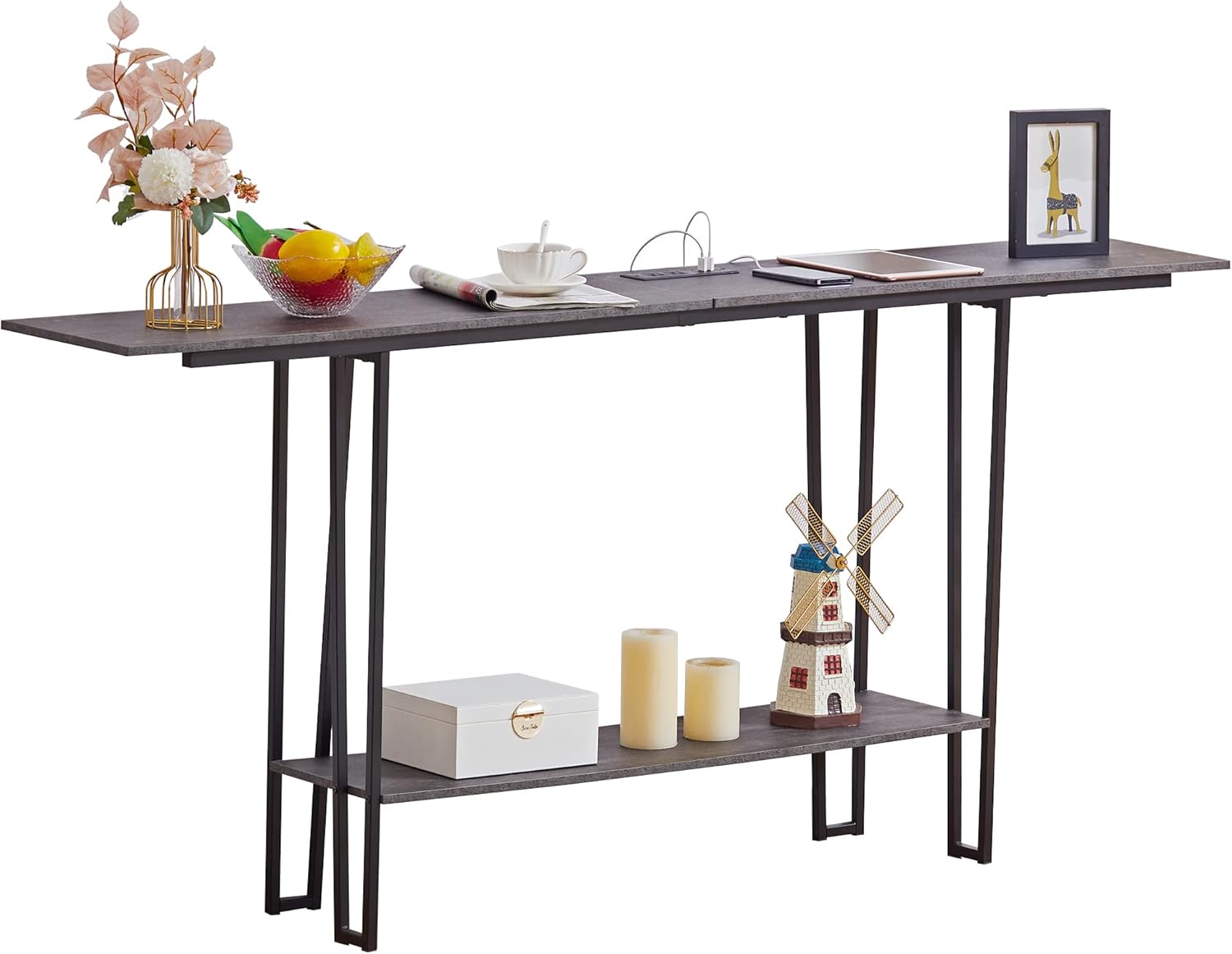
Image: The VECELO 70.9 Inch Couch Side & Console Table, showcasing its grey finish and two-tier design.
Key Features:
- Integrated charging station with 2 AC outlets and 2 USB ports.
- Sturdy metal frame and durable PVC wood construction for enhanced stability.
- Multi-purpose application: functions as a console table, sofa table, entryway table, or TV stand.
- Extra-long 9.8-foot power cord for flexible placement.
- Two-tier shelves provide ample storage space.
- Anti-tipping accessory included for added safety.
Package Contents
Please verify that all components are present before beginning assembly. If any parts are missing or damaged, please contact customer support.
- 1 x VECELO Sofa & Console Table (main unit)
- 1 x Accessory bag (containing screws, tools, and small parts)
- 1 x Instructions manual
Setup and Assembly
Assembly of the VECELO Console Table is designed to be straightforward. Please read these instructions carefully before starting and ensure all parts and screws are accounted for.
Before You Begin:
- Clear a spacious area for assembly.
- Lay out all components and hardware on a soft, clean surface to prevent scratches.
- Identify each part by referring to the included instructions and diagrams.
- Ensure you have the necessary tools (a screwdriver is typically included).
Assembly Steps:
- Attach the support legs to the tabletop using the provided screws. Ensure they are securely fastened.
- Connect the lower shelf to the support legs. Verify that all connections are stable.
- Carefully place the table in its desired location.
- Install the anti-tipping accessory to secure the table to a wall, if desired, for enhanced stability.

Image: A diagram illustrating the dimensions of the console table, which can assist during assembly and placement.

Image: The assembled console table positioned behind a sofa, demonstrating its intended use and slim profile.
Operating Instructions
Using the Integrated Charging Station:
The VECELO Console Table is equipped with a convenient charging station to power your electronic devices. The power cord is 9.8 feet long, allowing for flexible placement within your room.
- AC Outlets: The table includes two standard 120V/12A AC outlets. Plug in small appliances, lamps, or other devices requiring standard power.
- USB Ports: Two 5V/2A USB ports are provided for charging smartphones, tablets, and other USB-powered devices.
- Power Connection: Ensure the table's power cord is securely plugged into a functional wall outlet.
Caution: Do not overload the outlets. Avoid spilling liquids near the charging station. Disconnect the power cord from the wall outlet when not in use or during cleaning.

Image: A detailed view of the integrated power strip, showing the two AC outlets and two USB ports, with devices connected for charging.
Maintenance
Care and Cleaning:
To maintain the appearance and longevity of your VECELO Console Table, follow these care instructions:
- General Cleaning: Wipe the surfaces with a dry cloth to remove dust.
- Spot Cleaning: For spills or marks, use a damp cloth and mild detergent. Avoid abrasive cleaners or harsh chemicals that could damage the finish.
- Avoid Moisture: Do not allow liquids to sit on the surface for extended periods, especially near the electrical components.
- Regular Checks: Periodically check all screws and connections to ensure they remain tight. Retighten if necessary.
Troubleshooting
If you encounter any issues with your VECELO Console Table, refer to the following common troubleshooting tips:
Table Stability Issues:
- Wobbling: Ensure all screws are fully tightened. Check that the table is placed on a level surface. Adjust the leveling feet if present.
- Unevenness: If the floor is uneven, place shims under the legs or adjust any integrated leveling feet.
Charging Station Not Working:
- No Power: Verify that the table's power cord is securely plugged into a functioning wall outlet. Test the wall outlet with another device.
- Device Not Charging: Ensure your device's charging cable is properly connected to the USB port or AC outlet. Try a different cable or device to rule out a faulty cable or device.
- Overload: If too many high-power devices are connected, the circuit breaker in the power strip might have tripped (if applicable). Unplug some devices and try again.
If these steps do not resolve the issue, please contact VECELO customer support for further assistance.
Specifications
Detailed technical specifications for the VECELO 70.9 Inch Couch Side & Console Table:
| Brand | VECELO |
| Model Number | KHD-JYX-CST12-CGY-180-BC08 |
| Product Dimensions | 11.8"D x 70.9"W x 31.5"H |
| Color | Grey |
| Material Type | Engineered Wood, Metal |
| Item Weight | 29.76 Pounds |
| Power Cord Length | 9.8 Feet |
| AC Outlets | 2 (120V/12A) |
| USB Ports | 2 (5V/2A) |
| Table Design | Console Table |
| Indoor/Outdoor Usage | Indoor |
Warranty and Support
Manufacturer's Warranty:
VECELO products are manufactured with quality and durability in mind. This product is covered by a standard manufacturer's warranty against defects in materials and workmanship. Please retain your proof of purchase for warranty claims. Specific warranty duration and terms may vary; refer to the product packaging or contact customer support for details.
Customer Support:
For any questions, concerns, or assistance with assembly, operation, or warranty claims, please contact VECELO customer support:
- Email: support@vecelo.com
Our professional after-sales team is available to help you as soon as possible.

