
1MORE EO007-WHITE
1MORE EO007 Neo True Wireless Earbuds User Manual
Model: EO007-WHITE
1. Introduction
This manual provides comprehensive instructions for the safe and efficient use of your 1MORE EO007 Neo True Wireless Earbuds. Please read this manual thoroughly before using the product and retain it for future reference.
The 1MORE Neo earbuds feature Bluetooth 5.2 connectivity, a 13mm dynamic driver for balanced sound, dual-mic environmental noise cancellation for calls, and an IPX5 water resistance rating.
2. Package Contents
Ensure all items are present in the package:
- 1MORE EO007 Neo True Wireless Earbuds (Left and Right)
- Charging Case
- USB-C Charging Cable
- User Manual (This document)
3. Product Overview
Familiarize yourself with the components of your 1MORE Neo True Wireless Earbuds.

Figure 3.1: 1MORE EO007 Neo True Wireless Earbuds (White) inside their open charging case, showing the earbuds and the charging case with a small LED indicator.

Figure 3.2: An angled view of the 1MORE EO007 Neo True Wireless Earbuds, with one earbud partially removed from the charging case, highlighting the design of both the earbuds and the case.

Figure 3.3: The 1MORE EO007 Neo True Wireless Earbuds and their charging case displayed separately, showing the compact design of each component.
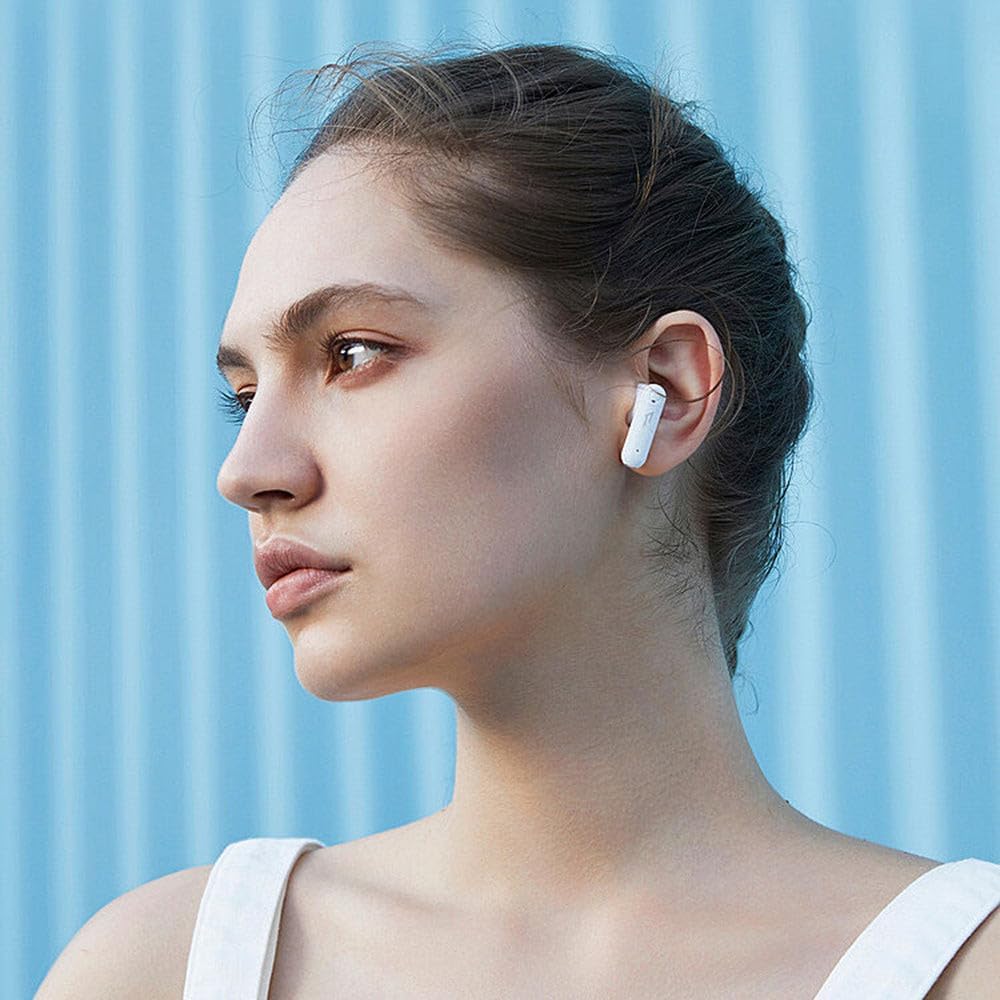
Figure 3.4: A woman wearing a 1MORE EO007 Neo True Wireless Earbud, demonstrating its in-ear fit and discreet profile.
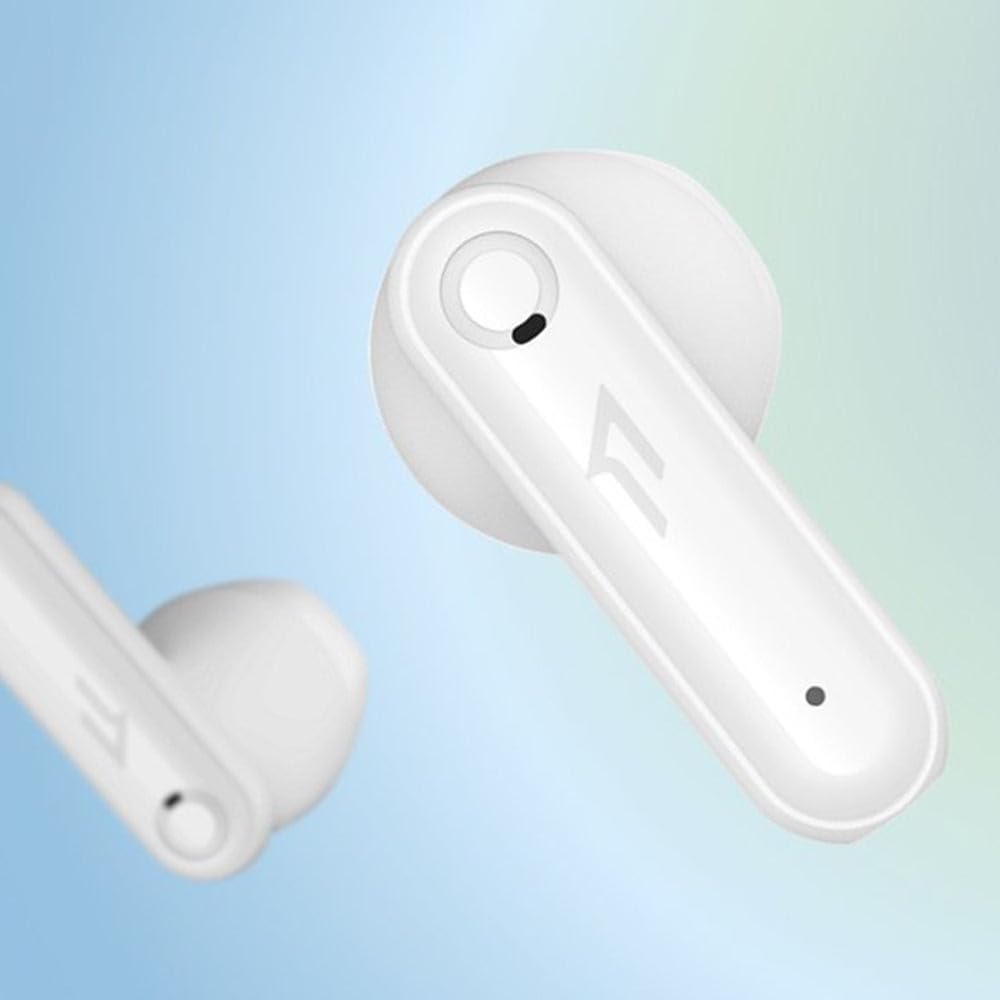
Figure 3.5: A close-up view of a single 1MORE EO007 Neo True Wireless Earbud, highlighting its design details and the 1MORE logo.

Figure 3.6: A conceptual diagram illustrating the Bluetooth 5.2 chip, emphasizing the advanced connectivity technology within the earbuds.

Figure 3.7: A man wearing a 1MORE EO007 Neo True Wireless Earbud while in a car, demonstrating its use in a typical daily scenario.
4. Setup
4.1. Charging the Earbuds and Case
Before first use, fully charge the earbuds and the charging case. The case has a 410 mAh battery, and each earbud has a 40 mAh battery.
- Place both earbuds into the charging case.
- Connect the USB-C charging cable to the charging port on the case and to a power source.
- The LED indicator on the case will show charging status. A full charge for the case takes approximately 100 minutes. Earbuds inside the case take about 70 minutes to fully charge.
When fully charged, the earbuds can provide up to 11 hours of music playback, and with the charging case, the total playtime extends up to 45 hours (at medium volume in laboratory conditions).
4.2. Pairing with a Bluetooth Device
The 1MORE Neo earbuds use Bluetooth 5.2 for a stable and efficient connection.
- Open the charging case. The earbuds will automatically enter pairing mode.
- On your device (smartphone, tablet, computer), enable Bluetooth.
- Search for available Bluetooth devices and select "1MORE Neo" (or similar name like "1MORE EO007").
- Once connected, you will hear a confirmation tone, and the earbuds will be ready for use.
The Bluetooth range is approximately 10 meters (33 feet) without obstacles.
5. Operating Instructions
5.1. Wearing the Earbuds
Gently insert the earbuds into your ears, ensuring a comfortable and secure fit. Adjust them until the sound is clear and the fit is snug.
5.2. Touch Controls
The 1MORE Neo earbuds feature touch-sensitive controls. Specific functions may vary slightly, but common controls include:
- Play/Pause: Single tap on either earbud.
- Next Track: Double tap on the right earbud.
- Previous Track: Double tap on the left earbud.
- Answer/End Call: Single tap on either earbud.
- Reject Call: Press and hold on either earbud.
- Activate Voice Assistant: Triple tap on either earbud.
- Active Noise Cancellation (ANC) / Pass-through Mode: Press and hold (specific duration may vary, refer to quick start guide if included).
Note: The product description indicates both "Active Noise Cancellation" and "Dual Mic Environmental Noise Cancellation". The ANC feature applies to listening, while the dual mic system enhances call clarity by reducing environmental noise.
5.3. Call Functionality
The earbuds are equipped with a dual-microphone environmental noise cancellation system to ensure clear calls by minimizing background noise.
- Answering/Ending Calls: Use the touch controls as described above.
- Microphone: The integrated microphones are designed to pick up your voice clearly while suppressing ambient sounds.
6. Maintenance and Care
Proper maintenance ensures the longevity of your earbuds.
- Cleaning: Use a soft, dry, lint-free cloth to clean the earbuds and charging case. Do not use harsh chemicals or abrasive materials.
- Water Resistance: The earbuds have an IPX5 rating, meaning they are resistant to splashing water and sweat. Do not submerge them in water or expose them to strong jets of water. This product is not waterproof.
- Storage: When not in use, store the earbuds in their charging case to protect them and keep them charged. Store in a cool, dry place away from direct sunlight and extreme temperatures.
- Battery Care: To preserve battery life, avoid fully discharging the battery frequently. Charge the earbuds and case regularly, even if not in frequent use.
7. Troubleshooting
If you encounter issues with your 1MORE Neo earbuds, try the following solutions:
| Problem | Possible Cause | Solution |
|---|---|---|
| Earbuds not turning on/charging | Low battery; improper placement in case; dirty charging contacts. | Ensure earbuds are correctly seated in the case. Charge the case and earbuds fully. Clean charging contacts with a dry cotton swab. |
| Cannot pair with device | Earbuds not in pairing mode; Bluetooth off on device; device too far. | Ensure earbuds are in pairing mode (open case). Turn Bluetooth off and on again on your device. Move device closer to earbuds. Forget "1MORE Neo" from your device's Bluetooth list and re-pair. |
| No sound or intermittent sound | Earbuds not connected; low volume; interference; earbud dirty. | Check Bluetooth connection. Increase volume on both earbuds and device. Move away from sources of interference. Clean earbud mesh/nozzle. |
| Microphone not working during calls | Microphone blocked; software issue; earbud not properly connected. | Ensure microphone holes are not blocked. Restart your phone. Re-pair the earbuds. |
If the problem persists, please contact 1MORE customer support.
8. Specifications
| Feature | Detail |
|---|---|
| Model Name | EO007-WHITE |
| Brand | 1MORE |
| Connectivity | Bluetooth 5.2 |
| Earbud Battery Capacity | 40 mAh (each) |
| Charging Case Battery Capacity | 410 mAh |
| Playtime (Earbuds only) | Up to 11 hours (at medium volume) |
| Total Playtime (with Case) | Up to 45 hours (at medium volume) |
| Earbud Charging Time | Approx. 70 minutes (in case) |
| Case Charging Time | Approx. 100 minutes |
| Driver Size | 13mm Dynamic Driver |
| Impedance | 32 Ohm |
| Noise Control | Active Noise Cancellation (and Dual Mic Environmental Noise Cancellation for calls) |
| Water Resistance | IPX5 (splash and sweat resistant) |
| Earbud Dimensions | 29 x 16.3 x 19 mm |
| Case Dimensions | 60 x 42 x 22.5 mm |
| Earbud Weight | Approx. 4.3 grams (each) |
| Case Weight | Approx. 31.2 grams |
9. Warranty and Support
For warranty information and technical support, please refer to the official 1MORE website or contact their customer service directly. Keep your proof of purchase for warranty claims.
You can visit the 1MORE Store for more information: 1MORE Official Store
10. Safety Information
- Do not expose earbuds to extreme temperatures or humidity.
- Avoid listening at high volumes for extended periods to prevent hearing damage.
- Do not use earbuds while driving or in situations where you need to hear your surroundings.
- Keep out of reach of children and pets.
- Dispose of the product responsibly according to local regulations.
Related documentsEO007-WHITE


Ask a question about this manual
Ask about setup, troubleshooting, compatibility, parts, safety, or missing instructions. Manuals+ will review the question and use this page’s manual context to help answer it.