
1. Introduction
This manual provides instructions for the proper setup, operation, and maintenance of your Dhiedas Fingerprint Cable Lock. Please read this manual thoroughly before using the product to ensure optimal performance and longevity.
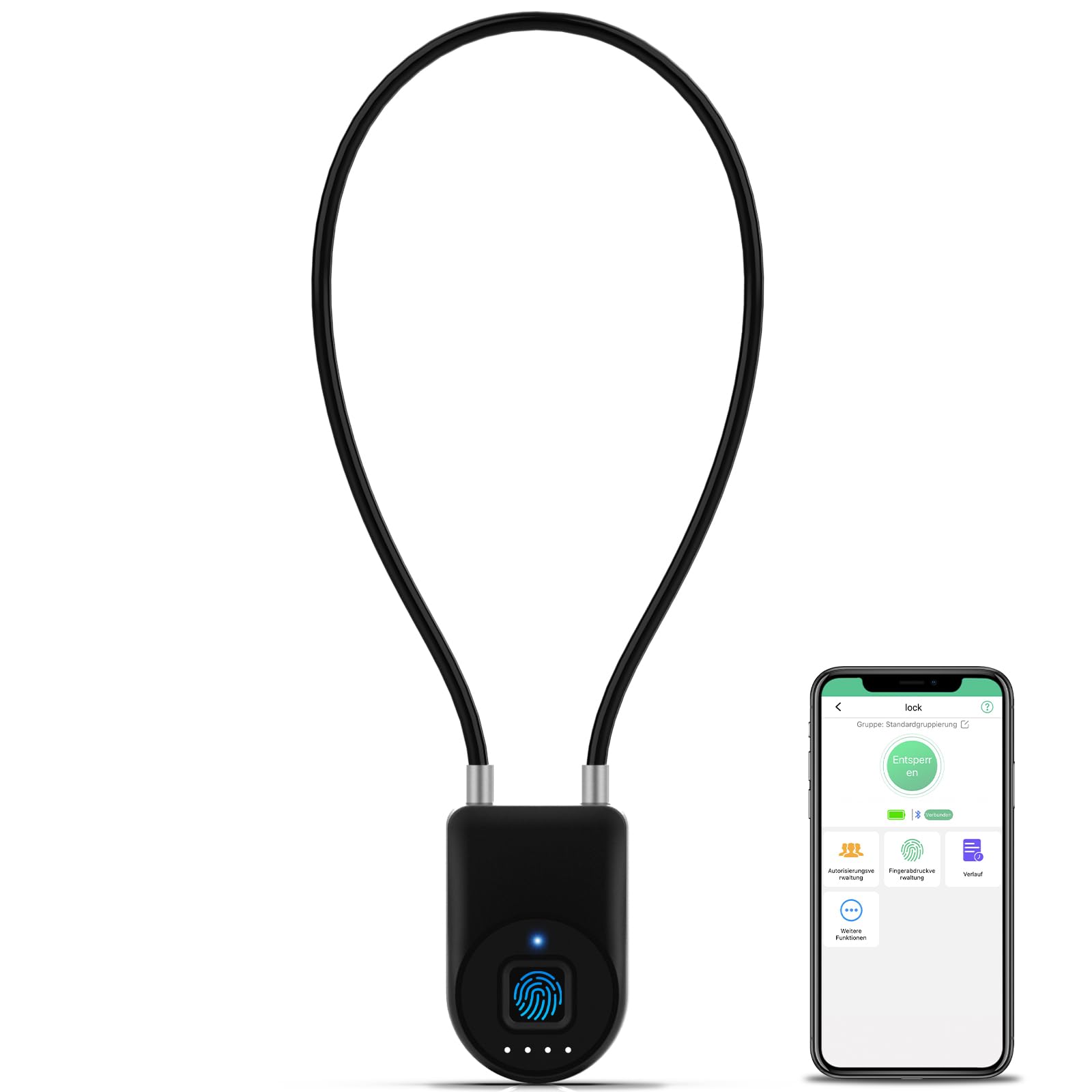
The Dhiedas Fingerprint Cable Lock, featuring a flexible cable and biometric sensor.
Key Features:
- Fingerprint Recognition: Supports up to 20 fingerprints for quick unlocking in 0.2 seconds.
- Bluetooth APP Control: Manage the lock, share access, and view unlock records via a free Bluetooth application.
- Long Battery Life: A full charge provides approximately 3000 unlocks or 6 months of standby time.
- Durable Construction: Features a zinc alloy body and a 5mm stainless steel cable for enhanced security.
- Weather Resistant: IP65 rated for protection against dust and water splashes. Not suitable for submersion.

The lock offers multiple unlocking methods including fingerprint, Bluetooth app, and Apple Watch compatibility.

The lock is constructed with a durable zinc alloy body and a 5mm steel cable for robust security.
2. Setup Guide
2.1 Initial Charging
Before first use, fully charge the lock using the provided USB cable. A full charge typically takes about 30 minutes. The indicator light will change to confirm charging status.
2.2 App Installation and Pairing
- Download the official Dhiedas Bluetooth APP from your device's app store (available for iOS and Android).
- Enable Bluetooth on your smartphone.
- Open the Dhiedas APP and follow the on-screen instructions to pair your lock. Ensure the lock is awake (e.g., by touching the fingerprint sensor) during the pairing process.
2.3 Fingerprint Registration
- Within the Dhiedas APP, navigate to the fingerprint management section.
- Select 'Add Fingerprint' and follow the prompts to register your fingerprint. You will typically need to place your finger on the sensor multiple times from different angles.
- The lock supports up to 20 unique fingerprints.
2.4 Adding Authorized Users (Sub-Accounts)
The Dhiedas APP allows you to share unlock permissions with other users. This is useful for family members or colleagues who need access.
- In the app, go to the user management or sharing section.
- Follow the instructions to invite new users and grant them access permissions. You can often set time-limited access or permanent access.
Video demonstrating how to set up the fingerprint lock, including adding fingerprints and managing users via the app.
3. Operating Instructions
3.1 Unlocking with Fingerprint
To unlock the device using your registered fingerprint:
- Place your registered finger firmly on the fingerprint sensor.
- The lock will unlock within 0.2 seconds if the fingerprint is recognized. A light indicator will confirm successful unlocking.
3.2 Unlocking with Bluetooth App
To unlock the device using the Bluetooth app:
- Ensure Bluetooth is enabled on your smartphone and the lock is within range.
- Open the Dhiedas APP. The app should automatically connect to the lock.
- Tap the 'Unlock' button within the app.
3.3 Battery Status Indicator
The lock features an LED indicator to show battery status. Refer to the app for more detailed battery information and low power alerts.

The lock provides long battery life and clear indicators for battery levels and charging status.
4. Maintenance
4.1 Charging
When the battery is low, the lock will indicate this via its LED and the app. Connect the lock to a USB power source using the provided USB cable. You can use a standard USB charger or a portable power bank.
4.2 Cleaning and Care
Wipe the lock body and fingerprint sensor with a soft, dry cloth. Avoid using abrasive cleaners or solvents. Ensure the fingerprint sensor is clean for optimal recognition.
4.3 Water Resistance
The lock is IP65 rated, meaning it is protected against dust ingress and low-pressure water jets from any direction. It is suitable for outdoor use and can withstand rain, but it is not designed for submersion in water.
5. Troubleshooting
5.1 Fingerprint Not Recognized
- Ensure your finger is clean and dry.
- Place your finger firmly and completely on the sensor. Try different angles if necessary.
- If the issue persists, try re-registering your fingerprint through the app.
- Ensure the lock's battery is not critically low.
5.2 App Connectivity Issues
- Ensure Bluetooth is enabled on your phone and the lock is within close proximity.
- The lock may enter a low-power (dormant) state to conserve battery. Briefly touch the fingerprint sensor to wake it up before attempting to connect via the app.
- Restart the app or your phone's Bluetooth.
- Check if the app is updated to the latest version.
5.3 Lock Not Responding or Charging
- Ensure the USB cable is securely connected to both the lock and the power source.
- Try a different USB cable or power adapter.
- If the lock is completely unresponsive, allow it to charge for at least 30 minutes before attempting to use it again.
- If the problem persists after charging, contact customer support.
6. Specifications
| Brand | Dhiedas |
| Model Number | YL-P2 |
| Lock Type | Biometric, Keyless, Combination Cable Padlock |
| Material | Aluminum, Zinc |
| Cable Length | 6 inches (15.2 cm) |
| Item Dimensions (L x W x H) | 1.5 x 0.7 x 8.3 inches |
| Item Weight | 4.96 ounces |
| Special Features | Battery Indicator, Rechargeable, Fingerprint, Mobile APP Unlock, One-Touch Lock, Portable, Weather Resistant (IP65) |
| Connectivity Protocol | Bluetooth |
| Included Components | Fingerprint Lock, Manual, USB Cable |

The compact size of the lock makes it versatile for various applications.
7. Usage Examples
The Dhiedas Fingerprint Cable Lock is designed for a wide range of indoor and outdoor applications, providing security for various items and locations.

Examples of the lock's versatile use, including securing gates, refrigerators, and other personal items.

The flexible cable design is ideal for securing refrigerator doors.
8. Warranty Information
The Dhiedas Fingerprint Cable Lock comes with a 6-month warranty from the date of purchase. Additionally, Dhiedas provides free lifetime technical support for this product. This warranty covers manufacturing defects and malfunctions under normal use.
Please retain your proof of purchase for warranty claims.
9. Customer Support
For technical assistance, warranty claims, or any questions regarding your Dhiedas Fingerprint Cable Lock, please contact our support team:
- Email: Edward612b@outlook.com
- Amazon Support: You can also message us directly from your Amazon account under "Your Orders" by selecting "Ask a Product Question or Support."
