
Introduction
This manual provides detailed instructions for the setup, operation, and maintenance of your Muddy MTC100X 14.0 MP Trail Camera. Please read this manual thoroughly before using the camera to ensure optimal performance and longevity.
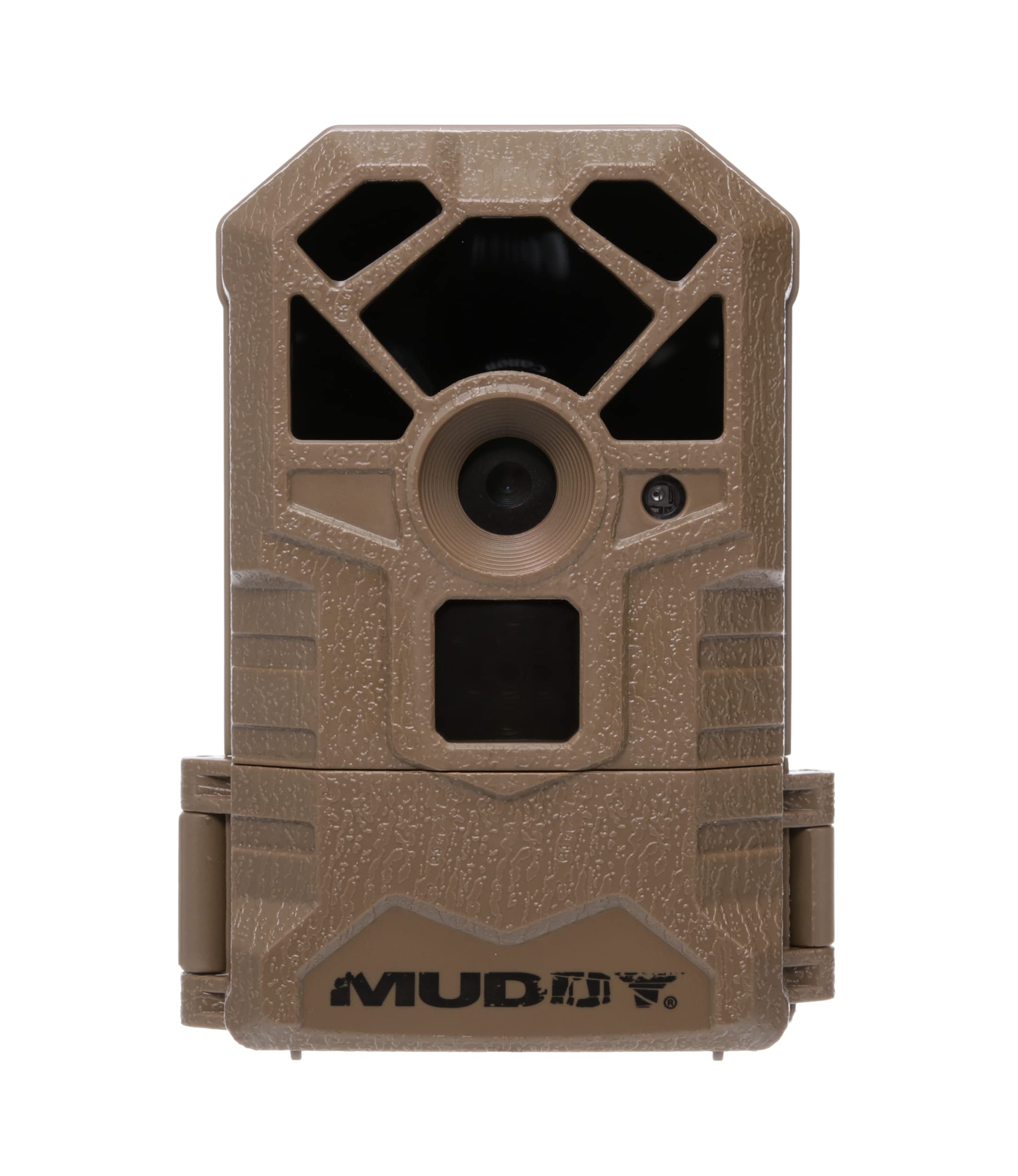
Image: Front view of the Muddy MTC100X Trail Camera, showing the lens and infrared sensors.
Package Contents
Verify that all items are present in your package:
- Muddy MTC100X 14.0 MP Trail Camera
- Mounting Strap
- Instruction Manual (this document)
Note: Batteries and SD card are not included and must be purchased separately.
Setup
1. Battery Installation
- Open the camera housing latch.
- Locate the battery compartment. The camera requires 6 AA batteries (not included).
- Insert the 6 AA batteries, ensuring correct polarity (+/-) as indicated inside the compartment.
- Close the battery compartment securely.
2. SD Card Installation
- With the camera housing open, locate the SD card slot.
- Insert a compatible SD card (up to 32GB, not included) into the slot with the metal contacts facing down, until it clicks into place.
- To remove the SD card, gently push it in until it clicks, then release, and it will eject.

Image: The Muddy MTC100X Trail Camera with its housing open, revealing the control panel, LCD screen, and battery compartment.
3. Mounting the Camera
- Select a suitable tree or post for mounting. Ensure the camera has a clear view of the desired area.
- Thread the provided mounting strap through the slots on the back of the camera.
- Securely fasten the strap around the tree or post. Adjust the camera angle as needed.
- Ensure the camera is stable and will not move due to wind or animal activity.
Operating Instructions
1. Powering On and Basic Settings
- After installing batteries and an SD card, open the camera housing.
- Locate the power switch (OFF/ON/SETUP). Slide it to the "SETUP" position.
- The backlit LCD screen will illuminate, displaying the current settings.
- Use the "MENU" and "ENTER" buttons, along with the directional buttons, to navigate through the settings.
- Set the current date and time. This is crucial for accurate photo and video timestamps.
- Configure desired settings such as photo resolution (14.0 MP), video resolution (720p at 32 FPS), trigger delay, and operating mode (photo, video, or both).
- Once settings are configured, slide the power switch to the "ON" position. The camera will enter monitoring mode.
2. Capturing Images and Videos
- The camera features a 1.5-second trigger speed, capturing images or videos quickly when motion is detected.
- The infrared sensor detects targets up to 60 feet away.
- For nighttime captures, the camera utilizes LED technology for illumination, providing clear images even in low light conditions.

Image: A nighttime capture by the Muddy MTC100X Trail Camera, featuring two deer in a field, demonstrating its low-light capabilities.

Image: A daytime capture by the Muddy MTC100X Trail Camera, showing a deer in a wooded area, highlighting its image clarity.
3. Viewing Captured Media
To view images and videos, remove the SD card from the camera and insert it into a compatible device (e.g., computer, card reader). The camera does not have an internal playback function on its LCD screen.
Maintenance
- Battery Replacement: Replace all 6 AA batteries when the low battery indicator appears on the LCD screen or when performance degrades. Always use fresh, high-quality batteries.
- SD Card Management: Regularly check the SD card capacity. Format the SD card periodically to maintain optimal performance and prevent data corruption. Back up important files before formatting.
- Cleaning: Use a soft, dry cloth to clean the camera lens and infrared sensors. Do not use abrasive cleaners or solvents. Keep the camera housing free of dirt and debris.
- Storage: When not in use for extended periods, remove batteries and the SD card. Store the camera in a cool, dry place away from direct sunlight.
Troubleshooting
| Problem | Possible Cause | Solution |
|---|---|---|
| Camera does not power on. | Dead or incorrectly installed batteries. | Replace batteries with fresh ones, ensuring correct polarity. |
| No images/videos captured. | SD card full, corrupted, or not inserted correctly; camera in OFF mode; trigger sensitivity too low; no motion detected. | Check SD card, format if necessary. Ensure camera is in "ON" mode. Adjust trigger sensitivity. Verify camera placement. |
| Poor image/video quality. | Dirty lens; incorrect resolution settings; insufficient light (for night shots). | Clean the lens. Check resolution settings. Ensure camera is positioned to capture adequate light or within infrared range at night. |
| Excessive blank images/videos. | Trigger sensitivity too high; camera detecting swaying branches or tall grass. | Reduce trigger sensitivity. Clear vegetation in front of the camera. |
| Incorrect date/time stamp. | Date/time not set or reset due to battery removal. | Enter "SETUP" mode and reset the date and time. |
Specifications
| Model Name | MTC100X |
| Effective Still Resolution | 14 MP |
| Video Capture Resolution | 720p at 32 FPS |
| Trigger Speed | 1.5 seconds |
| Infrared Sensor Range | Up to 60 feet |
| Power Source | 6 AA Batteries (not included) |
| Connectivity Protocol | SD Card |
| Wireless Communication Technology | Wi-Fi (for data transfer, not remote control) |
| Controller Type | Push Button |
| Mounting Type | Tree Mount |
| Low Light Technology | Night Color |
| Light Source Type | LED |
| International Protection Rating | IP54 |
| Dimensions (L x W x H) | 4 x 2 x 6 inches |
| Item Weight | 12.1 ounces |
Warranty Information
The Muddy MTC100X Trail Camera comes with a 1 Year Limited Warranty from the date of purchase. This warranty covers defects in materials and workmanship under normal use. It does not cover damage caused by misuse, accident, unauthorized modification, or neglect. Please retain your proof of purchase for warranty claims.
Support
For technical assistance, troubleshooting beyond this manual, or warranty inquiries, please contact Muddy Outdoors customer support. Refer to the official Muddy Outdoors website for the most current contact information.
Official Website: www.gomuddy.com