
1. Introduction and Overview
This manual provides essential instructions for the proper setup, operation, and maintenance of your SentrySafe Fireproof and Waterproof Safe, model FPW082HSB. This safe is designed to protect your important documents and valuables from fire and water damage.
The SentrySafe FPW082HSB is UL Classified to protect contents in a fire for 1 hour at temperatures up to 1700°F (927°C). It is also ETL Verified for water resistance, protecting against water submersion up to 5 inches for 24 hours. The safe features a digital keypad with an override key for secure access and an adjustable shelf for organized storage.

Image 1: Front view of the SentrySafe FPW082HSB safe, showcasing the digital keypad and integrated handle.
2. Safety Information
- Heavy Item: This safe weighs approximately 55 pounds. Exercise caution when lifting or moving to prevent injury. It is recommended to use proper lifting techniques or seek assistance.
- Keep Keys Secure: Never store the override keys inside the safe. Keep them in a secure, separate location known only to trusted individuals.
- Combination Security: Do not share your safe's combination with unauthorized persons. Change the factory-set combination immediately upon setup.
- Ventilation: Ensure adequate ventilation around the safe if placed in a confined space to prevent moisture buildup.
3. Package Contents
Verify that all items listed below are included in your package:
- SentrySafe Fireproof and Waterproof Safe (Model FPW082HSB)
- Digital Keypad (pre-installed)
- Override Keys (2)
- Adjustable Shelf (1)
- Bolt Down Kit (hardware for securing the safe)
- Lithium Batteries (pre-installed or included separately)
- Instruction Manual
4. Setup
4.1 Battery Installation
Your safe requires lithium batteries for the digital keypad to function. These are typically pre-installed or included in the package. If not pre-installed, locate the battery compartment on the inside of the safe door or behind the keypad and insert the batteries according to the polarity markings.

Image 2: Digital keypad with battery indicator and override key slot.
4.2 Setting Your Digital Keypad Combination
Upon first use, you will need to set your personal combination. Refer to the detailed instructions provided in the included manual for specific steps on programming your user code. The safe typically comes with a factory-set code that should be changed immediately for security.
4.3 Using the Override Key
The override key provides an alternative method to open the safe in case of a forgotten combination or battery failure. Insert the override key into the keyhole located near the digital keypad and turn it while simultaneously turning the handle to open the safe. Remember to store these keys in a secure location outside the safe.
4.4 Bolt-Down Installation
For enhanced security, your safe can be bolted to the floor. The included bolt-down kit is designed to maintain the safe's water protection integrity. Follow these general steps:
- Choose a suitable location for the safe.
- Mark the drilling points through the pre-drilled holes inside the safe.
- Drill pilot holes into the floor according to the kit instructions.
- Secure the safe using the provided hardware, ensuring the watertight seals are correctly installed.

Image 3: Watertight bolt-down hardware and gasket for secure installation.
5. Operation
5.1 Opening the Safe
To open the safe using the digital keypad:
- Enter your programmed combination.
- The keypad will indicate a successful entry (e.g., green light, beep).
- Turn the handle clockwise (or as indicated by the safe) to open the door.
5.2 Closing the Safe
To close and secure the safe:
- Push the door firmly shut.
- Turn the handle counter-clockwise (or as indicated) until it locks into place.
- Listen for an audible confirmation that the door is securely closed and the bolts are engaged.
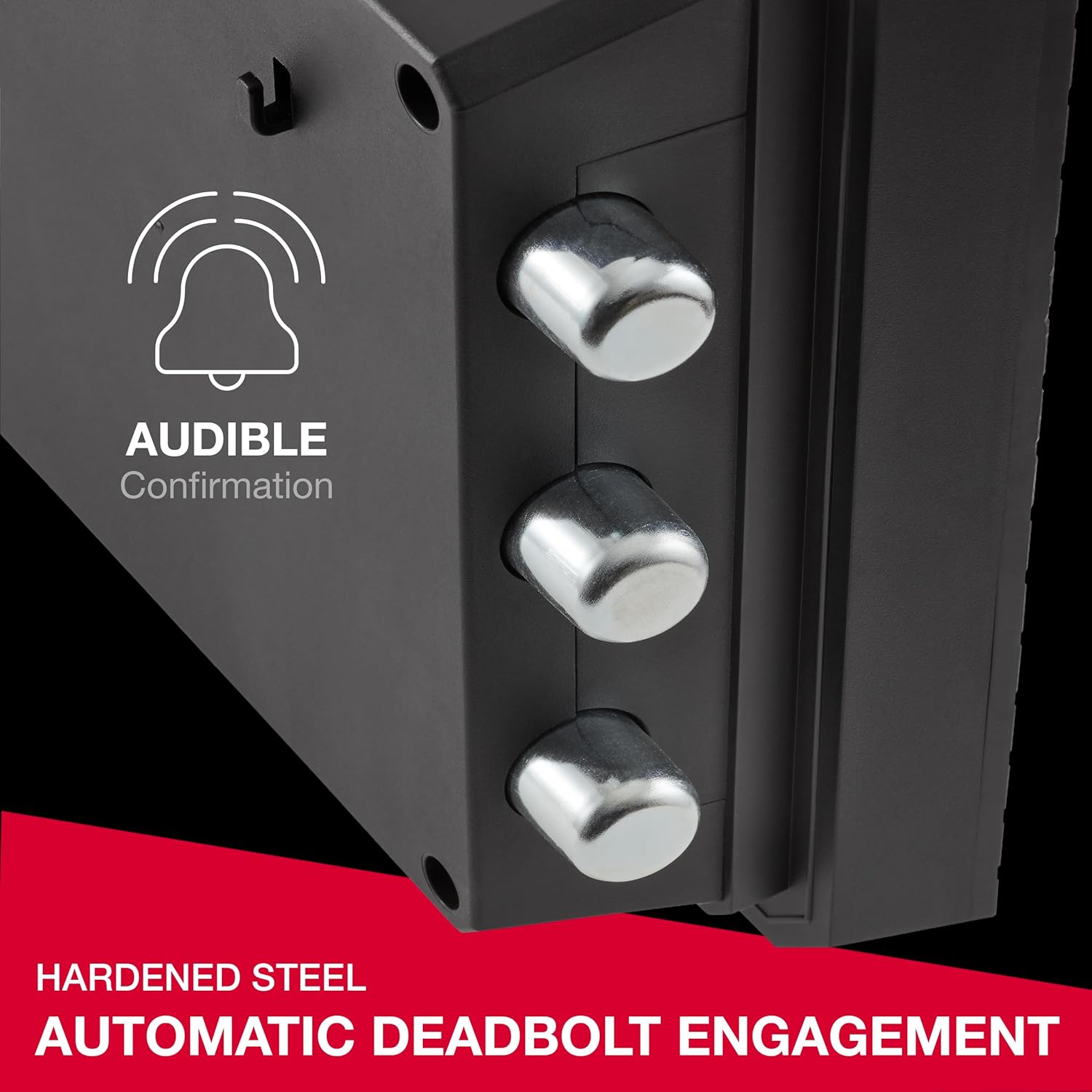
Image 4: Automatic deadbolt engagement for enhanced security.
5.3 Adjustable Shelf
The safe includes an adjustable shelf to help organize your items. To adjust or remove the shelf, simply slide it out of its current position and re-insert it into the desired slots on the side walls of the safe interior.

Image 5: Interior of the safe showing the adjustable shelf and key hooks.
6. Maintenance
- Battery Replacement: Replace the lithium batteries when the low battery indicator on the keypad illuminates. Typically, batteries last 5+ years.
- Cleaning: Clean the exterior of the safe with a soft, damp cloth. Avoid abrasive cleaners or solvents.
- Lubrication: If the door mechanism or bolts feel stiff, apply a small amount of silicone-based lubricant to the moving parts. Avoid oil-based lubricants.
7. Troubleshooting
- Safe Will Not Open with Combination:
- Ensure batteries are fresh and correctly installed.
- Re-enter the combination carefully.
- Use the override key as an alternative access method.
- Door Will Not Close/Lock Properly:
- Ensure no obstructions are preventing the door from fully closing.
- Apply a silicone-based lubricant to the door bolts and latch mechanism if they appear stiff.
- Ensure the handle is fully turned to engage the locking bolts.
8. Specifications
| Feature | Specification |
|---|---|
| Model Number | FPW082HSB |
| Exterior Dimensions (H x W x D) | 13.7" x 16.4" x 18.8" (34.8 cm x 41.7 cm x 47.8 cm) |
| Interior Dimensions (H x W x D) | 9.6" x 12.6" x 11.5" (24.4 cm x 31.9 cm x 29.2 cm) |
| Capacity | 0.81 Cubic Feet |
| Item Weight | 55 Pounds (25 kg) |
| Lock Type | Electronic Combination Lock with Override Key |
| Fire Protection | UL Classified 1-Hour at 1700°F (927°C) |
| Water Protection | ETL Verified for 24 hours in 5 inches of water |
| Material | Durable Resin Wrapped Concrete |
| Included Components | Safe, Override Keys, Adjustable Shelf, Bolt Down Kit, Batteries |

Image 6: Product dimensions diagram.
9. Warranty and Support
9.1 Limited Warranty
This SentrySafe product is covered by a 1-Year Limited Warranty. For full details regarding warranty coverage, limitations, and how to make a claim, please refer to the warranty information provided with your purchase or visit the official SentrySafe website.
9.2 After-Fire Replacement Program
SentrySafe offers an After-Fire Replacement Program. If your SentrySafe product is damaged by fire, SentrySafe will replace it free of charge. Registration of your safe on the SentrySafe website is typically required to be eligible for this program. Please consult the official SentrySafe website for program details and eligibility requirements.

Image 7: Information about the SentrySafe After-Fire Replacement Program.
9.3 Customer Support
For technical assistance, troubleshooting, or warranty inquiries, please contact SentrySafe customer support. Contact information can typically be found on the SentrySafe website or in the documentation included with your safe.
10. Official Product Videos
10.1 It's Safe Because It's Master Lock
Video 1: This video highlights the security features and brand reliability of SentrySafe products, emphasizing the Master Lock security integration.
10.2 Proven Fire Protection - SentrySafe
Video 2: A short video demonstrating the fire protection capabilities of SentrySafe products under extreme conditions.
10.3 The Importance of UL Fire Rating
Video 3: This video explains the significance of UL fire ratings and how SentrySafe products meet these rigorous standards.
10.4 New SentrySafe FP Series Safes
Video 4: An overview of the new SentrySafe FP Series, highlighting key features and benefits.


