
1. Introduction
This user manual provides comprehensive instructions for the installation, operation, and maintenance of your Fortdows 10.1 Inch Android 13 Car Stereo. Please read this manual thoroughly before using the product to ensure proper functionality and safety.

Figure 1.1: Fortdows 10.1 Inch Android 13 Car Stereo. This image displays the main unit of the car stereo, featuring its large touchscreen interface.
2. Key Features
- 10.1-Inch IPS Touch Screen: Features a 1280x800 resolution for vivid and detailed visuals, offering a responsive touch experience.
- Wireless Apple CarPlay & Android Auto: Seamlessly integrates with your smartphone for navigation, calls, and music.
- Powerful Octa-Core Processor: Equipped with Android 13, 4GB RAM, and 64GB ROM for smooth performance and ample storage.
- Integrated Connectivity: Built-in Bluetooth, 5G WIFI, FM/AM radio, and GPS Navigation.
- Advanced Audio Processing: Includes DSP (Digital Sound Processor) for enhanced sound quality.
- AHD Rear Camera Support: Comes with a 1080P AHD rear view camera for improved reversing safety.
- Steering Wheel Control (SWC): Supports original car steering wheel button programming.
- Mirror Link Functionality: Allows mirroring of smartphone content to the stereo screen.

Figure 2.1: HD Capacitive Touch Screen. This image illustrates the superior resolution of the Fortdows 1280x800P screen compared to general 1024x600P and 720x480P screens.

Figure 2.2: Performance Comparison (4+64G vs 2+32G). This graphic highlights the benefits of the 4GB RAM + 64GB ROM configuration, including faster CarPlay connection, 32-band EQ sound quality, and smoother software operation.
3. Setup and Installation
3.1 Packing List
Before beginning installation, please verify that all components are present in the package:
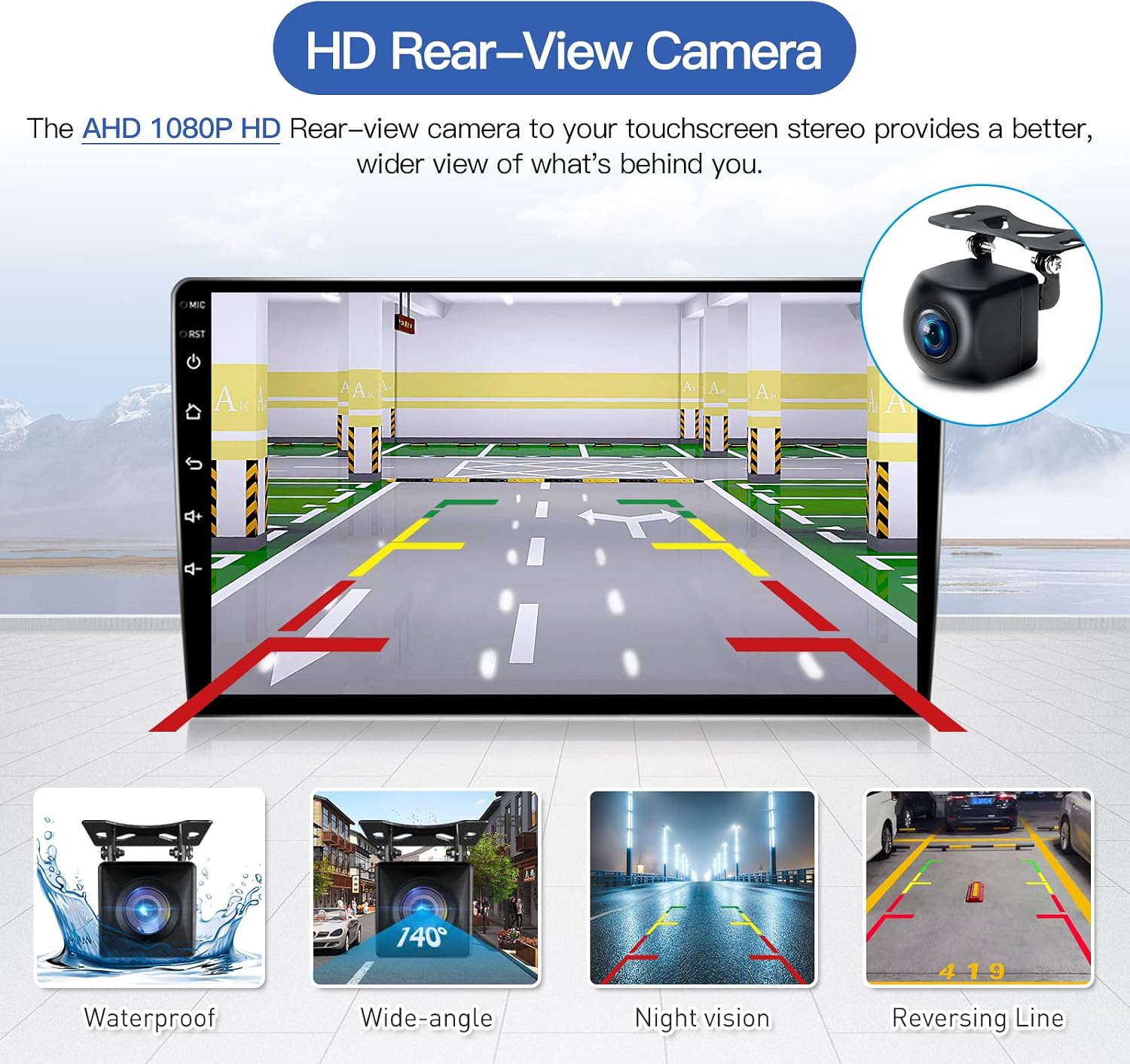
Figure 3.1: HD Rear-View Camera. This image illustrates the included AHD 1080P rear-view camera, highlighting its waterproof, wide-angle, night vision, and reversing line features.

Figure 3.2: Audio Features (Lossless Music, Subwoofer, DSP). This image illustrates the 16-band frequency adjustable DSP for fine-tuning audio, maximizing car audio system value.
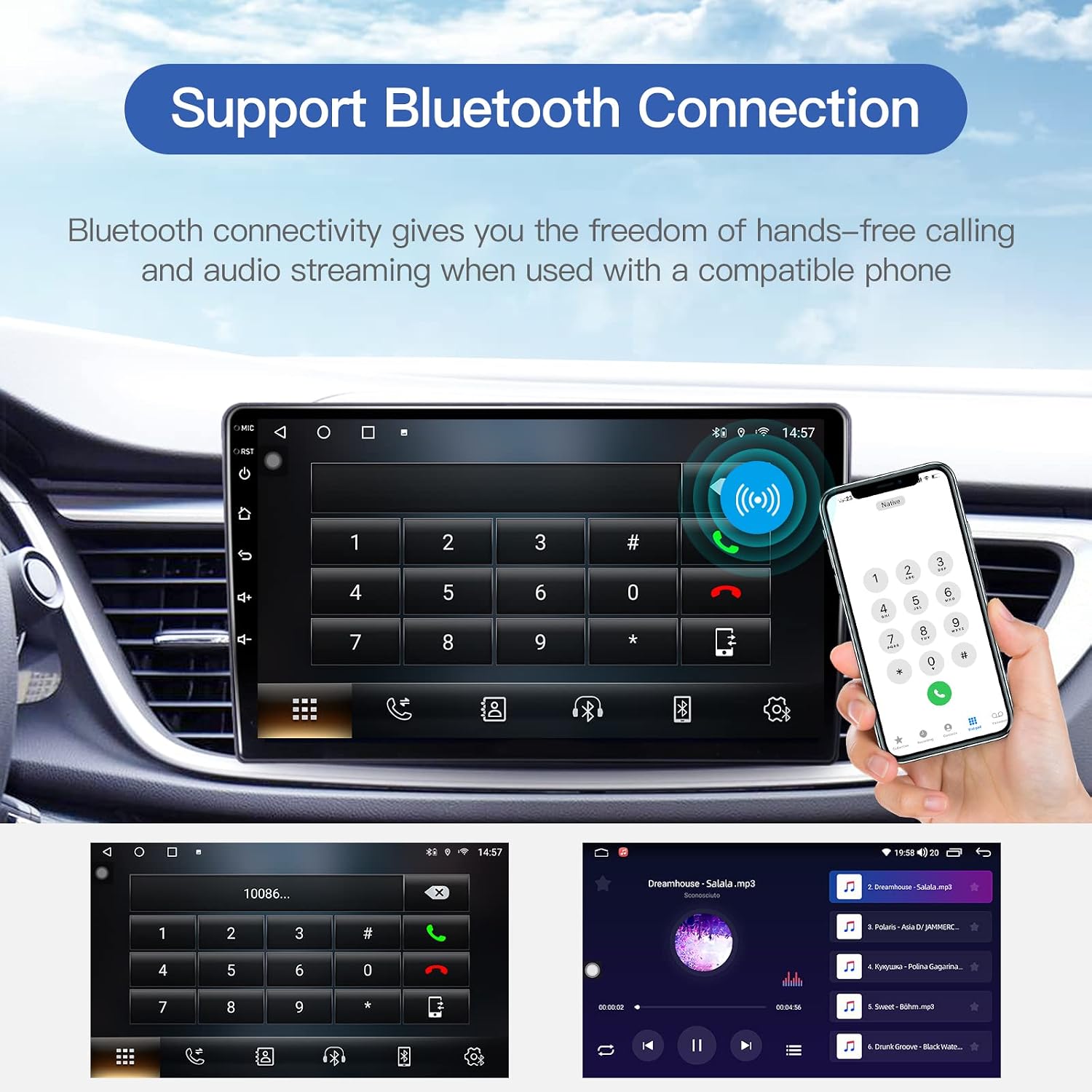
Figure 3.3: Bluetooth Connection. This image shows the Bluetooth interface on the stereo, enabling hands-free calling and audio streaming.

Figure 3.4: Packing List. This image details the components included in the package: Iron pieces, GPS Antenna, Camera Input cable, RCA Input/Output cables, Power Cord, USB Cables (x2), User Manual, and Rear Camera.
3.2 Wiring Diagram
Refer to the following diagram for correct wiring connections. Incorrect wiring can damage the unit or your vehicle's electrical system.

Figure 3.5: Android Car Stereo Wiring Diagram. This diagram provides a detailed layout of all electrical connections, including power, speakers, camera input, USB, and antenna connections.
- Power Connections: Ensure correct connection of ACC, B+, and GND wires.
- Speaker Outputs: Connect front and rear speaker wires according to polarity.
- Camera Input: Connect the AHD rear camera to the dedicated input.
- USB Ports: Utilize the dual USB ports for file transfer and charging.
- Antenna Connections: Connect FM/AM radio antenna and GPS antenna.
- Steering Wheel Control: Connect SWC wires for steering wheel button functionality.
4. Operating Instructions
4.1 Apple CarPlay & Android Auto
Connect your smartphone to enable Apple CarPlay or Android Auto. This allows access to navigation, communication, and media apps directly from the stereo's display.

Figure 4.1: Apple CarPlay & Android Auto Interface. This image displays the user interfaces for both Apple CarPlay and Android Auto, showing how smartphone apps are integrated into the car stereo screen.

Figure 4.2: Wireless CarPlay and Android Auto. This image shows the car stereo displaying both Wireless CarPlay and Android Auto interfaces side-by-side, demonstrating seamless smartphone integration.
4.2 GPS Navigation
The unit supports various online map applications for precise positioning and accurate directions. Ensure a stable internet connection for optimal performance.

Figure 4.3: GPS Navigation. This image shows the car stereo displaying a navigation map with route information, indicating support for various online map apps.
4.3 Bluetooth Connection
Pair your mobile device via Bluetooth for hands-free calling and audio streaming. Access your phonebook and call history directly from the stereo.

Figure 4.4: Bluetooth Connection Icon. This image shows a graphic representing Bluetooth connectivity, indicating the feature for hands-free calling and audio streaming.
4.4 Audio Settings (DSP)
Utilize the Digital Sound Processor (DSP) with 16 bands of frequency adjustment to customize your audio experience. This allows for fine-tuning of sound quality to your preference.

Figure 4.5: DSP Icon. This image shows a graphic representing the Digital Sound Processor (DSP) feature, indicating advanced audio customization options.
4.5 FM/AM Radio
Access local radio stations using the built-in FM/AM tuner. The system supports RDS (Radio Data System) for enhanced information display where available.

Figure 4.6: FM/RDS Radio Interface. This image displays the radio tuning screen, showing frequency selection and an old-style radio graphic, indicating FM/RDS radio functionality.
4.6 Steering Wheel Control (SWC)
Program your vehicle's original steering wheel buttons to control the stereo functions, allowing for safer operation while driving.

Figure 4.7: Steering Wheel Control Interface. This image shows the on-screen interface for programming steering wheel controls, with an arrow pointing from a steering wheel to the screen.
4.7 Mirror Link
Use the Mirror Link feature to display your smartphone's screen directly on the car stereo. This allows for viewing content from your phone on the larger display.

Figure 4.8: Mirror Link Feature. This image depicts the Mirror Link functionality, showing a smartphone screen mirrored onto the car stereo display.
4.8 Reversing Display
When the vehicle is in reverse, the stereo automatically switches to the rear camera view, providing a clear 1080P image for safe maneuvering.

Figure 4.9: Reversing Display. This image shows the car stereo screen displaying the rear camera view with parking guidelines, emphasizing the HD image, waterproof, night vision, and wide-angle capabilities of the camera.
5. Maintenance
To ensure the longevity and optimal performance of your Fortdows car stereo, follow these general maintenance guidelines:
- Screen Cleaning: Use a soft, lint-free cloth to gently wipe the touchscreen. For stubborn smudges, dampen the cloth slightly with water or a screen-safe cleaner. Avoid abrasive materials or harsh chemicals.
- Dust Removal: Periodically use compressed air to clear dust from vents and ports to prevent overheating.
- Software Updates: Check for and install any available software updates to ensure the system runs efficiently and securely.
- Environmental Conditions: Avoid exposing the unit to extreme temperatures, direct sunlight for prolonged periods, or excessive moisture.
6. Troubleshooting
This section provides solutions to common issues you might encounter. If the problem persists, please contact customer support.
| Problem | Possible Cause | Solution |
|---|---|---|
| Unit does not power on. | Incorrect power wiring; Blown fuse; Vehicle battery issue. | Check power connections (ACC, B+, GND). Inspect vehicle fuses. Ensure vehicle battery is charged. |
| No sound from speakers. | Incorrect speaker wiring; Volume too low; Mute function active. | Verify speaker connections and polarity. Increase volume. Disable mute. |
| CarPlay/Android Auto not connecting. | Incorrect USB cable; Phone software issue; Bluetooth not paired. | Use original or certified USB cable. Restart phone and stereo. Ensure Bluetooth is paired for wireless connection. |
| GPS signal weak or inaccurate. | GPS antenna obstructed or improperly installed. | Ensure GPS antenna has a clear view of the sky and is securely connected. |
| Rear camera not displaying. | Camera wiring issue; Reverse trigger not connected. | Check camera video input and reverse trigger wire connection. |
7. Specifications
| Feature | Detail |
|---|---|
| Screen Size | 10.1 Inches |
| Screen Resolution | 1280x800 IPS Touch Screen |
| Operating System | Android 13 |
| Processor | Octa-Core |
| RAM | 4GB |
| Internal Storage (ROM) | 64GB |
| Connectivity | Bluetooth 5.0, Wi-Fi (5G), USB |
| Audio Output Mode | Stereo (4 Channels) |
| Special Features | Wireless/Wired CarPlay & Android Auto, DSP, GPS Navigation, FM/AM Radio, Mirror Link, SWC, AHD Rear Camera Support |
| Package Dimensions | 11.81 x 8.46 x 3.19 inches |
| Item Weight | 3.27 pounds |
8. Warranty and Support
Fortdows is committed to providing high-quality products and excellent customer service. If you encounter any issues or require technical assistance, please do not hesitate to contact our support team.
- Technical Support: For installation or usage problems, good communication helps in resolving issues efficiently.
- Pre-Purchase Inquiries: If you have questions before purchasing, you can send pictures of your car's dashboard to determine product suitability.
- After-Sales Assistance: Reach out to us for any assistance related to your purchase.
For the most up-to-date support information, please refer to the official Fortdows website or contact details provided with your product packaging.