
K&F CONCEPT KF04.067
Contents
K&F CONCEPT 52mm Thread & Magnetic 2-in-1 Lens Filter Cap User Manual
Model: KF04.067
Introduction
Thank you for choosing the K&F CONCEPT 52mm Thread & Magnetic 2-in-1 Lens Filter Cap. This cap is designed to provide superior protection for your camera lens and magnetic filters, featuring a versatile dual connection system. This manual provides essential information for the proper setup, operation, and maintenance of your lens cap.

Image: The K&F CONCEPT 52mm Thread & Magnetic 2-in-1 Lens Filter Cap, showcasing its design.
Product Features
- Magnetic & Thread Dual Connection: Offers both a quick magnetic snap and a secure threaded connection for enhanced flexibility and security compared to standard push-on caps.
- Essential Lens Protection: Designed to safeguard your camera lens's front element from dust, scratches, fingerprints, and accidental impacts.
- Durable Magnesium Alloy Build: Constructed from lightweight yet robust magnesium alloy, providing superior durability and a premium feel over common plastic caps.
- Versatile Use: Protects not only your camera lens but can also securely cap the front of K&F magnetic filters.
- Compatibility: Exclusively compatible with the K&F Magnetic Swap System.

Image: A visual comparison highlighting the K&F CONCEPT cap's magnesium aluminum alloy material and magnetic & thread connection against typical plastic, center-pinch caps.

Image: Close-up view highlighting the aluminum-magnesium alloy construction of the lens cap, emphasizing its strength and durability.
Setup and Installation
The K&F CONCEPT lens cap offers two methods for attachment: magnetic and threaded. Ensure your lens or filter is part of the K&F Magnetic Swap System for full compatibility.
1. Magnetic Attachment
- Ensure the front of your camera lens or K&F magnetic filter is clean and free of debris.
- Align the K&F CONCEPT lens cap with the front of your lens or filter.
- Allow the magnetic force to snap the cap into place. A secure magnetic connection will be felt.
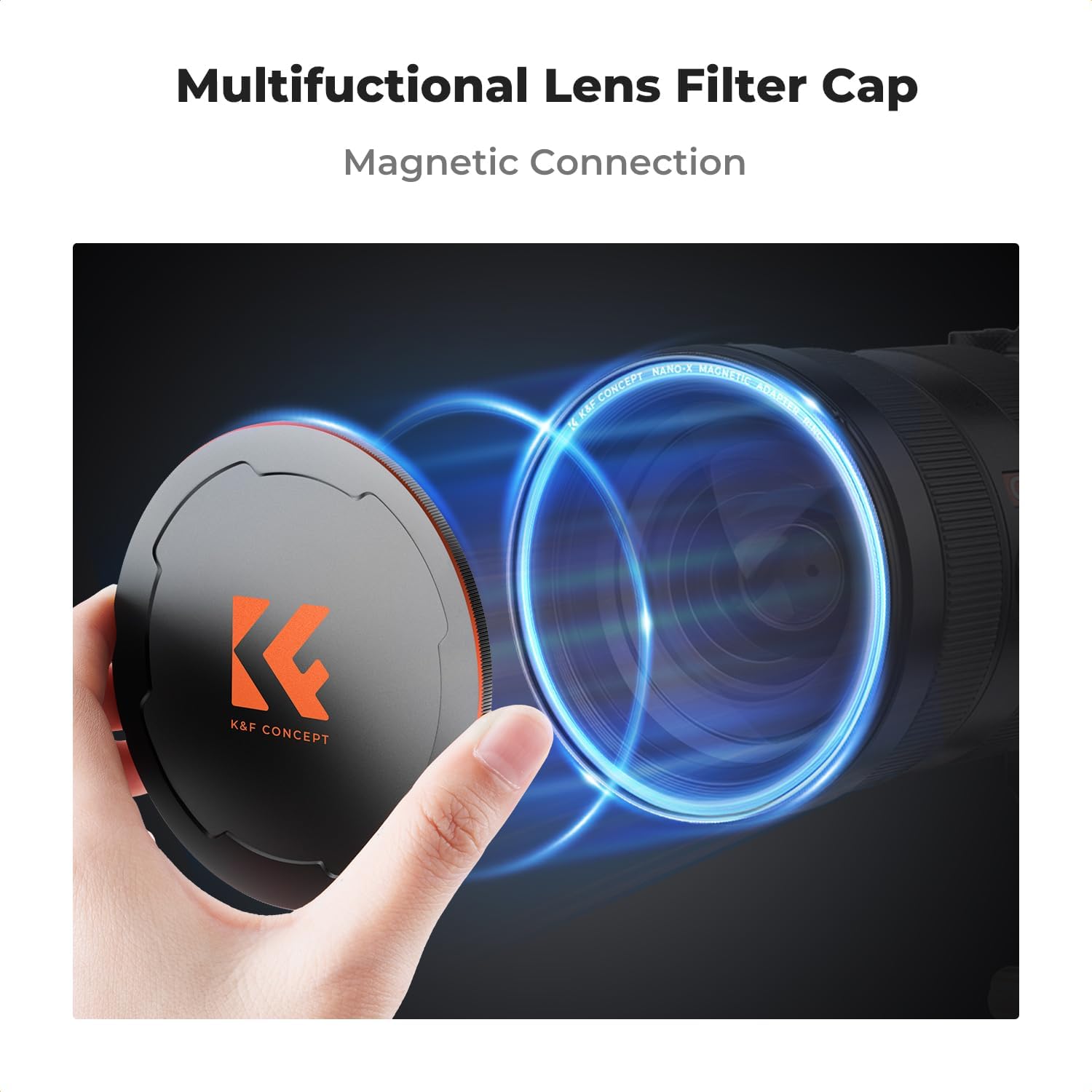
Image: A hand demonstrating the magnetic attachment of the K&F CONCEPT lens cap to a camera lens, with blue rings illustrating the magnetic field.
2. Threaded Attachment
- For a more secure connection, or if your lens/filter has a compatible thread, gently place the cap onto the lens/filter threads.
- Rotate the cap clockwise until it is firmly seated. Do not overtighten.

Image: A close-up showing the threaded connection of the K&F CONCEPT lens cap to a camera lens, with an inset magnifying the thread detail.
Choosing the Correct Size
It is crucial to select the correct lens cap size to ensure proper fit and protection. The cap size should match the filter thread size of your lens or the diameter of your K&F magnetic filter.

Image: A diagram illustrating how to choose the correct lens filter cap size based on filter type (UV/CPL/Fixed ND vs. Variable ND) and corresponding lens cap sizes.

Image: An illustration showing the K&F CONCEPT lens cap fitting different camera lenses, emphasizing its suitability for lenses of the same size.
Operating Instructions
Using your K&F CONCEPT lens cap is straightforward:
- To Attach: Follow the setup instructions above, either magnetically or by threading it onto your lens or filter.
- To Remove: Gently pull the cap away from the lens for magnetic removal, or unscrew counter-clockwise for threaded removal.
- Storage: When not in use, keep the cap attached to your lens or filter to protect the optical elements.

Image: The K&F CONCEPT lens cap securely placed on the front of a camera lens, demonstrating its protective function.
Maintenance
Proper care will extend the life and effectiveness of your lens cap:
- Cleaning: Wipe the cap with a soft, dry cloth to remove dust and fingerprints. Avoid abrasive materials or harsh chemicals.
- Storage: Store the cap in a clean, dry environment when not attached to a lens.
- Avoid Impact: While durable, avoid dropping the cap or subjecting it to strong impacts to prevent deformation or damage to the magnetic/threaded components.
Troubleshooting
If you encounter any issues with your lens cap, consider the following:
- Cap does not fit: Ensure the cap size (52mm in this case) matches the filter thread size of your lens or K&F magnetic filter. Refer to the "Choosing the Correct Size" section.
- Magnetic connection feels weak: Verify that both the cap and the lens/filter surface are clean and free of obstructions. Ensure you are using it with a K&F Magnetic Swap System compatible product.
- Threaded connection is difficult: Check for any debris in the threads of either the cap or the lens/filter. Ensure you are not cross-threading. Gently align and rotate.
Specifications
| Feature | Detail |
|---|---|
| Brand | K&F CONCEPT |
| Model Number | KF04.067 |
| Photo Filter Size | 52 Millimeters |
| Material | Aluminum (Magnesium Alloy) |
| Item Weight | 0.282 ounces |
| Package Dimensions | 3.23 x 3.23 x 0.83 inches |
| Water Resistance Level | Not Water Resistant |
| Coating Description | No Coating |
Warranty and Support
For warranty information or technical support, please refer to the official K&F CONCEPT website or contact their customer service directly. Details are typically provided with your product packaging or on the manufacturer's website.
You can visit the K&F CONCEPT store for more information: K&F CONCEPT Store
Ask a question about this manual
Ask about setup, troubleshooting, compatibility, parts, safety, or missing instructions. Manuals+ will review the question and use this page’s manual context to help answer it.