
1. Overview
The EZQuest USB-C Hub Docking Station 10-in-1 Gen 2 is a versatile accessory designed to expand the connectivity of your USB-C/Thunderbolt enabled devices. This hub provides a comprehensive solution for connecting multiple peripherals, external displays, and network access through a single USB-C port.

Image 1: The EZQuest USB-C Hub Docking Station 10-in-1 Gen 2, showcasing its compact design and integrated USB-C cable.

Image 2: The compact design of the EZQuest USB-C Hub, demonstrating its portability and ease of storage.
2. Product Features
This docking station offers a wide array of ports and features to enhance your productivity and connectivity:
2.1. Port Layout

Image 3: Diagram illustrating the 10-in-1 port layout of the EZQuest USB-C Hub, including HDMI, USB-C PD, USB-C Gen 2, USB-A 3.0, Gigabit Ethernet, SD, Micro SD, and audio ports.
- HDMI 4K (60Hz on DP1.4 or 30Hz on DP 1.2): For connecting to external displays with HDR 10 and HDCP support.
- 2 x USB-C Gen 2 Ports (10Gbps): High-speed data transfer. One port supports BC1.2 (5V/1.5A, 7.5W) power output, the other 5V/0.5A (2.5W).
- 1 x USB-C 100W Power Delivery (PD 3.0) Port: Supports pass-through charging up to 88W output to your host device, with FRS technology for 5Gbps data.
- 2 x USB-A 3.0 Ports (5Gbps): For connecting standard USB devices, each supporting BC1.2 (5V/1.5A, 7.5W) power output.
- Gigabit Ethernet Port: Provides stable and fast wired network connectivity with an LED indicator.
- SD Card Slot: For standard SD memory cards.
- Micro SD Card Slot: For Micro SD memory cards.
- 3.5mm Audio Jack: A 2-in-1 port for headphones and microphone.
2.2. Cable Design
The integrated 11-inch (28cm) nylon braided cable features a strain relief design for enhanced durability and flexibility.

Image 4: Close-up of the durable nylon braided cable with strain relief design, ensuring longevity and resistance to wear and tear.
3. Setup Instructions
- Connect to Host Device: Plug the integrated USB-C cable from the EZQuest Hub into an available USB-C/Thunderbolt port on your computer, smartphone, or tablet.
- Power Connection (Optional): If your host device requires charging or if you are connecting power-intensive peripherals, connect a USB-C power adapter (up to 100W) to the USB-C PD port on the hub. The hub will pass through up to 88W to charge your host device.
- Connect Peripherals: Attach your desired devices (external monitor, USB drives, Ethernet cable, SD/Micro SD cards, headphones/microphone) to the corresponding ports on the hub.
4. Operating Instructions
4.1. Display Modes
The HDMI port supports both Extended and Mirror display modes for external monitors.

Image 5: A user working with a laptop connected to an external monitor via the EZQuest USB-C Hub, demonstrating efficient workflow in extended display mode.
- Extended Mode: Allows you to extend your desktop across multiple screens, providing more workspace. Ensure your device's USB-C port supports display output.
- Mirror Mode: Duplicates your primary screen onto the external display.
4.2. Data Transfer
Utilize the USB-C Gen 2 and USB-A 3.0 ports for high-speed data transfers.
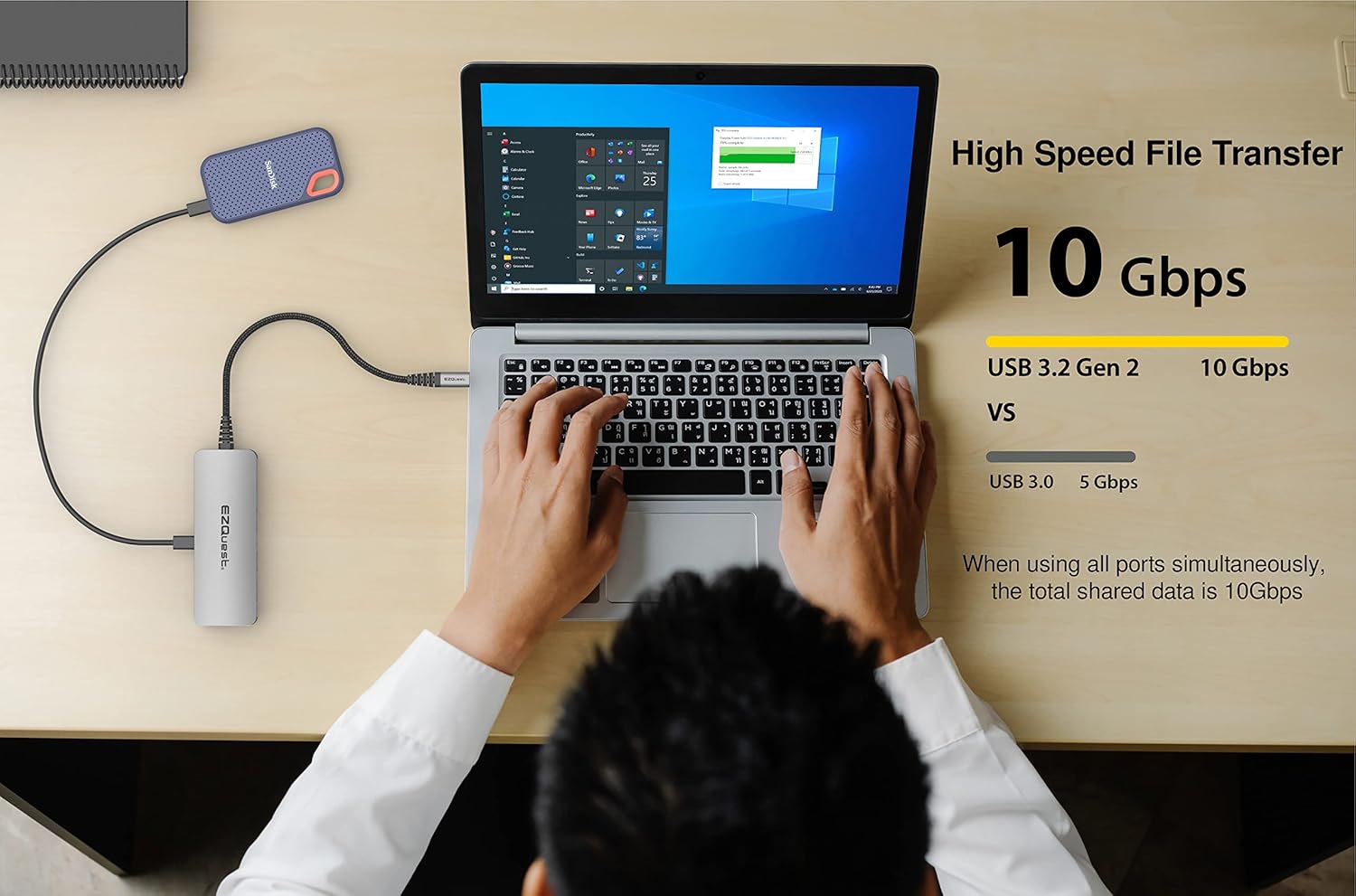
Image 6: A laptop connected to an external SSD via the EZQuest USB-C Hub, illustrating high-speed file transfer capabilities at 10Gbps.
- USB-C Gen 2 Ports: Each offers 10Gbps data transfer.
- USB-A 3.0 Ports: Each offers 5Gbps data transfer.
- Total Shared Data: When all ports are utilized simultaneously, the total shared data transfer rate is 10Gbps.
4.3. Power Output
The hub provides versatile charging options for connected devices.
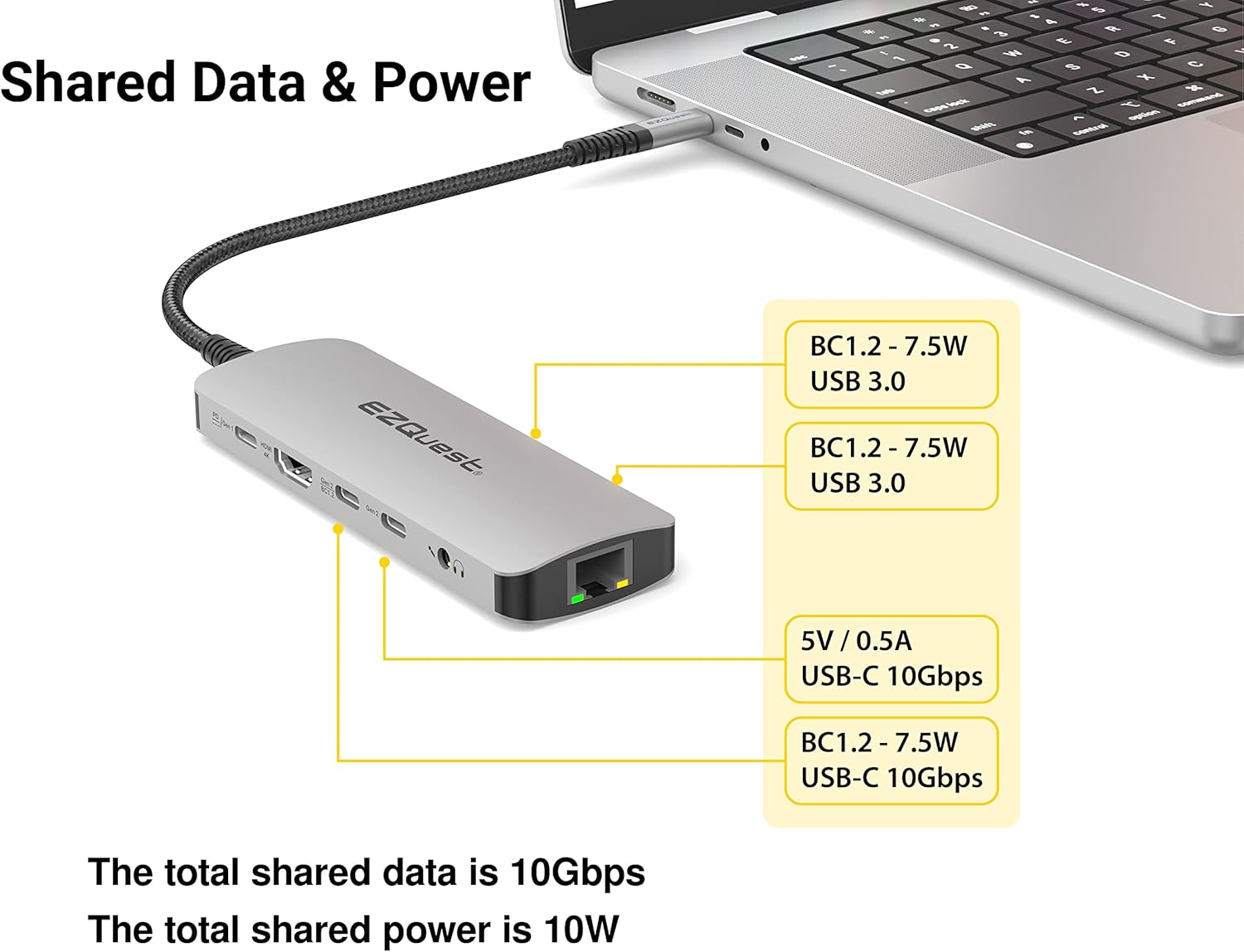
Image 7: Diagram detailing the shared data and power distribution of the EZQuest USB-C Hub, showing power output for USB-C and USB-A ports.
- One USB-C Gen 2 port provides 5V/1.5A (7.5W) with BC1.2 support.
- The second USB-C Gen 2 port provides 5V/0.5A (2.5W).
- Each USB-A 3.0 port provides 5V/1.5A (7.5W) with BC1.2 support.
- The total shared power output across all data ports is 10 Watts.
4.4. Media Card and Audio
The integrated card slots allow for easy access to SD and Micro SD cards, while the audio jack provides sound connectivity.
- Simultaneously read and write to SDHC or Micro SDHC cards.
- Connect headphones or a microphone to the 3.5mm audio jack.
5. Compatibility
The EZQuest USB-C Hub is compatible with:
- All computers with USB-C/USB 4/Thunderbolt 4/3 ports.
- USB-C smartphones and tablets with OTG support.
6. Care and Maintenance
- Keep the hub clean by wiping with a soft, dry cloth.
- Avoid exposing the hub to extreme temperatures, humidity, or direct sunlight.
- Do not attempt to disassemble or repair the hub yourself.
- Store the hub in a safe place when not in use to prevent damage.
7. Troubleshooting
- No display output from HDMI?
Ensure your device's USB-C port supports display output (DisplayPort Alternate Mode). Try connecting the HDMI cable directly to another device to verify the cable and monitor functionality. - USB devices not recognized?
Ensure the hub is securely connected to your host device. If using power-intensive USB devices, connect a power adapter to the hub's PD port. - Slow data transfer speeds?
Ensure you are using the correct USB-C Gen 2 (10Gbps) or USB-A 3.0 (5Gbps) ports for your devices. Avoid connecting too many high-bandwidth devices simultaneously if experiencing slowdowns. - No audio from 3.5mm jack?
Check your device's sound settings to ensure the correct audio output device is selected.
8. Technical Specifications
| Brand | EZQuest |
| Model Number | X40031 |
| Hardware Interface | Ethernet, HDMI, USB, USB Type C |
| Number of Ports | 10 |
| Data Transfer Rate | 10 Gigabits Per Second |
| Power Delivery | Up to 100W input, 88W pass-through output |
| HDMI Output | 4K @ 60Hz (DP1.4) or 30Hz (DP1.2) with HDR10 & HDCP |
| Ethernet | Gigabit Ethernet |
| Card Reader | SD, Micro SD (simultaneous read/write) |
| Audio Port | 3.5mm Audio/Microphone Combo |
| Material | Aluminum Housing, Nylon Braided Cable |
| Cable Length | 11 inches (28 cm) |
| Item Weight | 3 Ounces |
9. Warranty and Support
EZQuest provides an 18-Months Worry-Free Warranty for this product. For technical support or warranty claims, please refer to the contact information provided with your product packaging or visit the official EZQuest website.
9.1. Official Product Video
Video 1: An official EZQuest video showcasing the features and connectivity of the USB-C Multimedia 10-in-1 Gen 2 Hub.


