
1. Introduction
Thank you for purchasing the EMtronics EMAFDD9L Dual Air Fryer. This appliance is designed to provide a healthier alternative to traditional frying methods, utilizing high-speed air circulation technology to cook food with significantly less oil. Please read this instruction manual thoroughly before first use to ensure safe operation, optimal performance, and longevity of your appliance. Keep this manual for future reference.
Important Safety Instructions
- Always place the air fryer on a stable, heat-resistant surface, away from walls or other appliances to allow adequate air circulation.
- Do not immerse the appliance, cord, or plug in water or any other liquid.
- Ensure the voltage indicated on the appliance corresponds to your local mains voltage before connecting.
- Supervise children closely when the appliance is in use.
- Do not operate the appliance if the plug, power cord, or the appliance itself is damaged.
- Unplug the air fryer from the outlet when not in use and before cleaning. Allow it to cool down completely before handling.
- Do not block the air inlet or outlet vents during operation.
- Hot air and steam are released through the air outlet vents during operation. Keep your hands and face at a safe distance.
- Do not place anything on top of the appliance.
- This appliance is for household use only.
2. Product Overview
The EMtronics EMAFDD9L Dual Air Fryer features two independent cooking baskets, allowing you to cook different foods at different temperatures and times simultaneously. Its digital control panel offers intuitive operation and pre-set cooking programs.
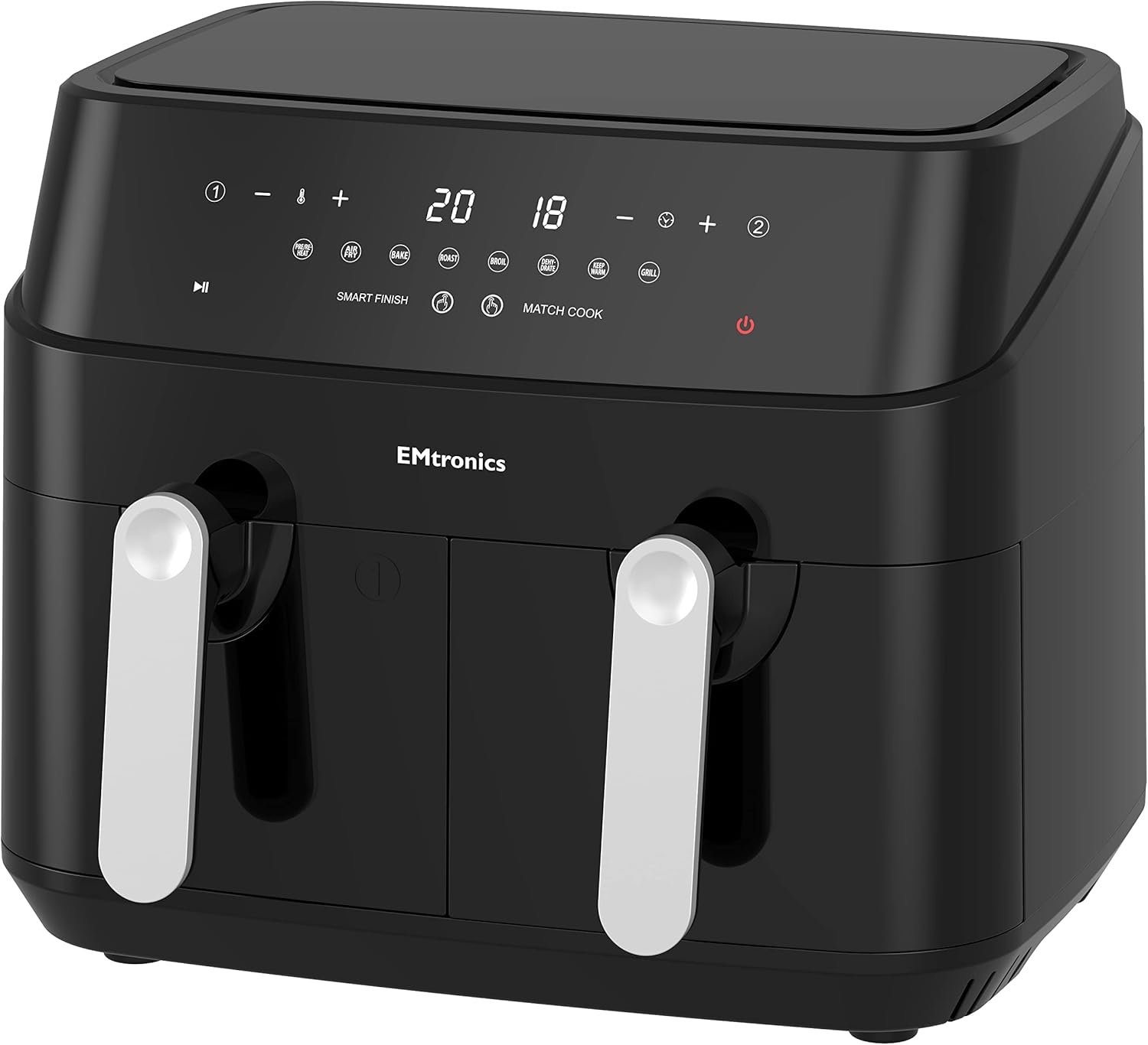
Figure 2.1: Front view of the EMtronics EMAFDD9L Dual Air Fryer, showcasing its sleek black design and digital control panel.

Figure 2.2: The air fryer with both cooking baskets and crisper plates removed, illustrating the internal compartments.
Key Components:
- Main Unit: Houses the heating element and fan.
- Control Panel: Digital display with touch controls for temperature, time, and pre-set programs.
- Cooking Baskets (x2): Removable non-stick baskets for holding food.
- Crisper Plates (x2): Inserted into the baskets to allow air circulation around food and collect excess oil.
- Air Inlet/Outlet Vents: For proper air circulation during cooking.
3. Setup
Unpacking and Initial Placement
- Carefully remove the air fryer and all packaging materials from the box.
- Remove any stickers or labels from the appliance.
- Place the main unit on a stable, level, and heat-resistant surface. Ensure there is at least 10 cm (4 inches) of clear space around the back and sides of the appliance for proper ventilation.
Before First Use (Initial Cleaning)
- Wash the cooking baskets and crisper plates thoroughly with hot water, dish soap, and a non-abrasive sponge.
- Rinse and dry all parts completely.
- Wipe the interior and exterior of the main unit with a damp cloth.
- Ensure all parts are completely dry before reassembling and plugging in the appliance.
4. Operating Instructions
Control Panel Overview
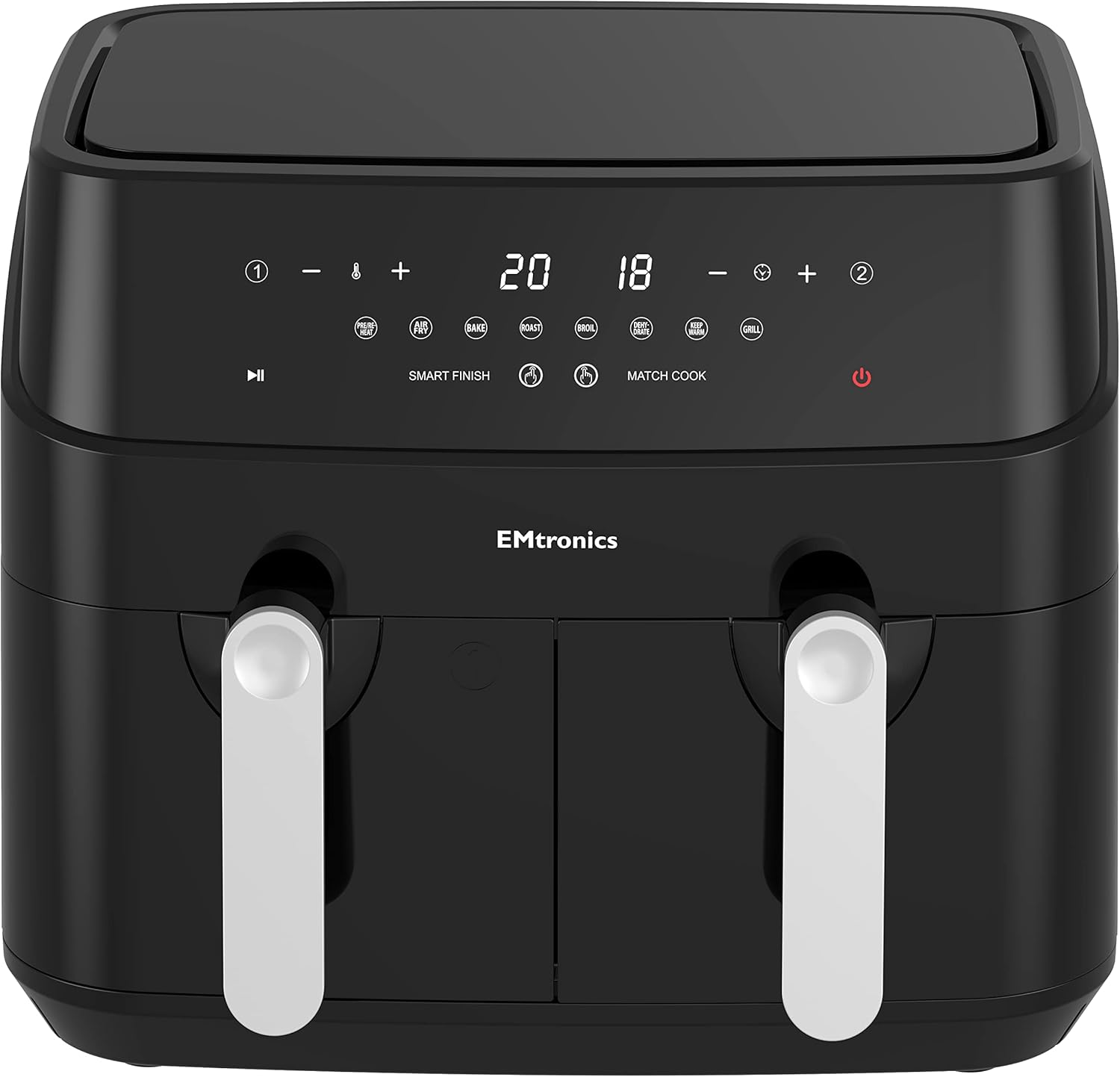
Figure 4.1: Close-up view of the digital control panel, showing temperature, time, and pre-set menu icons.
- Power Button: Turns the appliance on/off.
- Basket 1 / Basket 2 Indicators: Selects which basket to control.
- Temperature Controls (+/-): Adjusts cooking temperature (60°C - 200°C).
- Time Controls (+/-): Adjusts cooking time (1 - 99 minutes).
- Pre-set Menu Icons: 8 pre-programmed settings for common foods (e.g., Fries, Chicken, Steak, Fish, Bake, Roast, Dehydrate, Grill).
- SMART FINISH: Synchronizes cooking end times for both baskets.
- MATCH COOK: Applies the same settings from Basket 1 to Basket 2.
Basic Operation
- Plug the air fryer into a grounded wall outlet. The power button will illuminate.
- Pull out the desired cooking basket(s) and place the crisper plate inside.
- Place your food into the basket(s). Do not overfill.
- Insert the basket(s) back into the main unit until they click into place.
- Press the Power button to turn on the display.
- Select Basket 1 or Basket 2 (or both for independent settings).
- Manual Setting: Use the Temperature (+/-) and Time (+/-) buttons to set your desired cooking parameters.
- Pre-set Program: Press the desired pre-set icon. The default time and temperature will display. You can adjust these manually if needed.
- Press the Play/Pause button to start cooking.
- During cooking, you can pause by pressing the Play/Pause button. You can also shake the basket(s) for even cooking.
- The air fryer will beep when the cooking time is complete. Carefully remove the basket(s) and transfer food to a serving dish.
Using Dual Basket Functions
- SMART FINISH: This function allows two different foods, cooked at different times and temperatures, to finish cooking simultaneously. Set the desired time and temperature for Basket 1, then for Basket 2. Press the SMART FINISH button, then the Play/Pause button. The air fryer will automatically adjust the start times for each basket.
- MATCH COOK: This function applies the settings from Basket 1 to Basket 2, ensuring both baskets cook with identical time and temperature. Set the desired time and temperature for Basket 1. Press the MATCH COOK button, then the Play/Pause button.
5. Maintenance
Cleaning
Clean the air fryer after every use.
- Unplug the appliance and allow it to cool down completely before cleaning.
- Remove the cooking baskets and crisper plates. Wash them with hot water, dish soap, and a non-abrasive sponge. The baskets and crisper plates are also dishwasher safe.
- Wipe the exterior of the main unit with a damp cloth. Do not use harsh abrasive cleaners.
- Clean the interior of the appliance with a damp cloth and mild detergent if necessary. Ensure no water enters the heating element area.
- For stubborn food residue, soak the baskets in warm, soapy water for about 10 minutes before cleaning.
- Ensure all parts are completely dry before storing or next use.

Figure 5.1: The two cooking baskets with their removable crisper plates, designed for easy cleaning.
Storage
Store the air fryer in a cool, dry place, ensuring it is clean and dry before storage. Do not wrap the power cord tightly around the appliance.
6. Troubleshooting
If you encounter issues with your EMtronics EMAFDD9L Dual Air Fryer, please refer to the following table before contacting customer support.
| Problem | Possible Cause | Solution |
|---|---|---|
| Air fryer does not turn on. | Appliance is not plugged in. | Ensure the power cord is securely plugged into a grounded outlet. |
| Power outlet is not functioning. | Test the outlet with another appliance. | |
| Food is not cooked evenly. | Basket is overfilled. | Reduce the amount of food in the basket. |
| Food was not shaken/tossed. | Shake or toss food halfway through cooking. | |
| White smoke coming from appliance. | Grease residue from previous use. | Clean the basket and crisper plate thoroughly after each use. |
| Cooking fatty food. | This is normal for fatty foods. Ensure crisper plate is in place to drain fat. | |
| Appliance smells during first use. | Manufacturing residue. | This is normal and will dissipate after a few uses. Ensure good ventilation. |
7. Specifications
Refer to the following technical specifications for the EMtronics EMAFDD9L Dual Air Fryer:
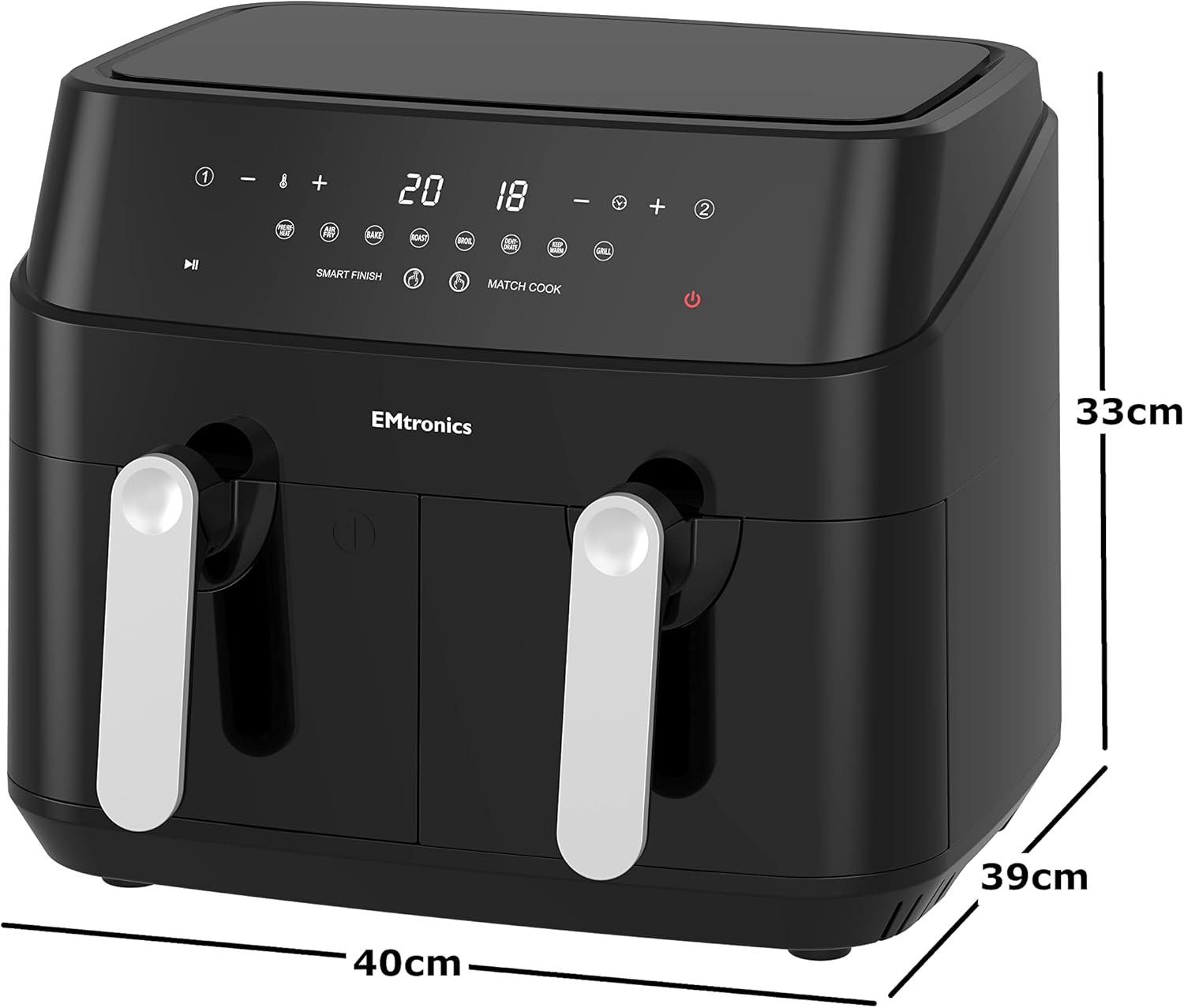
Figure 7.1: Diagram illustrating the dimensions of the EMtronics EMAFDD9L Dual Air Fryer.
- Model: EMAFDD9L
- Power: 1750W
- Voltage: 230V
- Capacity: 9 Liters (4.5L per basket)
- Temperature Range: 60°C - 200°C
- Timer: 1 - 99 minutes
- Control Method: Touch Digital
- Material: Plastic exterior, Stainless Steel interior compartment
- Product Dimensions (approx.): 40cm (D) x 36.1cm (W) x 32cm (H)
- Item Weight: Approximately 20 lbs
8. Warranty and Support
EMtronics products are manufactured to the highest quality standards. This product is covered by a manufacturer's warranty against defects in materials and workmanship. Please refer to the warranty card included with your purchase for specific terms and conditions, including the warranty period and how to register your product.
For technical support, troubleshooting assistance beyond this manual, or warranty claims, please contact EMtronics customer service. Contact details can typically be found on the EMtronics official website or on your product packaging.
When contacting support, please have your model number (EMAFDD9L) and proof of purchase readily available.