1. Product Overview
The SMAJAYU JY100 Tractor GPS GNSS Guidance System is designed for precision farming, offering high-accuracy navigation for various agricultural tasks. This system integrates a 10-inch waterproof tablet with a high-precision GNSS board and antenna, providing reliable guidance for efficient field operations.
Key features include:
- High-Precision GNSS: Supports multiple constellations and frequencies (GPS L1, L2; GLONASS L1, L2; BeiDou B1, B2, B3) for enhanced accuracy.
- User-Friendly Interface: Features a farmer-friendly graphical user interface (GUI) with large iconic buttons for easy function access.
- Versatile Guidance Modes: Compatible with straight navigation (AB line) and curve navigation for diverse field shapes.
- Robust Design: Integrates advantages of convenient installation, low noise, low heat, and quick debugging.
- Wide Application: Suitable for sowing, cultivating, trenching, ridging, spraying pesticide, transplanting, land consolidation, harvesting, and other agricultural scenarios with various tractor models.


2. What's in the Box
The SMAJAYU JY100 Tractor GPS GNSS Guidance System package includes the following components:
- 10-inch Water Proof Tablet
- High-Precision GNSS GPS Antenna
- Accessories Cables and Tools (including Tractor Main Cable, Power Supply Cable, GNSS Antenna Cable 5M, RAM Bracket, Screws, User Manual)


Video 1: This video demonstrates the unboxing process of the SMAJAYU JY100 Guidance System, showcasing all included components and their initial presentation.
3. Setup and Installation
Follow these steps to set up and install your JY100 Guidance System:
- Mount the GNSS Antenna: Securely install the high-precision GNSS antenna on the vehicle roof or hood using the provided bracket. Ensure it is positioned for optimal satellite reception.
- Install the Tablet: Mount the 10-inch waterproof tablet in the tractor cabin using the RAM bracket. Position it for clear visibility and easy access during operation.
- Connect Cables: Connect the GNSS antenna cable to the tablet's ANT1 port. Connect the tractor main cable and power supply cable to the appropriate ports on the tablet and the tractor's power source.
- Power On: Once all connections are secure, power on the tablet.


4. Operating Instructions
The JY100 system is designed for intuitive operation. Here are the basic steps to begin guided driving:
- Software Initialization: After powering on, the system will load the agricultural guidance software.
- Set Units: Navigate to the system settings to select your preferred units for length (m, ft, cm) and speed (km/h, mph).
- Configure Implement Width: Input the actual width of your agricultural implement in the settings for accurate guidance.
- Check Satellite Status: Ensure a sufficient number of satellites are acquired (preferably above 25) for optimal positioning accuracy.
- Define AB Line: Drive the tractor to the start of your field and set point A. Drive a certain distance forward in a straight line and set point B. The system will then generate a straight guidance line. For curve navigation, select the curve mode first.
- Start Guided Driving: Click the steering wheel icon on the screen to activate guided driving. The system will assist in maintaining the defined path.


Video 2: This video demonstrates how to set parameters and define AB lines on the JY100 system, crucial steps for initiating guided driving.
Video 3: An overview of the JY100 GNSS Guidance System in operation, showing its real-time tracking and guidance capabilities in a field setting.
5. Features and Applications
The JY100 system offers advanced features to optimize farming operations:
- Multi-Constellation Support: Compatible with GPS L1, L2; GLONASS L1, L2; BeiDou B1, B2, B3 for robust signal reception and accuracy.
- High Accuracy: Achieves 30cm accuracy without a network or RTK base station, and 2.5cm accuracy with CORS network stations.
- Full Frequency Band: Supports the reception of GPS, GLONASS, GALILEO, and BeiDou signals, minimizing measurement errors.
- Strong Anti-Interference: The antenna LAN has excellent external band suppression performance, reducing the risk of signal loss.
- Good Star Collection Effect: The antenna unit has high gain and wide directional beam width, ensuring effective reception of low elevation signals.


Application Scenarios:
The JY100 system can be widely used for:
- Sowing
- Cultivating
- Trenching
- Ridging
- Spraying Pesticide
- Transplanting
- Land Consolidation
- Harvesting
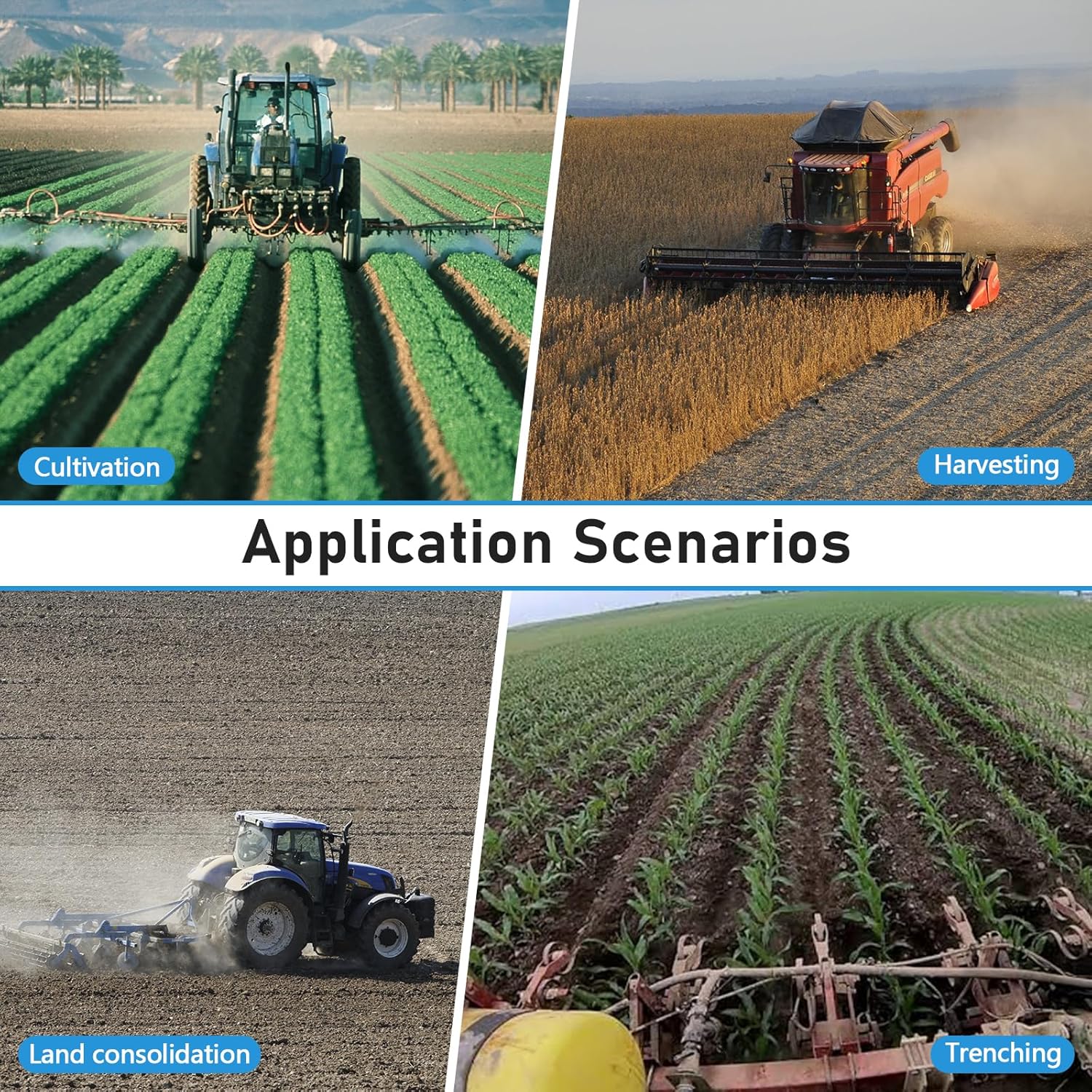


Video 4: This video illustrates the precision agriculture applications of the JY100 system, showing its use in various field operations.
Video 5: A general overview of the tractor GPS navigator in action, demonstrating its functionality and benefits in agricultural settings.
6. Specifications
| Feature | Detail |
|---|---|
| Item Model Number | JY100 |
| Display Size | 10 Inches |
| Vehicle Service Type | Tractor |
| Connectivity Technology | USB |
| Map Type | North America |
| Audio Output Mode | Speaker |
| Mounting Type | Wrist Mount (as shown in images) |
| Special Feature | The best version of JY100 software is "PrecisionAg_1.3.182.307116.apk". Refer to the user manual to update or contact the tech team for remote support. |
7. Maintenance
To ensure the longevity and optimal performance of your SMAJAYU JY100 Guidance System, regular maintenance is recommended:
- Cleaning: Regularly clean the tablet screen and antenna with a soft, damp cloth. Avoid abrasive cleaners.
- Cable Inspection: Periodically check all cables for any signs of wear, damage, or loose connections. Replace damaged cables immediately.
- Software Updates: Ensure your software is up-to-date. Refer to the user manual or contact support for the latest version and update procedures.
- Storage: When not in use for extended periods, store the system in a cool, dry place, protected from extreme temperatures and direct sunlight.
8. Troubleshooting
If you encounter issues with your JY100 Guidance System, consider the following basic troubleshooting steps:
- No Power: Check all power connections, including the power supply cable and the tractor's power source. Ensure the tablet is fully charged or receiving power.
- No Satellite Signal: Verify that the GNSS antenna is clear of obstructions and properly connected. Ensure you are in an open area with a clear view of the sky.
- Inaccurate Positioning: Check the number of acquired satellites (aim for 25+). Ensure the implement width and other settings are correctly configured in the software.
- Software Malfunction: Try restarting the application or the tablet. If the issue persists, check for available software updates.
- Contact Support: For persistent or complex issues, refer to the detailed troubleshooting section in the user manual or contact SMAJAYU technical support.
9. Warranty and Support
The SMAJAYU JY100 Tractor GPS GNSS Guidance System comes with a 1-year warranty.
For any technical assistance, inquiries, or support needs, SMAJAYU offers 24-hour support. You can reach out to our dedicated technical team for quick responses and efficient help.
For more information, please visit the SMAJAYU Store on Amazon or consult the official user manual.


