1. Overview
The ASUS RT-AX86U Pro dual-band WiFi 6 router is engineered to provide ultrafast WiFi speeds up to 5700 Mbps, ensuring a robust and responsive network experience. It integrates advanced technologies such as Mobile Game Mode for optimized mobile gaming, a 2.5G port for high-speed wired connections, and comprehensive network security features. This router is designed to unlock the full potential of high-speed internet for both wired and wireless devices, making it an ideal choice for demanding home network environments.
Key Features:
- New-generation WiFi 6: Enjoy ultrafast speeds up to 5700 Mbps with the latest WiFi 6 (802.11ax) and 160MHz channels.
- Mobile Game Mode: Minimize lag and latency for mobile gaming with just a tap on the ASUS Router app.
- True 2 Gbps wired and wireless speeds: Features aggregated 2 Gbps WAN connections, a wired 2.5 Gbps port, and WiFi 6 capabilities.
- Commercial-grade Security Anywhere: Protect your home network with AiProtection Pro, powered by Trend Micro. ASUS Instant Guard provides a one-click sharable secure VPN.
- Easy Extendable Network: Enjoy seamless roaming with rich, advanced features by adding any AiMesh-compatible router.
2. What's in the Box
- RT-AX86U Pro WiFi router
- RJ-45 cable
- Power Adapter
- Quick Start Guide
- Warranty Card
3. Product Features
3.1. New-generation WiFi 6
The RT-AX86U Pro supports the latest WiFi 6 (802.11ax) standard, offering ultrafast speeds up to 5700 Mbps. This ensures a smooth experience for all your connected devices, from streaming 4K content to competitive online gaming.
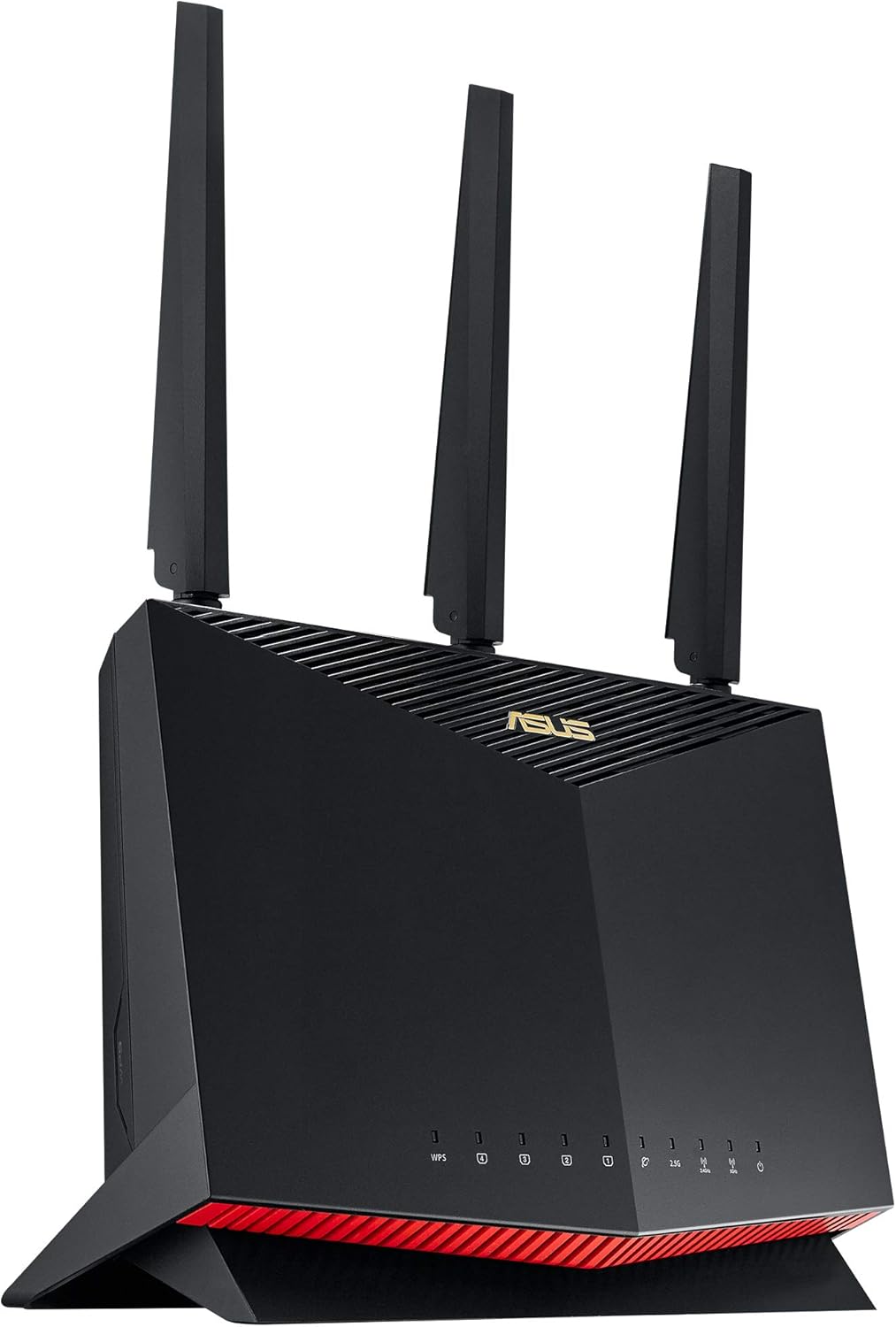
Front view of the ASUS RT-AX86U Pro WiFi 6 Gaming Router.

WiFi 6 offers up to 2X faster speeds and 80% increased range compared to previous generations.
3.2. Mobile Game Mode
Optimize your mobile gaming experience with a single tap in the ASUS Router app. This mode prioritizes gaming traffic, minimizing lag and latency for a seamless and responsive gameplay.

Activate Mobile Game Mode directly from the ASUS Router app on your smartphone.
3.3. True 2 Gbps Wired and Wireless Speeds
The RT-AX86U Pro features a 2.5G port, allowing for multi-gigabit wired connections. This, combined with its WiFi 6 capabilities, ensures you can fully utilize high-speed internet plans for both wired and wireless devices.

Detailed view of the router's rear ports, highlighting the 2.5G LAN/WAN port and dedicated Gaming Port.
3.4. Commercial-grade Security (AiProtection Pro) & Parental Controls
AiProtection Pro, powered by Trend Micro, provides robust security for your home network, protecting all connected devices from online threats. Advanced parental controls allow you to manage internet access and filter content for family members.

AiProtection Pro offers commercial-grade security to protect your network.

Manage screen time and content access with upgraded parental controls.
3.5. Easy Extendable Network (AiMesh)
AiMesh technology allows you to create a whole-home mesh WiFi system by adding other AiMesh-compatible ASUS routers. This eliminates WiFi dead zones and provides seamless roaming throughout your home.

Extend your network seamlessly with AiMesh-compatible routers for whole-home coverage.
4. Setup
4.1. Physical Connection
Before setting up your router, ensure your modem is properly connected and functioning. Connect the power adapter to the router and plug it into a power outlet. Use the provided RJ-45 cable to connect your modem's LAN port to the RT-AX86U Pro's WAN port (blue port). You can then connect your wired devices to the router's LAN ports (yellow ports).

Connect your modem to the blue WAN port and wired devices to the yellow LAN ports.
4.2. Power Cycle Modem and Router
If you are replacing an existing router, it is crucial to power cycle your modem to ensure it recognizes the new router. Follow these steps:
- Unplug your modem from its power source.
- Wait for at least 1 minute.
- Plug your modem back into the power source.
- Wait 2-3 minutes for the modem to fully restart and connect to the internet (indicated by a stable internet light, usually blue).
- Connect your RT-AX86U Pro router to the modem's WAN port.
4.3. ASUS Router App Setup
For the easiest setup, download the ASUS Router app on your mobile device. The app will guide you through the initial configuration, including setting up your Wi-Fi network name (SSID) and password, and updating firmware.
Watch this video for a product overview and unboxing of the ASUS RT-AX86U Pro router, including a look at its various ports.
Learn how to register your ASUS router using the ASUS Router app for product support and benefits.
4.4. Ethernet Cable Recommendation
While the router comes with a Cat 5e Ethernet cable, if your internet plan supports speeds of 1 Gbps or higher, it is recommended to use a Cat 6 Ethernet cable. Cat 6 cables are designed to handle higher bandwidths and can help ensure you achieve the full speeds you are paying for.

Ensure proper cable type for optimal internet speeds.
5. Operating
Once set up, the ASUS RT-AX86U Pro operates as the central hub for your home network. You can manage its features and settings through the intuitive ASUS Router app or the web interface.
- Network Management: Monitor real-time traffic, connected devices, and network status.
- Gaming Optimization: Activate Mobile Game Mode or prioritize specific devices for gaming to reduce latency.
- Security Features: AiProtection Pro actively protects against malicious websites, ransomware, and other cyber threats.
- VPN Support: Utilize built-in VPN features like Instant Guard for secure remote access to your home network.
- Parental Controls: Set schedules for internet access, block specific content, and monitor online activity for family members.
- AiMesh System: Expand your network coverage by adding other AiMesh-compatible routers for a seamless whole-home WiFi experience.
6. Maintenance
To ensure optimal performance and longevity of your ASUS RT-AX86U Pro router, consider the following maintenance tips:
- Firmware Updates: Regularly check for and install the latest firmware updates via the ASUS Router app or web interface. Updates often include performance improvements, security patches, and new features.
- Proper Placement: Place the router in a central location, away from obstructions and other electronic devices that might cause interference. Ensure good ventilation to prevent overheating.
- Regular Reboots: Periodically reboot your router (e.g., once a month) to clear its memory and refresh network connections.
- Cleanliness: Keep the router free from dust and debris, especially around ventilation areas.
7. Troubleshooting
If you encounter issues with your ASUS RT-AX86U Pro router, try the following troubleshooting steps:
- No Internet Connection:
- Ensure all cables are securely connected (power, modem to WAN port).
- Power cycle both your modem and router (unplug for 1 minute, then plug back in).
- Check your internet service provider's status for any outages.
- Slow Internet Speeds:
- Verify you are using a Cat 6 Ethernet cable for wired connections if your plan is 1 Gbps or higher.
- Check for interference from other electronic devices or neighboring Wi-Fi networks.
- Limit the number of active devices or bandwidth-intensive applications.
- Utilize the router's QoS (Quality of Service) features to prioritize important traffic.
- Unstable Wi-Fi Connection:
- Adjust antenna positions for better signal strength.
- Ensure the router is placed centrally and not obstructed.
- Consider adding an AiMesh node if you have a large home or many concrete walls.
- App Connectivity Issues:
- Ensure your mobile device is connected to the router's Wi-Fi network.
- Update the ASUS Router app to the latest version.
- Restart your mobile device.
8. Specifications
| Feature | Detail |
|---|---|
| Product Dimensions | 9.53 x 3.94 x 12.8 inches |
| Item Weight | 1.8 pounds |
| ASIN | B0BQ417K47 |
| Item model number | RT-AX86U PRO |
| Date First Available | December 14, 2022 |
| Manufacturer | ASUS |
| Country of Origin | Vietnam |
| Brand | ASUS |
| Model Name | RT-AX86U PRO |
| Special Feature | QoS, Guest Mode, WPS, Internet Security, Parental Control |
| Frequency Band Class | Dual-Band |
| Wireless Communication Standard | 802.11n, 802.11ax, 802.11a, 802.11ac, 802.11g |
| Compatible Devices | Gaming Console, Personal Computer, Tablet, Smart Television, Smartphone |
| Frequency | 5 GHz |
| Recommended Uses For Product | Home, Gaming, Business |
| Included Components | Power Adapter, RT-AX86U Pro WiFi router, RJ-45 cable, Warranty Card, Quick Start Guide |
| Connectivity Technology | Wi-Fi, USB, Ethernet |
9. Warranty and Support
Your ASUS RT-AX86U Pro router comes with a Warranty Card. Please refer to the card for detailed warranty terms and conditions. For technical support, driver downloads, or further assistance, visit the official ASUS support website or use the ASUS Router app.
Official ASUS Support: https://www.asus.com/support/


