Introduction
This manual provides comprehensive instructions for the setup, operation, and maintenance of your Hayve W1 Foldable Wireless Digital Microscope. Please read this manual thoroughly before using the device to ensure proper functionality and to maximize your viewing experience.
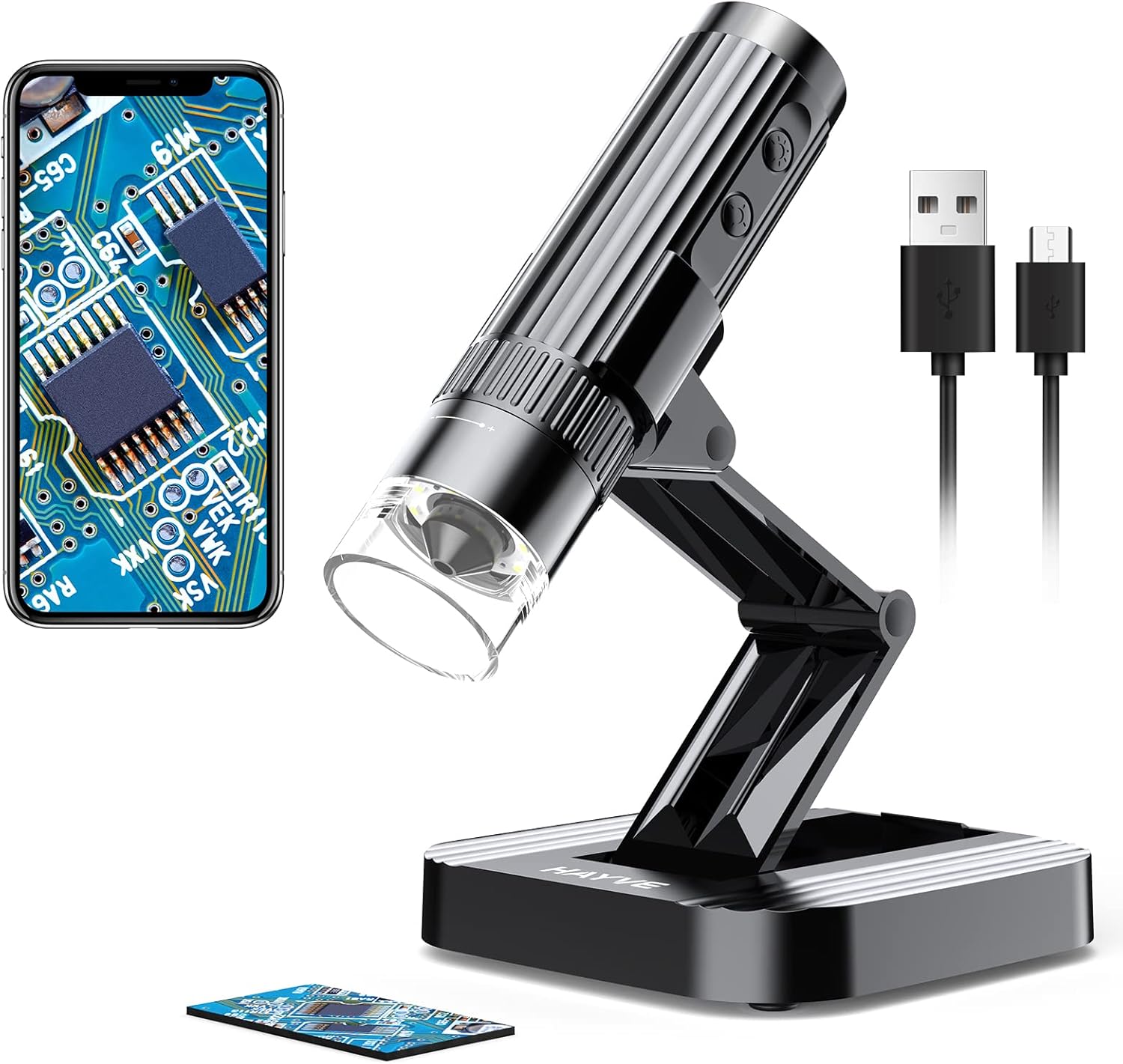
Image: The Hayve W1 Foldable Wireless Digital Microscope, showcasing its compact design and connectivity with a smartphone for detailed observation of electronic components.
Product Features
- Wireless & USB Connectivity: Connects to iPhone, iPad, Android phones/tablets via WiFi, and to Windows/Mac computers via USB.
- Foldable Design: The stand can be adjusted to various angles and is fully collapsible for portability.
- Durable Construction: Features a premium metal + ABS material build with a thickened bracket interface for stability.
- High Magnification: Offers 10X-1200X magnification for observing intricate details.
- Realistic Color Details: Built-in import sensor provides vivid and natural image colors.
- Integrated LED Illumination: Equipped with 8 adjustable LEDs for optimal lighting.
- Photo/Video Capture: Easily capture images and videos through the accompanying application.

Image: The Hayve W1's smart bracket, demonstrating its multiple adjustable angles for flexible observation.
Package Contents
- Hayve W1 Digital Microscope
- Foldable Stand
- USB Charging Cable (Type-C)
- Calibration Ruler
- User Manual

Image: All items included in the Hayve W1 Digital Microscope package, ready for setup and use.
Setup Guide
1. Charging the Device
Before first use, fully charge the microscope using the provided USB Type-C cable. Connect the cable to the microscope's charging port and a standard USB power adapter (not included). The charging indicator light will show the charging status.
2. Assembling the Microscope
- Unfold the microscope stand to your desired observation angle.
- Insert the Hayve W1 microscope into the designated slot on the stand. Ensure it is securely seated.
3. Software Installation & Connection
For Mobile Devices (WiFi Connection):
- Download the "UniLab" application from your device's app store (App Store for iOS, Google Play Store for Android).
- Turn on the Hayve W1 microscope by pressing and holding the power button.
- On your mobile device, go to WiFi settings and connect to the microscope's WiFi hotspot (usually named "Hayve_W1_XXXX").
- Open the "UniLab" app. The microscope's live view should appear.
For Computers (USB Connection):
- Connect the microscope to your computer using the provided USB cable.
- For Windows: Open the default "Windows Camera" application. Select the microscope as the camera source.
- For Mac: Open the default "Photo Booth" application. Select the microscope as the camera source from the "Camera" menu.
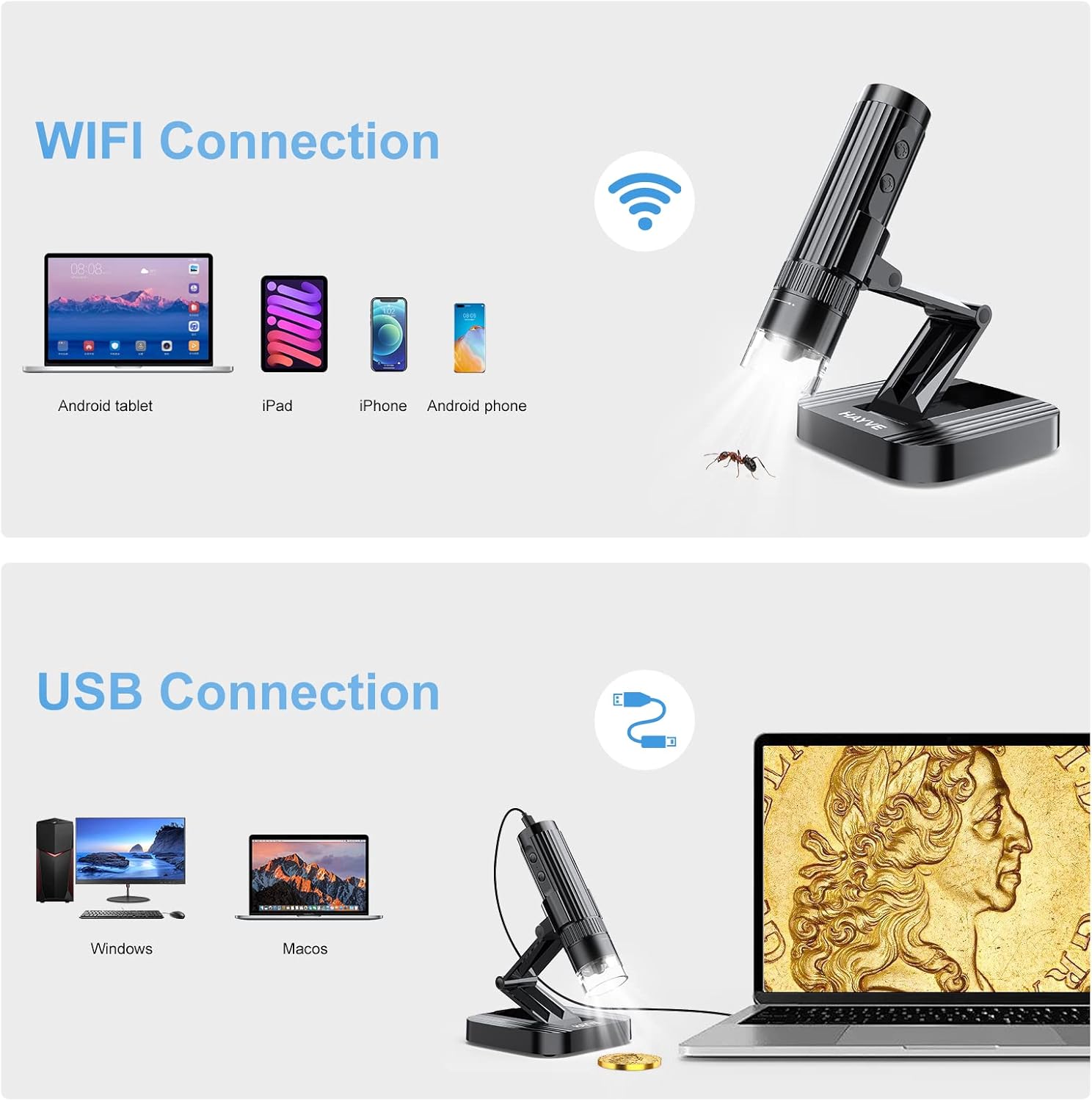
Image: Connection methods for the Hayve W1 microscope, illustrating both WiFi connectivity for mobile devices and USB connectivity for computers.
Operating Instructions
1. Power On/Off
Press and hold the power button on the microscope to turn it on or off.
2. Adjusting Focus and Magnification
Rotate the focus wheel on the microscope body to achieve a clear image. Magnification is adjusted by changing the distance between the microscope lens and the object, and further digitally within the application.
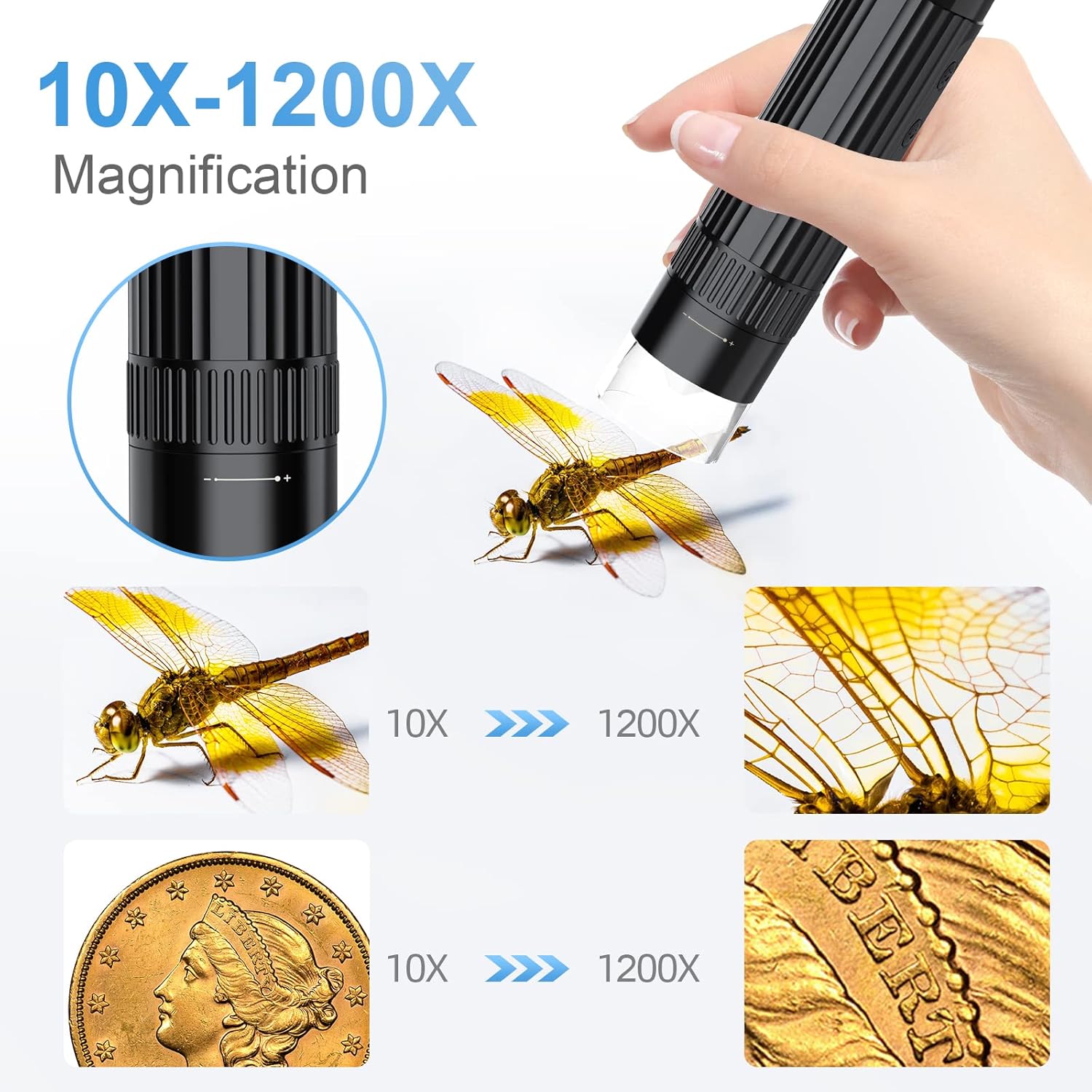
Image: Examples of 10X and 1200X magnification, demonstrating the level of detail visible on a dragonfly wing and a coin.
3. Adjusting LED Illumination
The microscope features 8 built-in LEDs. Use the light control button on the microscope to cycle through different brightness levels (Off, 50%, 100%) to optimize illumination for your subject.

Image: The 8-LED design of the Hayve W1 microscope, illustrating the effect of different illumination levels (Off, 50%, 100%) on a subject.
4. Capturing Photos and Videos
Within the "UniLab" app (or your computer's camera software), you can easily capture still images or record videos of your observations. Look for the camera or video recording icons within the application interface.

Image: A computer screen showing magnified views of a spider and an ant, demonstrating the Hayve W1's capability to capture detailed photos and videos.
Maintenance
- Cleaning: Use a soft, dry cloth to clean the microscope body. For the lens, use a lens cleaning cloth and specialized lens cleaning solution. Avoid abrasive materials or harsh chemicals.
- Storage: Store the microscope in a cool, dry place away from direct sunlight and extreme temperatures. When not in use, fold the stand for compact storage.
- Battery Care: To prolong battery life, avoid fully discharging the battery frequently. Charge the device regularly, even if not in constant use.

Image: The Hayve W1 microscope in its fully folded configuration, highlighting its portability and ease of storage.
Troubleshooting
| Problem | Possible Cause | Solution |
|---|---|---|
| No image on screen (mobile) | Not connected to microscope WiFi; Microscope not powered on; App not open. | Ensure microscope is on and fully charged. Check WiFi settings to confirm connection to "Hayve_W1_XXXX". Re-open the UniLab app. |
| No image on screen (PC) | USB cable not connected properly; Incorrect camera selected in software. | Verify USB connection. In Windows Camera or Photo Booth, select the microscope as the active camera device. |
| Image is blurry | Focus not adjusted; Incorrect distance to object. | Rotate the focus wheel until the image is clear. Adjust the distance between the microscope lens and the object. |
| Image is too dark/bright | LED illumination setting is incorrect. | Press the light control button to adjust LED brightness. |
| Short battery life | Battery not fully charged; Frequent use of high brightness LEDs. | Ensure the device is fully charged before use. Reduce LED brightness if extended use is required. |
Specifications
- Model: W01
- Magnification: 10X-1200X
- Connectivity: WiFi (2.4GHz), USB
- Light Source: 8 adjustable LEDs
- Battery: 1 Lithium Polymer battery (included)
- Battery Life: Approximately 3 hours (usage dependent)
- Material: Premium Metal + ABS acrylic
- Product Dimensions: 7.08 x 6.1 x 2.16 inches (folded/compact)
- Item Weight: 0.011 ounces (0.3 Grams)
- Voltage: 5 Volts
- Real Angle of View: 45 Degrees

Image: The Hayve W1 microscope in an outdoor setting, demonstrating its portability and approximate 3-hour battery life for extended use.
Warranty and Support
Hayve is committed to providing reliable products and excellent customer service. For any inquiries, technical support, or warranty claims, please contact our customer service team.
- Customer Service Email: support@hayve.com
- We strive to respond to all inquiries within 24 hours.

Image: The official Hayve brand logo, representing our commitment to quality and customer satisfaction.


