1. Important Safety Instructions
Please read these instructions carefully before using the appliance and keep them for future reference. Failure to follow these instructions may result in electric shock, fire, or serious injury.
- Ensure the voltage indicated on the appliance matches your local mains voltage before connecting.
- Do not immerse the fan, power cord, or plug in water or any other liquid.
- Keep the fan away from children and pets. This appliance is not intended for use by persons with reduced physical, sensory, or mental capabilities unless supervised.
- Do not insert fingers or any objects into the fan grille when it is operating.
- Unplug the fan from the power outlet before cleaning, moving, or when not in use for extended periods.
- Do not operate the fan with a damaged cord or plug, or if the fan malfunctions or has been dropped or damaged in any manner.
- Place the fan on a stable, flat surface to prevent it from tipping over.
- Do not use the fan near water, such as in bathrooms or laundries.
- Only use attachments/accessories specified by the manufacturer.
- The fan contains a built-in rechargeable battery. Do not expose the battery to excessive heat, direct sunlight, or fire.
- Dispose of batteries properly according to local regulations.
2. Product Overview
The Cecotec EnergySilence 800 FoldAir Portable Control is a versatile telescopic fan designed for portability and convenience. It features a foldable and extendable design, a powerful built-in battery, and remote control operation.
2.1 Components
- Fan Unit (with blades and grille)
- Telescopic Rod
- Foldable Base
- Control Panel on Base
- Remote Control
- USB-C Charging Cable
2.2 Key Features
- Foldable and Telescopic Design: Easily adjusts from a compact tabletop fan to a full-height floor fan, and folds for convenient storage and transport.
- 7200 mAh Rechargeable Battery: Provides extended cordless operation, ideal for various environments.
- 8-inch Diameter: Ensures effective airflow for personal cooling.
- 4 Speed Settings: Allows for customization of airflow intensity to suit your comfort needs.
- Automatic Oscillation: Distributes air across a wider area for improved circulation.
- Remote Control: Conveniently adjust settings from a distance.

Figure 2.2.1: The Cecotec EnergySilence 800 FoldAir fan shown in both its fully extended and compact tabletop configurations, alongside its remote control.

Figure 2.2.2: A detailed view of the fan's base, highlighting the integrated control panel and its compact, folded design.
3. Setup
3.1 Unpacking
Carefully remove all components from the packaging. Verify that all items listed in the "What's in the Box" section are present and undamaged.
3.2 Initial Charging
Before first use, fully charge the fan. Connect the provided USB-C charging cable to the charging port on the fan's base and plug the other end into a compatible USB power adapter (not included) or a USB port. The charging indicator lights on the base will show the charging status. A full charge is recommended for optimal battery performance.
3.3 Extending and Folding the Fan
To extend the fan, gently pull the telescopic rod upwards from the base until it reaches the desired height. To fold, push the rod back down into the base. The fan head can also be adjusted vertically to direct airflow.

Figure 3.3.1: The fan demonstrating its telescopic extension from a compact tabletop unit to a taller floor fan.

Figure 3.3.2: Illustrates the process of folding the fan for compact storage or transport.
3.4 Remote Control Battery Installation
The remote control requires a CR2025 battery (included). Open the battery compartment on the back of the remote control, insert the battery with the correct polarity (+/-), and close the compartment.
4. Operating Instructions
4.1 Power On/Off
Press the power button on the fan's base or the remote control to turn the fan on or off.
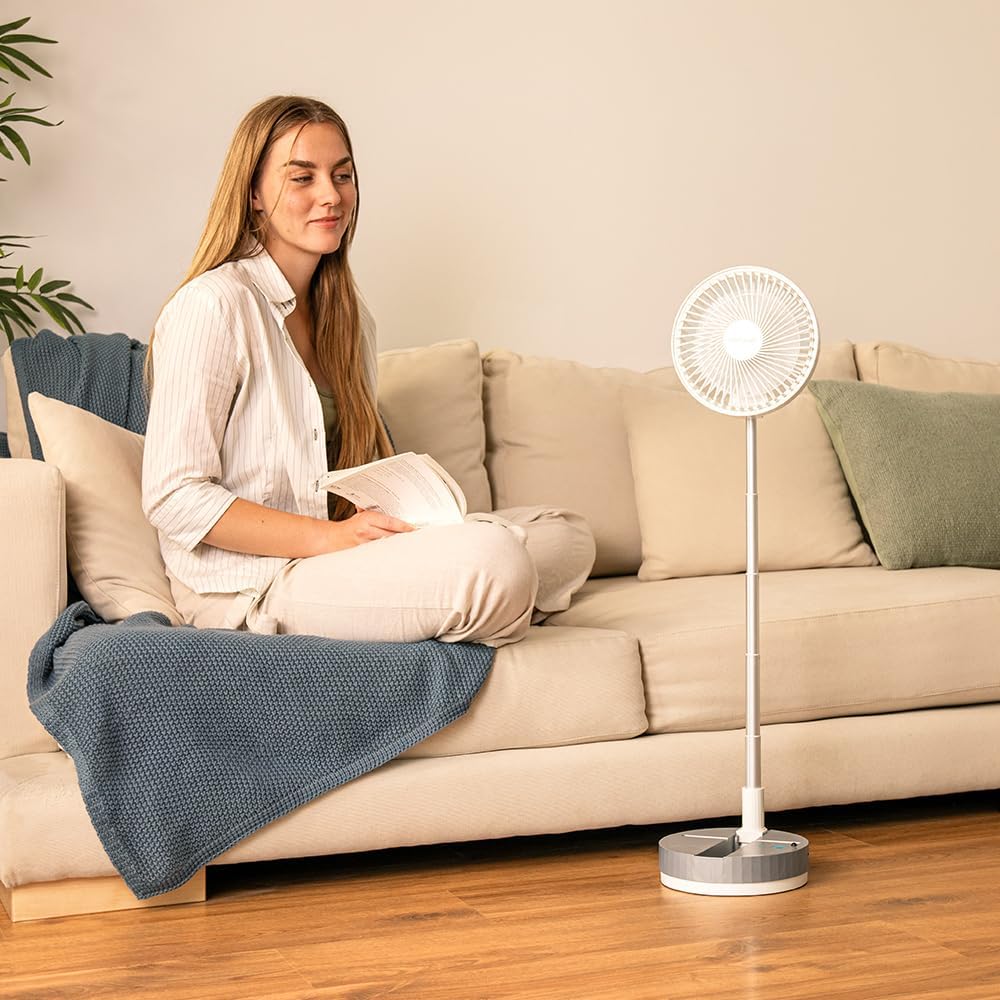
Figure 4.1.1: Activating the fan by pressing the power button located on its base.
4.2 Adjusting Fan Speed
The fan has 4 speed settings. Press the speed button on the fan's base or the remote control repeatedly to cycle through the different speed levels (1-4).

Figure 4.2.1: Visual representation of the fan's four adjustable speed settings.
4.3 Activating Oscillation
Press the oscillation button on the fan's base or the remote control to activate or deactivate the automatic oscillation feature. This allows the fan head to move from side to side, distributing air more widely.

Figure 4.3.1: The fan demonstrating its automatic oscillation feature, indicated by arrows showing side-to-side movement.
4.4 Using the Remote Control
Point the remote control directly at the fan's base to ensure proper signal reception. The remote allows you to power on/off, adjust speed, and control oscillation from a distance.

Figure 4.4.1: A user operating the fan using the included remote control.
5. Maintenance and Cleaning
Regular cleaning helps maintain the fan's performance and extends its lifespan.
- Always unplug the fan before cleaning.
- Use a soft, damp cloth to wipe the exterior surfaces of the fan. Do not use abrasive cleaners or solvents.
- To clean the fan blades, carefully remove the front grille (if detachable, refer to specific product design for removal instructions). Use a soft cloth or brush to remove dust and debris from the blades. Ensure the grille is securely reattached before use.
- Do not allow water to drip into the motor housing or electrical components.
- Store the fan in a cool, dry place when not in use, preferably in its original packaging or a protective cover.
6. Troubleshooting
| Problem | Possible Cause | Solution |
|---|---|---|
| Fan does not turn on. | Battery is depleted. Power button not pressed correctly. Remote control battery is dead or incorrectly inserted. | Charge the fan fully. Press the power button firmly. Replace the remote control battery (CR2025) and ensure correct polarity. |
| Weak or no airflow. | Fan speed is too low. Fan blades are dirty. Obstruction in front or behind the fan. | Increase the fan speed. Clean the fan blades and grille. Remove any obstructions. |
| Fan makes unusual noise. | Fan is not on a stable surface. Debris caught in blades. Internal malfunction. | Place the fan on a flat, stable surface. Unplug and check for debris, then clean. If noise persists, contact customer support. |
| Remote control not working. | Battery is dead or incorrectly inserted. Obstruction between remote and fan. Remote is too far or not pointed correctly. | Replace battery (CR2025) and check polarity. Ensure clear line of sight to the fan's base. Move closer and point directly at the fan. |
7. Specifications
| Feature | Detail |
|---|---|
| Brand | Cecotec |
| Model Number | 08225 |
| Color | White |
| Product Dimensions (Folded) | 23 x 12 x 23.5 cm (approx.) |
| Item Weight | 1.04 Kilograms |
| Power | 2 Watts |
| Voltage | 2.3E+2 Volts (AC) |
| Battery Capacity | 7200 mAh |
| Fan Diameter | 8 inches |
| Speed Settings | 4 |
| Special Features | Foldable, Telescopic, Automatic Oscillation, Remote Control |
| Power Source | Battery Powered |
8. Warranty and Support
This product comes with a standard manufacturer's warranty. For detailed warranty information, please refer to the warranty card included with your purchase or visit the official Cecotec website.
If you encounter any issues or have questions regarding your Cecotec EnergySilence 800 FoldAir Portable Control fan, please contact Cecotec customer support or the retailer from whom you purchased the product. Please have your model number (08225) and purchase details ready when contacting support.
You can find more information and support resources on the official Cecotec website: www.cecotec.com


