
Segway F35
Contents
Segway Ninebot F35 Electric KickScooter User Manual
Model: F35
1. Introduction
Thank you for choosing the Segway Ninebot F35 Electric KickScooter. This manual provides essential information on the assembly, operation, maintenance, and troubleshooting of your new KickScooter. Please read this manual thoroughly before your first ride to ensure safe operation and optimal performance. Keep this manual for future reference.

Figure 1.1: Segway Ninebot F35 Electric KickScooter
The Ninebot KickScooter F35 is designed for efficient and enjoyable commuting, featuring a powerful 350W motor, 10-inch pneumatic tires for a smooth ride, and a dual brake system for enhanced safety. Its foldable design allows for easy storage and transport.
2. Safety Information
Your safety is paramount. Always wear a helmet and appropriate protective gear when riding. Adhere to local laws and regulations regarding electric scooter use. This product is certified to ANSI/CAN/UL-2272 by CSA Group, ensuring electrical safety.
- Always wear a helmet: Ensure it fits properly and is securely fastened.
- Check before each ride: Verify tire pressure, brake function, and overall scooter stability.
- Ride defensively: Be aware of your surroundings, pedestrians, and other vehicles.
- Avoid wet conditions: Do not ride in rain or through puddles. Water can damage the electrical components.
- Do not exceed weight limit: The maximum load capacity is 265 pounds (120 kg).
- Maintain a safe speed: Adjust your speed according to road conditions and traffic.

Figure 2.1: UL 2272 Certified for Electrical Safety
3. Product Overview and Components
Familiarize yourself with the main parts of your KickScooter:

Figure 3.1: Handlebars and LED Display
- Handlebars: For steering and control. Features ergonomic grips.
- LED Display: Shows speed, battery level, riding mode, and other indicators.
- Throttle: Controls acceleration.
- Brake Levers: Activates the dual braking system.
- Folding Mechanism: Allows the scooter to be folded for portability.
- Front Wheel: Equipped with a pneumatic tire and regenerative electric brake.
- Rear Wheel: Equipped with a pneumatic tire and disc brake.
- Kickstand: For parking the scooter.
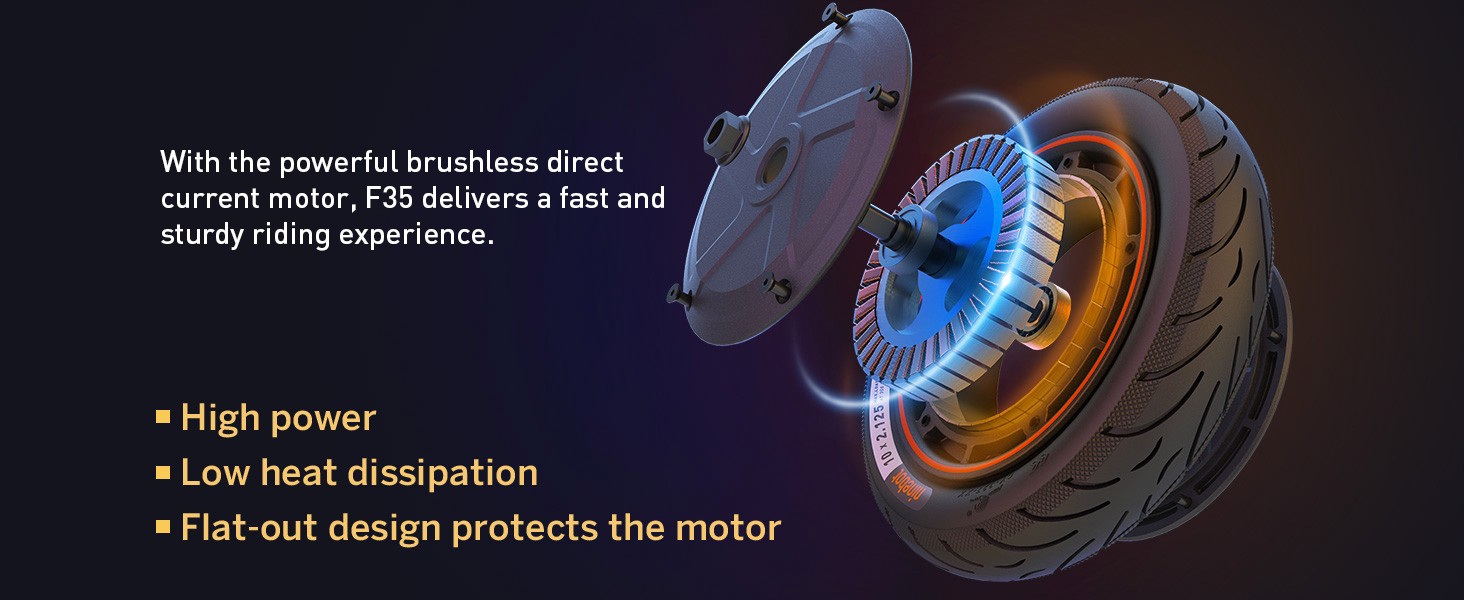
Figure 3.2: Powerful Brushless Direct Current Motor
The F35 is powered by a robust brushless direct current motor, designed for high power, low heat dissipation, and a flat-out design that protects the motor from external elements.
4. Setup and Initial Use
4.1 Assembly
- Carefully remove the KickScooter from its packaging.
- Unfold the stem until it locks into place.
- Attach the handlebars to the stem, ensuring all cables are properly connected and secured.
- Tighten any screws as indicated in the quick start guide included in the box.
4.2 Initial Charging
Before your first ride, fully charge the KickScooter. The charging port is typically located near the base of the stem or on the side of the deck. Use only the provided charger.
- Connect the charger to the charging port.
- Plug the charger into a power outlet.
- The charging indicator light on the charger will change (e.g., from red to green) when charging is complete.
- A full charge takes approximately 6.5 hours.
5. Operating Instructions
5.1 Powering On/Off
- To power on: Press the power button on the LED display.
- To power off: Press and hold the power button for a few seconds.
5.2 Riding Modes
The F35 offers three distinct riding modes, easily switchable with two clicks on the intuitive LED dashboard:
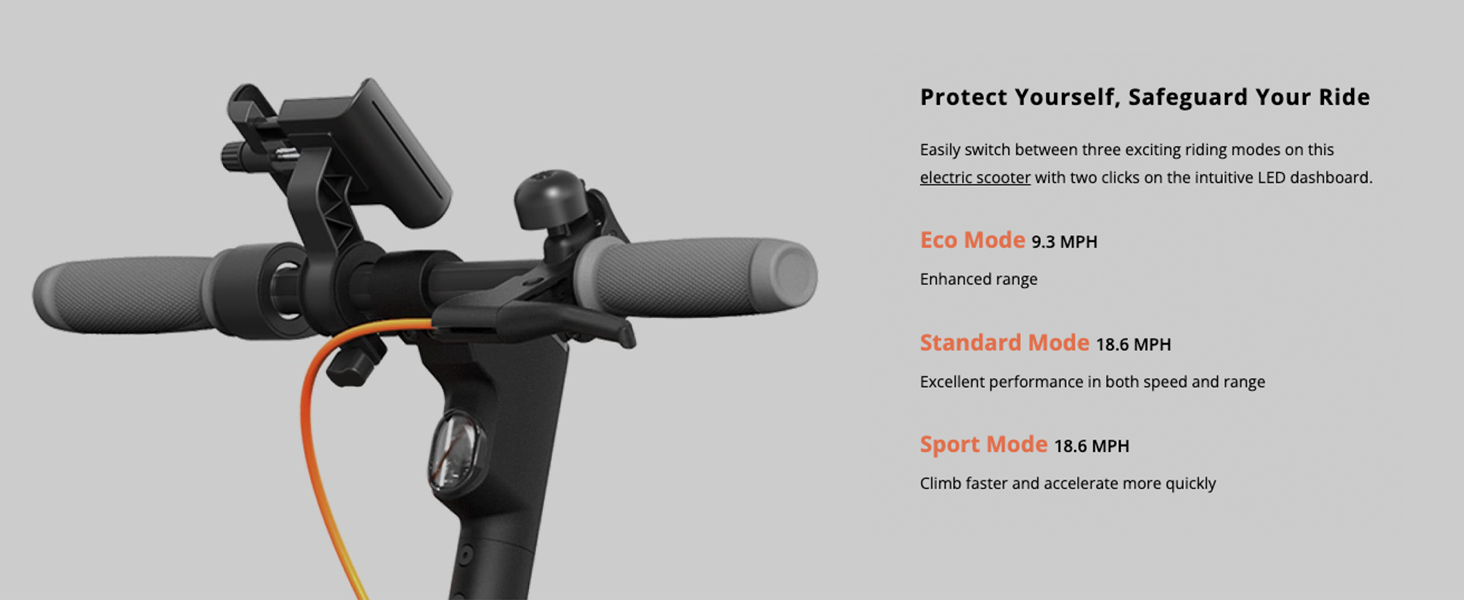
Figure 5.1: Riding Mode Selection on LED Display
- Eco Mode (9.3 MPH): Provides enhanced range for longer journeys.
- Standard Mode (18.6 MPH): Offers excellent performance in both speed and range, suitable for daily commuting.
- Sport Mode (18.6 MPH): Delivers quicker acceleration and improved climbing ability for a more dynamic ride.
5.3 Braking System
The F35 features a dual braking system for precision control and safety:
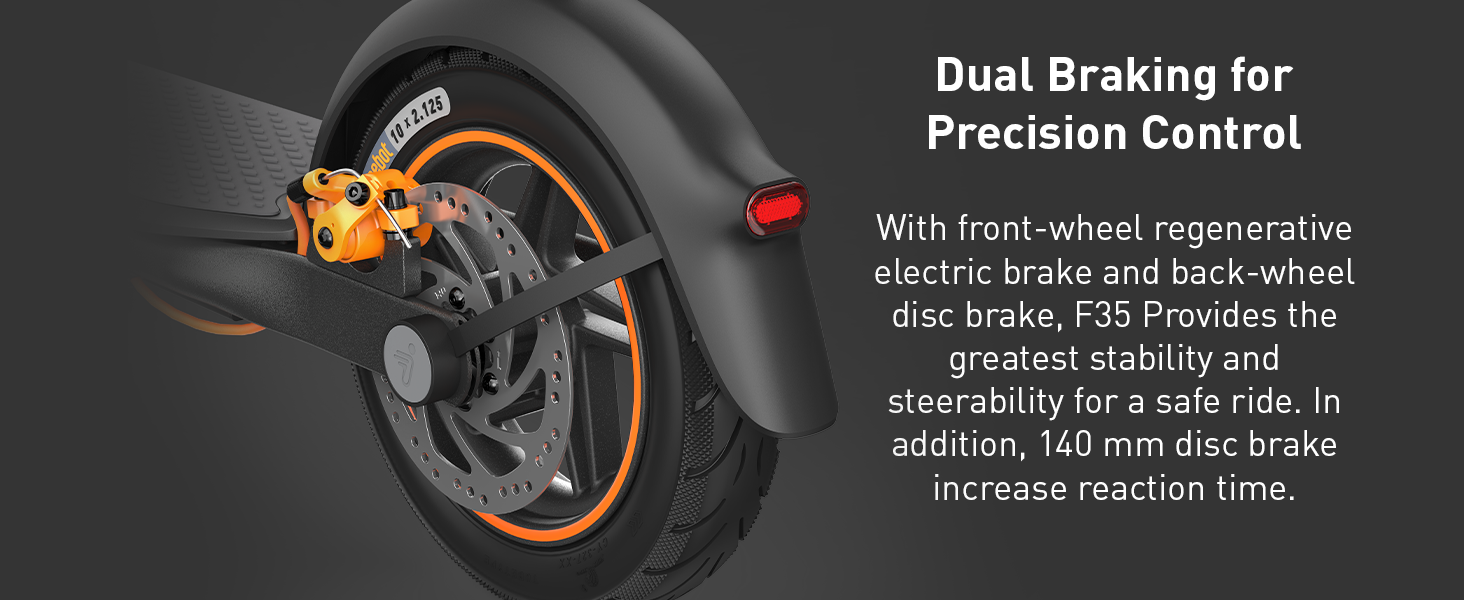
Figure 5.2: Dual Braking System (Front Regenerative Electric Brake and Rear Disc Brake)
- Front-wheel regenerative electric brake: Converts kinetic energy back into electrical energy, extending battery life.
- Back-wheel disc brake: Provides strong and reliable stopping power.
- Both brakes are activated via the handlebar levers.
5.4 Folding and Storage
The Quick Folding System allows the F35 to be easily folded in 1 second for convenient storage and transport.
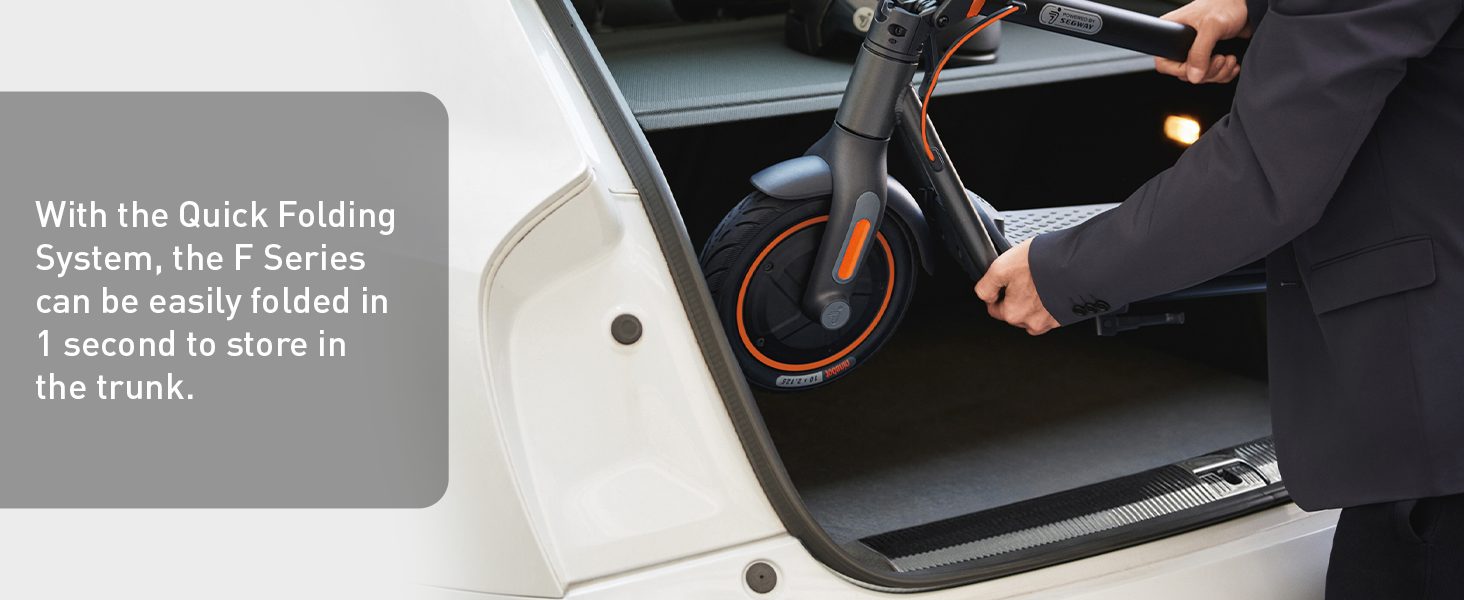
Figure 5.3: Quick Folding System for Easy Storage
- To fold: Engage the folding latch mechanism, typically located at the base of the stem.
- Gently fold the stem downwards until it clicks into place.
- To unfold: Release the latch and raise the stem until it locks securely.
6. Maintenance
6.1 Battery Care
- Charge the battery regularly, even if not in use, to maintain its health.
- Avoid completely draining the battery.
- Store the scooter in a cool, dry place away from direct sunlight and extreme temperatures.
- The Smart Battery Management System (BMS) helps protect the battery from overcharging, over-discharging, and overheating.
6.2 Tire Maintenance
The 10-inch pneumatic tires offer increased durability, resistance, and comfort.
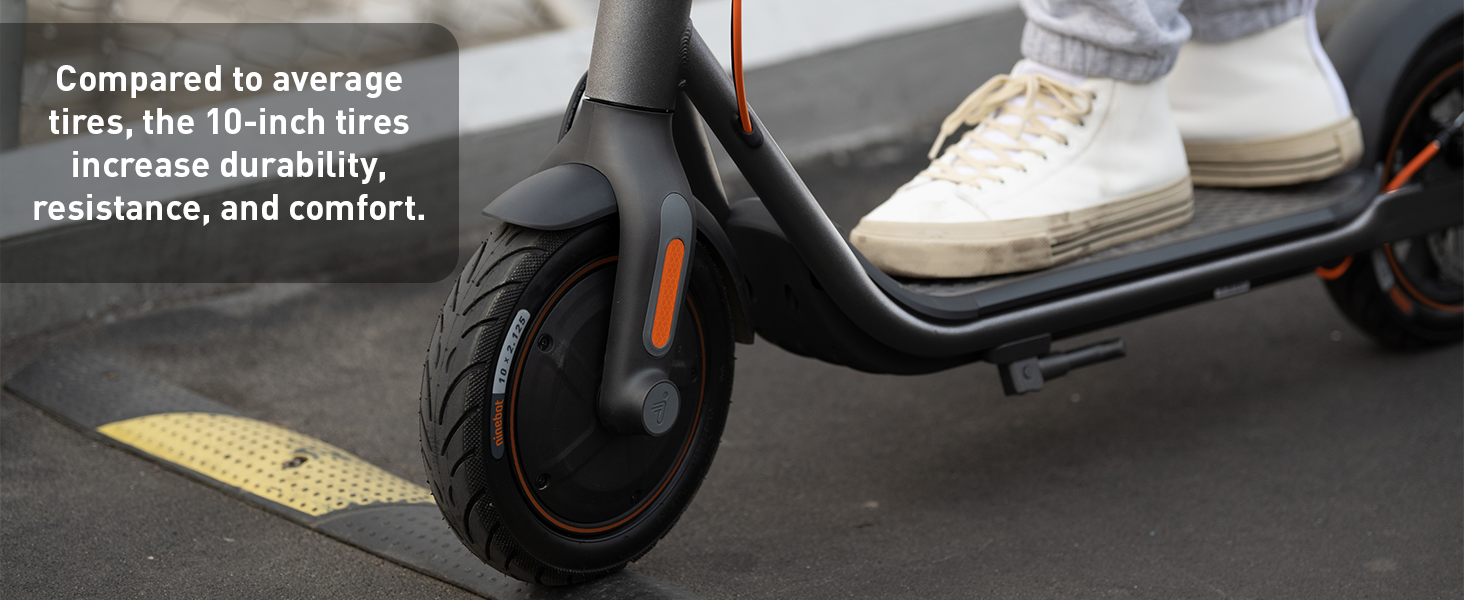
Figure 6.1: 10-inch Pneumatic Tire for Enhanced Comfort
- Regularly check tire pressure and inflate to the recommended PSI (refer to the tire sidewall or full user manual).
- Inspect tires for wear, punctures, or damage.
- The tires are enhanced with polymer lining and wear-resistant tread for an elevated riding experience.
6.3 Cleaning and Storage
- Clean the scooter with a damp cloth. Do not use high-pressure water jets.
- Ensure the charging port cover is securely closed when not charging.
- Store the scooter indoors in a dry environment.
7. Troubleshooting
This section addresses common issues you might encounter with your Segway Ninebot F35 KickScooter.
| Problem | Possible Cause | Solution |
|---|---|---|
| Scooter does not power on | Low battery; Loose connection; Power button malfunction | Charge the battery fully; Check all cable connections; Contact support if issue persists. |
| Reduced range/speed | Low tire pressure; Heavy load; Riding uphill; Cold weather; Battery degradation | Inflate tires to correct pressure; Reduce load; Understand performance limits in different conditions; Consider battery replacement if significantly degraded. |
| Brakes not effective | Brake cable loose; Worn brake pads; Air in hydraulic system (if applicable) | Adjust brake cable tension; Inspect and replace worn brake pads; Seek professional service for hydraulic brake issues. |
| Unusual noises | Loose components; Debris in wheels/brakes; Motor issue | Inspect all visible parts for looseness; Clean wheels and brakes; Contact support if motor noise persists. |
For more complex issues or problems not listed here, please refer to the comprehensive user manual PDF or contact customer support.
8. Specifications
| Feature | Specification |
|---|---|
| Model Name | Segway Ninebot F35 KickScooter |
| Motor Power | 350W |
| Max Speed | 18.6 mph (30 km/h) |
| Max Range | 25 miles (40 km) |
| Tire Type | 10-inch Pneumatic Tires |
| Brake System | Front Regenerative Electric Brake, Rear Disc Brake |
| Weight Limit | 265 lbs (120 kg) |
| Item Weight | 36.6 lbs (16.6 kg) |
| Product Dimensions (L x W x H) | 20.25" x 8.75" x 47.5" (51.4 cm x 22.2 cm x 120.7 cm) |
| Charging Time | Approx. 6.5 hours |
| Frame Material | Structural Steel, Aluminum |
| Certification | UL-2272 Certified |
9. Warranty Information
The Segway Ninebot F35 Electric KickScooter comes with a 2-year limited warranty. This warranty covers manufacturing defects under normal use. Please refer to the warranty manual included with your product for full details, terms, conditions, and exclusions. Keep your proof of purchase for warranty claims.
10. Support
For further assistance, technical support, or to inquire about replacement parts, please visit the official Segway website or contact their customer service department. You may also find a comprehensive user manual in PDF format on the product's Amazon page under the 'Product guides and documents' section.
- Official Segway Website: www.segway.com
- User Manual (PDF): Download PDF
Documents and downloads
Ask a question about this manual
Ask about setup, troubleshooting, compatibility, parts, safety, or missing instructions. Manuals+ will review the question and use this page’s manual context to help answer it.