
Cecotec 00275
Cecotec Power Espresso 20 Pecan Steel Digital Coffee Maker User Manual
Model: 00275
1. Introduction
Thank you for choosing the Cecotec Power Espresso 20 Pecan Steel Digital Coffee Maker. This manual provides essential information for the safe and efficient operation, maintenance, and troubleshooting of your new espresso machine. Please read these instructions thoroughly before first use and retain them for future reference.
2. Important Safety Instructions
- Read all instructions before using the appliance.
- Do not touch hot surfaces. Use handles or knobs.
- To protect against fire, electric shock, and injury to persons, do not immerse cord, plugs, or appliance in water or other liquid.
- Close supervision is necessary when any appliance is used by or near children.
- Unplug from outlet when not in use and before cleaning. Allow to cool before putting on or taking off parts, and before cleaning the appliance.
- Do not operate any appliance with a damaged cord or plug or after the appliance malfunctions, or has been damaged in any manner.
- The use of accessory attachments not recommended by the appliance manufacturer may result in fire, electric shock, or injury to persons.
- Do not use outdoors.
- Do not let cord hang over edge of table or counter, or touch hot surfaces.
- Do not place on or near a hot gas or electric burner, or in a heated oven.
- Always attach plug to appliance first, then plug cord into the wall outlet. To disconnect, turn any control to "off", then remove plug from wall outlet.
- Do not use appliance for other than intended use.
- Scalding may occur if the water tank lid is removed during the brewing cycle.
3. Package Contents
Please check that all components are present and in good condition:
- Cecotec Power Espresso 20 Coffee Maker
- Portafilter with handle
- Single shot filter basket
- Double shot filter basket
- Measuring spoon with tamper
- Removable water tank
- Removable drip tray and grid
- Instruction Manual
4. Product Overview
Familiarize yourself with the main components of your Cecotec Power Espresso 20 coffee maker.

Figure 1: Front view of the Cecotec Power Espresso 20 coffee maker, showing the control panel, pressure gauge, portafilter, and drip tray.

Figure 2: Angled view of the coffee maker, highlighting the steam wand on the right side.
Key Components:
- Control Panel: Power button, coffee brewing button, steam function button.
- Pressure Gauge: Displays brewing pressure.
- Brew Head: Where the portafilter attaches.
- Portafilter: Holds the ground coffee.
- Steam Wand: For frothing milk and dispensing hot water.
- Steam Control Knob: Adjusts steam intensity.
- Removable Water Tank: Located at the back of the machine.
- Drip Tray: Collects excess liquid and removable for cleaning.
- Cup Warmer Tray: Top surface for pre-heating cups.
5. Setup and First Use
5.1 Unpacking
Carefully remove all packaging materials. Keep packaging for future transport if needed. Clean all removable parts (water tank, portafilter, filter baskets, drip tray) with warm soapy water, then rinse thoroughly and dry.
5.2 Filling the Water Tank
Ensure the appliance is unplugged. Remove the water tank from the back of the machine. Fill it with fresh, cold water up to the MAX level indicator. Do not exceed the MAX line. Place the water tank back securely into its position.

Figure 3: Illustrates the process of filling the removable water tank with water.
5.3 Priming the Machine (First Use)
Before brewing coffee or using the steam function for the first time, the machine must be primed to fill the internal system with water.
- Ensure the water tank is filled.
- Place a large cup under the brew head and another under the steam wand.
- Plug the appliance into a grounded power outlet. Press the power button. The indicator light will flash as the machine heats up.
- Once the indicator light stops flashing and remains solid, the machine is ready.
- Press the coffee brewing button to dispense water through the brew head until water flows out.
- Turn the steam control knob counter-clockwise to open the steam valve and dispense water through the steam wand until water flows out. Close the steam valve.
- The machine is now primed and ready for use.
6. Operating Instructions
6.1 Making Espresso
- Prepare the Portafilter: Insert the desired filter basket (single or double) into the portafilter.
- Add Ground Coffee: Fill the filter basket with finely ground espresso coffee. Use the measuring spoon to ensure the correct amount.
- Tamp the Coffee: Use the tamper end of the measuring spoon to press the coffee firmly and evenly. Wipe any excess coffee from the rim of the portafilter.
- Attach Portafilter: Align the portafilter with the brew head and twist it firmly to the right until it is securely locked.
- Place Cups: Place one or two espresso cups on the drip tray, directly under the portafilter spouts.
- Brew Espresso: Ensure the machine is heated (indicator light solid). Press the coffee brewing button. The machine will start extracting espresso.
- Stop Brewing: Press the coffee brewing button again to stop the flow when the desired volume is reached.
- Remove Portafilter: Carefully twist the portafilter to the left to remove it. Dispose of the used coffee grounds.
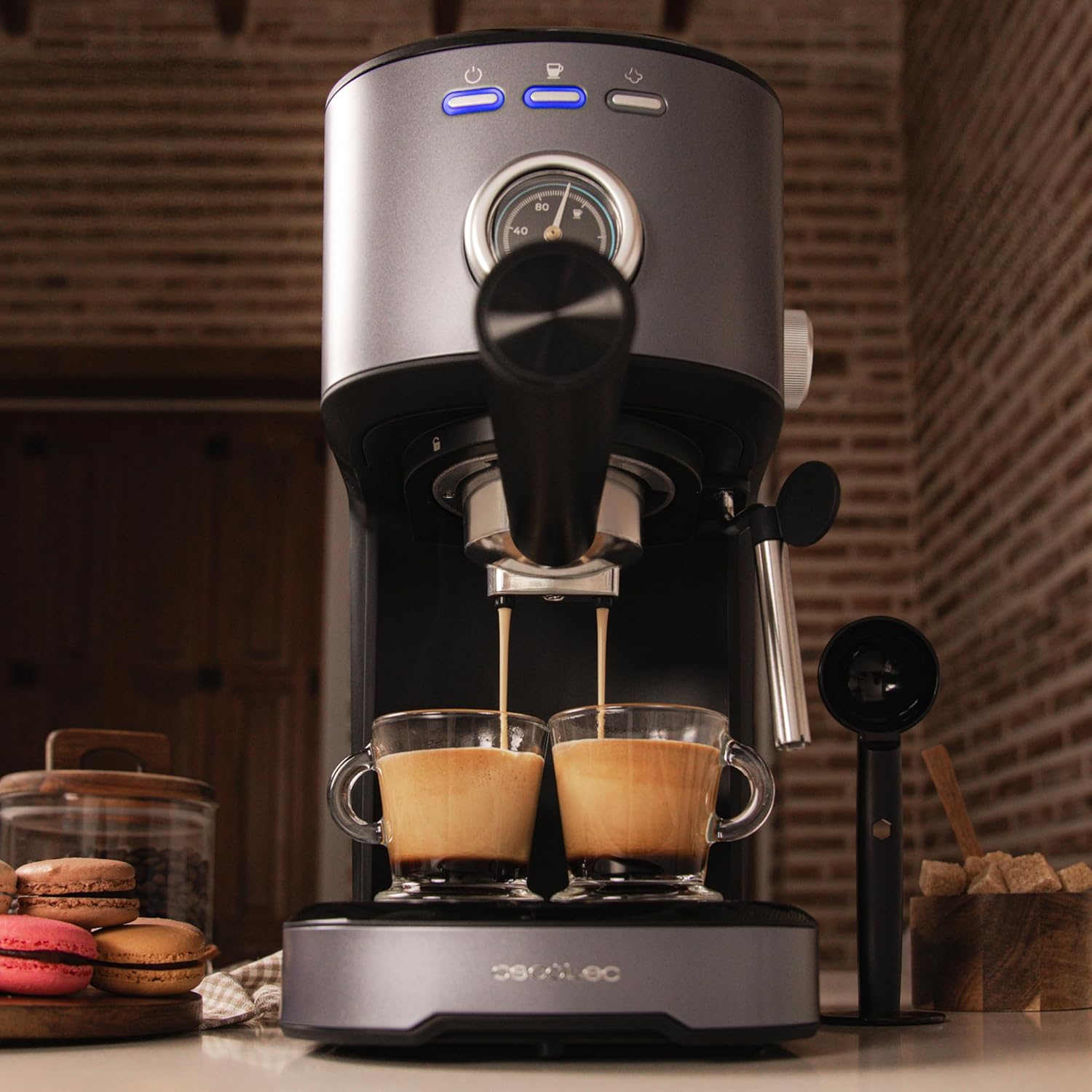
Figure 4: The coffee maker extracting espresso into two cups, demonstrating its dual-spout capability.
6.2 Steaming Milk
The steam wand allows you to froth milk for cappuccinos and lattes.
- Prepare Milk: Fill a stainless steel frothing pitcher with cold milk (dairy or non-dairy) to about one-third full.
- Activate Steam Function: Press the steam button on the control panel. The indicator light will flash as the machine heats up to steaming temperature. Once solid, it's ready.
- Purge Steam Wand: Briefly open the steam control knob to release any condensed water from the wand into an empty cup, then close it.
- Froth Milk: Immerse the tip of the steam wand just below the surface of the milk. Open the steam control knob slowly. Move the pitcher up and down to create foam.
- Stop Steaming: Once the milk reaches the desired temperature and texture, close the steam control knob and remove the pitcher.
- Clean Steam Wand: Immediately wipe the steam wand with a damp cloth to prevent milk residue from drying. Briefly open the steam control knob again to clear any internal milk residue.

Figure 5: Demonstrates the steam wand in action, frothing milk for a creamy beverage.
6.3 Hot Water Dispensing
The steam wand can also dispense hot water for teas or Americanos.
- Ensure the machine is heated to brewing temperature (coffee indicator light solid).
- Place a cup under the steam wand.
- Open the steam control knob. Hot water will dispense from the wand.
- Close the steam control knob when the desired amount of hot water is reached.

Figure 6: The steam wand dispensing hot water, useful for various hot beverages.
7. Maintenance and Cleaning
Regular cleaning and maintenance ensure optimal performance and longevity of your coffee maker.
7.1 Daily Cleaning
- Portafilter and Filter Baskets: After each use, remove the portafilter, discard coffee grounds, and rinse the portafilter and filter basket under running water.
- Steam Wand: Always wipe the steam wand immediately after frothing milk with a damp cloth. Briefly open the steam valve to clear any internal milk residue.
- Drip Tray: Empty and rinse the drip tray and grid daily or when the indicator floats.
- Water Tank: Empty and rinse the water tank daily. Refill with fresh water for each use.
- Exterior: Wipe the exterior of the machine with a soft, damp cloth. Do not use abrasive cleaners or immerse the machine in water.
7.2 Descaling
Mineral deposits from water can build up in the machine over time, affecting performance. Descale your machine every 2-3 months, or more frequently if you have hard water.
- Prepare a descaling solution according to the descaler manufacturer's instructions.
- Fill the water tank with the descaling solution.
- Place a large container under the brew head and another under the steam wand.
- Turn on the machine and allow it to heat up.
- Run approximately half of the solution through the brew head by pressing the coffee brewing button.
- Run the remaining solution through the steam wand by opening the steam control knob.
- Turn off the machine and let it sit for 15-20 minutes.
- Empty the water tank, rinse it thoroughly, and refill with fresh water.
- Repeat steps 3-6 with fresh water to rinse the machine completely.
8. Troubleshooting
If you encounter issues with your coffee maker, refer to the following table for common problems and solutions.
| Problem | Possible Cause | Solution |
|---|---|---|
| No coffee dispenses. | No water in tank; clogged filter; machine not primed. | Fill water tank; clean filter; prime the machine. |
| Coffee flows too slowly. | Coffee ground too fine; coffee tamped too hard; clogged filter. | Use coarser grind; tamp less firmly; clean filter. |
| Coffee flows too quickly. | Coffee ground too coarse; not enough coffee; coffee not tamped enough. | Use finer grind; add more coffee; tamp more firmly. |
| No steam from wand. | Steam function not activated; wand clogged. | Press steam button and wait for heating; clean steam wand. |
| Machine leaks. | Water tank not seated correctly; portafilter not secured. | Ensure water tank is properly inserted; secure portafilter firmly. |
9. Specifications
- Brand: Cecotec
- Model Number: 00275
- Color: Black
- Product Dimensions: 31D x 18W x 31H cm
- Capacity: 1.25 Liters (water tank)
- Power / Wattage: 1100 watts
- Material: Stainless Steel (some components), Plastic (housing)
- Special Features: Removable Tank, Thermal block heating system, Water Filter (optional/integrated), Digital controls
- Item Weight: 2.7 Kilograms
- Coffee Maker Type: Semi-Automatic Espresso Machine
- Pressure: 20 bars
10. Warranty and Support
Your Cecotec Power Espresso 20 Pecan Steel Digital Coffee Maker is covered by a manufacturer's warranty. Please refer to the warranty card included in your product packaging for specific terms and conditions, including the warranty period and coverage details.
For technical support, spare parts, or service inquiries, please contact Cecotec customer service through their official website or the contact information provided in your warranty documentation. When contacting support, please have your model number (00275) and purchase date available.
Related documents00275

Ask a question about this manual
Ask about setup, troubleshooting, compatibility, parts, safety, or missing instructions. Manuals+ will review the question and use this page’s manual context to help answer it.