1. Introduction
Thank you for choosing the Cecotec Bolero Hexa M226000 Built-in Oven. This manual provides essential information for the safe and efficient operation, installation, and maintenance of your new appliance. Please read this manual thoroughly before first use and keep it for future reference.
2. Important Safety Instructions
Always follow basic safety precautions when using electrical appliances to reduce the risk of fire, electric shock, and injury.
- Ensure the oven is properly installed and grounded by a qualified technician.
- Do not touch hot surfaces. Use oven mitts or pot holders.
- Supervise children closely when the oven is in use.
- Do not use abrasive cleaners or sharp metal scrapers to clean the oven door glass, as they can scratch the surface, which may result in shattering of the glass.
- Disconnect the appliance from the power supply before cleaning or maintenance.
3. Product Overview
The Cecotec Bolero Hexa M226000 is a 60 cm built-in oven designed for modern kitchens. It features a 72-liter capacity, touch controls, and multiple cooking functions.

Figure 3.1: Front view of the Cecotec Bolero Hexa M226000 built-in oven, showcasing its sleek black glass design and digital display.

Figure 3.2: Frontal view of the oven, highlighting the control panel and handle.
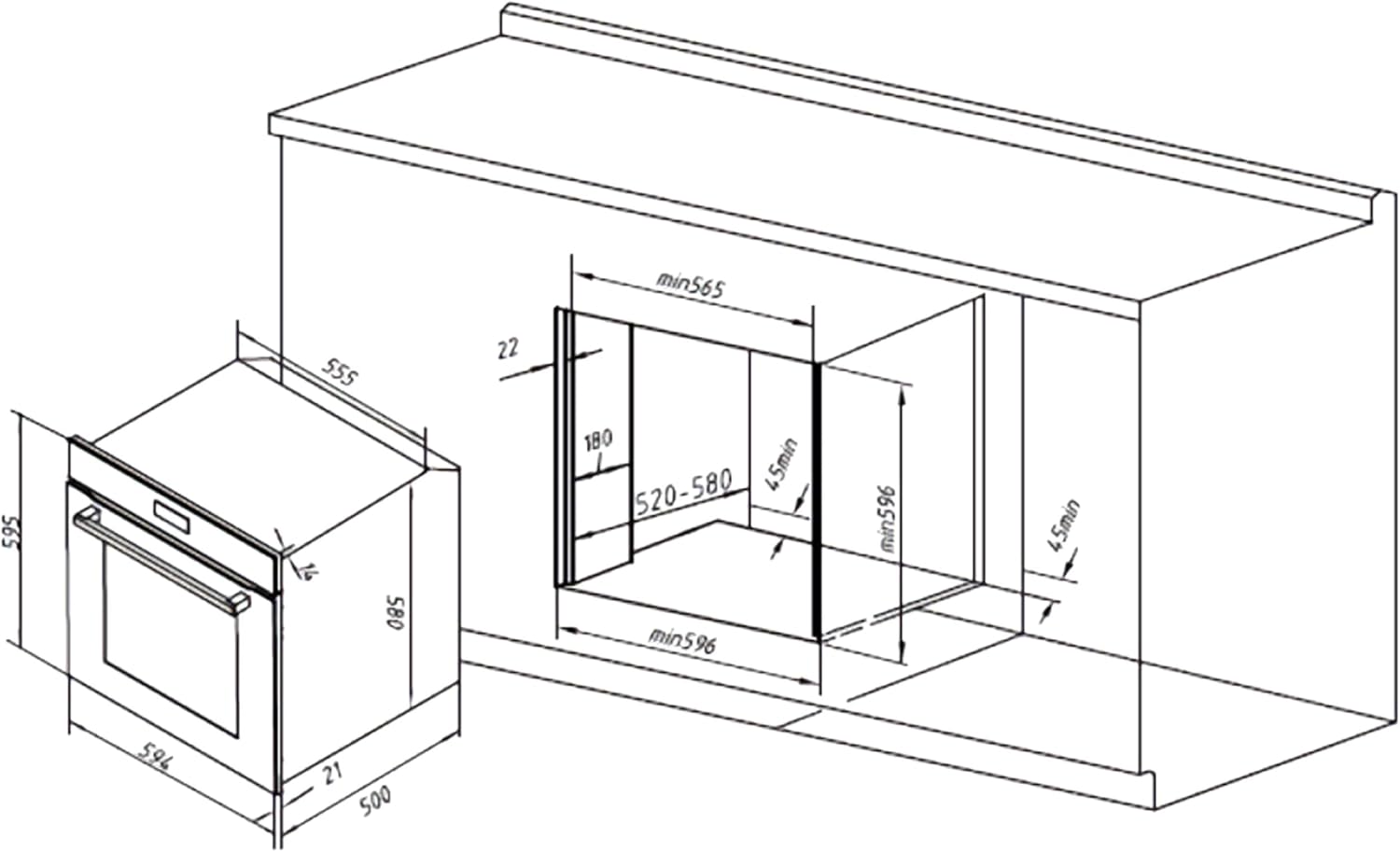
Figure 3.3: Side view of the oven, showing its depth and ventilation slots.
Key Features:
- Large Capacity: 72 liters with 5 tray positions, suitable for family cooking.
- Steam Base X2: Dual steam zone (2x 500ml) for EasyClean and Steam Assist functions.
- Steam EasyClean: Steam-based cleaning function to loosen dirt for easier cleaning.
- Steam Assist: Combines baking with steam for crispy exteriors and juicy interiors.
- Display Touch Control: Intuitive operation with touch-sensitive buttons.
- Triple Glass Door: Cold door design with three glass panes to prevent burns and minimize heat loss.
- Cooling Fan: Ventilation system for optimal oven cooling during and after cooking.
- Energy Class A: High energy efficiency for reduced power consumption.
- 2800 W Power: High power output for efficient cooking.
- 7 Functions: Includes interior lighting, grill mode, fan-assisted grill, convection mode, defrost, fast cooking, Steam Assist, and Steam EasyClean.
4. Setup and Installation
Proper installation is crucial for the safe and efficient operation of your oven. It is recommended that installation be performed by a qualified professional.
4.1 Unpacking
Carefully remove the oven from its packaging. Inspect for any damage during transit. Keep packaging materials for potential future transport or recycling.
4.2 Electrical Connection
Ensure the electrical supply matches the specifications on the oven's rating plate (220V, 2800W). The oven must be properly grounded.
4.3 Built-in Dimensions
The oven is designed for built-in installation. Refer to the diagrams below for precise measurements and clearances.

Figure 4.1: Horizontal installation dimensions. Minimum cabinet width 596mm, height 520-580mm, depth 565mm.

Figure 4.2: Vertical installation dimensions. Minimum cabinet width 596mm, height 520-580mm, depth 565mm.
5. Operating Instructions
5.1 Control Panel Overview
The oven features a digital display and touch controls for easy operation.
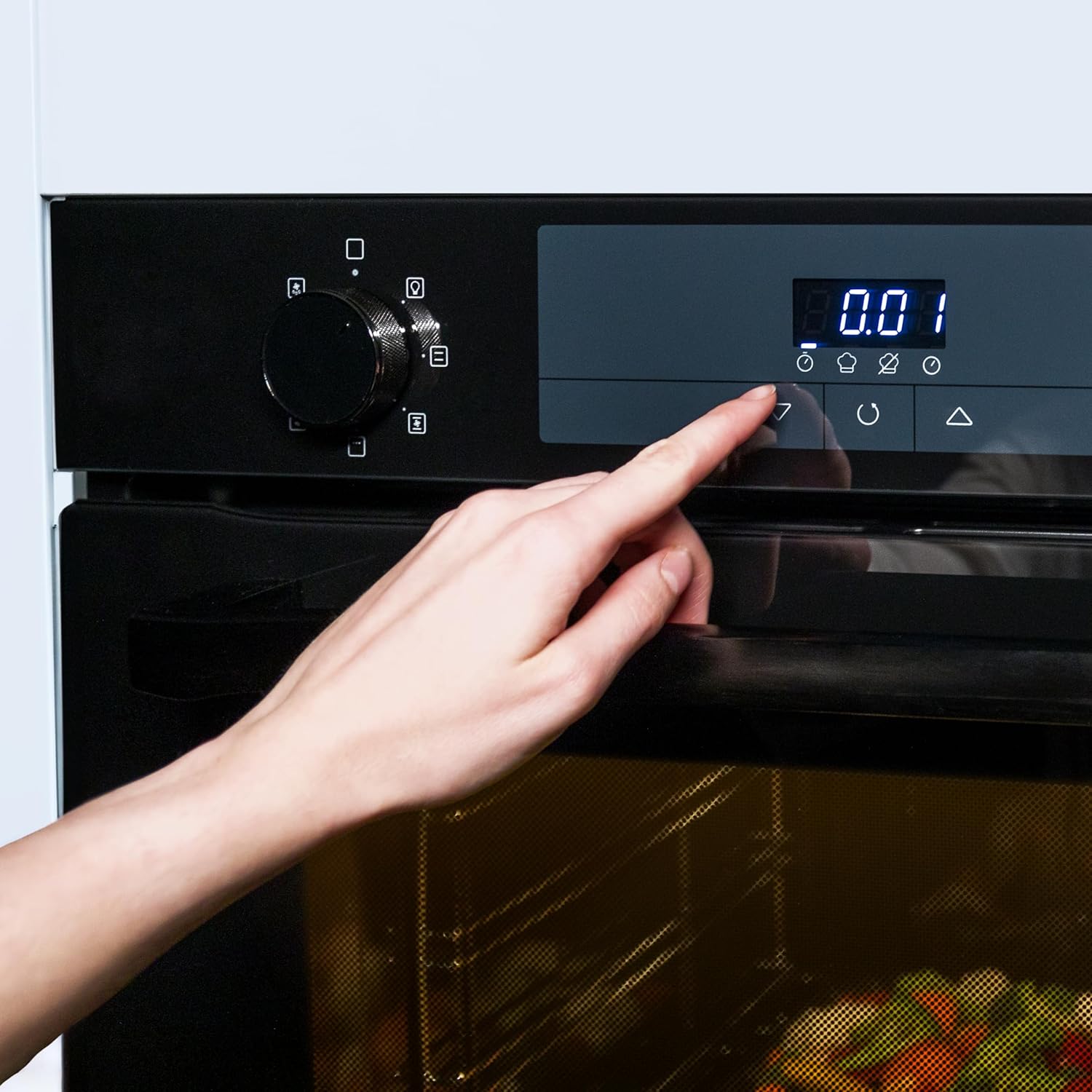
Figure 5.1: Detail of the touch control panel, showing the digital display and function icons.
5.2 Initial Use
Before first use, clean the oven interior with a damp cloth. It is recommended to run the oven empty at maximum temperature for about 30 minutes to burn off any manufacturing residues. Ensure good ventilation during this process.
5.3 Cooking Functions
The oven offers 7 cooking functions:
- Interior Lighting: Illuminates the oven cavity.
- Grill Mode: Ideal for grilling and browning.
- Fan Assisted Grill: Combines grilling with fan circulation for even browning.
- Convection Mode: Circulates hot air for even cooking, suitable for baking and roasting.
- Defrost: Gently thaws frozen food.
- Fast Cooking: For quick heating and cooking.
- Steam Assist: Adds steam during cooking for enhanced results.
- Steam EasyClean: Steam-based cleaning cycle.

Figure 5.2: The spacious 72-liter interior, capable of accommodating large dishes.

Figure 5.3: Oven in operation, demonstrating the Steam Assist function with visible steam.
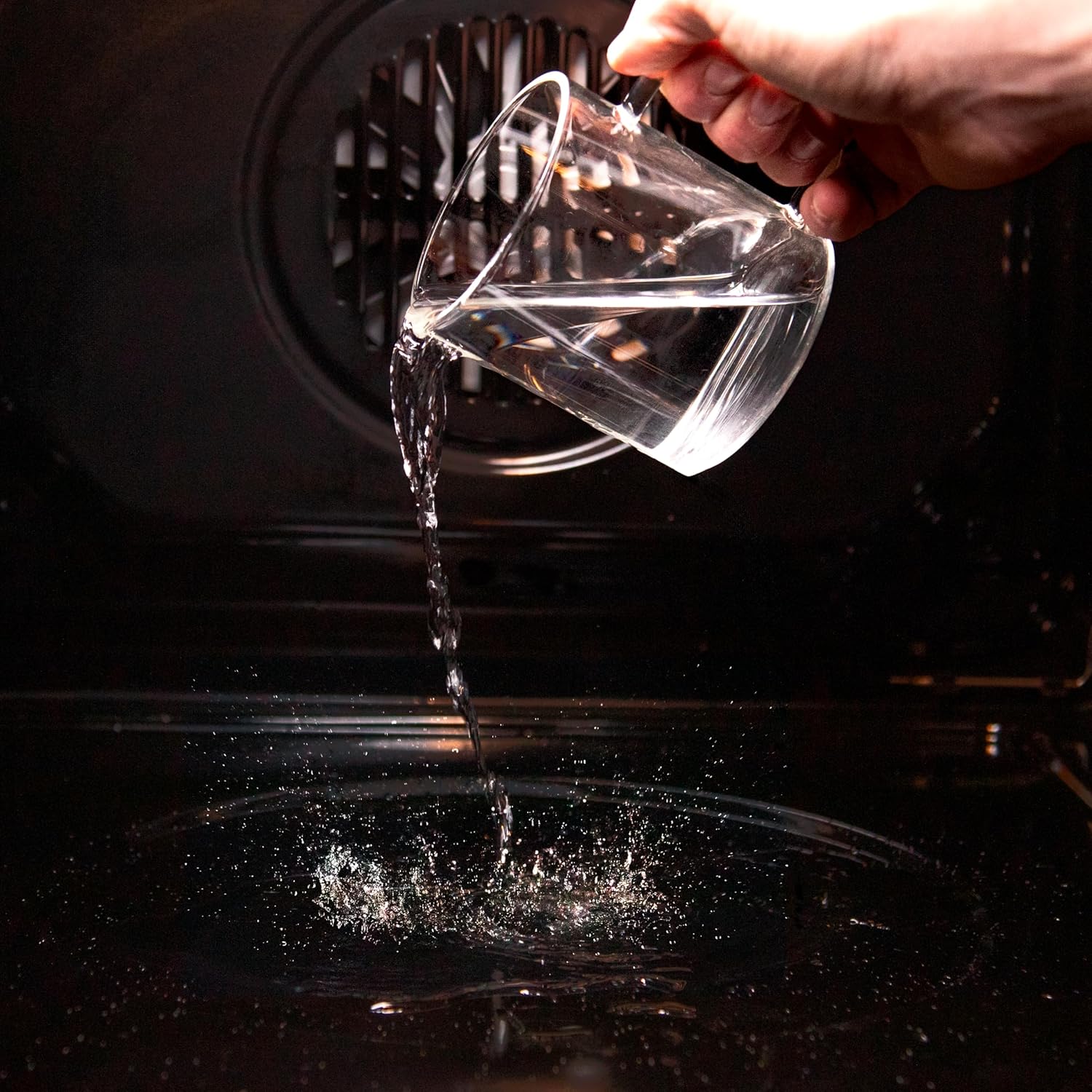
Figure 5.4: Example of baking with the convection function, showing evenly baked muffins.
6. Maintenance and Cleaning
Regular cleaning and maintenance will ensure the longevity and optimal performance of your oven.
6.1 Steam EasyClean Function
This function uses steam to loosen baked-on food residues, making cleaning easier.
- Ensure the oven is cool.
- Pour approximately 500ml of water into the designated Steam Base X2 reservoir at the bottom of the oven cavity.
- Select the Steam EasyClean function on the control panel.
- Allow the cycle to complete. The steam will soften the grime.
- Once the cycle is finished and the oven has cooled, wipe the interior with a soft cloth.

Figure 6.1: Adding water to the oven cavity for the Steam EasyClean function.

Figure 6.2: Comparison of the oven interior before (left) and after (right) using the Steam EasyClean function.
6.2 General Cleaning
- Clean the exterior with a soft, damp cloth and mild detergent.
- For stubborn stains, use a non-abrasive oven cleaner. Always follow the cleaner's instructions.
- Do not use steam cleaners or high-pressure cleaning devices.
7. Troubleshooting
Before contacting customer service, please refer to the following table for common issues and their solutions.
| Problem | Possible Cause | Solution |
|---|---|---|
| Oven does not heat up. | No power supply; incorrect settings. | Check power connection and circuit breaker. Verify temperature and function settings. |
| Uneven cooking. | Food placed incorrectly; oven not preheated; fan issue. | Ensure proper food placement and preheat oven. Check if cooling fan is obstructed. |
| Steam EasyClean not effective. | Insufficient water; heavy soiling. | Ensure correct water volume. For heavy soiling, repeat cycle or use manual cleaning. |
8. Technical Specifications
| Feature | Specification |
|---|---|
| Model Number | 02809 |
| Capacity | 72 Liters |
| Power | 2800 Watts |
| Voltage | 220 Volts |
| Energy Efficiency Class | A |
| Dimensions (W x D x H) | 59 x 56.5 x 59.3 cm |
| Weight | 27.5 Kilograms |
| Material | Glass and Metal |
| Installation Type | Built-in |
| Heating Method | Convection |
| Special Features | Display Touch Control, Easy Steam Cleaning, X2 Steam Base, Convection |
9. Warranty and Support
For warranty information and customer support, please refer to the warranty card included with your product or visit the official Cecotec website. Keep your proof of purchase for warranty claims.
Cecotec Official Website: www.cecotec.com


