Introduction
The Cecotec Conga 7490 Ultimate Home X-Treme is an advanced laser navigation robot vacuum cleaner designed for comprehensive home cleaning. It features 4-in-1 functionality: sweeping, vacuuming, mopping, and scrubbing. With a powerful 2600 Pa suction and up to 120 minutes of autonomy, it ensures efficient cleaning of various surfaces. The integrated auto-empty base provides convenience by automatically emptying the robot's dustbin.
Safety Information
Please read all safety instructions carefully before using the appliance. Keep this manual for future reference.
- Ensure the robot and charging base are placed on a stable, level surface.
- Keep the appliance away from water or other liquids.
- Do not allow children or pets to play with the robot.
- Do not use the robot to clean flammable or combustible materials.
- Regularly check and clean the brushes and filters to maintain optimal performance.
- Only use original accessories and replacement parts.
Package Contents
Verify that all components are present in the package:
- Cecotec Conga 7490 Ultimate Home X-Treme Robot Vacuum Cleaner
- Auto-Empty Base
- Multifunction Brush (bristles and silicone)
- Side Brushes (quantity not specified, assuming a pair)
- Mopping Cloths (2 included)
- High-Efficiency Filter
- Power Adapter for Charging Base
- User Manual

Image: The robot vacuum cleaner shown with its auto-empty base, a replacement dust bag, and a mopping cloth, illustrating the main components and accessories.
Product Overview
Familiarize yourself with the main parts of your Conga 7490 robot vacuum cleaner and its auto-empty base.
Robot Vacuum Cleaner
- Laser Navigation Sensor: Located on top for precise mapping and navigation.
- Control Buttons: Power, Home, and other function buttons on the top panel.
- Dust Bin/Water Tank: Integrated compartment for dust collection and water for mopping.
- Side Brushes: Two rotating brushes to sweep debris into the main brush path.
- Multifunction Central Brush: Designed to effectively clean various types of dirt.
- Driving Wheels: For movement across different floor types.
- Sensors: Cliff sensors, anti-collision sensors for safe operation.
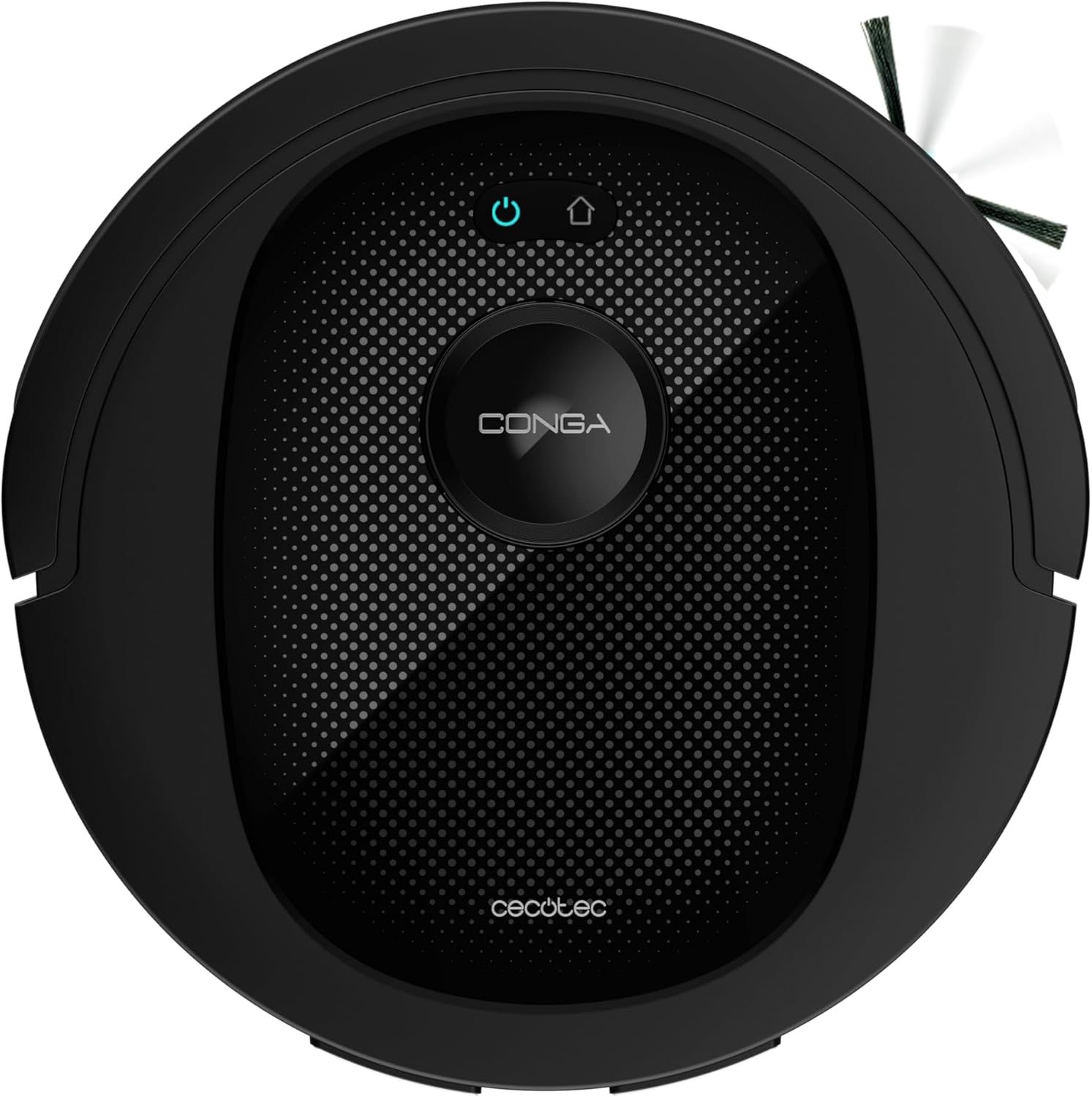
Image: A side view of the robot vacuum cleaner, highlighting its compact design and side brush.

Image: A front view of the robot vacuum cleaner, showing its sleek black finish and front sensors.

Image: An overhead view of the robot vacuum cleaner, clearly showing the laser navigation turret and control buttons.
Auto-Empty Base
- Dust Bag Compartment: Houses the disposable dust bag (2-liter capacity).
- Charging Contacts: Connects with the robot for charging.
- Suction Port: For automatic dustbin emptying.
- BagDetect Technology: Ensures proper bag placement.

Image: The robot vacuum cleaner docked with its auto-empty base, illustrating the complete system.

Image: The robot vacuum cleaner positioned at the auto-empty base, with arrows indicating the dust transfer process from the robot to the base's dust bag.

Image: A person opening the top lid of the auto-empty base to access or replace the dust bag, demonstrating ease of maintenance.
Setup
1. Unpacking
Carefully remove all components from the packaging. Remove any protective films or packing materials from the robot and the base.
2. Charging Base Placement
Place the auto-empty base against a wall in an open area, ensuring there are no obstacles within 1 meter (3 feet) to the sides and 1.5 meters (5 feet) in front of the base. Connect the power adapter to the base and plug it into a wall outlet.
3. Initial Charging
Place the robot vacuum cleaner onto the charging contacts of the auto-empty base. Ensure the contacts align. The robot will begin charging. For first use, fully charge the robot (approximately 4-5 hours) before operation.
4. App Installation and Pairing
- Download the "Cecotec" app from your smartphone's app store (Google Play Store or Apple App Store).
- Register or log in to your account.
- Follow the in-app instructions to add your Conga 7490 robot. This typically involves connecting to the robot's Wi-Fi hotspot temporarily and then connecting it to your home Wi-Fi network.
- Once paired, you can control the robot, view maps, set cleaning schedules, and access various features through the app.

Image: A user viewing the robot's cleaning map and controls on a smartphone, demonstrating the app's interface.
Operating Instructions
Cleaning Modes
The Conga 7490 offers 10 cleaning modes to adapt to various cleaning needs. These can be selected via the mobile app.
- Auto Mode: General cleaning, adapting to the environment.
- Edge Mode: Cleans along walls and furniture edges.
- Spot Mode: Concentrated cleaning in a specific area.
- Manual Control: Control the robot's movement manually via the app.
- Scrubbing Mode: For deep mopping.
- Turbo Mode: Increases suction power for heavily soiled areas or carpets.
- And other specialized modes for comprehensive cleaning.

Image: The robot vacuum cleaner effectively cleaning scattered confetti on a hard floor, demonstrating its sweeping and vacuuming capabilities.

Image: The robot vacuum cleaner operating on a light-colored carpet, illustrating its ability to clean different floor types, including carpets with its turbo mode.
Starting/Pausing/Stopping Cleaning
- Start: Press the Power button on the robot or use the "Start Cleaning" option in the app.
- Pause: Press the Power button during cleaning or use the "Pause" option in the app.
- Stop: Press the Power button twice or use the "Stop" option in the app. The robot will return to its charging base.
Scheduling
Use the Cecotec app to set daily or weekly cleaning schedules. You can customize cleaning modes and areas for each scheduled task.
Using the App (Map Management & Restricted Zones)
The laser navigation system allows the robot to create and store maps of your home. Through the app, you can:
- View the real-time cleaning map.
- Divide or merge rooms.
- Set virtual walls or restricted zones to prevent the robot from entering certain areas.
- Select specific rooms or areas for cleaning.
- Adjust suction power (3 levels) and water flow (3 levels) for mopping.
- Access cleaning history.

Image: The robot vacuum cleaner actively mapping its surroundings using laser navigation technology, with a blue light beam indicating its scanning process.
Maintenance
Regular maintenance ensures optimal performance and extends the lifespan of your robot vacuum cleaner.
1. Emptying the Dust Bin / Auto-Empty Base
- The auto-empty base will automatically empty the robot's dustbin after each cleaning cycle.
- The dust bag in the auto-empty base has a 2-liter capacity and should be replaced when full. The app will notify you.
- To replace the bag: Open the lid of the auto-empty base, remove the full bag, and insert a new one.
2. Cleaning Brushes
- Multifunction Central Brush: Remove the brush cover and the brush. Use the cleaning tool (if provided) to remove hair and debris. Clean weekly or as needed.
- Side Brushes: Check for tangled hair or debris. Remove and clean them. Replace if damaged. Clean monthly or as needed.

Image: The underside of the robot vacuum cleaner, displaying the central multifunction brush and a side brush, indicating areas for regular cleaning.
3. Cleaning Filters
- The high-efficiency filter should be tapped clean to remove dust. Do not wash the HEPA filter with water.
- Replace the filter every 3-6 months, depending on usage.
4. Cleaning Sensors
Wipe the cliff sensors (located on the bottom of the robot) and anti-collision sensors (on the bumper) with a clean, dry cloth regularly to ensure proper navigation.
5. Mopping Pad Maintenance
After each mopping session, remove the mopping cloth and wash it thoroughly. Allow it to air dry completely before reattaching.
Troubleshooting
| Problem | Possible Cause | Solution |
|---|---|---|
| Robot does not turn on. | Low battery; Power switch off. | Charge the robot; Ensure power switch is on. |
| Robot cannot find charging base. | Base obstructed; Base not powered. | Clear area around base; Check power connection. |
| Poor suction performance. | Full dustbin; Clogged filter/brush. | Empty dustbin/replace bag; Clean filter/brush. |
| Robot gets stuck frequently. | Obstacles; Dirty sensors. | Remove obstacles; Clean sensors. |
| App connection issues. | Incorrect Wi-Fi password; Router issues. | Re-enter password; Restart router and robot. |
Specifications
| Feature | Detail |
|---|---|
| Brand | Cecotec |
| Model Name | Conga 7490 Ultimate Home X-Treme |
| Model Number | 08068 |
| Suction Power | 2600 Pa |
| Battery Autonomy | Up to 120 minutes |
| Navigation Type | Laser Navigation |
| Cleaning Functions | Sweeping, Vacuuming, Mopping, Scrubbing (4-in-1) |
| Dust Bag Capacity (Base) | 2 Liters |
| Control Type | App Control, Virtual Assistants |
| Special Features | Auto-Empty Base, BagDetect Technology, Total Surface Technology, Turbo Mode |
| Dimensions (L x W x H) | 35.7 x 37.4 x 40.3 cm (Product) |
| Weight | 7.44 Kilograms |
| Filter Type | High-Efficiency Filter/HEPA |
| Power (Watts) | 2600 Watts |
| Voltage | 3.7 Volts (DC) |
| Material | Plastic |
| Number of Speeds | 10 (Cleaning Modes) |
| Spare Parts Availability | 10 Years |
Warranty and Support
Cecotec products are designed and manufactured to the highest quality standards. This product comes with a manufacturer's warranty. Please refer to the warranty card included in your package for specific terms and conditions.
For technical support, troubleshooting, or spare parts, please contact Cecotec customer service. Information regarding spare parts availability is stated as 10 years.
You can find contact details on the official Cecotec website or through your retailer.


