
1. Safety Instructions
Please read these safety instructions carefully before using the appliance. Incorrect use may result in injury or damage. Keep this manual for future reference.
- Electrical Safety: Ensure the oven is correctly installed by a qualified professional. The power cable may not include a plug for direct wall socket connection; professional installation is recommended to ensure compliance with local electrical codes.
- Hot Surfaces: The oven and its accessible parts become hot during use. Exercise caution to avoid touching heating elements. Keep children away.
- Child Lock: This appliance is equipped with a child safety lock feature to prevent accidental operation by children. Refer to the 'Operation' section for instructions on activating and deactivating this function.
- Cleaning: Always disconnect the appliance from the power supply before cleaning. Allow the oven to cool down completely before performing any maintenance.
- Ventilation: Ensure adequate ventilation around the appliance as specified in the installation guidelines.
2. Product Overview
The Cecotec Bolero Hexa SM406000 Edge+ is a 60 cm built-in electric oven designed for efficient and versatile cooking. It features a modern design and advanced functionalities.

Figure 2.1: Cecotec Bolero Hexa SM406000 Edge+ built-in oven with food cooking inside, displaying A+ energy rating and 72L capacity. This image displays the Cecotec Bolero Hexa SM406000 Edge+ built-in oven in a kitchen setting, showcasing its modern design, A+ energy efficiency rating, and 72-liter capacity. Food is visible cooking inside, highlighting its operational state.
Key Features:
- Capacity: 72 liters, suitable for family cooking with 5 tray positions.
- Energy Class: A+ for reduced energy consumption.
- Cooking Functions: 12 functions including Steak Master, Pizza Master, Conventional, Top and Bottom Heating, Eco Mode, Defrost Mode, and Fermentation Mode.
- Specialized Cooking: Steak Master with graphene grill zone and Steak Master Tray; Pizza Master with XXL Pizza Stone.
- Control: Full Touch electronic control panel and Electronic Timer.
- Cleaning: Steam EasyClean function and Cooling Fan.
- Monitoring: Meat Probe for real-time internal food temperature control.
- Convenience: Rapid preheating and telescopic guides for trays.
3. Package Contents
Upon unpacking, please ensure all items are present and undamaged:
- 1 x Cecotec Bolero Hexa SM406000 Edge+ Oven
- 1 x XXL Pizza Stone
- 1 x Steak Master Tray
- 1 x Grill Rack
- 1 x Tray
- 1 x User Manual (this document)
If any components are missing or damaged, please contact Cecotec customer support immediately.
4. Installation
The Cecotec Bolero Hexa SM406000 Edge+ is a built-in oven. Proper installation is crucial for safe and efficient operation. It is highly recommended that installation be performed by a qualified technician.
4.1. Dimensions and Placement
Ensure the cabinet opening meets the required dimensions for a secure fit.
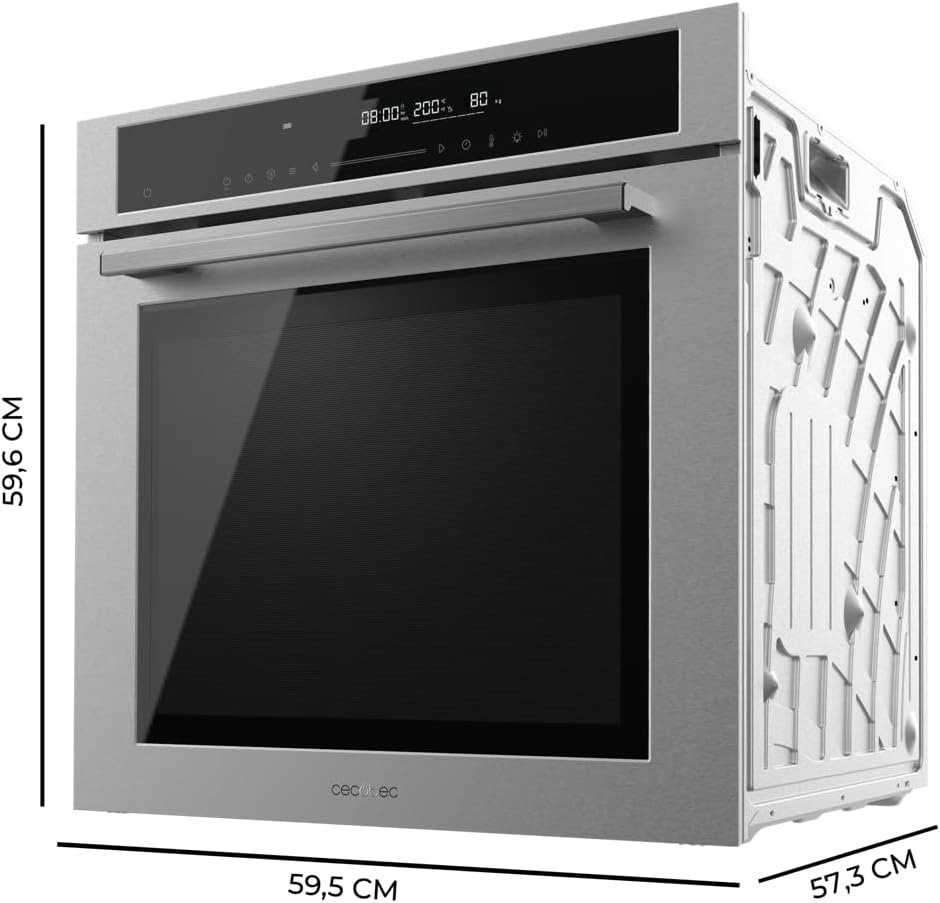
Figure 4.1: Dimensions of the Cecotec Bolero Hexa SM406000 Edge+ built-in oven. This image illustrates the precise dimensions of the Cecotec Bolero Hexa SM406000 Edge+ built-in oven, with measurements of 59.5 cm width, 57.3 cm depth, and 59.6 cm height, crucial for installation planning.
- Product Dimensions (W x D x H): 59.5 x 57.3 x 59.6 cm
- Weight: 30.2 kg
- Ensure sufficient clearance for ventilation as per the installation manual provided with the appliance.
4.2. Electrical Connection
The oven operates on electric power. The power cable supplied with the oven may not include a plug for direct connection to a wall socket. It is essential to have a qualified electrician connect the appliance to your household electrical supply, ensuring all connections comply with local regulations and safety standards.
5. Operating Instructions
5.1. Control Panel
The oven features a Full Touch electronic control panel for intuitive operation.

Figure 5.1: Close-up of the Cecotec oven's control panel and handle. A detailed view of the oven's sleek control panel and ergonomic handle, showcasing the modern design and user interface.

Figure 5.2: User interacting with the Full Touch control panel of the Cecotec oven. A finger is shown interacting with the oven's Full Touch control panel, demonstrating the ease of use and intuitive operation through simple touch gestures.
- Power Button: Press to turn the oven on or off.
- Function Selection: Use the touch interface to select from the 12 available cooking functions.
- Temperature Adjustment: Set the desired cooking temperature.
- Electronic Timer: Set the cooking duration. The oven will automatically turn off or alert you when the time expires.
- Child Lock: Activate or deactivate the child lock feature by following the specific instructions in the full user manual to prevent unintended operation.
5.2. Cooking Functions
The oven offers 12 cooking functions to cater to various culinary needs:
- Steak Master: Utilizes graphene in the grill zone for optimal meat cooking results. Use with the included Steak Master Tray for best performance.
- Pizza Master: Designed to achieve professional pizza results. Use with the XXL Pizza Stone accessory.
- Conventional: Standard top and bottom heating for general baking and roasting.
- Top and Bottom Heating: Separate control for upper and lower heating elements.
- Eco Mode: Energy-efficient cooking mode.
- Defrost Mode: Gently thaws frozen foods.
- Fermentation Mode: Provides a controlled environment for dough rising.
- Additional functions are detailed in the comprehensive user manual.
5.3. Special Features
- Rapid Preheating: This function allows the oven to reach the desired temperature quickly, saving preparation time.
- Graphene Heating Elements: Efficiently reaches higher temperatures due to the advanced graphene composition in the heating elements.
- Meat Probe: Insert the meat probe into the thickest part of the food to monitor its internal temperature in real-time, ensuring precise cooking.
- Telescopic Guides: The oven is equipped with telescopic guides, allowing trays and racks to slide out smoothly and safely for easy access to food.

Figure 5.3: Steak cooking on a grill inside the Cecotec oven, utilizing the Steak Master function. A close-up view of a steak being perfectly grilled inside the oven, demonstrating the effectiveness of the Steak Master function for achieving optimal cooking results for meats.

Figure 5.4: Using a meat probe to check the internal temperature of a steak on the Steak Master Tray in the Cecotec oven. This image shows a meat probe being used to accurately measure the internal temperature of a steak placed on the specialized Steak Master Tray, ensuring precise cooking control.
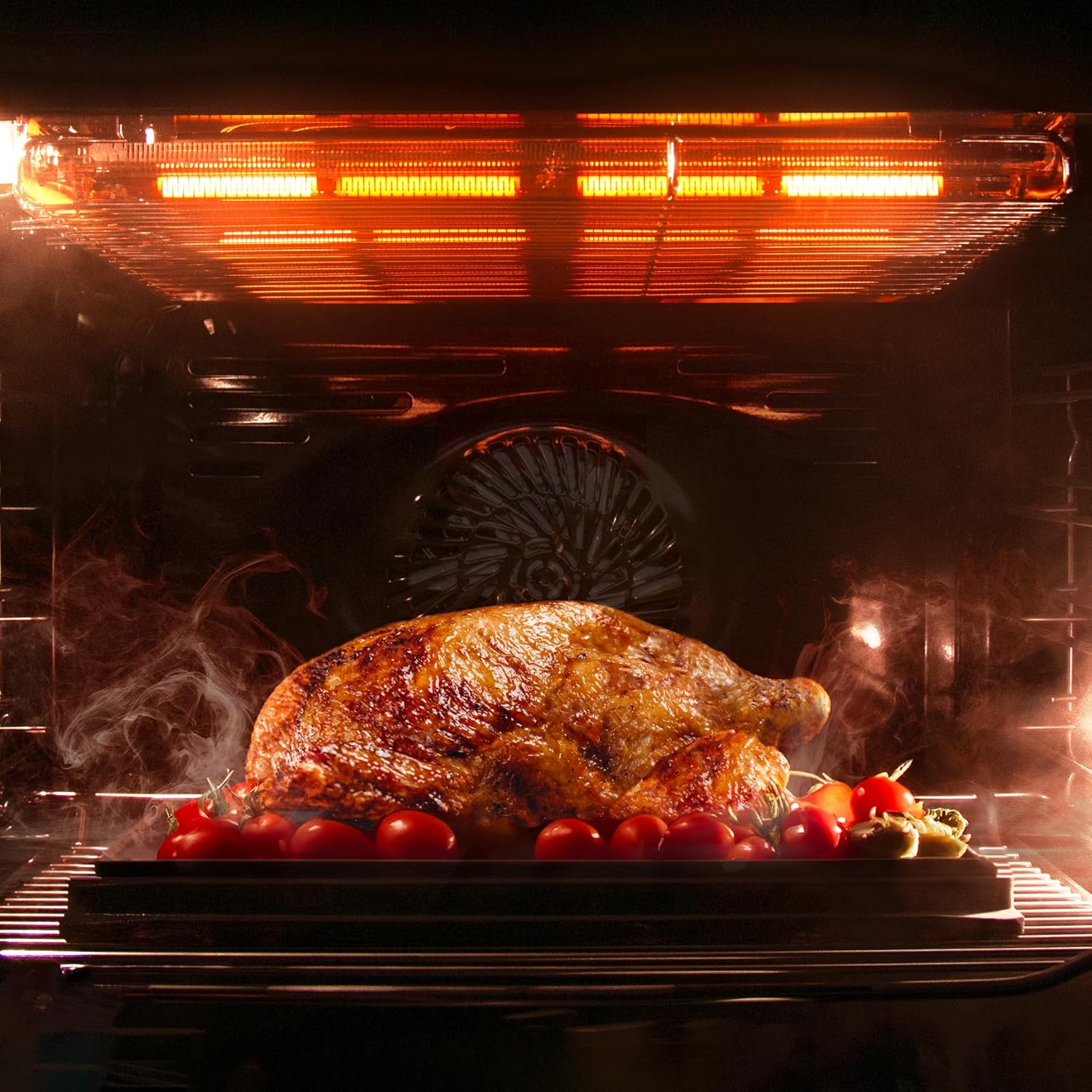
Figure 5.5: Whole roasted chicken and vegetables cooking inside the Cecotec oven. A whole roasted chicken with vegetables is shown cooking inside the oven, illustrating its capacity and versatility for preparing larger meals.
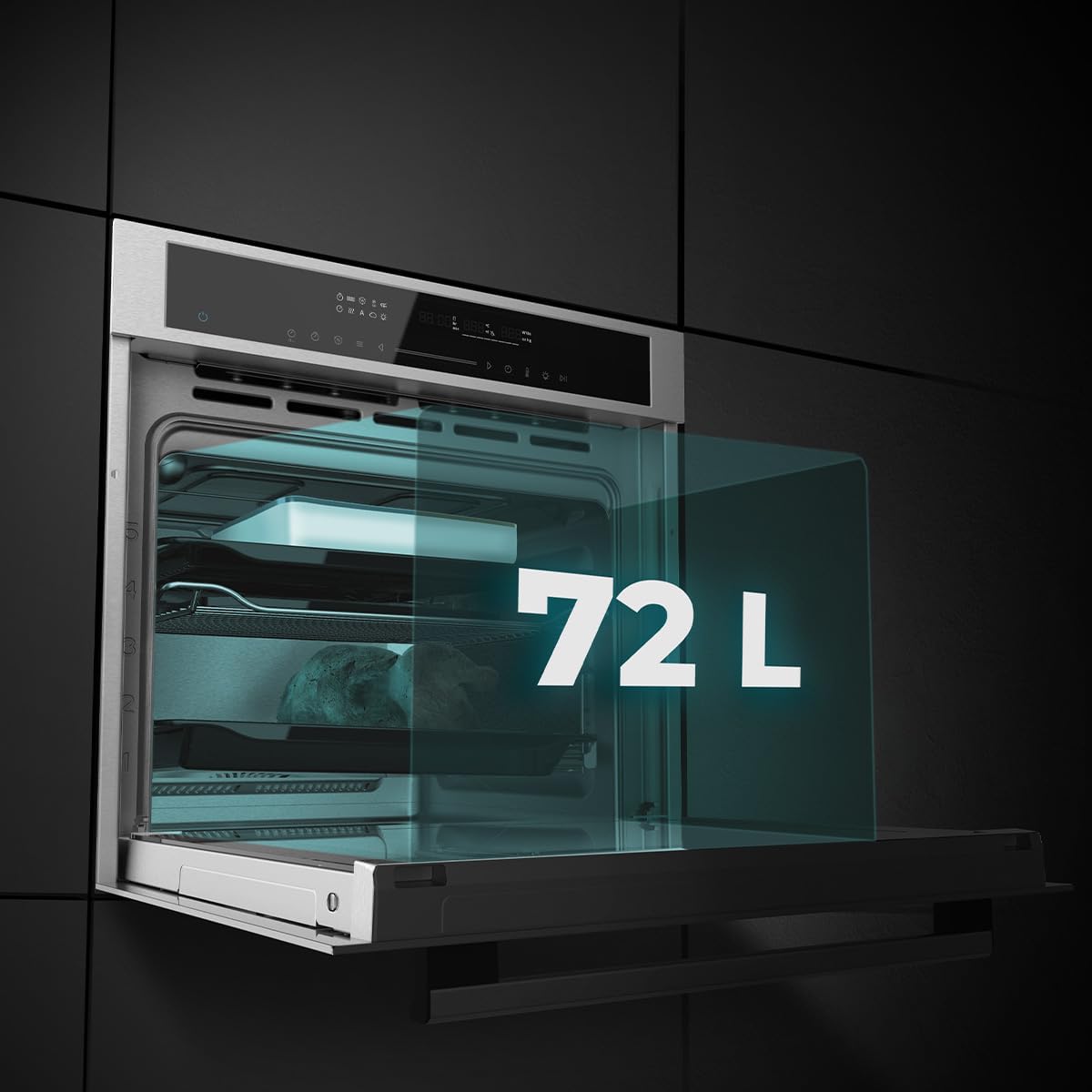
Figure 5.6: Interior view of the Cecotec oven, highlighting its 72-liter capacity. The oven door is open, revealing the spacious 72-liter interior, emphasizing its large capacity suitable for various cooking needs and multiple dishes.

Figure 5.7: Cecotec oven installed in a modern kitchen, displaying its A+ energy efficiency rating. The oven is integrated into a modern kitchen, with a prominent 'A+' label indicating its high energy efficiency, contributing to reduced power consumption.
6. Maintenance and Cleaning
Regular cleaning and maintenance will ensure the longevity and optimal performance of your oven.
6.1. Steam EasyClean Function
The Steam EasyClean function facilitates the cleaning of the oven interior. Follow these steps:
- Ensure the oven is cool.
- Pour a small amount of water into the bottom of the oven cavity.
- Select the Steam EasyClean function on the control panel.
- Allow the cycle to complete. The steam will help loosen food residues.
- Once the cycle is finished and the oven has cooled, wipe the interior with a soft cloth or sponge.
6.2. Cooling Fan
The integrated Cooling Fan rapidly cools the oven after use, allowing for quicker cleaning or storage of items inside.

Figure 6.1: Before and after comparison of the oven interior, demonstrating the effectiveness of the EasyClean function. This split image clearly shows the oven interior before and after cleaning, highlighting the efficiency of the Steam EasyClean function in maintaining hygiene and cleanliness.
6.3. General Cleaning Tips
- For exterior surfaces, use a soft, damp cloth and mild detergent. Avoid abrasive cleaners.
- Removable parts like racks and trays can be washed with warm soapy water.
- Always ensure the oven is completely dry before next use.
7. Troubleshooting
If you encounter any issues with your oven, please consult the following common troubleshooting steps before contacting customer service.
| Problem | Possible Cause | Solution |
|---|---|---|
| Oven does not turn on. | No power supply; power cable not connected; circuit breaker tripped. | Check power connection; ensure circuit breaker is not tripped; contact an electrician if issues persist. |
| Oven not heating properly. | Incorrect function/temperature selected; oven door not closed properly. | Verify settings; ensure door is fully closed; allow sufficient preheating time. |
| Child lock is active. | Child lock feature engaged. | Refer to the 'Operation' section or the full user manual for instructions on deactivating the child lock. |
| Uneven cooking results. | Improper rack position; overcrowding the oven; faulty heating element. | Use recommended rack positions; avoid overcrowding; if issue persists, contact support. |
For more detailed troubleshooting, please refer to the complete user manual or contact Cecotec customer support.
8. Specifications
| Feature | Detail |
|---|---|
| Brand | Cecotec |
| Model Number | SM406000 (02831) |
| Product Dimensions (W x D x H) | 59.5 x 57.3 x 59.6 cm |
| Weight | 30.2 kg |
| Capacity | 72 Liters |
| Power | 2900 W |
| Energy Class | A+ |
| Color | Grey |
| Heating Method | Radiant |
| Fuel Type | Electric |
| Installation Type | Built-in |
| Country of Origin | Spain |
9. Warranty and Support
For warranty information, please refer to the warranty card included with your product or visit the official Cecotec website. The warranty period and terms may vary by region.
If you require technical assistance, spare parts, or have questions regarding your Cecotec Bolero Hexa SM406000 Edge+ oven, please contact Cecotec customer support:
- Manufacturer: Cecotec
- Website: www.cecotec.com (Please check for your regional website)
- Contact Information: Refer to the official Cecotec website or the product packaging for specific contact details in your country.
When contacting support, please have your product model number (SM406000) and purchase date available.


