1. Introduction
Thank you for choosing the Cecotec Drumfit CrossFit 1000 Eolo Exercise Bike. This manual provides essential information for the safe and efficient use of your new fitness equipment. Please read it thoroughly before assembly and operation, and keep it for future reference.
Key Features:
- Manually adjustable air resistance for varied intensity.
- Vertically adjustable saddle to accommodate different user heights.
- LCD monitor displaying time, speed, calories, and distance.
- Bidirectional pedaling for comprehensive leg muscle engagement.
- Integrated upper body workout with moving handlebars.
- Compact design for easy placement in any room.
2. Important Safety Instructions
Before using the exercise bike, please observe the following safety precautions:
- Consult a physician before starting any exercise program.
- Ensure all parts are correctly assembled and tightened before each use.
- Place the bike on a flat, stable surface.
- Keep children and pets away from the equipment during use.
- Do not exceed the maximum user weight of 100 kg (220 lbs).
- Wear appropriate exercise clothing and footwear.
- Stop exercising immediately if you feel pain, dizziness, or nausea.
- Do not insert any objects into the moving parts of the bike.
- Keep hands and feet clear of moving parts, especially the fan and pedals.
3. Assembly Instructions
The Cecotec Drumfit CrossFit 1000 Eolo Exercise Bike comes with a mounting kit and requires assembly. Follow these general steps. Refer to the included assembly diagram for detailed instructions.
- Unpack Components: Carefully remove all parts from the packaging. Verify that all components listed in the parts list are present.
- Attach Stabilizer Bars: Secure the front and rear stabilizer bars to the main frame using the provided bolts and tools.
- Install Pedals: Attach the left and right pedals to their respective crank arms. Note that pedals are often marked 'L' and 'R' and thread in opposite directions.
- Mount Seat Post and Saddle: Insert the seat post into the main frame and secure it. Attach the saddle to the seat post.
- Install Handlebars: Connect the moving handlebars to the main frame, ensuring they are securely fastened and move freely.
- Attach LCD Monitor: Mount the LCD monitor to its designated bracket on the handlebars. Insert the two AA batteries (included).
- Final Check: Double-check all bolts and nuts to ensure they are securely tightened.

Image: Front view of the assembled Cecotec Drumfit CrossFit 1000 Eolo Exercise Bike, showing the handlebars, fan, and pedals.
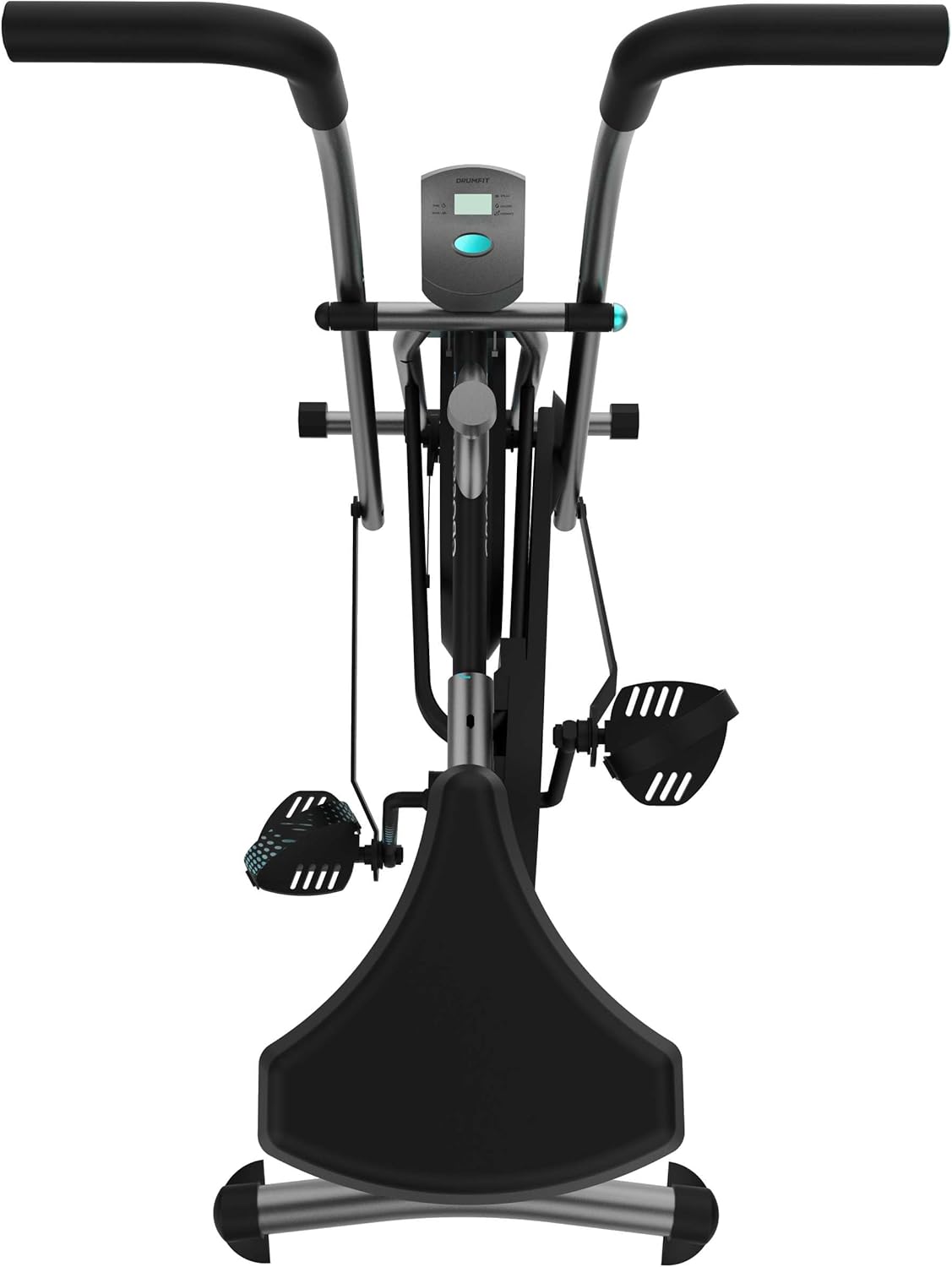
Image: Side view of the assembled Cecotec Drumfit CrossFit 1000 Eolo Exercise Bike, highlighting its compact design.
4. Initial Setup and Adjustments
4.1. Saddle Adjustment
The saddle can be adjusted vertically to ensure a comfortable and effective workout position. Loosen the adjustment knob on the seat post, slide the saddle to the desired height, and then firmly tighten the knob.

Image: A close-up showing the vertical adjustment mechanism for the saddle, indicated by a blue arrow.
4.2. Resistance Adjustment
The air resistance system is manually adjustable. Locate the resistance knob, typically near the fan housing. Turn the knob clockwise to increase resistance and counter-clockwise to decrease it, allowing you to tailor the intensity to your fitness level.
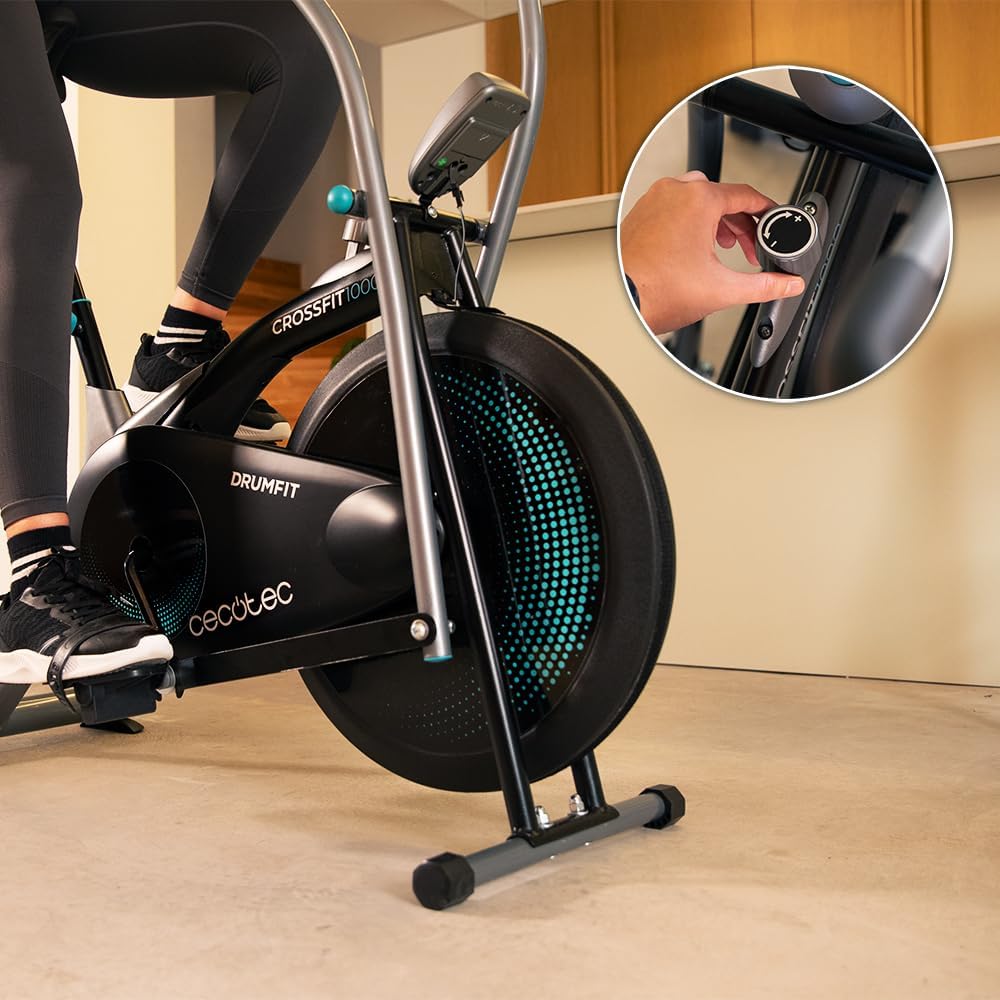
Image: A hand adjusting the manual resistance knob located on the side of the main fan housing.
5. Operating the Exercise Bike
5.1. Starting Your Workout
Sit on the saddle and place your feet firmly on the pedals, securing them with the straps if available. Grip the moving handlebars. Begin pedaling and moving the handlebars to activate the air resistance system.

Image: A person actively using the exercise bike, demonstrating the full-body workout motion with both pedaling and arm movements.
5.2. Bidirectional Pedaling
The bike supports bidirectional pedaling, allowing you to pedal both forwards and backwards. This engages different muscle groups in your legs, providing a more varied and comprehensive lower body workout.
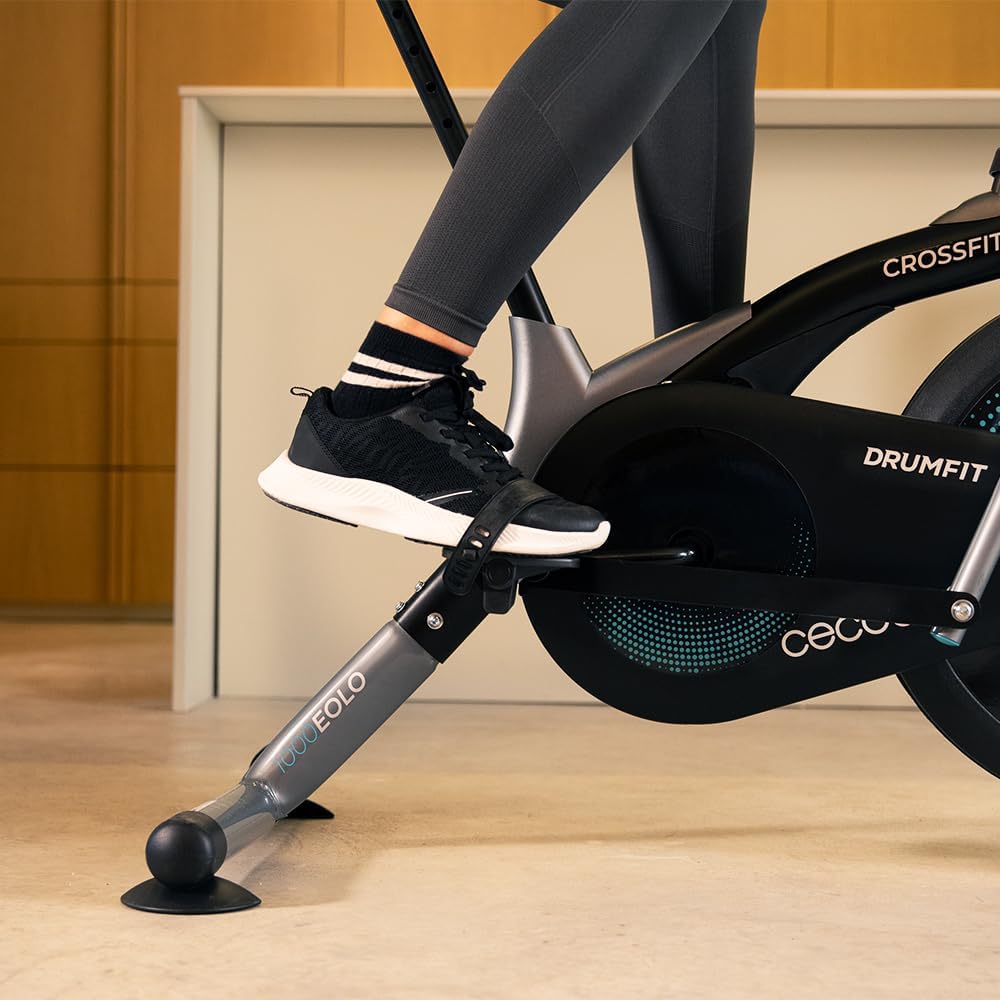
Image: A close-up of a foot on the pedal, illustrating the pedal design and strap for secure foot placement.
5.3. LCD Monitor Functions
The LCD monitor displays various workout metrics to help you track your progress:
- TIME: Duration of your current workout.
- SPEED: Your current pedaling speed.
- CALORIE: Estimated calories burned during the session.
- DISTANCE: Total distance covered during the workout.
- SCAN: Automatically cycles through all display functions every 4 seconds.
Press the "MODE" button to switch between display modes or activate the SCAN function.

Image: A detailed view of the LCD monitor, showing the display of time, speed, calories, and distance, with the "MODE" button visible.
6. Maintenance and Care
Regular maintenance ensures the longevity and optimal performance of your exercise bike.
6.1. Cleaning
Wipe down the bike with a damp cloth after each use to remove sweat and dust. Do not use abrasive cleaners or solvents. Ensure no moisture enters the LCD monitor or other electronic components.
6.2. Lubrication
Periodically check moving parts for smooth operation. If any squeaking or stiffness occurs, apply a small amount of silicone-based lubricant to the joints and pivot points.
6.3. Storage
Store the exercise bike in a cool, dry place away from direct sunlight and extreme temperatures. Its compact size allows for convenient storage.

Image: The exercise bike positioned in a narrow space, with dimensions highlighted to show its compact footprint.
7. Troubleshooting
If you encounter any issues with your Cecotec Drumfit CrossFit 1000 Eolo Exercise Bike, refer to the following common solutions:
| Problem | Possible Cause | Solution |
|---|---|---|
| LCD monitor not displaying | Dead batteries; Loose connection | Replace AA batteries; Check cable connections to the monitor. |
| Squeaking noise during use | Loose bolts; Lack of lubrication | Tighten all assembly bolts; Apply silicone lubricant to moving joints. |
| Resistance feels inconsistent | Resistance knob not fully engaged; Debris in fan mechanism | Ensure resistance knob is properly adjusted; Inspect fan for obstructions. |
If the problem persists, please contact Cecotec customer support.
8. Product Specifications
| Feature | Detail |
|---|---|
| Model | 07228 |
| Brand | Cecotec |
| Resistance Mechanism | Air (Manually Adjustable) |
| Drive System | Pedal-powered (Non-electric) |
| Maximum User Weight | 100 kg (220 lbs) |
| Product Dimensions (L x W x H) | 107 x 58.5 x 110 cm (42.1 x 23 x 43.3 inches) |
| Product Weight | 16 kg (35.3 lbs) |
| Main Material | Carbon Steel |
| Saddle Adjustment | Vertical |
| Display | LCD (Time, Speed, Calories, Distance, Scan) |
| Batteries Included | 2 x AA |
| Recommended Max Height | 185 cm (6 ft 1 inch) |
9. Warranty and Support
Cecotec products are designed for durability and performance. Spare parts availability is guaranteed for 10 years from the date of purchase.
For technical assistance, warranty claims, or to order spare parts, please contact Cecotec customer support through their official website or the contact information provided with your purchase documentation.
Please retain your proof of purchase for warranty purposes.


