
Introduction
Thank you for choosing the XLEADER SoundAngel A6 Mini Bluetooth Shower Speaker. This manual provides essential information for setting up, operating, and maintaining your speaker to ensure optimal performance and longevity. Please read these instructions carefully before use.
What's Included
- SoundAngel A6 mini Bluetooth speaker
- USB charging cable
- Suction cup
- Silicone lanyard
- Multilingual manual / Donation card
Product Overview
Familiarize yourself with the key components of your SoundAngel A6 speaker.

Image: The XLEADER SoundAngel A6 speaker showing its Type-C Port, Volume/Previous Song button, Play/Call button, Volume+/Next Song button, and On/Off Light button. The top features a metal CD pattern, and the bottom displays dynamic light show capabilities.
Setup
Charging the Speaker
Before first use, fully charge your speaker. The built-in 1200mAh polymer Li-battery charges in approximately 2 hours using the included USB cable. A full charge provides 10-12 hours of music playback at 50-70% volume.
Bluetooth Pairing
The SoundAngel A6 features Bluetooth 5.1 for quick and stable connections.
- Ensure the speaker is powered off.
- Press and hold the power button until the LED indicator flashes, indicating pairing mode.
- On your device (smartphone, tablet, laptop), enable Bluetooth and search for available devices.
- Select "XLEADER SoundAngel A6" from the list to connect. The speaker will confirm successful pairing.
- The speaker will automatically reconnect to the last paired device within 3 seconds upon power-on if Bluetooth is enabled on your device.
Video: An official product video demonstrating the portable waterproof shower speaker with RGB lights, including a brief overview of its features and potential uses. This video is provided by the seller, Leaderway USA.
Operating Instructions
Power On/Off
- To power on: Press and hold the power button until the LED lights illuminate.
- To power off: Press and hold the power button until the LED lights turn off.
Music Playback
- Play/Pause: Short press the Play/Call button.
- Volume Up: Short press the Volume+ button.
- Volume Down: Short press the Volume- button.
- Next Track: Long press the Volume+ button.
- Previous Track: Long press the Volume- button.
RGB Lights Control
The speaker features colorful LED ambient lights at the bottom.
- To turn lights on/off: Press the On/Off Light button located on the bottom of the speaker.

Image: A hand demonstrating how to turn off the RGB lights with a single click on the dedicated light button located on the speaker's base.
Hands-Free Calling
The built-in microphone allows you to answer incoming calls.
- Answer Call: Short press the Play/Call button when a call comes in.
- End Call: Short press the Play/Call button during a call.
- Reject Call: Long press the Play/Call button when a call comes in.
Installation and Mounting
The speaker comes with a suction cup and silicone lanyard for versatile placement.
- Using the Suction Cup: Attach the suction cup to the bottom of the speaker. Press firmly onto a smooth, clean surface (e.g., shower wall, mirror) until it adheres securely.
- Using the Silicone Lanyard: Loop the silicone lanyard through the designated attachment point on the speaker. Use the lanyard to hang the speaker from hooks, handlebars, or backpack straps.
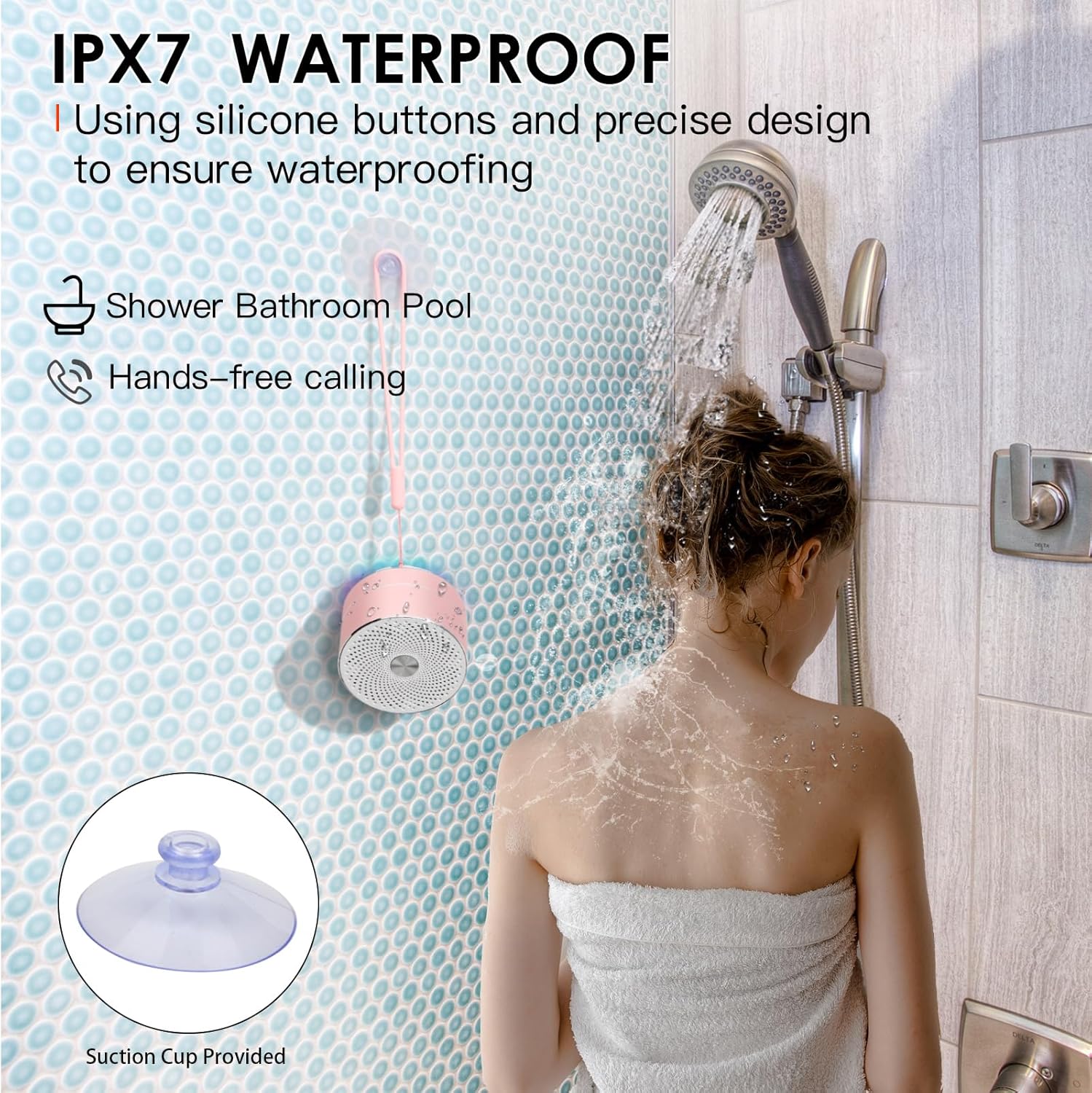
Image: The XLEADER SoundAngel A6 speaker demonstrating its IPX7 waterproof rating by being used in a shower, attached to the wall with its included suction cup. This highlights its suitability for wet environments and hands-free calling.
Maintenance
- Waterproof Care: The speaker is IPX7 waterproof. Ensure the Type-C charging port cover is securely closed before exposing the speaker to water to maintain its waterproof integrity.
- Cleaning: Wipe the speaker with a soft, damp cloth. Do not use harsh chemicals or abrasive cleaners.
- Storage: Store the speaker in a cool, dry place when not in use.
Troubleshooting
- Speaker not turning on: Ensure the battery is charged. Connect the speaker to a power source using the USB charging cable.
- Unable to pair via Bluetooth:
- Ensure the speaker is in pairing mode (LED indicator flashing).
- Ensure Bluetooth is enabled on your device and it is within the 100ft operating range.
- Forget the speaker from your device's Bluetooth list and try pairing again.
- Restart both the speaker and your device.
- Poor sound quality:
- Ensure the speaker is fully charged.
- Check the volume levels on both the speaker and your connected device.
- Ensure there are no obstructions between the speaker and your device.
- If the speaker has been submerged, allow it to dry completely as water inside the speaker can temporarily affect sound quality.
Video: A short preview video from the seller, Buttercup, highlighting the amazing sound quality of the XLEADER SoundAngel A6 speaker for its size. This video is genuinely useful for demonstrating the speaker's audio performance.
Specifications
| Feature | Detail |
|---|---|
| Model Name | SoundAngel A6 |
| Brand | XLEADER |
| Connectivity Technology | Bluetooth 5.1 |
| Water Resistance Level | IPX7 Waterproof |
| Speaker Maximum Output Power | 5 Watts |
| Battery Capacity | 1200mAh Lithium Polymer |
| Charging Time | 2 Hours |
| Music Playback Time | 10-12 Hours (at 50-70% volume) |
| Wireless Range | Up to 100ft (30.48 meters) |
| Special Features | Built-in Microphone, RGB Lights, Portable, Mini |
| Product Dimensions | 2.7"D x 2.7"W x 2"H (9.5cm * 6cm) |
| Item Weight | 136 Grams (4.8 ounces) |
Warranty & Support
Warranty Information
The XLEADER SoundAngel A6 Mini Bluetooth Shower Speaker comes with a 3-year warranty. Please refer to the included 'Donation card' or 'Warranty card' for details on how to activate and claim your warranty.
Customer Support
For any questions, technical assistance, or warranty claims, please contact XLEADER customer support through the contact information provided on the product packaging or the official XLEADER website. We are committed to ensuring your satisfaction.