
1. Introduction
This manual provides detailed instructions for the safe and effective use of your HuBDIC FC-IR207 No-Touch Infrared Thermometer. This device is designed for accurate, non-contact temperature measurement of the human body (forehead) and objects/rooms. Please read this manual thoroughly before use and retain it for future reference.
The HuBDIC FC-IR207 thermometer offers quick measurements, an intuitive LED display with color-coded fever alarms, and multiple measurement modes optimized for different age groups and applications.
2. Safety Information
- Do not immerse the thermometer in water or other liquids.
- Keep the device away from direct sunlight, dust, and extreme temperatures.
- Avoid dropping the thermometer or subjecting it to strong impacts.
- Do not attempt to disassemble or repair the device yourself. Contact customer support if service is required.
- Keep out of reach of children.
- The thermometer is intended for household use. Consult a medical professional for any health concerns.
3. Product Overview
The HuBDIC FC-IR207 is a versatile infrared thermometer featuring a large LED display and ergonomic design for comfortable handling.

Image: The HuBDIC FC-IR207 No-Touch Infrared Thermometer, its retail packaging, and two AAA batteries.
Key Features:
- Non-contact measurement for hygiene and convenience.
- Fast and accurate readings within 1 second.
- Large LED display with intuitive icons.
- Color-coded fever alarm (Green, Orange, Red).
- Three measurement modes: Body, Object, Room.
- Age-specific body temperature modes (Newborn, Baby, Adult).
- 35 sets of memory storage.
- Celsius/Fahrenheit conversion.
- Mute function for silent operation.
- Automatic shut-off for power saving.

Image: A close-up view of the thermometer's infrared sensor and display, highlighting its precision and various functions.
4. Setup
4.1 Battery Installation
The HuBDIC FC-IR207 thermometer requires two AAA batteries (included). To install or replace batteries:
- Locate the battery compartment cover on the back of the device.
- Slide the cover open.
- Insert two AAA batteries, ensuring correct polarity (+ and -).
- Close the battery compartment cover securely.
The device is now ready for use.
5. Operating Instructions
5.1 Power On/Off
- To power on: Press the measurement button once. The display will light up.
- To power off: The device will automatically shut down after a period of inactivity to conserve battery life.
5.2 Selecting Measurement Modes (Body, Object, Room)
The thermometer supports three measurement modes:
- Body Temperature Mode: Default mode for measuring human body temperature.
- Object Temperature Mode: For measuring the surface temperature of objects.
- Room Temperature Mode: For measuring ambient room temperature.
To switch to Object Temperature Mode:
- With the thermometer turned off, press and hold the "MEM" button for more than 3 seconds. The display will indicate the change to object mode.
To switch to Room Temperature Mode:
- With the thermometer turned off, press and hold the "MEM" button for 6 seconds. The display will indicate the change to room temperature mode.

Image: Demonstrates the thermometer's versatility in measuring body temperature, object temperature (e.g., a baby bottle), and ambient room temperature.
5.3 Age-Specific Body Temperature Modes
The thermometer offers optimized body temperature measurement based on age groups:
- Newborn Mode: For babies aged 0 to 3 months.
- Baby Mode: For babies aged 3 to 36 months.
- Adult Mode: For individuals aged 36 months or older.
To switch between age modes:
- While in Body Temperature Mode, press the "AGE" button to cycle through the available age groups. The selected mode will be indicated by a colored icon on the screen.

Image: The thermometer display illustrating the age selection options for different user groups: 0-3 months, 3-36 months, and 36+ months.
5.4 Taking a Measurement
To take a temperature reading:
- Ensure the thermometer is in the desired measurement mode (Body, Object, or Room).
- Point the thermometer's sensor at the center of the forehead (for body temperature) or the surface of the object, maintaining a distance of 1 to 3 cm (approximately 0.4 to 1.2 inches).
- Press the measurement button.
- A beep will sound, and the measurement result will be displayed on the LED screen within 1 second.
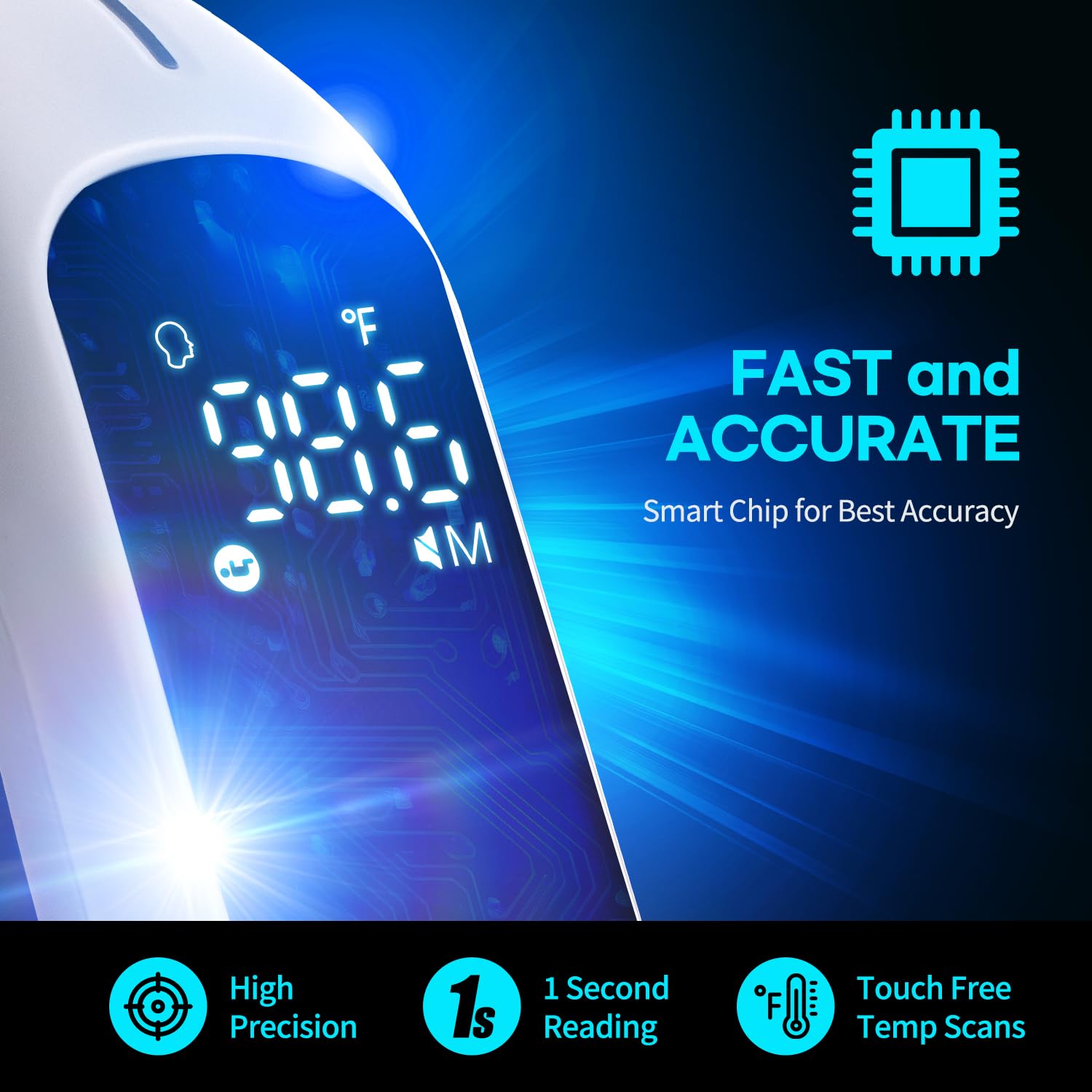
Image: The thermometer display showing a rapid and precise temperature reading of 98.8°F, indicating its speed and accuracy.
5.5 Reading the Display and Fever Alarm
The LED display provides clear readings and uses a color-coded system to indicate temperature status:
- Green Light: Indicates normal temperature.
- Orange Light: Indicates elevated temperature (fever).
- Red Light: Indicates high temperature (high fever).
Note: In Newborn mode, the guidance is provided in two colors: green and red.

Image: The thermometer's display illustrating the three-color fever alarm system: green for normal temperature, orange for fever, and red for high fever, along with corresponding temperature ranges for different age groups.
5.6 Celsius/Fahrenheit Conversion
To switch between Celsius (°C) and Fahrenheit (°F):
- When the thermometer is turned on, press and hold the "AGE" button for 3 seconds. The unit will change on the display.
5.7 Mute Function
To mute or unmute the thermometer's sound:
- When the thermometer is turned on, press and hold the "MEM" button for 3 seconds. The sound will toggle between mute and unmute.

Image: A close-up of the thermometer's side, highlighting the 'AGE' button for Celsius/Fahrenheit conversion and the 'MEM' button for the Mute/Unmute function.
5.8 Memory Function
The thermometer stores up to 35 sets of temperature measurements, allowing you to track trends.
To access memory records:
- When the thermometer is turned on or off, short press the "MEM" button once to enter memory mode.
- Press the "MEM" button again repeatedly to cycle through the 35 stored measurements.

Image: A visual representation of the 35-set memory function, showing a graph of temperature readings over time, with a baby and parent in the background.
6. Maintenance
6.1 Cleaning
To ensure accurate readings and hygiene, clean the thermometer regularly:
- Wipe the thermometer body with a soft, damp cloth.
- For the infrared sensor, use a cotton swab lightly moistened with alcohol. Gently wipe the sensor lens.
- Do not use abrasive cleaners or immerse the device in water.
6.2 Storage
- Store the thermometer in a cool, dry place, away from direct sunlight and extreme temperatures.
- If not in use for an extended period, remove the batteries to prevent leakage.
- Utilize the included storage pouch for protection.
7. Troubleshooting
If you encounter issues with your thermometer, refer to the following common problems and solutions:
| Problem | Possible Cause | Solution |
|---|---|---|
| No display when powered on | Batteries are dead or incorrectly inserted. | Replace batteries or check polarity. |
| Inaccurate readings | Sensor is dirty; measurement distance is incorrect; ambient temperature is too extreme. | Clean the sensor; ensure 1-3 cm distance; use in stable room temperature. |
| Thermometer does not beep | Mute function is activated. | Press and hold the "MEM" button for 3 seconds to unmute. |
| Error message on display | Device malfunction or out of operating range. | Refer to the specific error code in a more detailed manual if available, or contact customer support. |
8. Specifications
- Model: FC-IR207
- Measurement Type: Non-contact Infrared
- Measurement Distance: 1-3 cm
- Display Type: Digital LED
- Power Source: 2 x AAA batteries (included)
- Memory Storage: 35 sets
- Automatic Shut-off: Yes
- Included Components: Thermometer, 2 AAA batteries, Storage Pouch
- Outer Material: Acrylonitrile Butadiene Styrene
- Product Care Instructions: Wipe Clean
- Age Range (Description): Infant to Adults
- Package Dimensions: 6.65 x 1.85 x 1.85 inches
- Item Weight: 3.84 ounces
9. Warranty and Support
For warranty information or technical support, please contact HuBDIC customer service. Details can typically be found on the product packaging or the official HuBDIC website.
Manufacturer: HuBDIC