1. Product Overview
The TESSAN Type G US to UK Travel Adapter is designed to provide convenient power access for travelers from the US to countries using Type G outlets. This compact adapter features multiple AC outlets and USB charging ports, allowing you to power and charge several devices simultaneously.
It is compatible with Type G outlets found in countries such as Ireland, Dubai, England, Scotland, Hong Kong, Singapore, UAE, Iraq, Saudi Arabia, Yemen, Oman, Nigeria, Ghana, Tanzania, Uganda, Kenya, Zambia, Zimbabwe, Botswana, Myanmar, and Malaysia.

Image: Two TESSAN Type G US to UK Travel Adapters, showcasing the compact design and the distinct three-prong Type G plug.
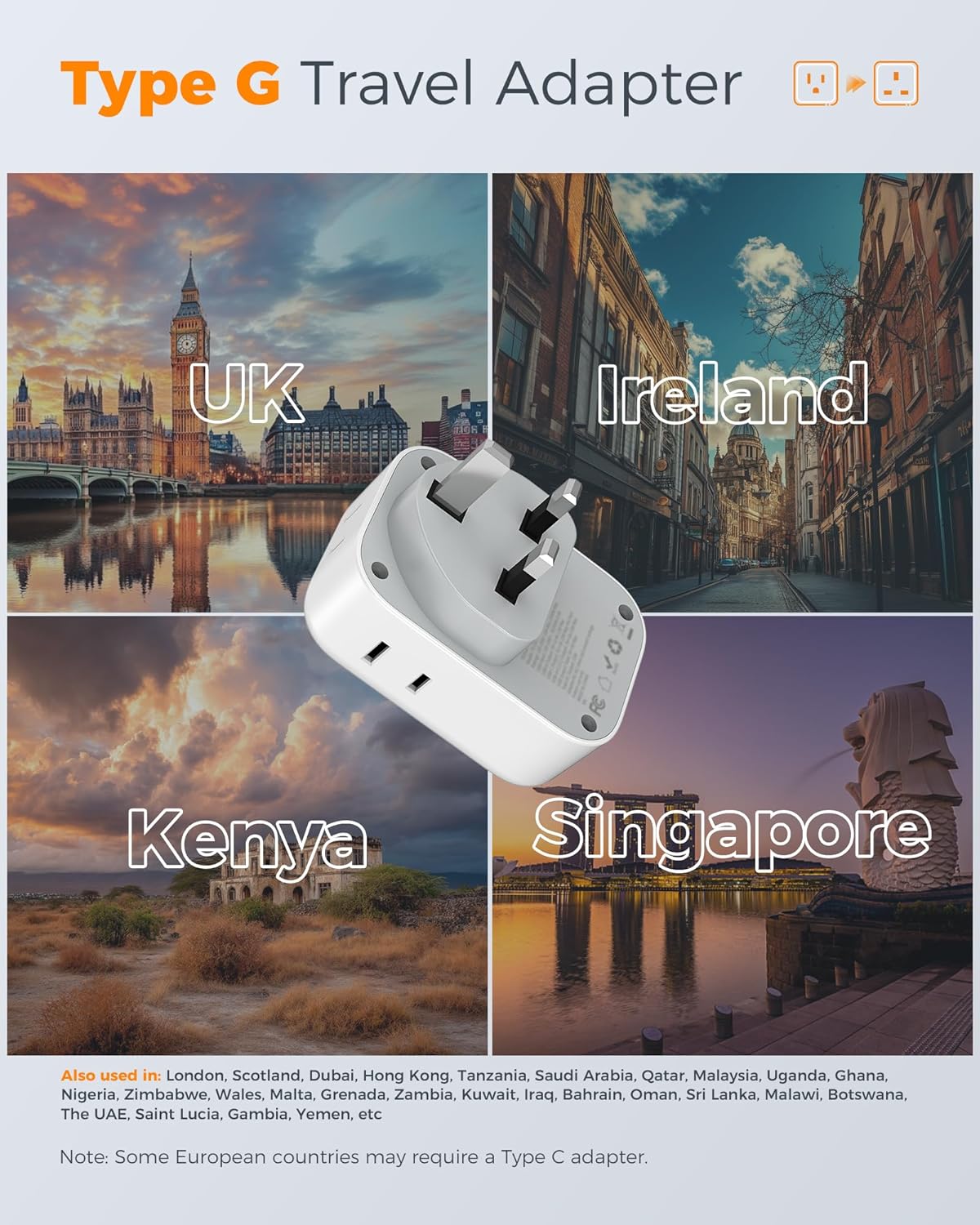
Image: Visual representation of key regions where the Type G adapter is applicable, such as the UK, Ireland, Kenya, and Singapore.
2. Key Features
- Type G Compatibility: Designed for use in countries with Type G electrical outlets.
- 7-in-1 Functionality: Provides 4 AC outlets (for US 2 or 3 prong flat pin plugs) and 3 USB ports (2 USB-A, 1 USB-C).
- High Power Capacity: Supports a maximum capacity of 3250 Watt at 250V/13A.
- Fast USB Charging: Dual USB-A ports deliver up to 2.4A, and the USB-C port delivers up to 3A (total USB output 5V/3A, 15W max).
- Compact & Portable: Lightweight design (approx. 4 oz each) for easy travel.
- No Surge Protection: Safe for cruise ship use as it lacks surge protection.
- Not a Voltage Converter: Important note: This adapter does NOT convert voltage. Ensure your devices support 100V to 250V dual voltage.

Image: The adapter in use, demonstrating its 7-in-1 capability by charging various electronic devices simultaneously from a single UK wall outlet.
3. Setup and Usage
3.1 Initial Setup
- Verify Device Voltage: Before plugging in any device, ensure it is dual voltage compatible (100V-250V). This adapter does not convert voltage. Using a 110V/125V-only device in a 220V-240V country without a separate voltage converter will damage your device.
- Locate Type G Outlet: Identify a Type G wall outlet in your destination country. These outlets typically have three rectangular pins forming a triangle.
- Plug in the Adapter: Insert the TESSAN Type G adapter firmly into the Type G wall outlet.

Image: A visual guide showing the correct way to insert the TESSAN Type G adapter into a standard UK wall socket.
3.2 Connecting Your Devices
- AC Outlets: Plug your US 2-prong or 3-prong devices directly into the AC outlets on the adapter. The adapter provides 4 AC outlets.
- USB-A Ports: Connect your USB-A charging cables to the two USB-A ports for devices like smartphones, smartwatches, or power banks.
- USB-C Port: Use the USB-C port for devices that support USB-C charging, such as newer smartphones, tablets, or small laptops.
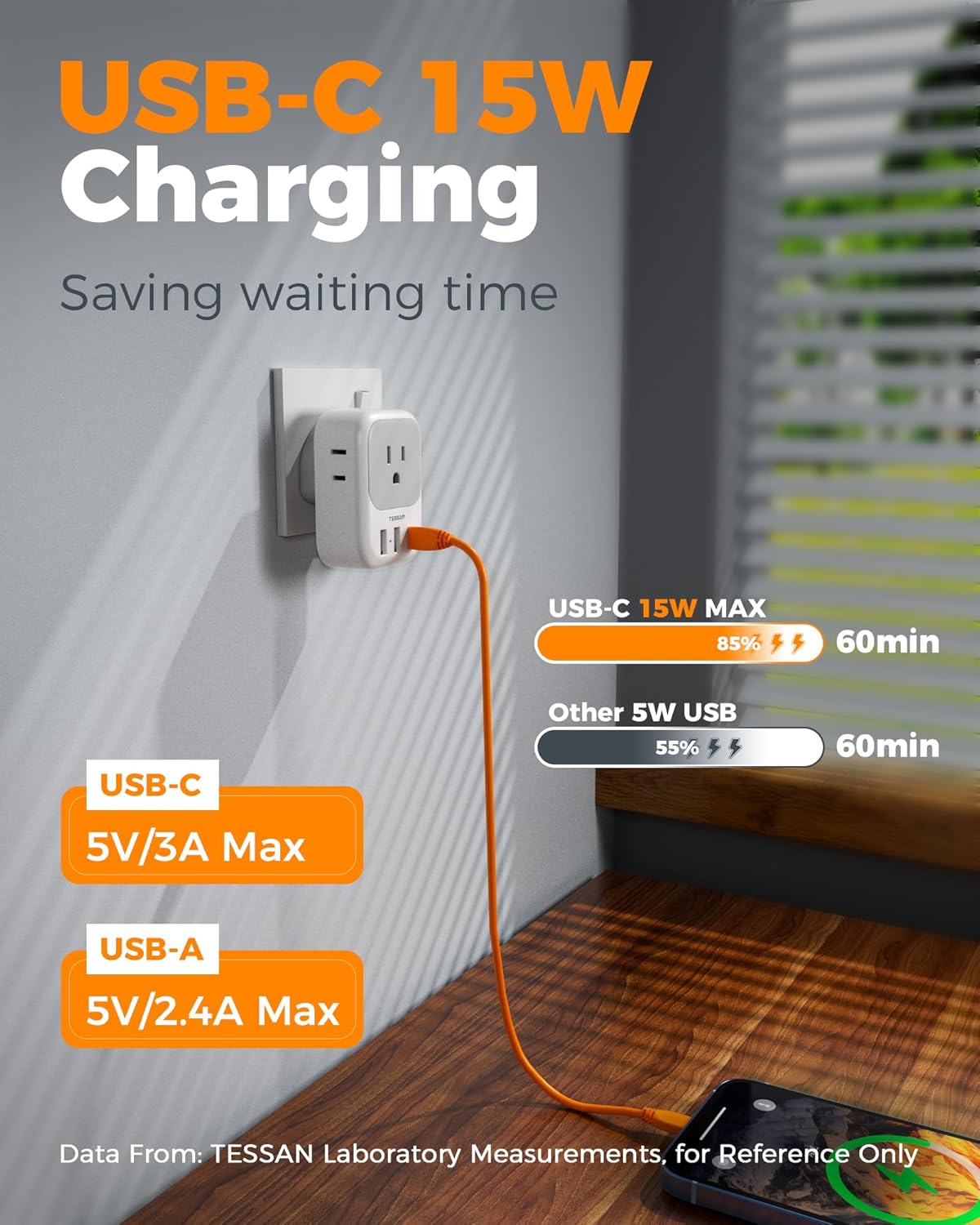
Image: An illustration detailing the charging capabilities of the USB-C (15W max) and USB-A (5V/2.4A max) ports on the adapter.
Important Note on Voltage: This adapter is NOT a voltage converter. It only adapts the plug shape. Do not use with appliances that are 110V/125V only, such as some hair dryers, straighteners, or electric toothbrushes, unless they explicitly state dual voltage (100-250V) compatibility. Failure to do so may result in damage to your appliance or the adapter.

Image: A clear warning indicating that the adapter is not a voltage converter, advising users to check their device's voltage compatibility (100-250V) and showing examples of appliances (electric toothbrush, hair dryer, hair curler, electric shaver) that typically require voltage conversion if not dual voltage.
4. Maintenance and Care
- Cleaning: Wipe the adapter with a dry, soft cloth. Do not use liquid cleaners or abrasive materials.
- Storage: Store the adapter in a cool, dry place away from direct sunlight and moisture when not in use.
- Handling: Avoid dropping the adapter or subjecting it to strong impacts, which could damage internal components.
- Inspection: Periodically check the adapter for any signs of damage, such as cracked casing or bent pins. Do not use if damaged.
5. Troubleshooting
- Device not charging:
- Ensure the adapter is securely plugged into the wall outlet.
- Verify that your device's charging cable is properly connected to the adapter's port.
- Check if your device is dual voltage (100V-250V). If it's 110V/125V only, you will need a separate voltage converter.
- Test with another device or cable to rule out issues with the device or cable itself.
- Adapter feels warm:
- It is normal for the adapter to feel slightly warm during operation, especially when multiple devices are connected.
- If it becomes excessively hot or emits a burning smell, immediately unplug it from the wall and discontinue use. Contact customer support.
- No power from AC outlets/USB ports:
- Confirm the wall outlet is active by testing with another known working device.
- Ensure the total wattage of connected devices does not exceed the adapter's maximum capacity (3250W).
6. Specifications
| Feature | Detail |
|---|---|
| Model Number | TS-161-UK-C |
| Input Voltage | 100-250V AC, 50/60Hz |
| Max Load | 13A |
| Max Power | 3250W |
| USB-A Output | 5V/2.4A (each port) |
| USB-C Output | 5V/3A (max) |
| Total USB Output | 5V/3A, 15W max |
| Dimensions (L x W x H) | 3.15 x 2.24 x 2.55 inches |
| Item Weight | 8.9 ounces (for 2 pack, approx. 4 oz each) |
| Plug Format | Type G (UK, Ireland, etc.) |

Image: The compact size of the TESSAN Type G adapters, highlighting their dimensions and light weight, making them travel-ready.
7. Warranty and Support
This TESSAN product comes with an 18-month warranty from the date of purchase.
For technical support, warranty claims, or any inquiries regarding your TESSAN Type G US to UK Travel Adapter, please contact TESSAN customer service through their official website or the retailer where you purchased the product.
Manufacturer: Zhuhai Tessan Power Technology Co., Ltd.