1. Safety Information
Read this user manual carefully before using the appliance and save it for future reference. Always follow the safety instructions to avoid injury or damage.
General Safety
- This appliance is intended for household use only.
- Do not immerse the appliance in water or any other liquid.
- Keep the appliance out of reach of children.
- Always place the appliance on a stable, flat surface.
Electrical Safety
- Check if the voltage indicated on the appliance corresponds to the local mains voltage before you connect the appliance.
- Do not use the appliance if the mains cord or the plug is damaged.
- Unplug the appliance before cleaning and when not in use.
2. Product Overview
Familiarize yourself with the components of your Philips SENSEO Maestro coffee machine.
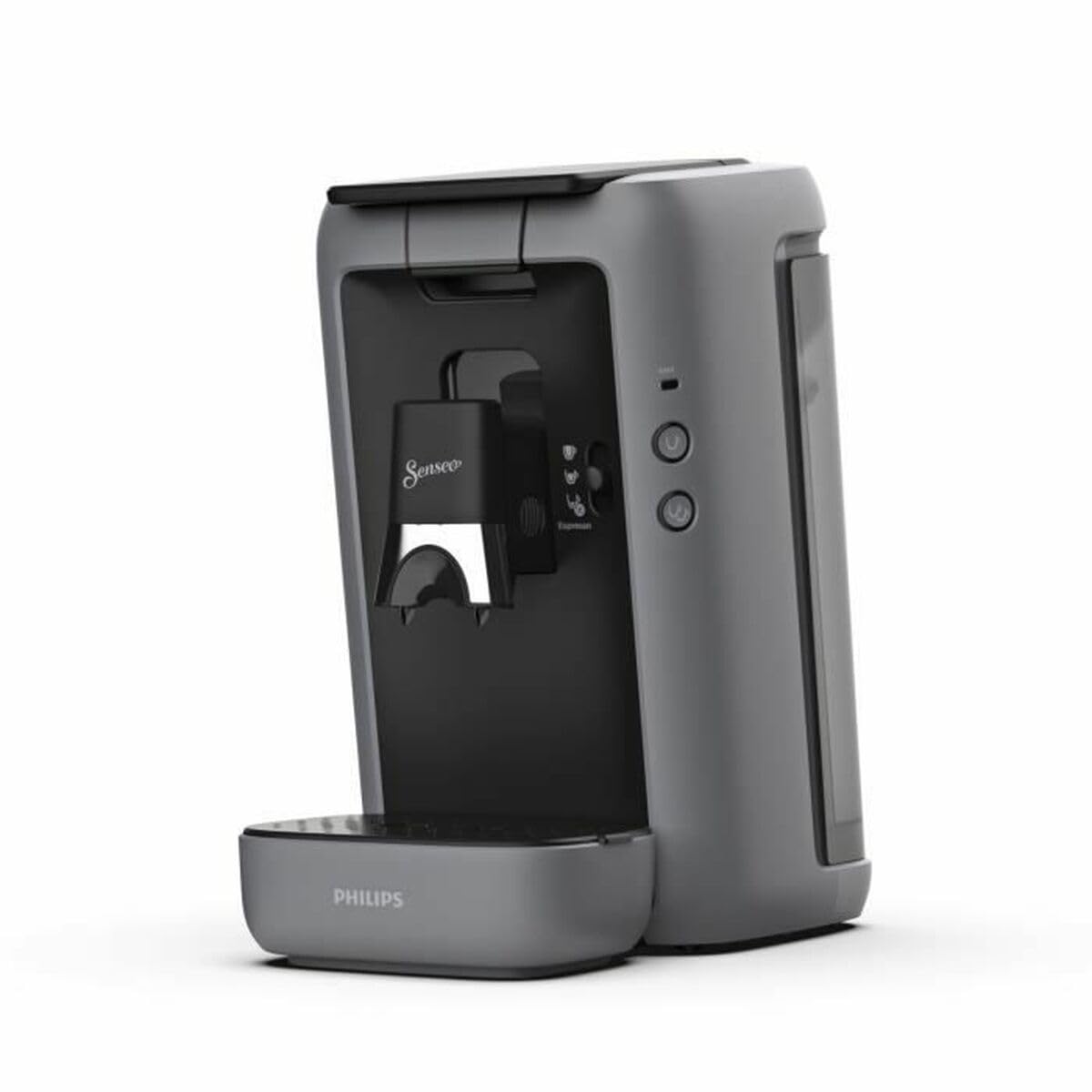
Image 1: Philips SENSEO Maestro CSA260/51 Coffee Machine. This image displays the full coffee machine in grey, with two espresso cups filled with coffee on the drip tray. The Senseo logo is visible on the coffee dispenser, and control buttons are on the side panel.
Components
- Water reservoir (1.2 Liters capacity)
- Lid
- Coffee dispenser with Senseo logo
- Drip tray with Philips logo
- Control panel with buttons for coffee selection
- Power cord
3. Setup
Unpacking and Initial Cleaning
- Remove all packaging materials from the coffee machine.
- Wipe the exterior of the machine with a damp cloth.
- Wash the water reservoir, drip tray, and coffee dispenser with warm soapy water, then rinse thoroughly.
Filling the Water Reservoir
- Remove the water reservoir from the appliance.
- Fill the reservoir with fresh, cold tap water up to the MAX indication.
- Place the water reservoir back onto the appliance, ensuring it is securely seated.
First Use Cycle
- Plug the appliance into a grounded wall socket.
- Place a bowl under the coffee dispenser.
- Press the 1-cup button to start a rinsing cycle. Repeat this process twice to ensure the internal system is clean.
- The machine is now ready for use.
4. Operation
Making Coffee
- Ensure the water reservoir is filled.
- Open the lid of the coffee dispenser.
- Place one or two SENSEO coffee pods into the pod holder, depending on your desired number of cups.
- Close the lid securely.
- Place one or two cups on the drip tray.
- Press the 1-cup or 2-cup button. The machine will start brewing.
- The machine will automatically stop when the coffee is ready.
Espresso Function
This model features an espresso function for a more intense coffee experience.
- Use specific SENSEO espresso pods for best results.
- Place the espresso pod(s) in the appropriate pod holder.
- Select the espresso button on the control panel.
- The machine will brew a concentrated espresso shot.
Adjusting Coffee Strength
Some models allow for adjusting coffee strength. Refer to the control panel for specific options, typically indicated by different button icons for mild, regular, or intense coffee.
5. Maintenance
Daily Cleaning
- After each use, remove and empty the drip tray. Rinse it with warm water.
- Remove the used coffee pod(s) and rinse the pod holder.
- Wipe the exterior of the machine with a damp cloth.
Descaling
Regular descaling is crucial for maintaining your coffee machine's performance and extending its lifespan. The frequency depends on water hardness and usage.
- Use a SENSEO descaling agent or a citric acid-based descaler. Follow the instructions on the descaling agent packaging.
- Fill the water reservoir with the descaling solution.
- Place a large bowl under the coffee dispenser.
- Start the descaling cycle as per the machine's specific instructions (often by pressing and holding certain buttons).
- After the descaling cycle, rinse the machine thoroughly by running several cycles with fresh water.
6. Troubleshooting
| Problem | Possible Cause | Solution |
|---|---|---|
| Machine does not turn on. | Not plugged in; power outage. | Check power connection; check fuse/circuit breaker. |
| Coffee is not brewing. | Water reservoir empty; pod not placed correctly; machine needs descaling. | Fill water reservoir; reposition pod; perform descaling cycle. |
| Coffee tastes weak. | Incorrect pod type; machine needs descaling. | Use appropriate SENSEO pods; descale the machine. |
| Water leaks from the machine. | Water reservoir not seated correctly; damaged component. | Ensure reservoir is properly installed; contact customer support if damage is suspected. |
7. Specifications
- Brand: Philips
- Model Number: CSA260/51
- Capacity: 1.2 Liters (Water Reservoir)
- Power: 1450 Watts
- Voltage: 145 Volts
- Material: Metal, Plastic
- Features: Milk frother
- Item Weight: 3.1 Kilograms
8. Warranty and Support
For warranty information and customer support, please refer to the warranty card included with your product or visit the official Philips website. Keep your proof of purchase for any warranty claims.
Online Support: www.philips.com/support


