
LEFANT M210P
Lefant M210PG Robot Vacuum Cleaner User Manual
Model: M210P
Introduction
Welcome to the Lefant M210PG Robot Vacuum Cleaner user manual. This guide provides essential information for setting up, operating, and maintaining your robot vacuum to ensure efficient and hassle-free cleaning. Please read this manual thoroughly before using the product and keep it for future reference.
Important Safety Information
To reduce the risk of injury or damage, read these safety instructions carefully and keep them handy when setting up, using, and maintaining your robot vacuum.
- This appliance can be used by children aged 8 years and above and persons with reduced physical, sensory or mental capabilities or lack of experience and knowledge if they have been given supervision or instruction concerning use of the appliance in a safe way and understand the hazards involved.
- Do not allow children to play with the appliance. Cleaning and user maintenance shall not be made by children without supervision.
- Use only the original power adapter and charging dock provided by the manufacturer.
- Do not use the robot vacuum in wet environments or near water.
- Remove any loose cables, small objects, or fragile items from the cleaning area before operation to prevent entanglement or damage.
- Do not operate the robot vacuum on elevated surfaces without protective barriers.
Package Contents
Ensure all items are present and in good condition upon unboxing:
- Lefant M210PG Robot Vacuum Cleaner
- Charging Dock
- Power Adapter
- Side Brushes (2 pairs)
- HEPA Filter (pre-installed)
- Cleaning Tool
- User Manual
Product Overview
Familiarize yourself with the components of your Lefant M210PG Robot Vacuum Cleaner:

The Lefant M210PG Robot Vacuum Cleaner, shown with its companion mobile application interface.
Robot Vacuum Components:
- Power Button: Located on the top panel, used for manual start/stop and Wi-Fi pairing.
- Dustbin: Easily removable for emptying and cleaning.
- Side Brushes: Two rotating brushes on the front underside, designed to sweep debris into the suction inlet.
- Charging Contacts: Metal contacts on the underside that connect with the charging dock.
- Anti-Drop Sensors: Located on the underside to detect cliffs and prevent falls.
- Infrared Sensors: Front-facing sensors for obstacle detection and navigation.
Setup Guide
1. Charging the Robot Vacuum
Before first use, fully charge the robot vacuum. Place the charging dock against a wall in an open area, ensuring there are no obstacles within 1 meter to the sides and 2 meters in front. Connect the power adapter to the charging dock and a power outlet. Place the robot vacuum onto the charging dock, aligning its charging contacts.

The robot vacuum automatically returns to its charging dock when the battery is low or cleaning is complete.
2. Installing Side Brushes
Attach the side brushes to the corresponding posts on the underside of the robot vacuum until they click into place. Ensure they are securely fastened.
3. Connecting to the Lefant APP
The Lefant app allows for advanced control and scheduling of your robot vacuum.
- Download the 'Lefant' app from your mobile app store (App Store for iOS, Google Play Store for Android).
- Register or log in to your Lefant account.
- Turn on the robot vacuum by pressing the power button. Ensure the blue light is on.
- In the app, tap 'Add Device' and select the M210PG model.
- Follow the in-app instructions to connect the robot to your 2.4GHz Wi-Fi network. You may need to press and hold the power button on the robot for 6 seconds to enter pairing mode.
- Wait for the robot to successfully pair with the app.

Visual guide for connecting your Lefant robot vacuum to the mobile application.
4. Voice Control (Alexa/Google Home)
The M210PG is compatible with Amazon Alexa and Google Assistant for convenient voice control.
- Ensure your robot vacuum is successfully connected to the Lefant app.
- Open the Alexa or Google Home app.
- Search for the 'Lefant' skill/service and enable it.
- Link your Lefant account by entering your credentials.
- Discover devices. You can now control your robot vacuum with voice commands like "Alexa, ask M210P to clean" or "Hey Google, start Lefant Robot."

Instructions for integrating your robot vacuum with Amazon Alexa for voice commands.
Operating Instructions
Cleaning Modes
The M210PG offers various cleaning modes to suit different needs, accessible via the Lefant app or the robot's power button:
- Organized Cleaning: The robot cleans in a systematic, back-and-forth pattern to cover the entire area efficiently.
- Random Cleaning: The robot navigates randomly, changing direction upon encountering obstacles.
- Spot Cleaning: Concentrates cleaning in a specific area, ideal for localized spills or dirt.
- Edge Cleaning: The robot follows walls and furniture edges to ensure thorough cleaning along boundaries.
- Scheduled Cleaning: Set specific times for the robot to automatically start cleaning.
- Manual Cleaning: Control the robot's movement directly using the app's directional controls.

Illustration of the various cleaning patterns available, including random, zigzag, edge, and spot cleaning modes.
Automatic Carpet Pressurization
The M210PG is optimized for carpet cleaning. It intelligently detects carpets and automatically increases suction power to maximum for optimal cleaning performance, effectively lifting dust and pet hair embedded in fibers.

The robot vacuum automatically detects carpets and boosts suction for deeper cleaning.
Freemove3.0 Technology for Anti-Collision and Anti-Drop
Equipped with innovative Freemove3.0 technology, the M210PG robot vacuum is designed for precise and intelligent navigation. It effectively avoids falling down stairs and intelligently adjusts its path to overcome obstacles, ensuring comprehensive coverage without getting stuck.

The robot vacuum's advanced sensors allow it to navigate around obstacles and climb small thresholds.
Powerful Suction and Quiet Operation
The M210PG features a strong suction power of 2200 Pa, effectively picking up dust, pet hair, and debris. Despite its powerful performance, it operates at a low noise level of 55 dB, ensuring a quiet cleaning experience that won't disturb your daily activities.
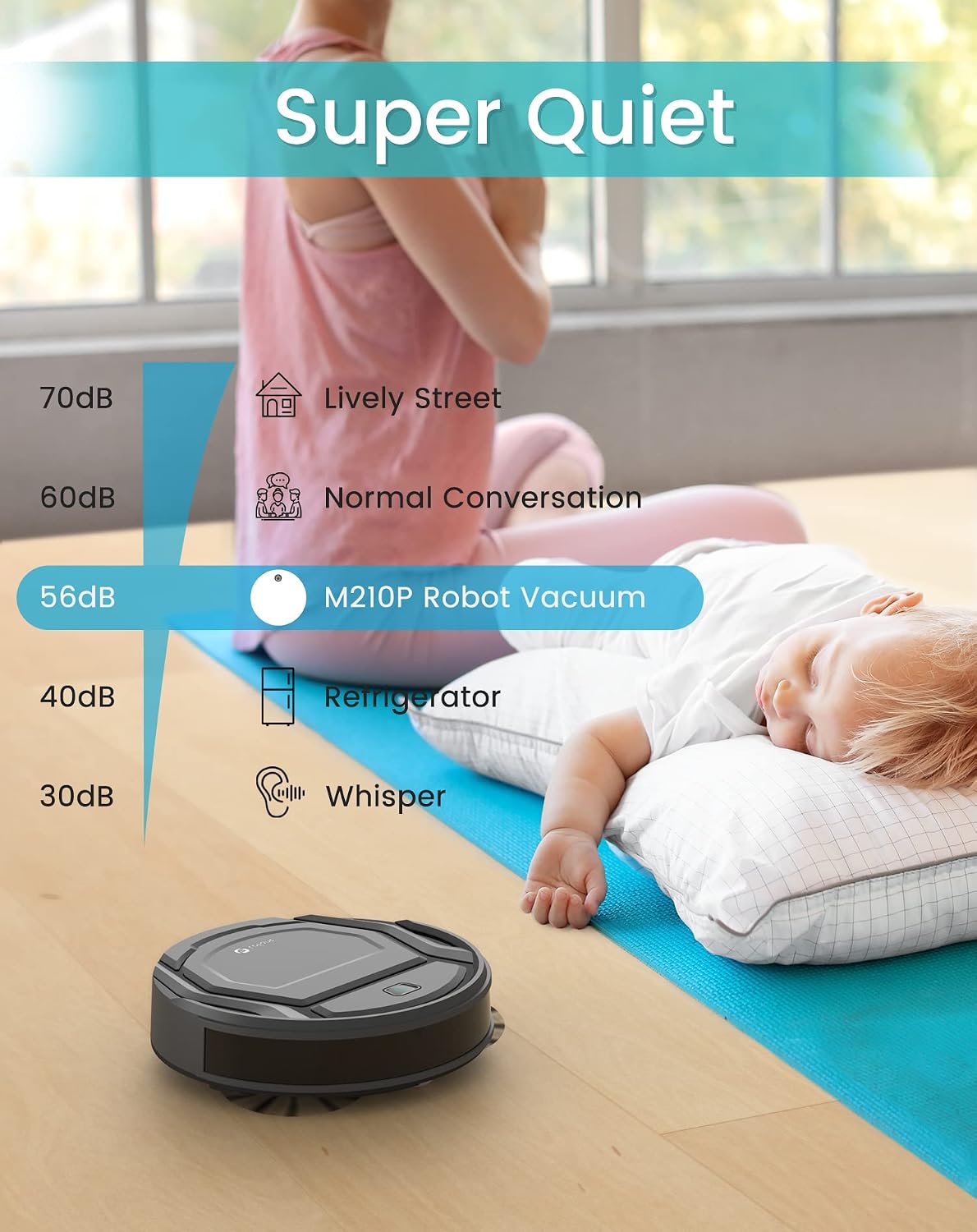
The M210P robot vacuum operates quietly, allowing for undisturbed rest or activities.
Maintenance
Regular maintenance is crucial for optimal performance and longevity of your robot vacuum.
1. Emptying the Dustbin
The M210PG features a large 500ml dustbin. It is recommended to empty the dustbin after each cleaning cycle, especially if you have pets.
- Press the dustbin release button to remove the dustbin from the robot.
- Open the dustbin lid and discard the collected debris.
- Close the lid and reinsert the dustbin into the robot until it clicks into place.

The robot vacuum's dustbin is designed for easy removal and emptying, preventing hair entanglement.
2. Cleaning the Filter
Clean the HEPA filter regularly to maintain suction power. Tap off loose debris or use the cleaning tool to brush it clean. Replace the filter every 3-6 months depending on usage.
3. Cleaning Side Brushes
Check the side brushes for tangled hair or debris. Use the cleaning tool or scissors to remove any obstructions. Replace worn brushes as needed.
4. Cleaning Sensors and Charging Contacts
Wipe the anti-drop sensors, infrared sensors, and charging contacts on both the robot and the charging dock with a clean, dry cloth to ensure proper function.
Troubleshooting
If you encounter issues with your robot vacuum, refer to the table below for common problems and solutions.
| Problem | Possible Cause | Solution |
|---|---|---|
| Robot does not turn on. | Low battery; Power switch off. | Charge the robot; Ensure power switch is ON. |
| Robot does not charge. | Charging contacts dirty; Dock not powered. | Clean charging contacts; Check power connection to dock. |
| Poor suction. | Dustbin full; Filter clogged; Suction inlet blocked. | Empty dustbin; Clean/replace filter; Clear any blockages. |
| Robot gets stuck frequently. | Too many obstacles; Sensors dirty. | Clear cleaning area; Clean sensors. |
| Robot cannot connect to Wi-Fi. | Incorrect Wi-Fi band (not 2.4GHz); Incorrect password; Robot too far from router. | Ensure 2.4GHz network; Re-enter password; Move robot closer to router. |
Specifications
| Feature | Detail |
|---|---|
| Brand | LEFANT |
| Model Number | M210P |
| Color | Grey |
| Dimensions (L x W x H) | 27.94 x 27.94 x 7.59 cm (11 x 11 x 2.99 inches) |
| Weight | 3.1 Kilograms (6.83 lbs) |
| Dustbin Capacity | 500 Milliliters |
| Suction Power | 2200 Pa |
| Power | 23 Watts |
| Voltage | 220 Volts |
| Noise Level | 55 dB |
| Battery Life | 120 minutes |
| Battery Composition | Lithium metal |
| Compatibility | Amazon Alexa, Google Assistant, Tablet, Smartphone |
| Special Features | Intelligent Gyroscope Navigation, Pet-friendly, Auto-recharge, Ultra-thin design |
| Surface Recommendation | Hard floors, Wood floors, Tiles, Carpets |
| Filter Type | HEPA |
Warranty and Support
For warranty information or technical support, please refer to the warranty card included in your product packaging or visit the official Lefant website. You can also contact Lefant customer service through the contact information provided in the app or on their website for assistance with any product-related inquiries.
Ask a question about this manual
Ask about setup, troubleshooting, compatibility, parts, safety, or missing instructions. Manuals+ will review the question and use this page’s manual context to help answer it.