1. Introduction
The Beurer LR 401 Air Purifier is designed to provide clean and healthy indoor air by effectively filtering various airborne particles. This device offers convenient monitoring and control of ambient air quality through a dedicated smartphone application, whether you are at home or away. Its modern design ensures it integrates seamlessly into any living space.
Key features include:
- App Control: Easily monitor and purify ambient air using the 'beurerFreshHome' application.
- Efficient Filtration System: A three-layer system comprising a pre-filter, HEPA H13 filter, and activated carbon filter removes up to 99.95% of particles such as bacteria, viruses, fine dust, and pollen.
- Adjustable Fan Speeds: Four fan speed levels and an additional turbo mode for effective air purification in rooms up to 69 m².
- Night Mode: Operates ultra-quietly with an unlit control panel for undisturbed sleep, including a programmable timer function.
- Air Quality Indicator: A color-coded display provides real-time information on ambient air quality, alongside a filter change indicator.
2. Safety Instructions
Please read these safety instructions carefully before using the Beurer LR 401 Air Purifier to ensure safe operation and prevent damage.
- Always connect the device to a power outlet with the correct voltage as indicated on the rating label.
- Do not operate the device with a damaged power cord or plug. Contact customer service for repairs.
- Keep the air purifier away from water, moisture, and direct sunlight. Do not use it in bathrooms or other humid environments.
- Ensure proper ventilation around the device. Do not block air inlets or outlets.
- This appliance can be used by children aged 8 years and above and persons with reduced physical, sensory or mental capabilities or lack of experience and knowledge if they have been given supervision or instruction concerning use of the appliance in a safe way and understand the hazards involved.
- Children should be supervised to ensure that they do not play with the appliance.
- Unplug the device before cleaning or performing any maintenance.
- Only use original Beurer replacement filters.
- Do not insert any objects into the openings of the device.
3. Product Components
The Beurer LR 401 Air Purifier consists of the main unit, a control panel, and a multi-layer filter system.

The Beurer LR 401 Air Purifier positioned in a modern living room environment.

Close-up view of the Beurer LR 401 Air Purifier's top control panel, showing touch buttons for power, fan speed, UV-C light, timer settings, and filter reset.
3.1 Filtration System
The LR 401 utilizes a comprehensive three-layer filter system to ensure optimal air purification:
- Pre-filter: Captures larger particles such as dust, pet hair, and small insects.
- HEPA H13 Filter: Filters out up to 99.95% of smaller particles, including bacteria, viruses, fine dust, and pollen.
- Activated Carbon Filter: Absorbs harmful gases, volatile organic compounds (VOCs), and unpleasant odors.

Diagram illustrating the three-layer filtration system of the Beurer LR 401, including the pre-filter, HEPA H13 filter, and activated carbon filter.
4. Setup
Follow these steps to set up your Beurer LR 401 Air Purifier:
- Unpack the Device: Carefully remove the air purifier and all packaging materials from the box.
- Install Filters: Open the filter compartment (usually at the bottom or back of the unit). Remove the plastic packaging from all filters (pre-filter, HEPA H13, activated carbon) and insert them into the device in the correct order. Close the filter compartment securely.
- Placement: Place the air purifier on a flat, stable surface, ensuring there is adequate space (at least 20 cm) around all sides for optimal airflow. Avoid placing it near heat sources or in direct sunlight.
- Power Connection: Plug the power cord into a suitable electrical outlet.
- Initial Power On: Press the power button on the control panel to turn on the device.
- App Download and Pairing:
- Download the 'beurerFreshHome' app from your smartphone's app store (iOS or Android).
- Follow the in-app instructions to create an account and pair your LR 401 Air Purifier with your smartphone via Wi-Fi.

Beurer LR 401 Air Purifier being controlled by a user via the 'beurerFreshHome' smartphone application.
5. Operating Instructions
The Beurer LR 401 can be operated via its touch control panel or the 'beurerFreshHome' smartphone application.
5.1 Control Panel Functions
- Power On/Off: Press the power button to turn the device on or off.
- Fan Speed Adjustment: Cycle through four fan speeds (1, 2, 3, 4) and a turbo mode by pressing the fan speed button.
- Night Mode: Activate night mode for quiet operation and dimmed display.
- Timer Function: Set the operating time (e.g., 2h, 4h, 8h) after which the device will automatically turn off.
- UV-C Light: Activate or deactivate the integrated UV-C light for enhanced sterilization.
- Filter Reset: After replacing the filter, press and hold the filter button to reset the filter life indicator.
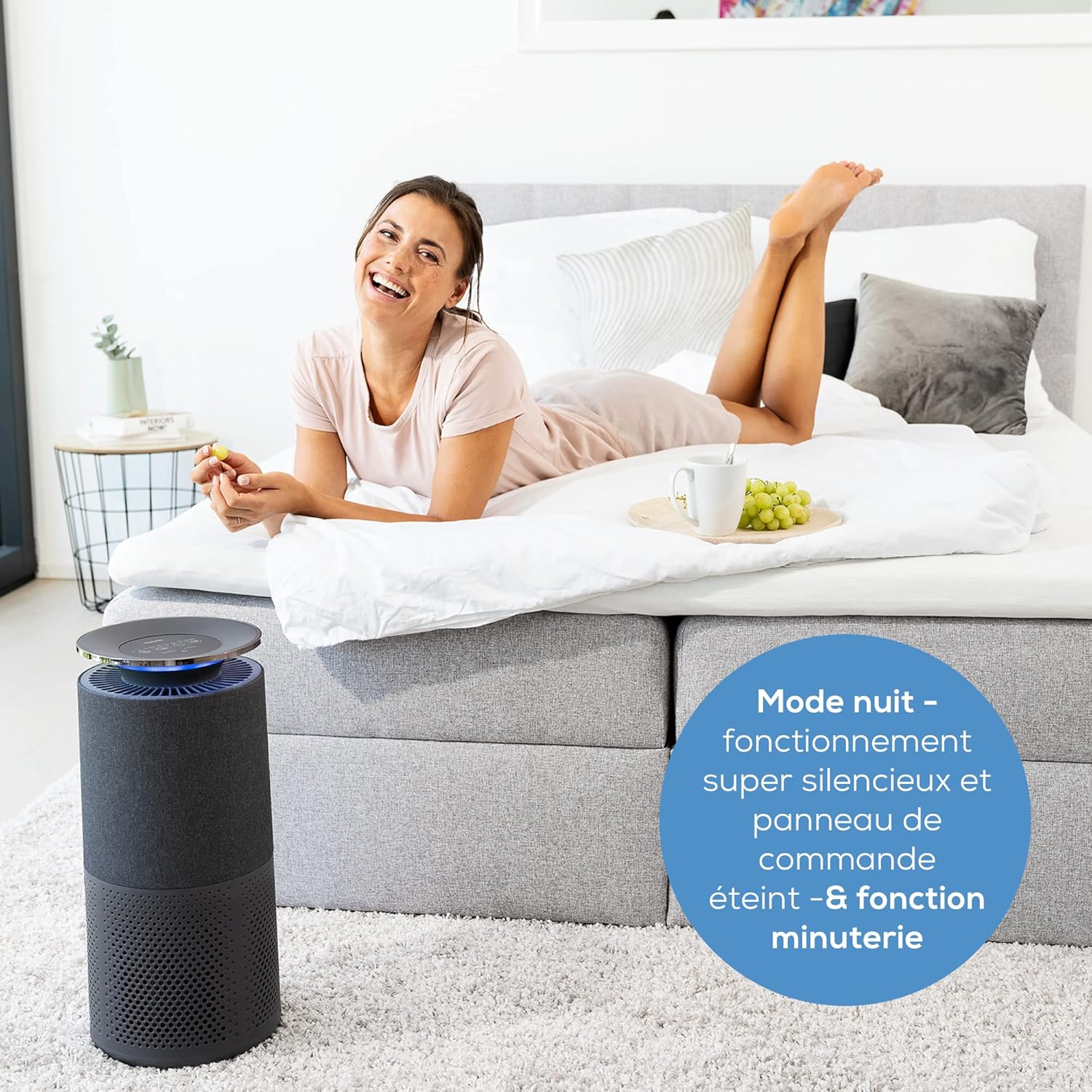
Beurer LR 401 Air Purifier operating in a bedroom during night mode, with a user relaxing nearby, emphasizing its quiet operation.
5.2 Air Quality Indicator
The device features a color-coded light ring that indicates the current air quality:
- Blue: Excellent air quality
- Green: Good air quality
- Yellow: Moderate air quality
- Red: Poor air quality

Beurer LR 401 Air Purifier in a living room, demonstrating its intelligent sensor detecting fine dust particles up to 2.5 µm.
5.3 App Control ('beurerFreshHome')
Once paired, the 'beurerFreshHome' app allows you to:
- Remotely turn the device on/off.
- Adjust fan speed and activate turbo mode.
- Set and manage the timer.
- Activate/deactivate UV-C light.
- Monitor real-time air quality data.
- Receive notifications for filter changes.
6. Maintenance
Regular maintenance ensures the optimal performance and longevity of your air purifier.
6.1 Cleaning the Unit
- Always unplug the device before cleaning.
- Wipe the exterior of the unit with a soft, damp cloth. Do not use abrasive cleaners or solvents.
- Periodically vacuum the pre-filter to remove accumulated dust and debris.
6.2 Filter Replacement
The filter system has an approximate lifespan of 4300 operating hours. The filter change indicator on the control panel and in the app will notify you when replacement is needed.
- Unplug the air purifier from the power outlet.
- Open the filter compartment.
- Remove the old filter unit and dispose of it properly.
- Insert a new, original Beurer replacement filter unit, ensuring it is correctly seated.
- Close the filter compartment securely.
- Plug the device back in and press and hold the filter reset button on the control panel until the indicator light turns off or resets.
7. Troubleshooting
If you encounter issues with your Beurer LR 401, refer to the following common problems and solutions:
| Problem | Possible Cause | Solution |
|---|---|---|
| Device does not turn on | No power supply; Power cord not properly connected | Check if the power cord is securely plugged into the outlet and the device. Try a different outlet. |
| Poor air purification performance | Filters are dirty or expired; Air inlets/outlets blocked | Check and replace filters if necessary. Ensure no obstructions around the device. |
| Unusual noise during operation | Foreign object inside; Filter not installed correctly | Unplug and check for any foreign objects. Reinstall filters to ensure they are seated properly. |
| App cannot connect to device | Wi-Fi issues; Incorrect pairing process | Ensure your Wi-Fi network is stable. Restart the air purifier and your smartphone. Repeat the pairing process in the 'beurerFreshHome' app. |
If the problem persists after trying these solutions, please contact Beurer customer support.
8. Technical Specifications
| Model Number | 68013 |
| Product Dimensions (L x W x H) | 55.7 x 29.2 x 29 cm (21.5P x 21.5l x 50.5H centimeters) |
| Item Weight | 5.03 Kilograms |
| Power Source | Corded Electric |
| Control Method | Application, Touch Panel |
| Filter Type | Pre-filter, HEPA H13, Activated Carbon |
| Floor Area Coverage | Up to 69 square meters |
| Noise Level | 45 Decibels |
| Certifications | HEPA Certified |
| Color | Black |
| Country of Origin | China |
9. Warranty and Support
For warranty information, please refer to the warranty card included with your Beurer LR 401 Air Purifier. This document outlines the terms and conditions of your product's warranty.
If you require technical assistance, have questions about your product, or need to purchase replacement parts (such as filters), please contact Beurer customer support. You can typically find contact information on the Beurer official website or in the product packaging.
Beurer Official Website: www.beurer.com


