Introduction
This manual provides comprehensive instructions for the setup, operation, and maintenance of your Newentor Wireless Weather Station. Please read this manual thoroughly before using the device to ensure proper function and longevity.
Package Contents
- 1 x Newentor Wireless Weather Station (Main Unit)
- 1 x Outdoor Sensor
- 1 x User Manual
- Note: Batteries are not included.
Product Overview

The Newentor Wireless Weather Station consists of a main display unit and a remote outdoor sensor. The main unit displays indoor and outdoor temperature and humidity, along with an air comfort indicator. The outdoor sensor wirelessly transmits environmental data to the main unit.
Main Unit Features:
- Large VA LCD display for clear readability.
- Indoor temperature and humidity display.
- Outdoor temperature and humidity display (from remote sensor).
- Air comfort indicator (DRY, GOOD, HUMID).
- MAX/MIN records for 24/48 hours and all-time.
- Backlight function for low-light conditions.
- Low battery indicator.
- Wall-mountable or table-standing design.
Outdoor Sensor Features:
- Wireless transmission up to 100 meters (open air).
- IP54 waterproof rating.
- Supports up to 3 sensors (one included).
Setup
- Insert Batteries:
- Open the battery compartment on the back of the main unit and insert the required batteries (e.g., 3x AAA, not included) according to the polarity markings.
- Open the battery compartment on the outdoor sensor and insert the required batteries (e.g., 2x AA, not included) according to the polarity markings.
- Power On: The main unit will power on automatically once batteries are inserted. The outdoor sensor will also power on.
- Automatic Pairing: The main unit will automatically search for and pair with the outdoor sensor. This process may take a few minutes. Ensure both units are within range during initial setup.
If pairing fails, refer to the "Troubleshooting" section.
- Placement:
- Place the main unit indoors in a central location, away from direct sunlight or heat sources, for accurate indoor readings. It can be placed on a table using its stand or mounted on a wall.
- Place the outdoor sensor in a shaded, dry location outdoors, protected from direct rain and sunlight, for accurate outdoor readings. Ensure it is within the 100-meter wireless range of the main unit. It can be hung on a wall or placed on a flat surface.

The main unit offers flexible placement options, allowing it to be conveniently placed on a tabletop using its integrated stand or securely mounted on a wall for optimal viewing.
Operating Instructions
Display Overview:

The main display unit provides a clear overview of indoor and outdoor conditions. It shows current temperature and humidity, an air comfort level indicator, and icons for backlight and channel cycling. The design prioritizes essential information without unnecessary clutter.
- Current Temperature & Humidity: Displays the real-time indoor and outdoor temperature and humidity.
- Air Comfort Indicator:

The hygrometer features an air comfort indicator, categorizing humidity levels as DRY (20-30%), GOOD (45-65%), or HUMID (66-84%). This visual guide helps you maintain optimal indoor air quality by indicating when to humidify or dehumidify.
- MAX/MIN Records:
Press the "MAX/MIN" button to cycle through the maximum and minimum recorded values for temperature and humidity. The display will show records for the last 24 hours, 48 hours, and all-time since the last reset.
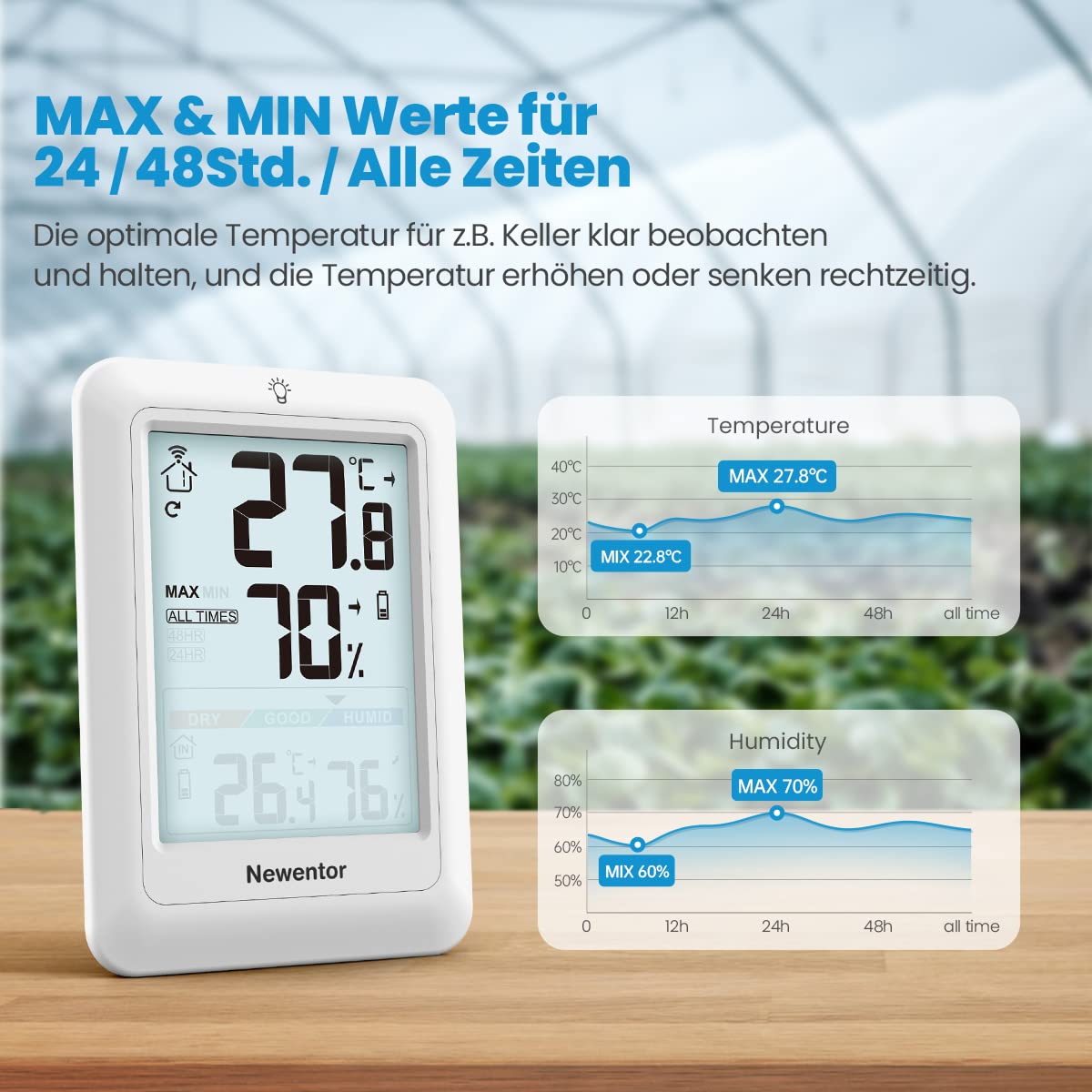
The device tracks and displays maximum and minimum temperature and humidity values over 24 hours, 48 hours, and all time. This feature is useful for monitoring environmental trends and ensuring conditions remain within desired ranges, for example, in a greenhouse or cellar.
- Backlight:
Touch the light icon on the top of the main unit to activate the backlight. The backlight will stay on for approximately 10 seconds, providing clear readability in dark environments.

The weather station features a 10-second backlight that activates with a touch, ensuring the display is easily readable even in complete darkness. This enhances usability during nighttime or in dimly lit rooms.
- Channel Selection (for multiple sensors):
If you have multiple outdoor sensors (up to 3 supported), press the "CH" button on the main unit to cycle through the channels (CH1, CH2, CH3) and view data from different sensors.

The Newentor Weather Station supports up to three outdoor sensors, allowing you to monitor temperature and humidity in various locations such as a baby's room, a greenhouse, or a storage area. The wireless range extends up to 100 meters in open fields.
Maintenance
- Cleaning: Wipe the main unit and sensor with a soft, damp cloth. Do not use abrasive cleaners or solvents.
- Battery Replacement:
When the low battery indicator appears on the display, replace the batteries in the main unit and/or outdoor sensor promptly. Ensure correct polarity.
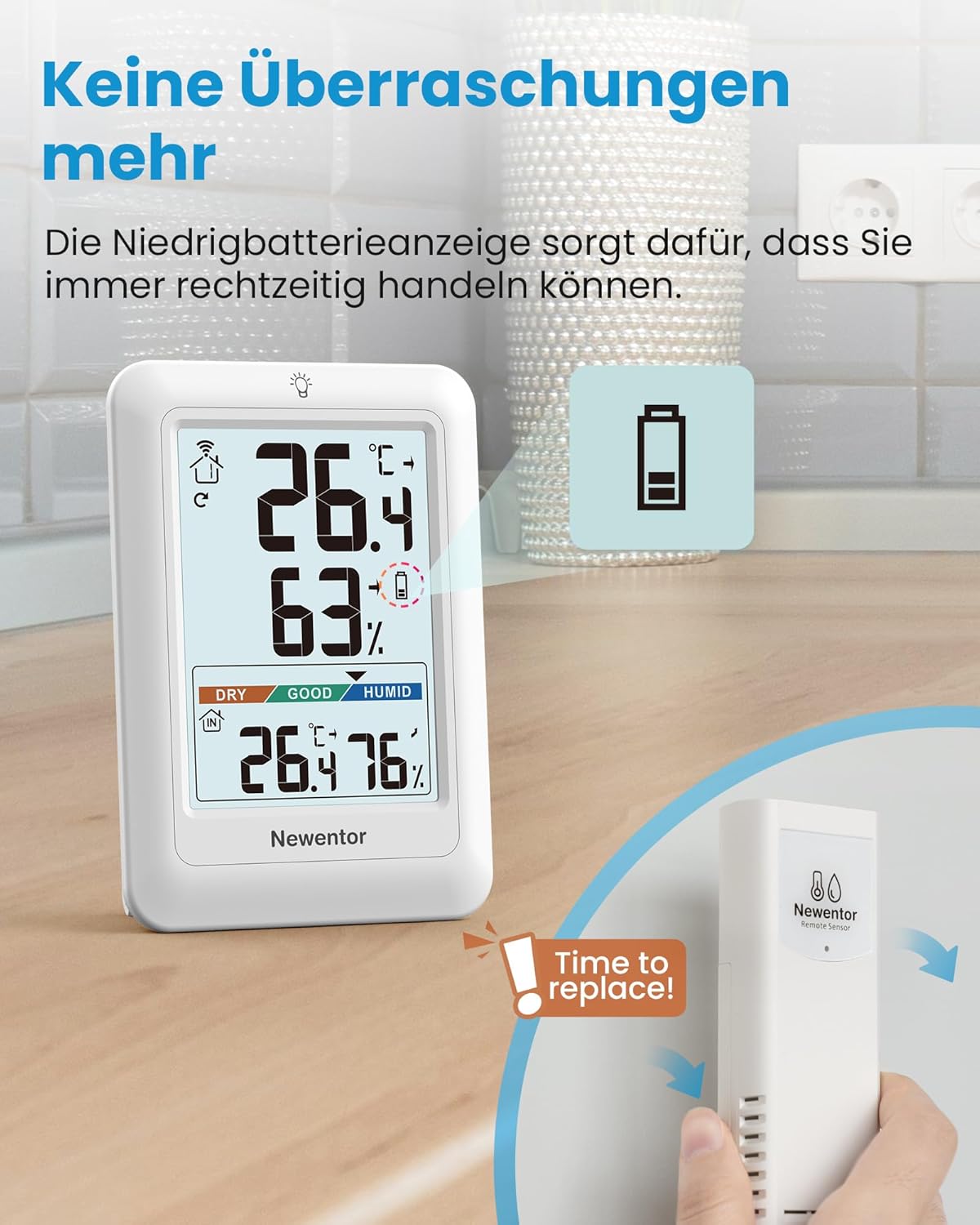
The weather station provides a low battery indicator to alert you when it's time to replace the batteries in either the main unit or the outdoor sensor, ensuring continuous operation without unexpected interruptions.
- Storage: If storing the device for an extended period, remove all batteries to prevent leakage.
Troubleshooting
| Problem | Possible Cause | Solution |
|---|---|---|
| No display on main unit. | Batteries are dead or inserted incorrectly. | Replace batteries, ensuring correct polarity. |
| Outdoor temperature/humidity not displayed or incorrect. |
|
|
| Inaccurate readings. |
|
|
Specifications
| Feature | Detail |
|---|---|
| Brand | Newentor |
| Model Number | 4418f5e8-eada-422d-adcb-e3718000a747 |
| ASIN | B0BPRQNDY2 |
| Display Type | LCD or LED (VA screen) |
| Connectivity Technology | Wireless |
| Power Source | Battery Powered |
| Outdoor Sensor Range | Up to 100 meters (open air) |
| Outdoor Sensor Waterproof Rating | IP54 |
| Max. Supported Outdoor Sensors | 3 (one included) |
| Color | White |
| Material | Plastic |
| Package Dimensions | 14.7 x 14.5 x 3.7 cm |
| Weight | 240 grams |
| Upper Temperature Rating | 40 Degrees Celsius |
Warranty and Support
Newentor products are designed for reliability and performance. For warranty information, technical support, or assistance with your device, please refer to the contact information provided with your purchase or visit the official Newentor website.
Please retain your proof of purchase for warranty claims.


