
1. Introduction
Thank you for choosing yobola Wireless Earbuds. This manual provides detailed instructions on how to set up, operate, and maintain your earbuds to ensure optimal performance and longevity. Please read this manual carefully before use.
2. Package Contents
- yobola Wireless Bluetooth Earbuds
- Charging Case
- USB-C Charging Cable
- User Manual
3. Product Overview

Image: The yobola brand logo, featuring the company name in black text.
The yobola T8 Wireless Earbuds are designed for a superior audio experience, featuring advanced Bluetooth 5.3 technology, deep bass, and HiFi stereo sound. They are lightweight and comfortable for extended wear, and equipped with ENC noise cancellation for clear calls.

Image: A large white earbud with musical notes emanating from it, illustrating the True Wireless Stereo (TWS) feature and high-fidelity audio.
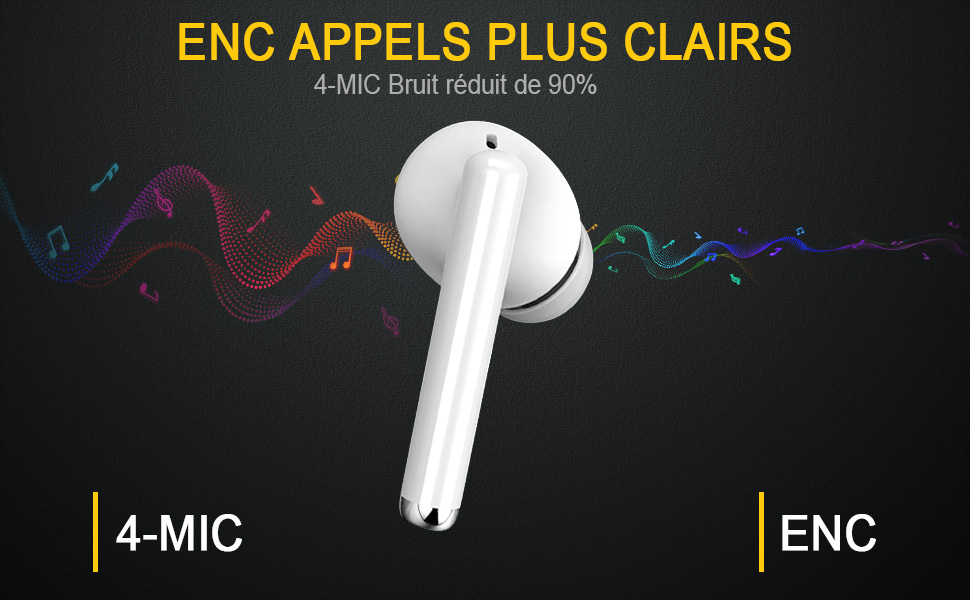
Image: A white earbud with text indicating "ENC Clearer Calls" and "4-MIC Noise reduced by 90%", highlighting the enhanced call quality feature.

Image: Two earbuds and their charging case surrounded by floating feathers, emphasizing their super lightweight design (only 4g per earbud).
4. Setup
4.1 Charging the Earbuds and Case
Before first use, fully charge the earbuds and the charging case. Connect the provided USB-C cable to the charging port on the case and a power source. The indicator light on the case will show charging status.
- Earbuds provide over 5 hours of playback on a single charge.
- The charging case extends total playback time up to 25 hours.
4.2 Bluetooth Pairing
The earbuds feature advanced Bluetooth 5.3 for a stable connection.
- Take both earbuds out of the charging case. They will automatically enter pairing mode.
- On your device (smartphone, tablet, PC), enable Bluetooth.
- Search for Bluetooth devices and select "T8" from the list.
- Once connected, you will hear a confirmation prompt, and the earbuds will be ready for use.

Image: A visual representation of the easy pairing process, showing the charging case, earbuds, and a smartphone screen displaying the Bluetooth connection to "T8".

Image: Earbuds shown alongside Apple, Android, and Windows logos, indicating broad compatibility with various operating systems.
5. Operating Instructions
The yobola T8 earbuds feature intuitive touch controls for various functions:
- Play/Pause Music: Single tap on either earbud.
- Next Song: Double tap on the right earbud.
- Previous Song: Double tap on the left earbud.
- Answer/End Call: Single tap on either earbud.
- Reject Call: Long press on either earbud.
- Adjust Volume: Specific gestures may vary; refer to the quick start guide for precise volume control actions.
- Activate Voice Assistant (Siri): Triple tap on either earbud.

Image: A white earbud shown fitted comfortably within a human ear, demonstrating its ergonomic design and secure fit.
6. Maintenance
6.1 Cleaning
Regularly clean your earbuds and charging case with a soft, dry, lint-free cloth. Do not use harsh chemicals or abrasive materials.
6.2 Water Resistance
The earbuds are IPX7 water-resistant, meaning they can withstand sweat and splashes. They are suitable for workouts and outdoor sports. However, they are not designed for swimming or submersion in water. Ensure the charging port is dry before charging.

Image: Two earbuds covered in water droplets, accompanied by a water drop icon, signifying their IPX7 sweat and water resistance.
6.3 Storage
When not in use, store the earbuds in their charging case to protect them and keep them charged. Store in a cool, dry place away from extreme temperatures.
7. Troubleshooting
- Earbuds not pairing: Ensure both earbuds are out of the case and fully charged. Turn off Bluetooth on other nearby devices. Try resetting the earbuds (refer to specific reset instructions if available in the quick start guide).
- No sound: Check volume levels on both the earbuds and your connected device. Ensure earbuds are properly paired.
- Charging issues: Verify the charging cable and power source are working. Ensure the charging contacts on the earbuds and case are clean and dry.
- Poor call quality: Ensure earbuds are clean. The 4-microphone ENC noise cancellation should provide clear calls, but environmental factors can still affect quality.
8. Specifications
| Feature | Detail |
|---|---|
| Model Name | T8 |
| Model Number | LY-20230111 |
| Bluetooth Version | 5.3 |
| Earbud Playtime | ~5 hours (single charge) |
| Total Playtime (with case) | Up to 25 hours |
| Water Resistance | IPX7 |
| Microphones | 4 (with ENC Noise Cancellation) |
| Earbud Weight | ~4 Grams |
| Compatibility | iOS, Android, Windows, and all Bluetooth-enabled devices |
9. Warranty and Support
Your yobola Wireless Earbuds come with a 1-year manufacturer's warranty from the date of purchase. This warranty covers manufacturing defects. Please retain your proof of purchase for warranty claims.
For technical support, troubleshooting assistance, or warranty inquiries, please contact yobola customer service through the retailer's platform or visit the official yobola brand store online. Refer to the packaging or product listing for specific contact details.
Information regarding spare parts availability and guaranteed software updates is not available at this time.


