
Introduction
This manual provides essential instructions for the safe and effective use of your GAIATOP Electric Fly Swatter Model 1588. Please read this manual thoroughly before operating the device and retain it for future reference.
Safety Warnings
Failure to follow these safety instructions may result in electric shock, fire, or injury.
- This device generates high voltage. Do not touch the internal metal mesh while the swatter is active or powered on.
- Keep out of reach of children and pets. This is not a toy.
- Do not use near flammable gases or liquids.
- Do not use in wet environments or allow the swatter to get wet. Water can damage the electrical components and increase the risk of electric shock.
- Do not insert metal objects into the grid.
- Remove batteries if the device will not be used for an extended period to prevent leakage.
- Dispose of used batteries according to local regulations.
- The outer protective grids are designed to prevent accidental contact with the inner high-voltage grid. However, exercise caution.

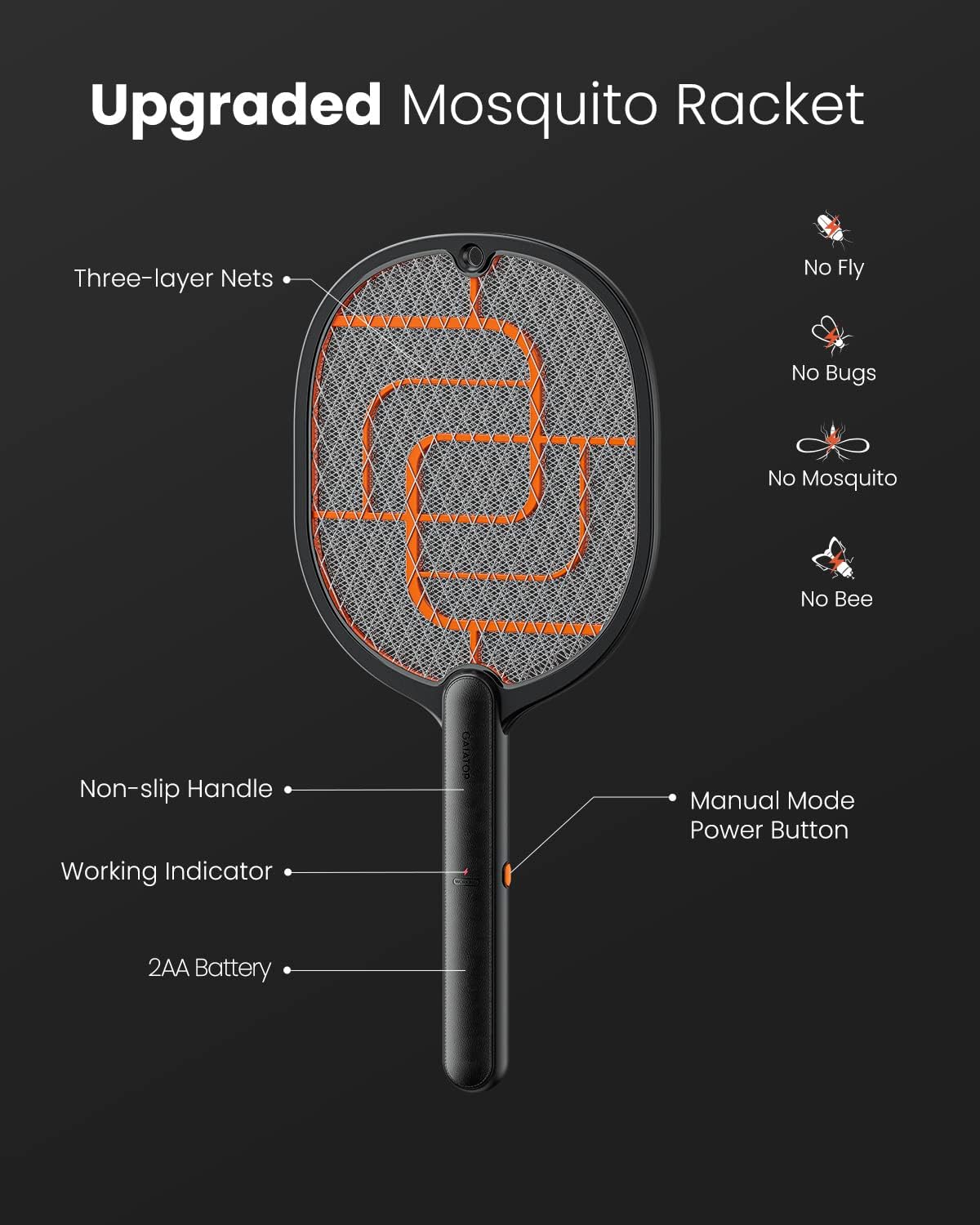
The swatter features a three-layer protective grid for enhanced safety, preventing direct contact with the high-voltage inner mesh.
Product Overview
The GAIATOP Electric Fly Swatter Model 1588 is a handheld device designed to eliminate flying insects using a high-voltage electric grid. It features a durable construction and an ergonomic design for comfortable use.

This diagram illustrates the key components of the GAIATOP Electric Fly Swatter, including the three-layer nets, non-slip handle, working indicator, and manual mode power button.
Key Features:
- 3800V High Voltage Grid: Effectively zaps various flying insects.
- 3-Layer Protection Grid: External nickel-plated stainless steel mesh and internal aluminum mesh for safety.
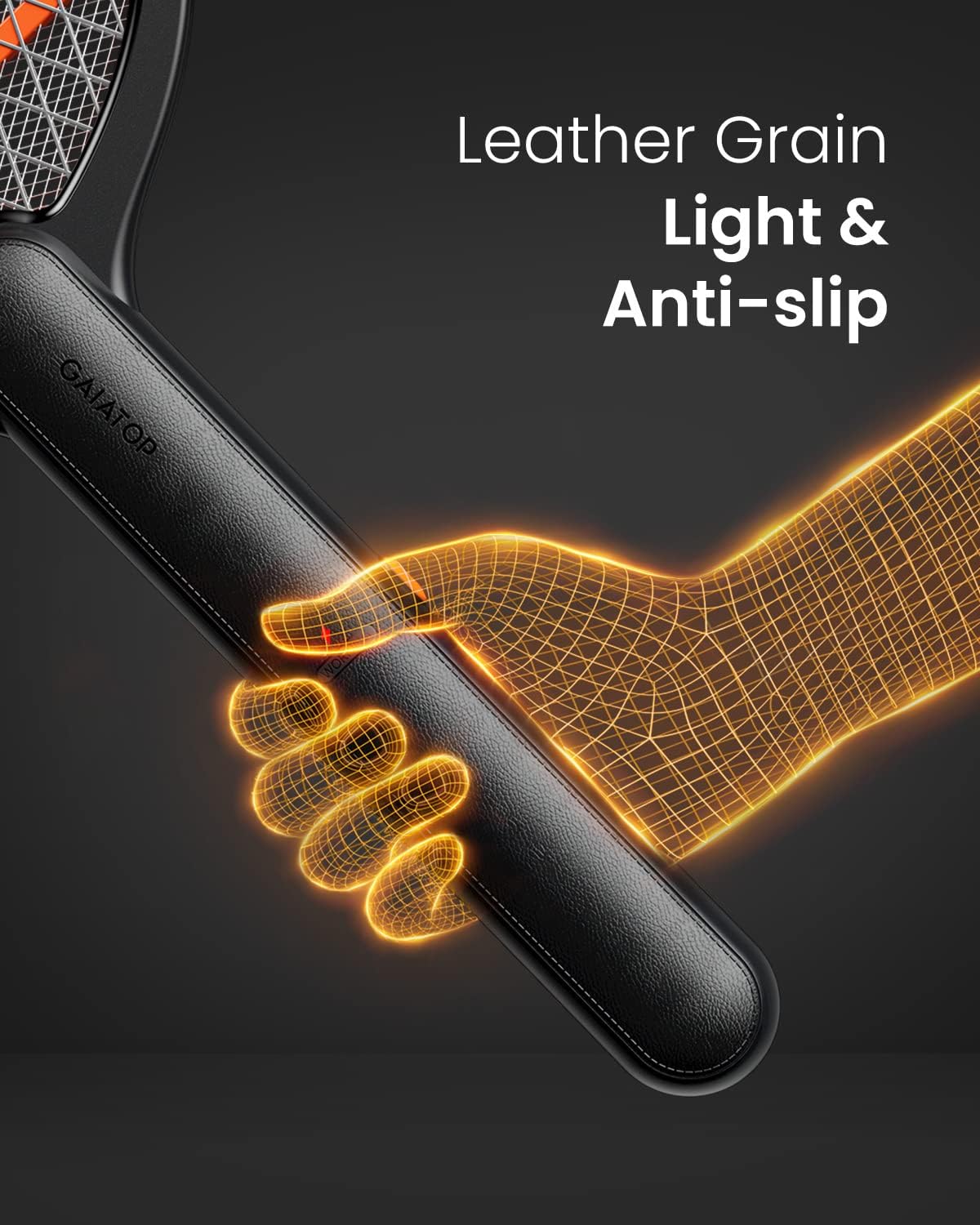
- Ergonomic Handle: Textured, anti-slip design for a secure and comfortable grip.
- Battery Operated: Uses 2 AA batteries (not included) for portability.
- Durable Construction: Made from ABS plastic for longevity.

The handle features a leather grain texture, providing a light and anti-slip grip for comfortable handling.
Setup
Before first use, install the required batteries.
- Locate the battery compartment on the handle of the swatter.
- Open the battery compartment cover.
- Insert 2 AA batteries, ensuring correct polarity (+/-).
- Close the battery compartment cover securely.

Battery replacement is designed to be easy and straightforward.
Operating Instructions
Follow these steps to operate your electric fly swatter:
- Ensure batteries are correctly installed.
- Press and hold the power button located on the handle. A working indicator light (usually red) will illuminate, indicating the grid is active.
- Swing the swatter towards the target insect. When the insect makes contact with the electrified grid, a 'zap' sound and a small spark may occur, indicating successful elimination.
- Release the power button after use to deactivate the grid. The indicator light will turn off.

The swatter is easy to use with a simple button press to activate.
The upgraded 3mm grid and 3800V power increase the effectiveness against small insects.
Video demonstrating the features and usage of the Gaiatop Fly Swatter.
Video showcasing the electric fly swatter in action.
Maintenance
Proper maintenance ensures the longevity and effectiveness of your swatter.
- Cleaning: After use, small insect debris may remain on the grid. Use the included brush or a soft, dry brush to gently clean the grid. Do not use water or cleaning solutions.
- Battery Replacement: When the swatter's effectiveness decreases or the indicator light does not illuminate, replace the AA batteries with new ones.
- Storage: Store the swatter in a dry place, away from direct sunlight and moisture. It can be hung for convenient storage.

The product comes with a cleaning brush for easy maintenance.

The swatter can be hung for convenient storage when not in use.
Troubleshooting
If you encounter issues with your GAIATOP Electric Fly Swatter, refer to the following common problems and solutions:
| Problem | Possible Cause | Solution |
|---|---|---|
| Swatter does not activate (no light, no zap). | Dead or incorrectly installed batteries. | Check battery polarity. Replace with fresh AA batteries. |
| Weak zap or ineffective against insects. | Low battery power. | Replace with fresh AA batteries. |
| Swatter activates but does not zap insects. | Insect not making full contact with the inner grid. | Ensure the insect fully contacts the inner metal mesh. Swing more precisely. |
| Button feels stuck or unresponsive. | Mechanical issue with the power button. | Ensure the button is pressed firmly and fully. If the issue persists, contact customer support. |
Video demonstrating the effective operation of the swatter.
Video review highlighting the performance of the handheld bug zapper.
Specifications
| Feature | Detail |
|---|---|
| Brand | Gaiatop |
| Model Number | 1588 |
| Voltage | 3800V (Instantaneous) |
| Power Source | 2 x AA Batteries (not included) |
| Material | Durable ABS Plastic |
| Product Dimensions (L x W x H) | 1.2" x 12" x 16" |
| Item Weight | 230 Grams |
| Grid Design | 3-Layer Protection Grid (3mm inner mesh) |
| Target Species | Fruit flies, mosquitoes, gnats, bees, and other pests |

The updated 3mm grid ensures that small insects cannot escape.
The circuit board features reinforcement for stability, including a tightened battery spring to prevent loosening.
Support Information
For any questions, concerns, or assistance with your GAIATOP Electric Fly Swatter Model 1588, please contact our customer support team. Refer to the contact information provided with your product packaging or on the official Gaiatop website.
We are committed to providing support for our products and customers.