
Oclean X Pro Digital
Oclean X Pro Digital Smart Sonic Toothbrush User Manual
Model: X Pro Digital
Brand: Oclean
1. Introduction
Thank you for choosing the Oclean X Pro Digital Smart Sonic Toothbrush. This manual provides essential information for the proper setup, operation, and maintenance of your new electric toothbrush. Designed for adults, the Oclean X Pro Digital offers a superior oral care experience with advanced features and intelligent feedback.
2. What's in the Box
Your Oclean X Pro Digital Smart Sonic Toothbrush package includes the following components:
- Brush handle x 1
- Brush head x 2 (1 Plaque Control, 1 Delicate Care)
- Magnetic Charger Base x 1
- USB Cable x 1
- User Manual x 1
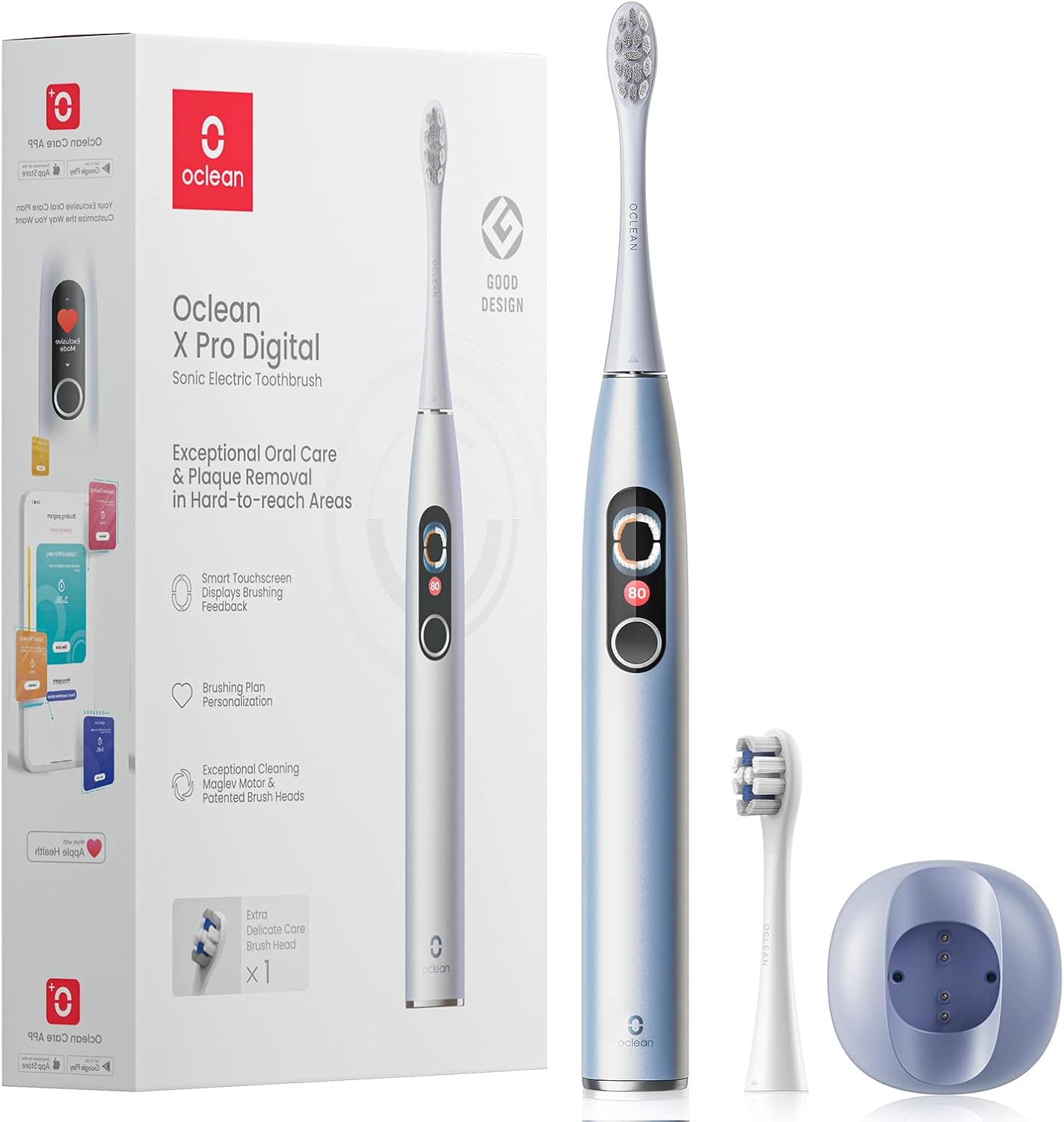
Image: The Oclean X Pro Digital Smart Sonic Toothbrush package, showing the brush handle, two brush heads, magnetic charger base, and USB cable.
Video: Official Oclean X Pro Digital Smart Electric Toothbrush overview, including unboxing and demonstration of included items.
3. Key Features
3.1. Smart Touch Screen & Missed Areas Tracking
The Oclean X Pro Digital features a smart touchscreen that provides instant feedback on your brushing. It tracks missed brushing areas in real-time, displaying them on the screen to ensure comprehensive cleaning. After each session, you receive an instant brushing report, helping you improve your technique.

Image: Close-up of the Oclean X Pro Digital's smart screen, highlighting missed brushing areas in red and displaying a brushing score.

Image: Visual representation of the 8 brushing areas tracking feature, showing how the toothbrush monitors coverage in real-time.
3.2. Maglev Motor with Stable Vibration
Equipped with a powerful Maglev motor, the Oclean X Pro Digital delivers stable vibration and zero energy loss, resulting in less noise and 2X deeper cleaning compared to average sonic motors. This advanced motor technology ensures a more comfortable and effective brushing experience.

Image: Comparison illustrating the superior cleaning energy and stability of the Oclean Maglev Motor against a standard sonic motor.

Image: Transparent view of the Oclean X Pro Digital's handle, showcasing the internal Maglev motor and its components.
3.3. Long Battery Life & Fast Charge
Enjoy up to 30 days of battery life on a single charge, making it ideal for travel and daily use without frequent recharging. The toothbrush supports 2.5-3 hours quick charge, ensuring it's always ready when you need it.

Image: The Oclean X Pro Digital toothbrush showcasing its 30-day battery life and 3-hour quick charge capability, alongside its 2-in-1 wall mount and charger.
3.4. Oclean Care APP Personalization
The Oclean Care APP allows you to personalize your exclusive brushing settings. It works with Apple Health and provides a detailed brushing plan and report, helping you achieve your oral hygiene goals effectively.

Image: The Oclean X Pro Digital toothbrush alongside a smartphone displaying the Oclean Care App interface, highlighting personalized solutions and missed area tracking.
3.5. Duo Brush Heads Set
The package includes two patented brush heads: one Plaque Control head and one Delicate Care head. These brush heads are designed to deeply clean hard-to-reach areas, ensuring thorough plaque removal and gentle care for sensitive teeth.

Image: Detailed view of the two included Oclean brush heads: Plaque Control with Dupont Diamond Classic Bristles and Tongue Scraper, and Delicate Clean with 15% smaller size, 20% softer bristles, Silicon Coated Cover, and Fluoride-Infused Bristles.
4. Setup
4.1. Attaching the Brush Head
Align the brush head with the metal shaft on the toothbrush handle. Gently push the brush head down until it clicks securely into place. Ensure it is firmly attached before use.
4.2. Charging the Toothbrush
Connect the USB cable to the magnetic charger base and plug it into a compatible USB power source. Place the toothbrush onto the magnetic charger base. The screen will display the charging status. A full charge takes approximately 2.5-3 hours.
5. Operating the Toothbrush
5.1. Power On/Off
To power on the toothbrush, press and hold the main button for 2 seconds. To power off, press and hold the main button again for 2 seconds.
5.2. Changing Brushing Modes
The Oclean X Pro Digital offers various brushing modes. Swipe up or down on the touchscreen to navigate through the available modes (e.g., Sunrise Soothing, Sunset Clearout, Exclusive Mode). Select the desired mode by tapping on it.
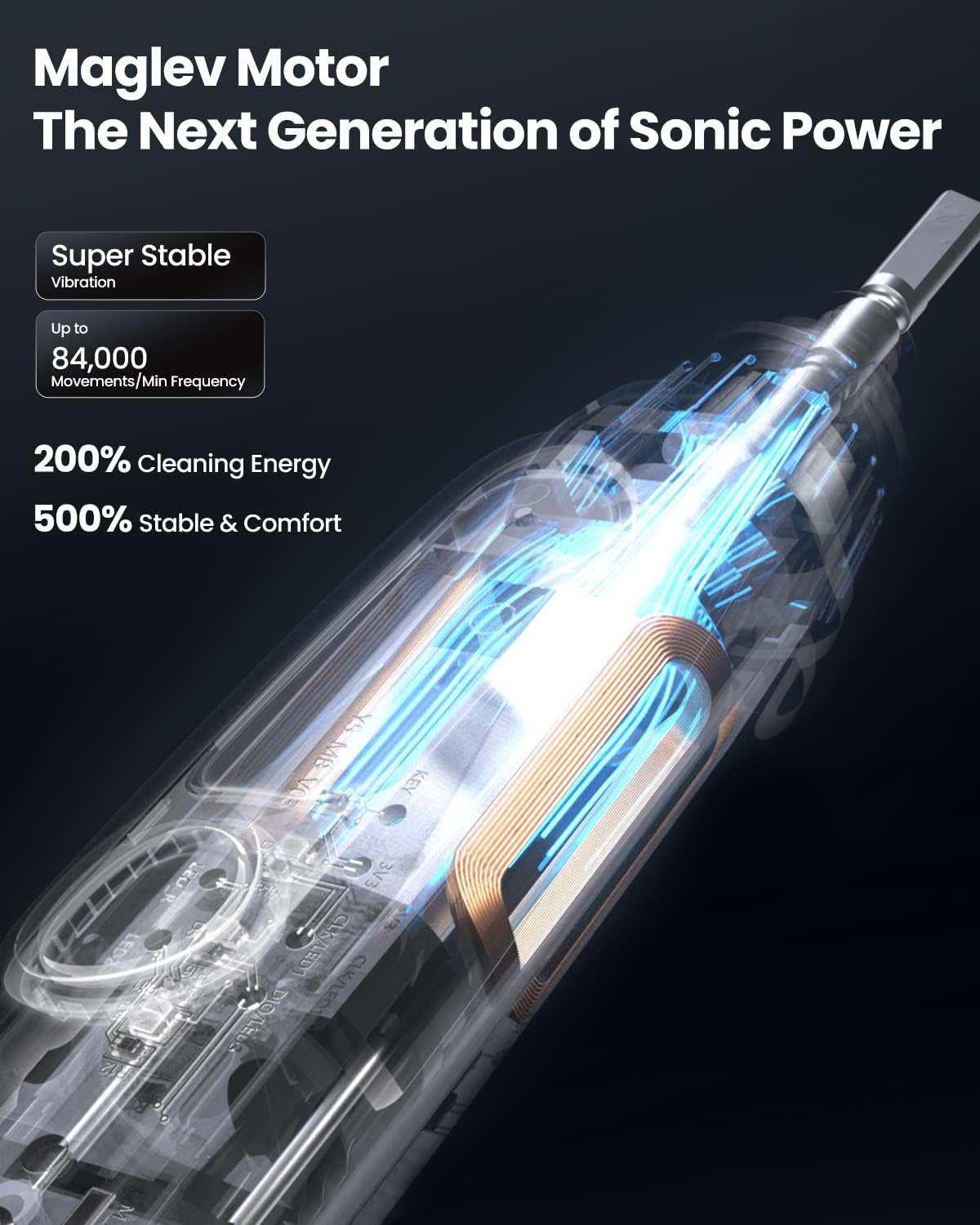
Image: The Oclean X Pro Digital's smart screen displaying various tailor-made and exclusive brushing modes, including Sunrise Soothing, Sunset Clearout, and a customizable Exclusive Mode.
5.3. Using the Oclean Care APP
Download the Oclean Care APP from your smartphone's app store. Follow the in-app instructions to pair your toothbrush via Bluetooth. The app provides personalized brushing plans, real-time feedback, and detailed reports to optimize your oral hygiene routine.
6. Maintenance
6.1. Cleaning the Toothbrush
After each use, rinse the brush head and bristles thoroughly under running water. Wipe the toothbrush handle with a soft, damp cloth. Do not immerse the entire handle in water for extended periods, although it is IPX7 waterproof for showering.
6.2. Brush Head Replacement
It is recommended to replace your brush head every 3 months or sooner if the bristles become frayed. Gently pull the old brush head off the handle and snap a new one into place.
7. Troubleshooting
7.1. Toothbrush Not Charging
Ensure the USB cable is securely connected to both the magnetic charger base and the power source. Verify that the toothbrush is correctly placed on the magnetic charger base. If the issue persists, try a different USB port or power adapter.
7.2. Short Battery Life
If you experience significantly shorter battery life than expected (30 days), ensure the toothbrush is fully charged before each use. Over time, battery performance may degrade. If the issue is severe, contact customer support.
7.3. App Connectivity Issues
Ensure Bluetooth is enabled on your smartphone and the toothbrush is within range. Try restarting both the app and the toothbrush. If problems continue, try reinstalling the Oclean Care APP.
8. Specifications
| Feature | Detail |
|---|---|
| Product Dimensions | 0.98 x 0.98 x 9.65 inches; 14.89 ounces |
| Brand | Oclean |
| Age Range (Description) | Adult |
| Power Source | Battery Powered |
| Item Firmness Description | Medium |
9. Warranty & Support
For warranty information and customer support, please refer to the official Oclean website or contact their customer service directly. Keep your purchase receipt as proof of purchase for any warranty claims.
10. Safety Information
General safety instructions may apply. Always follow the user manual for proper use and storage. Keep out of reach of children when not in use.
11. Legal Disclaimer
Statements regarding dietary supplements have not been evaluated by the FDA and are not intended to diagnose, treat, cure, or prevent any disease or health condition.
Related documentsX Pro Digital


Ask a question about this manual
Ask about setup, troubleshooting, compatibility, parts, safety, or missing instructions. Manuals+ will review the question and use this page’s manual context to help answer it.