
1. Product Overview
The DR.PREPARE Heated Gloves (Model DHG02S1-G1) are designed to provide warmth and comfort during cold weather activities. Featuring full-hand heating, rechargeable batteries, and multiple heat settings, these gloves are suitable for various outdoor uses. They also include touchscreen compatibility and an anti-slip palm for enhanced functionality.

Image 1.1: Overview of DR.PREPARE Heated Gloves, showing the gloves, batteries, and internal heating elements.
2. What's in the Box
Upon opening the package, verify that all components are present:
- 1 Pair of DR.PREPARE Thin Heated Gloves
- 2 Rechargeable 7.4V 3200mAh Lithium-Ion Batteries
- 1 Dual Battery Charger
- 1 User Manual
Video 2.1: Unboxing of the DR.PREPARE Heated Gloves, showing all included components.
3. Setup and First Use
3.1. Charging the Batteries
Before first use, fully charge both batteries. Charging typically takes 5-6 hours until the indicator light on the charger turns green.
- Connect both batteries to the dual battery charger.
- Plug the charger into a standard wall outlet.
- The indicator light on the charger will be red while charging and turn green when fully charged.

Image 3.1: Visual guide for charging the batteries, showing the connection to the charger and indicator lights.
3.2. Installing Batteries into Gloves
- Locate the zippered pocket on the cuff of each glove.
- Connect the built-in cable inside the pocket to a fully charged battery.
- Carefully insert the battery into the pocket and zip it closed.
- Adjust the wrist strap for a snug and comfortable fit.
Video 3.2: Detailed instructions on how to install the batteries into the gloves and operate them.
4. Operating Instructions
4.1. Powering On/Off and Adjusting Heat Levels
Each glove features a power button on the cuff to control the heating function.
- To power on, press and hold the power button for approximately 3 seconds until the light illuminates. The gloves will typically start on the High heat setting (Red light).
- To cycle through heat settings, press the power button briefly:
- Red Light: High Heat (140°F/60°C, approx. 2.5-3 hours runtime)
- Blue Light: Medium Heat (122°F/50°C, approx. 3.5-4 hours runtime)
- Green Light: Low Heat (113°F/45°C, approx. 6.5-7 hours runtime)
- To power off, press and hold the power button for approximately 3 seconds until the light turns off.
Note: In extremely cold outdoor conditions, the perceived heat may be less noticeable. This is normal.
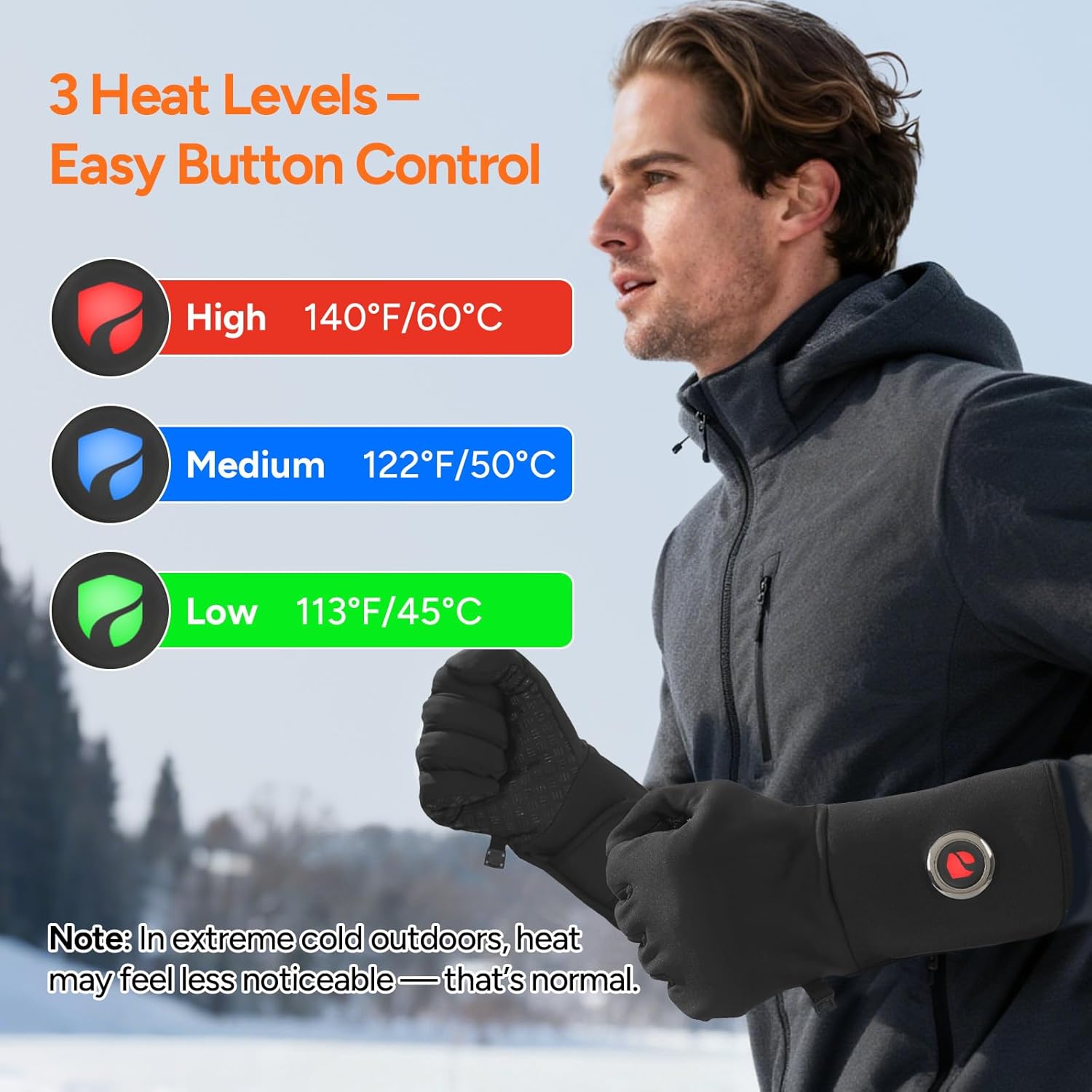
Image 4.1: Heat level indicators and approximate runtimes.
4.2. Touchscreen Compatibility
The gloves feature conductive material on the thumb and index fingertips, allowing you to operate touchscreen devices without removing your gloves.
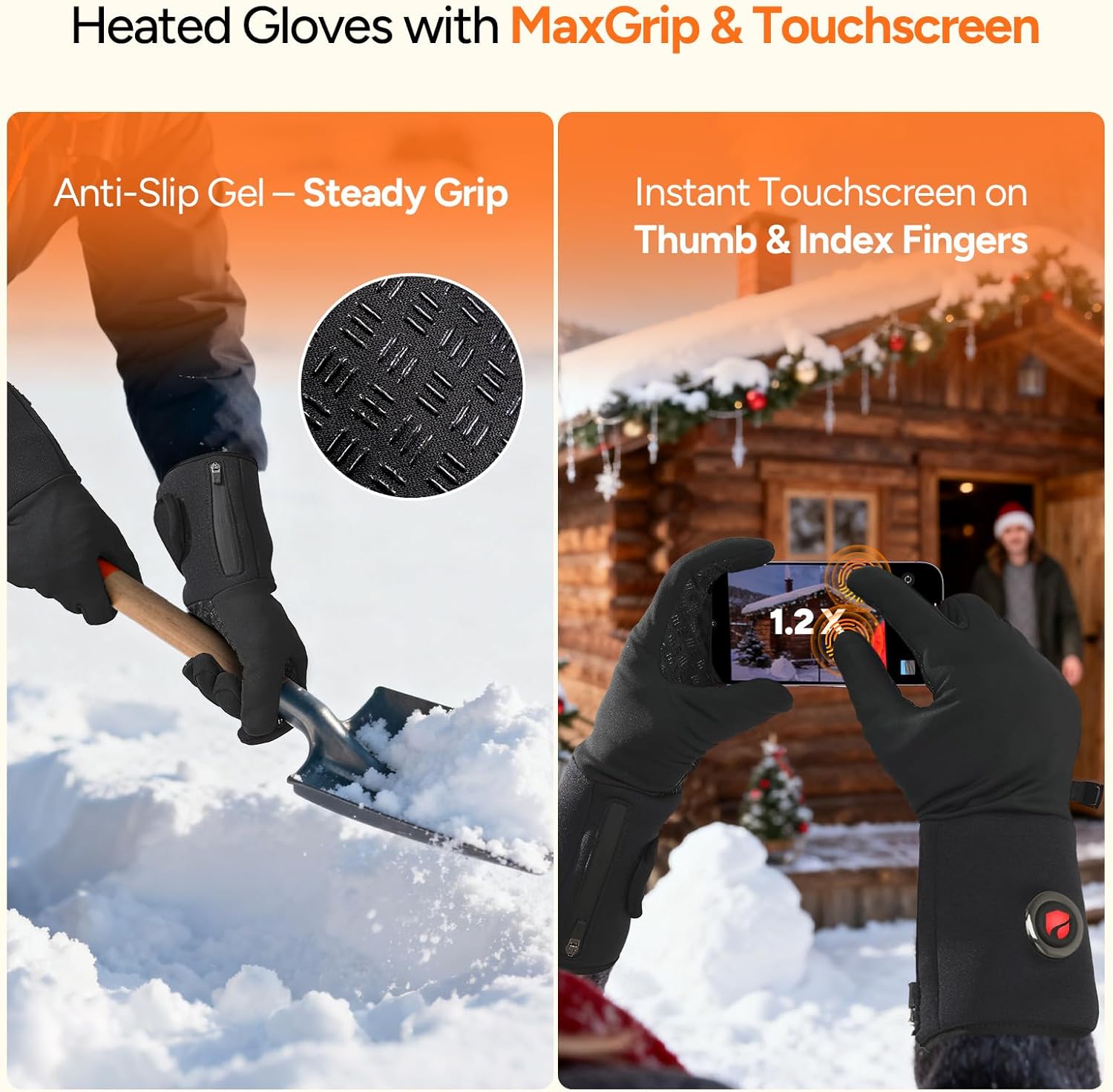
Image 4.2: Demonstrating touchscreen functionality with the gloves.
4.3. Anti-Slip Palm and Dexterity
The gloves are designed with a MaxGrip anti-slip palm for secure handling of objects. Their moderate thickness ensures flexibility and dexterity, making them suitable for activities like driving, cycling, or as an inner layer under thicker gloves.

Image 4.3: Anti-slip palm and touchscreen features.
5. Care and Maintenance
5.1. Cleaning Instructions
To ensure the longevity of your heated gloves, follow these cleaning guidelines:
- Always disconnect and remove the batteries from the glove pockets before cleaning.
- Zip the battery compartment closed to protect the built-in cable.
- Hand Wash: Gently wash the gloves by hand using mild soap and cold water. Do not wring or twist.
- Machine Wash: If machine washing, place the gloves in a laundry bag (not included) to protect them. Use a gentle cycle with cold water.
- Drying: Air dry the gloves completely before reinserting batteries or storing. Do not tumble dry, iron, or use bleach.

Image 5.1: Cleaning instructions for the heated gloves.
5.2. Storage
When not in use, especially for long-term storage, always disconnect the batteries from the gloves to prevent unwanted power drain. Store the gloves and batteries in a cool, dry place.
6. Product Specifications
| Feature | Detail |
|---|---|
| Brand | DR.PREPARE |
| Model Name | YW059 (Part Number: DHG02S1-G1) |
| Color | BLACK |
| Material | Polyester |
| Battery Type | Lithium-Ion |
| Battery Capacity | 7.4V 3200mAh (per battery) |
| Charging Time | Approx. 5-6 hours |
| Heat Levels & Runtime |
|
| Recommended Uses | Hiking, Outdoor activities, Motorcycling, Skiing, Snowboarding, Driving, Horse riding, Cycling, Fishing |
| Special Features | Full-hand heating, MaxGrip anti-slip palm, Touchscreen fingertips, Adjustable wrist |

Image 6.1: Illustration of the full-hand heating coverage.

Image 6.2: Detailed heat level and runtime chart.
7. Troubleshooting
- Gloves not heating:
- Ensure batteries are fully charged and correctly connected to the glove's internal cable.
- Verify the power button is pressed and held for 3 seconds to turn on, and the indicator light is illuminated.
- Check if the battery compartment zipper is fully closed.
- Short battery life:
- Ensure batteries are fully charged before each use.
- Battery runtime varies with heat setting; higher settings consume power faster.
- Battery performance can decrease over time and in extremely cold temperatures.
- Uneven heating or cold spots:
- Heating elements are primarily located in the fingers and back of the hand. Some areas, like the palm, may not be heated.
- Ensure the gloves are worn correctly and fit snugly to maximize heat transfer.
8. Warranty and Support
DR.PREPARE products typically come with a warranty. Please refer to the warranty information provided in your product packaging or contact DR.PREPARE customer support for details regarding warranty coverage and service. For assistance, visit the official DR.PREPARE website or contact their customer service team.
Manufacturer: Shenzhen Kailande Clothing Co.,Ltd