1. Introduction
This manual provides detailed instructions for the safe and efficient use of your XTAR BC4 AA/AAA Battery Charger and the accompanying 1.5V AA 3300mWh Lithium Rechargeable Batteries. Please read this manual thoroughly before operation and retain it for future reference.
2. Package Contents
Verify that all items listed below are included in your package:
- 1x XTAR BC4 Charger
- 4x 1.5V AA 3300mWh Lithium Batteries
- 1x Battery Case
- 1x Lanyard
- 1x Type-C Cable
- 1x User Manual

3. Product Features
- Superior Compatibility: The BC4 charger supports 1.5V Li-ion/IMR/INR/ICR and 1.2V Ni-MH AA/AAA batteries. It is specifically designed to charge XTAR 1.5V AA/AAA Lithium batteries with low-power LED indicators.
- High Capacity Batteries: The included 1.5V AA rechargeable batteries offer a 3300mWh capacity, providing long-lasting power for various devices.
- Low Self-Discharge: Advanced technology ensures these Li-ion batteries retain approximately 80% of their charge even after 3 years of storage.
- Portable Power Source (USB Output): When powered by four charged batteries, the charger can function as a power bank to charge external USB devices (5V 1A output).
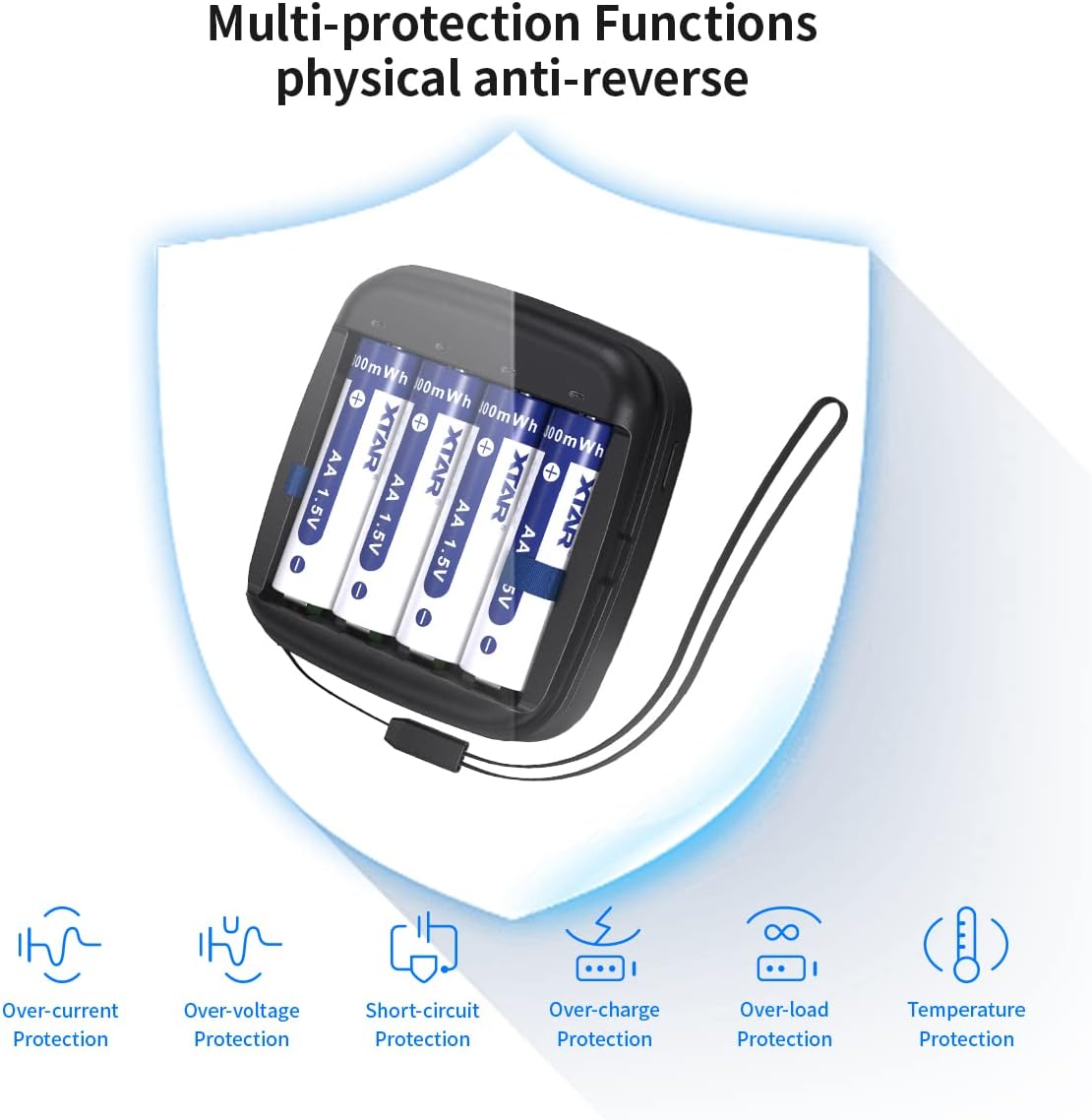
- Multi-Protection Functions: Built-in safety features include over-current, over-voltage, short-circuit, over-charge, over-load, and temperature protection.
- Emergency LED Light: The charger features an integrated LED light for use in dimly lit environments.


4. Setup
To begin using your XTAR BC4 charger:
- Connect the provided Type-C cable to the charger's input port.
- Connect the other end of the Type-C cable to a compatible USB power adapter (a 5V 2A adapter is recommended for optimal charging speed).
- The charger's LED indicators will briefly illuminate upon successful power connection.
5. Operating Instructions
5.1 Charging Batteries
- Ensure the charger is connected to a power source.
- Insert 1.5V Li-ion or 1.2V Ni-MH AA/AAA batteries into the charging slots, observing the correct polarity (+/-).
- The LED indicator above each slot will show the charging status (refer to Section 5.3 for details).
- Charging will automatically stop when batteries are fully charged.

5.2 USB Output Function (Power Bank Mode)
The BC4 charger can act as a portable power source for external devices.
- Ensure four charged batteries are inserted into the charger.
- Connect your external device (e.g., smartphone) to the USB-A output port on the charger.
- Press the button on the charger to activate the USB output.
- Note: This function is not available while the BC4 charger itself is connected to a power source and charging batteries.

5.3 LED Indicator Guide
The LED indicators provide information about the charger's status:
| LED Status | Meaning |
|---|---|
| No light | Power supply unconnected |
| Green LED | Standby / Fully charged |
| Red LED | Activated / Charging |
| Red LED flashes slowly | Recognizing battery / 0V activating |
| Red LED flashes quickly | 0V activation failed or other error |

5.4 LED Light for Emergency Use
The charger includes a built-in LED light for convenience.
- After inserting four batteries with power into the charger, long-press the button for 2 seconds to turn on the LED light.
- Long-press the button for 2 seconds again to turn off the LED light.

6. Maintenance
- Keep the charger and batteries clean and dry. Avoid exposure to dust, dirt, and moisture.
- When not in use, store the batteries in the provided battery case to prevent accidental short circuits.
- Do not attempt to disassemble or modify the charger or batteries, as this will void the warranty and may cause damage or injury.
- Clean the charging contacts periodically with a dry, soft cloth to ensure optimal connection.
7. Troubleshooting
- Charger not turning on / No LED indication:
Ensure the Type-C cable is securely connected to both the charger and a functional USB power adapter. Verify the power adapter is supplying 5V. - Batteries not charging / Red LED flashes slowly:
This indicates the charger is recognizing the battery or attempting 0V activation. Ensure batteries are inserted with correct polarity. If the issue persists, the battery might be deeply discharged or damaged. - Red LED flashes quickly:
This typically indicates 0V activation failure or another error. Remove and reinsert the battery. If the error persists, the battery may be faulty. - Charging multiple batteries, some slots stop prematurely:
If charging four 1.5V Li-ion cells simultaneously, ensure your USB power adapter provides sufficient current (e.g., 5V 2A). Some fully discharged 1.5V Li-ion cells may require a robust power supply for proper activation and charging. - USB Output (power bank) function not working:
Ensure four charged batteries are inserted. Confirm the charger is not connected to an external power source for charging. Press the button to activate the USB output.
8. Specifications
8.1 BC4 Charger Specifications
- Compatibility: 1.5V Li-ion Battery, 1.2V Ni-MH Battery (AA/AAA)
- Input Voltage: 5 Volts
- Input Current: 5V 2A
- Charge Current: 0.5A x 4 slots
- USB Output: 5V 1A
- Package Dimensions: 4.61 x 3.11 x 1.85 inches
- Item Weight: 7.4 ounces
- Manufacturer: ShenZhen XTAR Electronics Co., Ltd
8.2 1.5V AA Battery Specifications
- Capacity: 3300mWh
- Output Current: 2.0A (Max)
- Constant Voltage: 1.5V
- Work Temperature: -20°C to 60°C
- Charge Cycles: ≥1000 Times

9. Safety Information
Please observe the following safety precautions to prevent injury or damage:
- Do not short-circuit the batteries or charger.
- Do not expose batteries or charger to extreme temperatures (hot or cold), direct sunlight, or fire.
- Do not immerse the charger or batteries in water or other liquids.
- Keep out of reach of children.
- Dispose of batteries and charger according to local regulations. Do not dispose of in household waste.
- The lithium AA/AAA batteries have passed multiple safety tests, including 1.0m free drop test, vibration test, capacity test, high & low-temperature performance test, and thermal shock test.
10. Warranty and Support
XTAR is committed to providing high-quality, reliable products. For any questions, technical support, or warranty inquiries, please contact XTAR customer service through the retailer where the product was purchased or visit the official XTAR website. Since 2006, XTAR has specialized in the development and manufacture of Li-ion batteries, smart chargers, and LED flashlights, ensuring a focus on quality and customer satisfaction.


