Introduction
This manual provides detailed instructions for the proper use and maintenance of your AIWA HST-250BT Bluetooth Over-Ear Headphones. Please read this manual thoroughly before using the product to ensure optimal performance and longevity.
What's in the Box
Upon unpacking, please ensure all the following items are present:
- AIWA HST-250BT Bluetooth Over-Ear Headphones
- Braided nylon micro USB charging cable
- Aux cable 3.5mm stereo to 3.5mm stereo (1 meter length, high quality with metal plugs)
- Deluxe carrying case
- User Manual (this document)
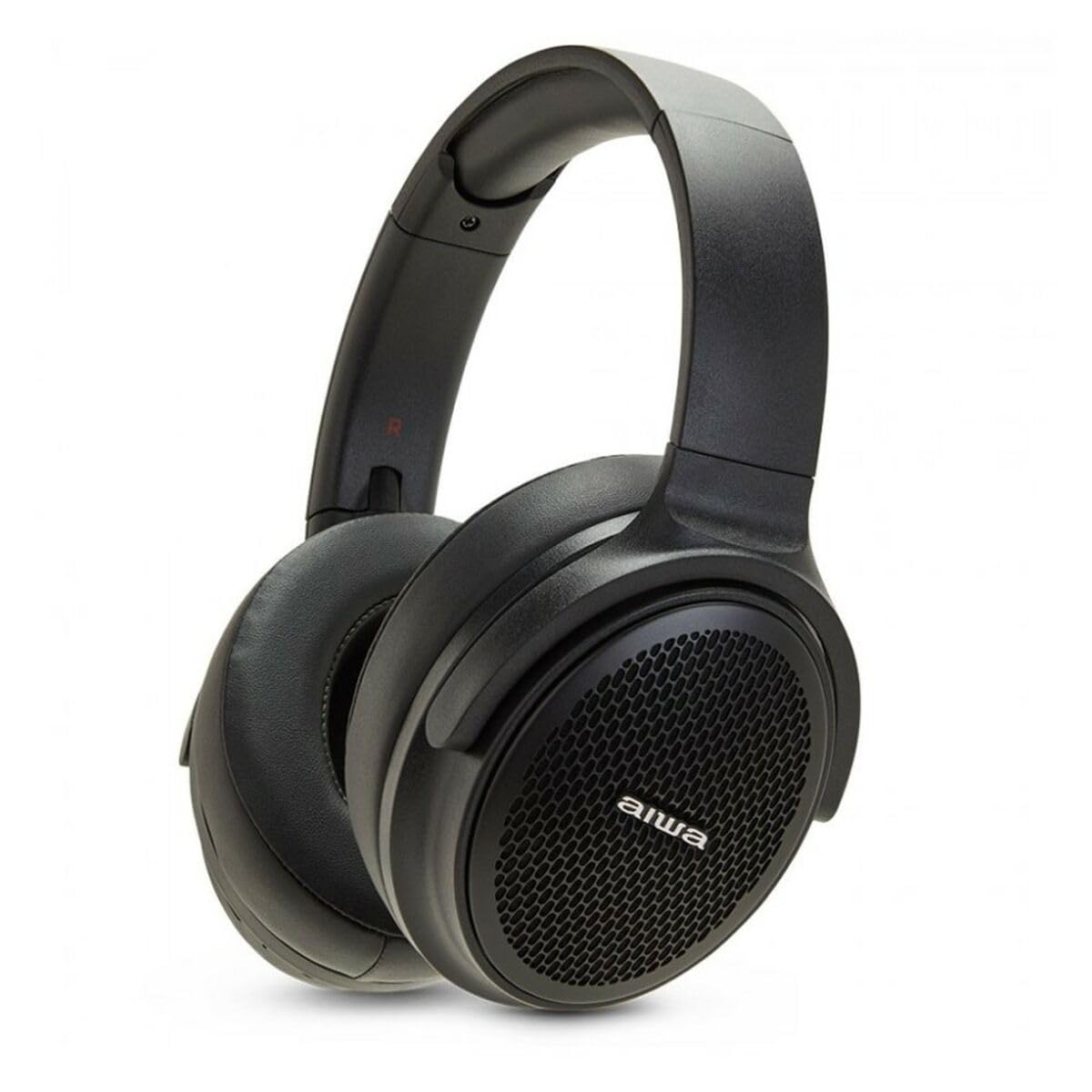
Image: The AIWA HST-250BT headphones shown with the braided micro USB charging cable, 3.5mm aux cable, and deluxe carrying case.
Product Features
- Bluetooth 5.0 Connectivity: For stable and efficient wireless connection.
- HyperBass Technology: Enhanced bass for a rich audio experience.
- Wired and Wireless Operation: Use via Bluetooth or the included 3.5mm audio cable.
- Micro SD Slot: Play music directly from a Micro SD card.
- Integrated Controls: Touch controls for music playback and call management.
- Built-in Microphone: For hands-free calls.
- Rechargeable Battery: Long-lasting battery with ultra-low power consumption.
- Waterproof Design: Provides protection against splashes and sweat.
- Comfortable Design: Over-ear earpiece shape for extended wear.
Setup
1. Charging the Headphones
Before first use, fully charge your AIWA HST-250BT headphones. Use the provided micro USB charging cable.
- Connect the micro USB end of the cable to the charging port on the headphones.
- Connect the USB-A end of the cable to a USB power adapter (not included) or a computer's USB port.
- The LED indicator will illuminate to show charging status. It typically takes approximately 2 hours for a full charge.
- Once fully charged, the LED indicator will change or turn off (refer to the specific LED behavior in your product's quick start guide if available).
2. Bluetooth Pairing
Pair your headphones with your smart device for wireless audio.
- Ensure the headphones are charged and turned off.
- Press and hold the power button on the headphones until the LED indicator flashes rapidly (usually blue and red), indicating pairing mode.
- On your smart device (smartphone, tablet, computer), go to the Bluetooth settings.
- Turn on Bluetooth and search for available devices.
- Select "AIWA HST-250BT" from the list of found devices.
- Once paired, the LED indicator on the headphones will typically show a slow blue flash or solid blue light.
- If prompted for a password, enter "0000".
Note: The headphones will automatically attempt to reconnect to the last paired device when powered on.
Operating Instructions
Power On/Off
- Power On: Press and hold the power button for approximately 3 seconds.
- Power Off: Press and hold the power button for approximately 5 seconds.
Music Playback (Bluetooth Mode)
- Play/Pause: Press the Multi-function button once.
- Next Track: Press and hold the Volume Up button.
- Previous Track: Press and hold the Volume Down button.
- Volume Up: Short press the Volume Up button.
- Volume Down: Short press the Volume Down button.
Call Management
- Answer/End Call: Press the Multi-function button once.
- Reject Call: Press and hold the Multi-function button for 2 seconds.
- Redial Last Number: Double-press the Multi-function button.
Using the Micro SD Card
The headphones support direct playback from a Micro SD card.
- Insert a Micro SD card (with supported audio files) into the designated slot on the headphones.
- The headphones will automatically switch to Micro SD playback mode or you may need to press a mode button (refer to specific button layout if available).
- Use the music playback controls (Play/Pause, Next/Previous Track, Volume) as described above.
Wired Connection (AUX Mode)
For a wired connection, use the included 3.5mm audio cable.
- Connect one end of the 3.5mm audio cable to the AUX input port on the headphones.
- Connect the other end to the 3.5mm audio output jack of your audio source (e.g., smartphone, MP3 player).
- In AUX mode, controls on the headphones (like volume, play/pause) may not function, and you will need to control playback from your audio source.
Maintenance
- Cleaning: Wipe the headphones with a soft, dry cloth. Do not use abrasive cleaners or solvents.
- Storage: Store the headphones in the provided deluxe carrying case when not in use to protect them from dust and damage.
- Battery Care: To prolong battery life, avoid fully discharging the headphones frequently. Charge them regularly, even if not used for extended periods.
- Water Resistance: While waterproof, avoid submerging the headphones in water. Dry them thoroughly if they get wet.
Troubleshooting
| Problem | Possible Cause | Solution |
|---|---|---|
| Headphones do not power on. | Low battery. | Charge the headphones fully using the provided USB cable. |
| Cannot pair with device. | Headphones not in pairing mode; Bluetooth off on device; device too far. | Ensure headphones are in pairing mode (flashing LED). Turn on Bluetooth on your device. Move device closer to headphones (within 10 meters). Forget previous pairings on your device and try again. |
| No sound or low volume. | Volume too low on headphones or device; incorrect audio source; headphones not connected. | Increase volume on both headphones and connected device. Ensure headphones are properly paired or the AUX cable is fully inserted. Check if the correct audio output is selected on your device. |
| Micro SD card not playing. | Card not inserted correctly; unsupported file format; card corrupted. | Reinsert the Micro SD card. Ensure audio files are in a supported format (e.g., MP3). Try a different Micro SD card. |
Specifications
| Feature | Detail |
|---|---|
| Model Name | HST-250BT |
| Connectivity Technology | Wireless (Bluetooth), Wired (3.5mm AUX) |
| Wireless Communication Technology | Bluetooth 5.0 |
| Earpiece Shape | Over Ear |
| Audio Driver Type | Dynamic Driver |
| Control Method | Touch |
| Special Features | HyperBASS, 10M Range, Call use, Rechargeable, Ultra low power consumption, Micro SD Slot, Waterproof |
| Charging Time | Approximately 2 hours |
| Compatible Devices | Smart devices |
| Item Weight | 100 Grams (3.53 ounces) |
| Product Dimensions | 19.69 x 19.69 x 11.02 inches |
| Material | Nylon |
| Manufacturer | AIWA |
Safety Information
Please observe the following safety guidelines for safe operation and to prevent damage to your device:
- Do not expose the headphones to extreme temperatures, direct sunlight, or high humidity.
- Avoid listening at high volume levels for extended periods to prevent hearing damage.
- Do not attempt to disassemble or modify the headphones. This will void the warranty and may cause damage.
- Keep the headphones away from children and pets.
- Use only the provided charging cable or a certified equivalent.
- Dispose of the product responsibly according to local regulations. Do not dispose of with household waste.
Warranty and Support
AIWA products are designed and manufactured to the highest quality standards. For warranty information and technical support, please refer to the warranty card included with your purchase or visit the official AIWA website.
For further assistance, you may contact AIWA customer support through their official channels.
Note: Specific warranty terms may vary by region. Please retain your proof of purchase for warranty claims.


