1. Introduction
Thank you for purchasing the Godox DP400III-V Studio Flash Light. This professional studio flash is designed for various photography applications, including wedding, portrait, fashion, advertising, and product shooting. It features a built-in Godox 2.4G wireless X system, offering precise power control and versatile lighting options. Please read this manual carefully before use to ensure proper operation and safety.
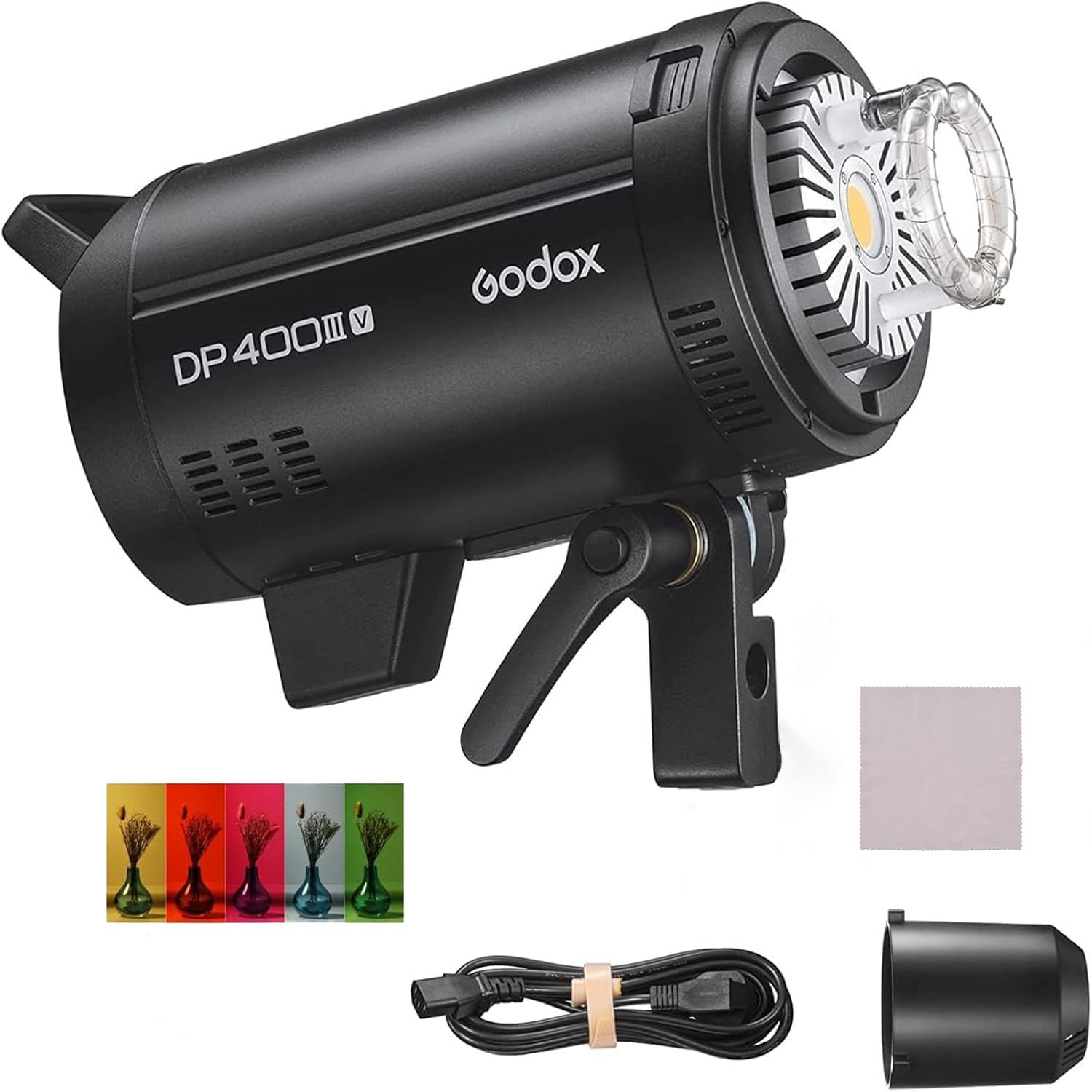
Image 1.1: The Godox DP400III-V Studio Flash Light, a powerful and versatile lighting solution for professional photography.
2. Safety Precautions
- Do not disassemble or modify the unit. If the product fails, it must be repaired by an authorized maintenance center.
- Keep this product dry. Do not handle with wet hands or immerse in water.
- Do not use the flash unit in the presence of flammable gases, chemicals, or other similar materials.
- Do not touch the flash tube or modeling lamp immediately after use, as they can be hot.
- Ensure the power supply voltage matches the unit's requirements before plugging in.
- Unplug the unit from the power outlet when not in use or before cleaning.
- Protect the flash tube and modeling lamp from impact to prevent damage.
3. Product Overview
The Godox DP400III-V features a robust design with intuitive controls for ease of use. Familiarize yourself with the key components:

Image 3.1: Key features of the DP400III-V, including the Bowens mount for accessories, wireless control port, sturdy handle, and various display options for power and wireless settings.
- Bowens Mount: Standard mount for attaching various light modifiers like softboxes, reflectors, and snoots.
- Wireless Control Port: For connecting external wireless triggers or receivers.
- Solid Handle: Provides a secure grip for positioning the flash.
- Control Panel: Features a large LCD display, rotary dial, and buttons for adjusting settings such as power, group, channel, and modeling lamp mode.
- Modeling Lamp: 30W LED lamp with adjustable brightness for previewing lighting effects.
4. Setup
4.1 Mounting the Flash
- Attach the DP400III-V to a sturdy light stand using the mounting bracket. Ensure it is securely tightened.
- Connect the power cable to the flash unit and then to a suitable power outlet (100-240V, 50/60Hz).
4.2 Attaching Light Modifiers
The DP400III-V uses a Bowens mount, allowing for a wide range of accessories.
- Align the modifier (e.g., reflector, softbox) with the Bowens mount on the flash head.
- Twist the modifier clockwise until it clicks into place, ensuring it is firmly attached.
- To remove, press the release button on the mount and twist the modifier counter-clockwise.

Image 4.1: The DP400III-V with a standard reflector, demonstrating the Bowens mount compatibility.
5. Operating Instructions
5.1 Power On/Off
Locate the power switch on the control panel and flip it to the 'ON' position to power on the flash. Flip to 'OFF' to power down.
5.2 Adjusting Flash Power
The flash power can be adjusted from 1/64 to 1/1 in 61 steps. Use the rotary dial on the control panel to increase or decrease the power output. The display shows the current power setting, which can be switched between decimal and fraction display.
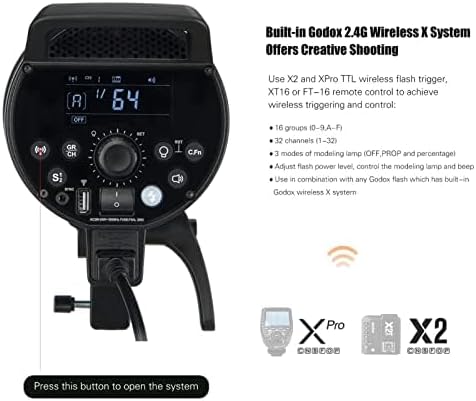
Image 5.1: The control panel displaying wireless settings and power adjustment options.
5.3 Modeling Lamp Operation
The 30W LED modeling lamp assists in previewing lighting effects. It has three modes: OFF, PROP (proportional), and Percentage.
- OFF: Modeling lamp is off.
- PROP: The modeling lamp brightness changes proportionally with the flash output power.
- Percentage: The brightness of the modeling lamp is adjustable from 5% to 100% independently.

Image 5.2: The modeling lamp in action, demonstrating its ability to illuminate subjects for light preview.
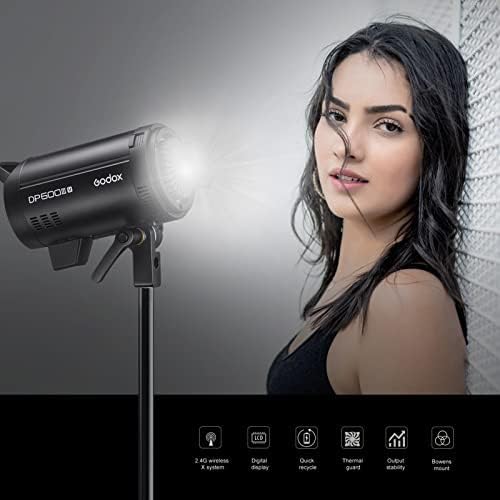
Image 5.3: The modeling lamp providing continuous light for a portrait setup.
5.4 Godox 2.4G Wireless X System
The DP400III-V features a built-in 2.4G wireless X system for remote control. This system allows for wireless control of flash power ratio, modeling lamp, and buzzer, as well as flash triggering.
- Use Godox X2 or XPro TTL wireless flash triggers, or the XT16/FT-16 remote control (sold separately) to achieve wireless triggering and control.
- The system supports 16 groups (0-9, A-F) and 32 channels (1-32).
- Adjusted settings are remembered after 3 seconds and recovered after a restart.
Video: Godox DP Series Upgraded Studio Flash Light Strobe Lighting
Video 5.1: An official video demonstrating the features and operation of the Godox DP Series Studio Flash Light, including its wireless capabilities and various applications.
6. Maintenance
- Clean the unit regularly with a soft, dry cloth. Avoid using solvents or harsh chemicals.
- Store the flash in a dry, dust-free environment when not in use.
- Replace the flash tube and modeling lamp only with genuine Godox parts to ensure compatibility and performance.
- Avoid exposing the unit to extreme temperatures or high humidity.
7. Troubleshooting
| Problem | Possible Cause | Solution |
|---|---|---|
| Flash does not fire. |
|
|
| Modeling lamp not working. |
|
|
| Inconsistent flash output. |
|
|
8. Specifications
| Feature | Detail |
|---|---|
| Model | DP400III-V |
| Max Power | 400Ws |
| Guide Number (GN) | 87 (m ISO 100, with standard reflector) |
| Color Temperature | 5600K ± 200K |
| Power Output Control | 61 steps from 1/64 to 1/1 |
| Recycling Time | 0.1-1s |
| Flash Duration | 1/2000 to 1/800 seconds |
| Modeling Lamp | 30W LED, adjustable brightness (5%-100%) |
| Wireless System | Built-in Godox 2.4G Wireless X System |
| Channels/Groups | 32 Channels (1-32), 16 Groups (0-9, A-F) |
| Sync Mode | Sync cord jack, optical slave triggering, wireless control port |
| Bowens Mount | Yes |
| Item Weight | 8.91 pounds (approx. 4.04 kg) |
| Dimensions | 16.5 x 9.06 x 7.83 inches (approx. 41.9 x 23 x 19.9 cm) |
9. Warranty & Support
Godox products are designed and manufactured to the highest quality standards. This product is covered by a limited warranty against defects in materials and workmanship from the date of purchase. Please retain your proof of purchase for warranty claims.
- Warranty Period: Typically one year from the date of purchase. Specific terms may vary by region.
- Exclusions: The warranty does not cover damage caused by misuse, unauthorized modification, accident, or normal wear and tear. Consumable parts like flash tubes and modeling lamps may have a shorter warranty period or be excluded.
- Support: For technical assistance, troubleshooting, or warranty service, please contact your authorized Godox dealer or visit the official Godox website for support contact information.
For more information, visit the official Godox store: GODOX Store on Amazon


