1. Introduction
The Godox MoveLink II M2 is a compact and portable 2.4G wireless lavalier microphone system designed for high-quality audio recording with cameras, computers, and smartphones. This system includes two transmitters (TX) and one receiver (RX), along with a portable charging case, offering a comprehensive solution for interviews, vlogging, and other recording scenarios. It features advanced noise-canceling technology, a 100-meter transmission range, and flexible mono/stereo recording modes.
2. What's in the Box
The Godox MoveLink II M2 system includes the following components:
- 2 x Transmitters (TX)
- 1 x Receiver (RX)
- 1 x Portable Charging Case
- 2 x Omnidirectional Lavalier Microphones
- 2 x Furry Windshields
- 1 x 3.5mm TRS to TRS Cable (for cameras)
- 1 x 3.5mm TRS to TRRS Cable (for smartphones)
- 3 x USB-C Charging Cables
- 1 x Wrist Strap
- 3 x Magnetic Iron Plates

Figure 2.1: All components included in the Godox MoveLink II M2 Wireless Lavalier Microphone System kit.
3. Product Overview
3.1 Transmitter (TX)
The transmitter unit features a built-in microphone, a 3.5mm input for an external lavalier microphone, a TFT display for settings, and a back clip for attachment. It is lightweight, weighing only 27g.
3.2 Receiver (RX)
The receiver unit connects to your recording device (camera, smartphone, computer) via a 3.5mm output. It also includes a 3.5mm headphone jack for real-time audio monitoring and a TFT display to show parameters and audio levels.
3.3 Portable Charging Case
The charging case is designed to store and charge all three units (two TX and one RX) simultaneously using a single USB-C cable. Its compact size makes it convenient for transport.

Figure 3.1: The portable charging case with the transmitter and receiver units.
4. Setup Instructions
4.1 Charging the Units
Before first use, fully charge all units. There are two charging methods:
- Using the Charging Case: Place the two transmitters and one receiver into the portable charging case. Connect the charging case to a power source using the provided USB-C cable. The units will charge simultaneously.
- Direct USB-C Charging: Each individual transmitter and receiver unit can be charged directly via its USB-C port using a USB-C cable and a compatible power adapter (not included).
The TFT display on each unit will indicate the charging status and battery level. The transmitter can run for approximately 10 hours, and the receiver for 8 hours on a full charge.

Figure 4.1: Charging the units in the portable charging case.
4.2 Pairing the Units
The transmitters and receiver are designed for automatic pairing. Simply power on all units, and they should connect wirelessly. The TFT displays will show connection status. If manual pairing is required, refer to the on-screen instructions on the unit's display.
4.3 Connecting to Recording Devices
The MoveLink II M2 system is compatible with various devices:
- Cameras: Use the provided 3.5mm TRS to TRS cable to connect the receiver's output to your camera's microphone input.
- Smartphones/Tablets: Use the provided 3.5mm TRS to TRRS cable to connect the receiver's output to your smartphone or tablet's headphone/microphone jack. Note: For smartphones without a 3.5mm jack (e.g., newer iPhones or Type-C only Android phones), a separate 3.5mm to Lightning or 3.5mm to Type-C adapter cable is required (sold separately).
- Computers: Use the appropriate 3.5mm cable to connect the receiver to your computer's microphone input.
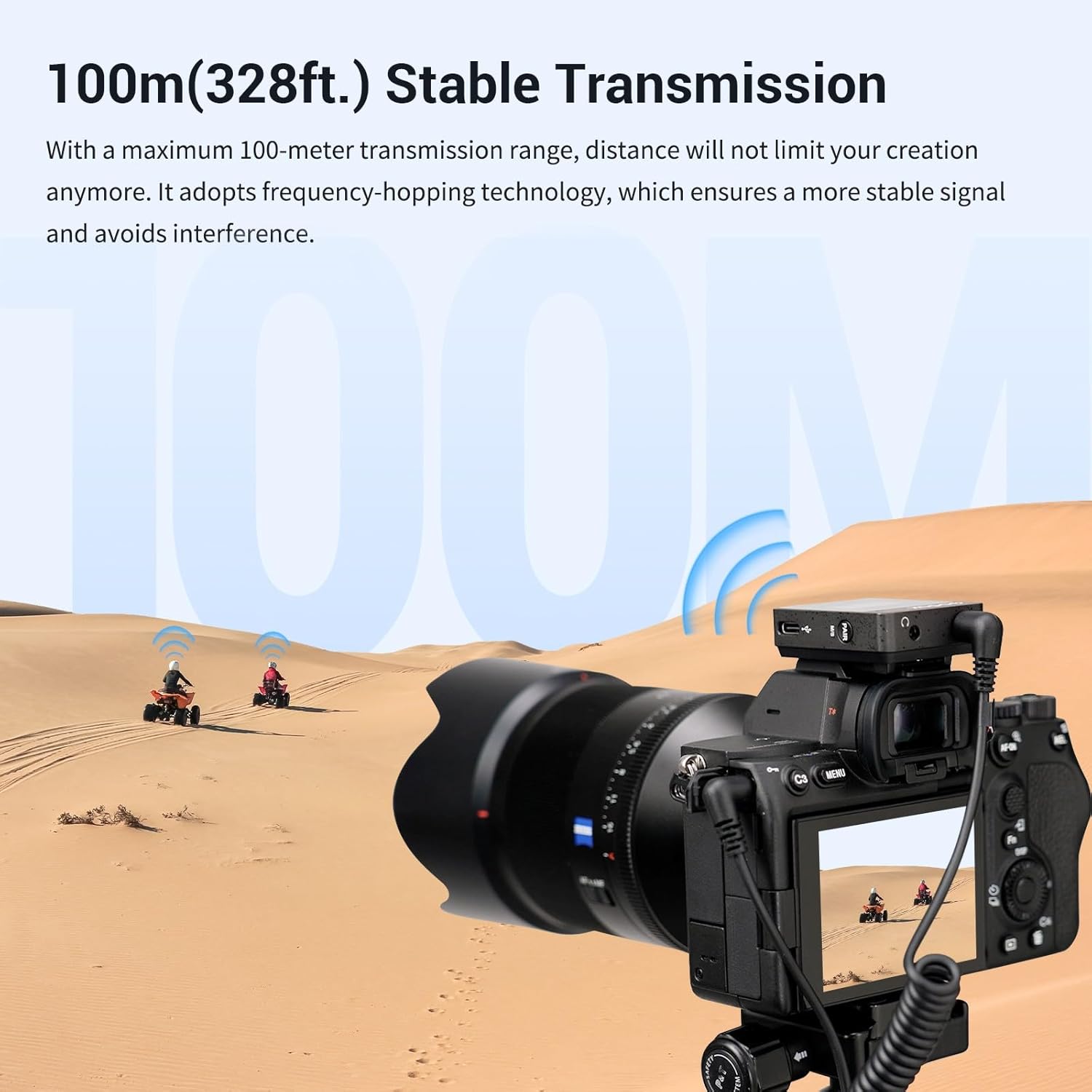
Figure 4.2: Connecting the receiver to a camera.
4.4 Attaching the Transmitter
The transmitter can be attached in several ways:
- Using the Back Clip: The transmitter has a built-in back clip that can be easily attached to clothing, a camera strap, or a belt.
- Using Magnetic Iron Plates: For discreet placement under clothing, attach one of the provided magnetic iron plates to the inside of your garment. The transmitter can then magnetically adhere to the plate from the outside. Note that thicker or multi-layer clothing may reduce magnetic adhesion.
- Hot Shoe Mount: The receiver's back clip is compatible with a camera's hot shoe mount for secure attachment.

Figure 4.3: Transmitter attached to clothing using the back clip.
4.5 Connecting External Lavalier Microphones
For enhanced audio quality or discreet placement, connect one of the included 3.5mm lavalier microphones to the transmitter's 3.5mm audio input port. Ensure the connection is secure. Clip the lavalier microphone to the user's clothing, typically near the mouth area, for optimal sound capture.

Figure 4.4: Transmitter with external lavalier microphone connected.
5. Operating Instructions
5.1 Power On/Off
Press and hold the power button on each unit to turn it on or off. The TFT display will illuminate upon power-on.
5.2 Noise Reduction Function
The MoveLink II M2 features an advanced noise-canceling technology. To activate or deactivate noise reduction, press the designated button on the transmitter. This function helps reduce ambient noises for clearer audio.

Figure 5.1: Activating the 1-Click Noise Reduction feature.
5.3 Mono/Stereo Mode Switching
The system allows switching between mono and stereo recording modes with a single press. In Mono mode, audio from both transmitters is combined into a single track. In Stereo mode, audio from each transmitter is recorded on separate tracks, allowing for individual post-processing.
5.4 Volume Adjustment and Gain Control
Adjust the output volume directly from the receiver unit. The TFT display will show the current volume level. Each transmitter's gain can also be adjusted independently or jointly, offering 16 steps of configuration for precise audio level control.
5.5 Real-time Monitoring
Connect 3.5mm earphones to the receiver's headphone jack to monitor the audio in real-time during recording. This allows you to ensure optimal sound quality and detect any issues immediately.
5.6 Transmission Range
The Godox MoveLink II M2 offers a stable transmission range of up to 100 meters (328 feet) in open environments. It utilizes frequency-hopping technology to minimize interference from other wireless signals like Bluetooth and Wi-Fi.

Figure 5.2: Illustrating the 100-meter stable transmission range.
6. Maintenance
- Cleaning: Use a soft, dry cloth to clean the units. Avoid using harsh chemicals or abrasive materials.
- Battery Care: To prolong battery life, avoid fully discharging the units frequently. Store the units in a cool, dry place when not in use for extended periods.
- Storage: Always store the transmitters, receiver, and accessories in the provided charging case to protect them from dust and physical damage.
7. Troubleshooting
- No Audio Output:
- Ensure all units are powered on and properly paired.
- Check cable connections between the receiver and your recording device.
- Verify the volume level on the receiver and your recording device.
- If using an external lavalier microphone, ensure it is securely plugged into the transmitter.
- Poor Audio Quality/Interference:
- Ensure the transmitters are within the 100-meter operating range and have a clear line of sight to the receiver.
- Activate the noise reduction function on the transmitter.
- Check for strong Wi-Fi or Bluetooth signals nearby that might cause interference.
- Ensure the furry windshields are used in windy conditions.
- Smartphone Compatibility Issues (No Audio):
- If your smartphone lacks a 3.5mm headphone jack, you must use a compatible 3.5mm to Lightning (for iPhone) or 3.5mm to Type-C adapter cable (sold separately). Ensure the adapter is an original or certified accessory for proper functionality.
- Units Not Charging:
- Ensure the USB-C cable is securely connected to both the charging case/unit and the power source.
- Try a different USB-C cable or power adapter.
8. Specifications
| Feature | Specification |
|---|---|
| Brand | GODOX |
| Model Number | MoveLink II M2 |
| Microphone Form Factor | Microphone System |
| Connectivity Technology | 2.4G Wireless |
| Connector Type | 3.5 mm Jack |
| Polar Pattern | Omnidirectional |
| Number of Channels | 2 |
| Signal-to-Noise Ratio | 65 dB |
| Power Source | Battery Powered (2 Lithium Ion batteries included) |
| Transmitter Battery Life | Approx. 10 hours |
| Receiver Battery Life | Approx. 8 hours |
| Transmission Range | 100 meters (328 feet) |
| Compatible Devices | Smartphone, Tablet, Camera, Computer |
| Special Feature | Noise Cancelling, Clip |
| Item Weight | 216 Grams (total package) |
| Date First Available | December 7, 2022 |
9. Warranty and Support
For detailed warranty information and further support, please refer to the official Godox documentation. A comprehensive User Manual in PDF format is available for download:
For additional assistance, please visit the official GODOX website or contact their customer support.