
1. Introduction
This manual provides detailed instructions for the BAISHUN C57 Aux Bluetooth Adapter. This device allows you to wirelessly stream audio from your Bluetooth-enabled devices to non-Bluetooth audio systems, such as car stereos, home stereos, wired speakers, and headphones, using a 3.5mm auxiliary input. It supports Bluetooth 5.3 for stable connections, hands-free calling, and True Wireless Stereo (TWS) functionality.
2. Product Overview
2.1 Package Contents
- BAISHUN C57 Aux Bluetooth Adapter
- USB Charging Cable
- User Manual (this document)
2.2 Key Features
- Bluetooth 5.3 Technology: Provides a stable connection, faster pairing speed, and higher sound quality compared to older Bluetooth versions.
- 3.5mm AUX Input: Compatible with a wide range of audio devices.
- Built-in Microphone: Enables hands-free calling.
- True Wireless Stereo (TWS) Support: Allows pairing two adapters for a stereo sound experience.
- Voice Assistant Support: Activate Siri or other voice assistants.
- Compact and Portable Design: Easy to carry and use in various settings.
- Battery Powered: Offers wireless freedom with a working range of up to 33 feet (10 meters).
2.3 Product Diagram
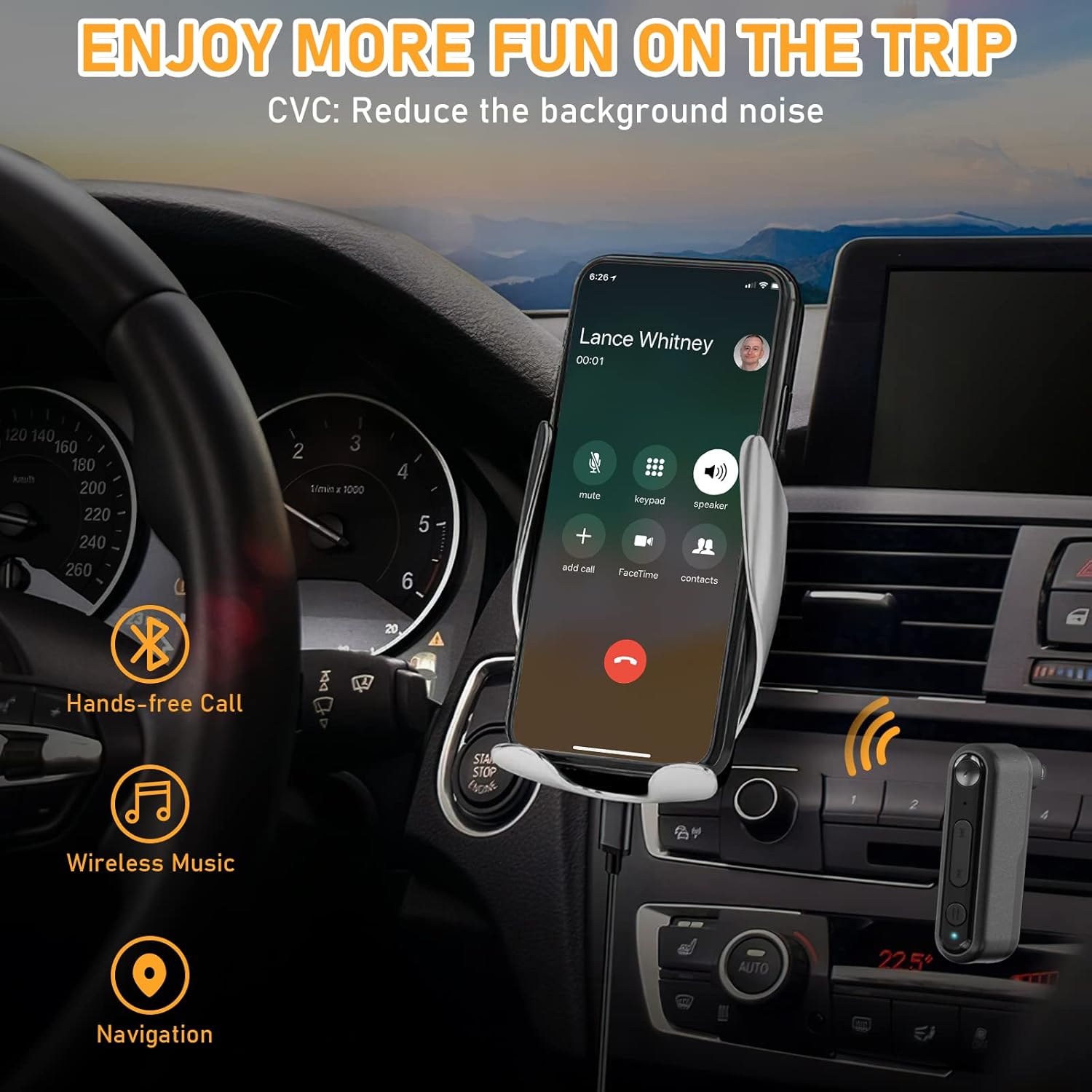
Image 1: BAISHUN C57 Aux Bluetooth Adapter with labeled components. This image shows the 3.5mm AUX port, Multifunction key, Microphone, Previous song/Volume- button, Next song/Volume+ button, TWS function key, LED indicator light, and DC/5V charging port.

Image 2: Key features of the adapter. This image highlights the LED indicator, support for hands-free calling, and the portable design of the device.
3. Setup and Pairing
3.1 Powering On/Off
- To Power On: Long press the Multifunction (MFB) button until the LED indicator flashes. The device will automatically enter pairing mode.
- To Power Off: Long press the Multifunction (MFB) button until the LED indicator turns off.
3.2 Connecting to an Audio System
Insert the 3.5mm AUX plug of the adapter into the auxiliary input port of your car stereo, home stereo, wired speaker, or headphones.
3.3 Bluetooth Pairing
- Ensure the BAISHUN C57 adapter is powered on and in pairing mode (LED indicator flashing).
- On your smartphone or other Bluetooth-enabled device, go to the Bluetooth settings.
- Search for available devices and select "C57" from the list.
- Once connected, the LED indicator on the adapter will stop flashing and remain solid blue.

Image 3: Visual guide for initial setup. This image illustrates the steps: 1) Long press the button to power on, 2) Plug into the audio system, and 3) Enable Bluetooth on your phone, search for 'C57' and pair.

Image 4: Compatibility diagram. This image shows the adapter connecting to a wired speaker, home stereo, car audio system, phone, tablet, and computer, demonstrating its wide range of applications.
4. Operating Instructions
4.1 Music Playback
- Play/Pause: Short press the Multifunction (MFB) button.
- Next Track: Short press the "Next song" button.
- Previous Track: Short press the "Previous song" button.
- Volume Up: Long press the "Next song" button.
- Volume Down: Long press the "Previous song" button.
4.2 Hands-Free Calling
- Answer Call: Short press the Multifunction (MFB) button when an incoming call rings.
- End Call: Short press the Multifunction (MFB) button during a call.
- Reject Call: Long press the Multifunction (MFB) button when an incoming call rings.
- Redial Last Number: Double press the Multifunction (MFB) button.
4.3 Voice Assistant Activation
To activate your device's voice assistant (e.g., Siri), short press the Multifunction (MFB) button three times.

Image 5: Hands-free communication and navigation. This image shows the adapter being used in a car for hands-free calls, wireless music, and navigation, enhancing driving safety.
5. True Wireless Stereo (TWS) Pairing
The BAISHUN C57 adapter supports True Wireless Stereo (TWS), allowing you to pair two adapters together to create a left and right stereo channel for an immersive audio experience. This feature is ideal for parties, movies, or music listening with two separate speakers.
5.1 TWS Pairing Steps
- Ensure both BAISHUN C57 adapters are powered on and not connected to any other Bluetooth device.
- Short press the TWS function key on one adapter. This adapter will become the primary unit (e.g., Right channel).
- Short press the TWS function key on the second adapter. This adapter will become the secondary unit (e.g., Left channel).
- The two adapters will automatically pair with each other. Once paired, the LED indicators will change to indicate a successful TWS connection.
- Now, connect your Bluetooth-enabled device (e.g., smartphone) to the primary BAISHUN C57 adapter via Bluetooth (search for "C57").
- Audio will now be streamed in true stereo through both connected speakers.

Image 6: True Wireless Stereo (TWS) setup. This image illustrates how two adapters can be paired to deliver separate left and right audio channels to two speakers, controlled by a single smartphone.
6. Charging
When the battery is low, the LED indicator will flash red. To charge the BAISHUN C57 adapter:
- Connect the provided USB charging cable to the DC/5V charging port on the adapter.
- Plug the other end of the USB cable into a standard USB power source (e.g., wall adapter, computer USB port, car charger).
- The LED indicator will show a solid red light during charging.
- Once fully charged, the LED indicator will turn off or change to blue (depending on the model).
A full charge typically takes 3-5 hours and provides several hours of operation, though actual battery life may vary based on usage and volume levels.
7. Maintenance
- Keep the device dry. Avoid exposure to moisture, rain, or liquids.
- Do not expose the device to extreme temperatures (hot or cold).
- Clean the device with a soft, dry cloth. Do not use harsh chemicals or abrasive cleaners.
- Store the device in a clean, dust-free environment when not in use.
- Avoid dropping or subjecting the device to strong impacts.
8. Troubleshooting
| Problem | Possible Cause | Solution |
|---|---|---|
| Device does not power on. | Battery is depleted. | Charge the device fully using the provided USB cable. |
| Cannot pair with my Bluetooth device. | Adapter is not in pairing mode. Bluetooth is disabled on your device. Adapter is too far from your device. | Long press MFB to enter pairing mode (flashing LED). Ensure Bluetooth is enabled on your phone/tablet. Move the adapter closer to your Bluetooth device (within 33ft/10m). |
| No sound after pairing. | Volume is too low. 3.5mm AUX cable is not fully inserted. Incorrect audio input selected on your stereo. | Increase volume on both the adapter and your audio system. Ensure the 3.5mm plug is securely connected. Select the correct AUX input on your car/home stereo. |
| Poor audio quality or disconnections. | Interference or distance. Low battery. | Move closer to the adapter and away from potential interference sources. Charge the adapter fully. |
| TWS pairing fails. | Adapters are already paired to another device. Incorrect TWS pairing steps. | Ensure both adapters are disconnected from other Bluetooth devices before TWS pairing. Follow the TWS pairing steps precisely as outlined in Section 5.1. |
9. Specifications
- Model: C57
- Bluetooth Version: 5.3
- Connectivity: 3.5mm AUX Input, Bluetooth
- Power Source: Rechargeable Lithium Ion Battery
- Working Range: Up to 33 feet (10 meters)
- Product Dimensions: 2.12 x 1.87 x 0.55 inches (approx.)
- Item Weight: 1.44 ounces (approx.)
- Special Features: Built-In Microphone, Hands-Free Calls, True Wireless Stereo (TWS)

Image 7: Bluetooth 5.3 advantages. This image highlights the benefits of Bluetooth 5.3, including 2X more stable connection, 2X faster transmission, and higher sound quality compared to Bluetooth 5.0.
10. Warranty Information
For specific warranty terms and conditions, please refer to the product packaging or contact BAISHUN customer support directly. Warranty coverage typically includes manufacturing defects for a specified period from the date of purchase.
11. Customer Support
If you encounter any issues or have questions not covered in this manual, please contact BAISHUN customer support through your purchase platform or visit the official BAISHUN website for assistance. Please have your product model (C57) and purchase details ready when contacting support.
